
Is your business listed? Claim it, correct it, or ask us to remove it
If you find your business in the Creatures directory, open the listing and tap Claim this listing (or Claim this breeder profile on a breeder listing). The Is this your business? page that opens lets you claim the listing so you can fix it, or ask us to remove it.
We build some listings from public business information, so yours may appear before you join. The directory covers breeders and farms, plus hoof care, shearing, reproduction, processing and transport businesses. Not listed yet? Create an organization of the matching type, such as Farm or Farrier or hoof trimmer, and it joins that directory once it's set up.
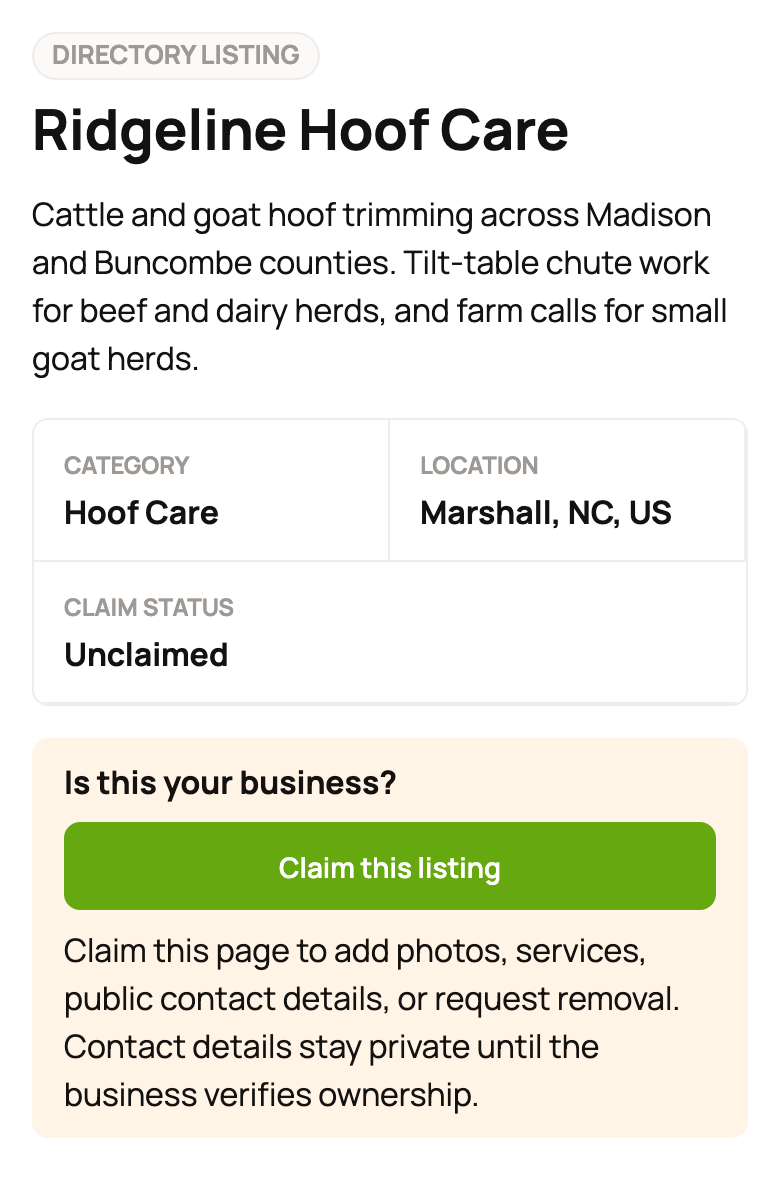
Claim it
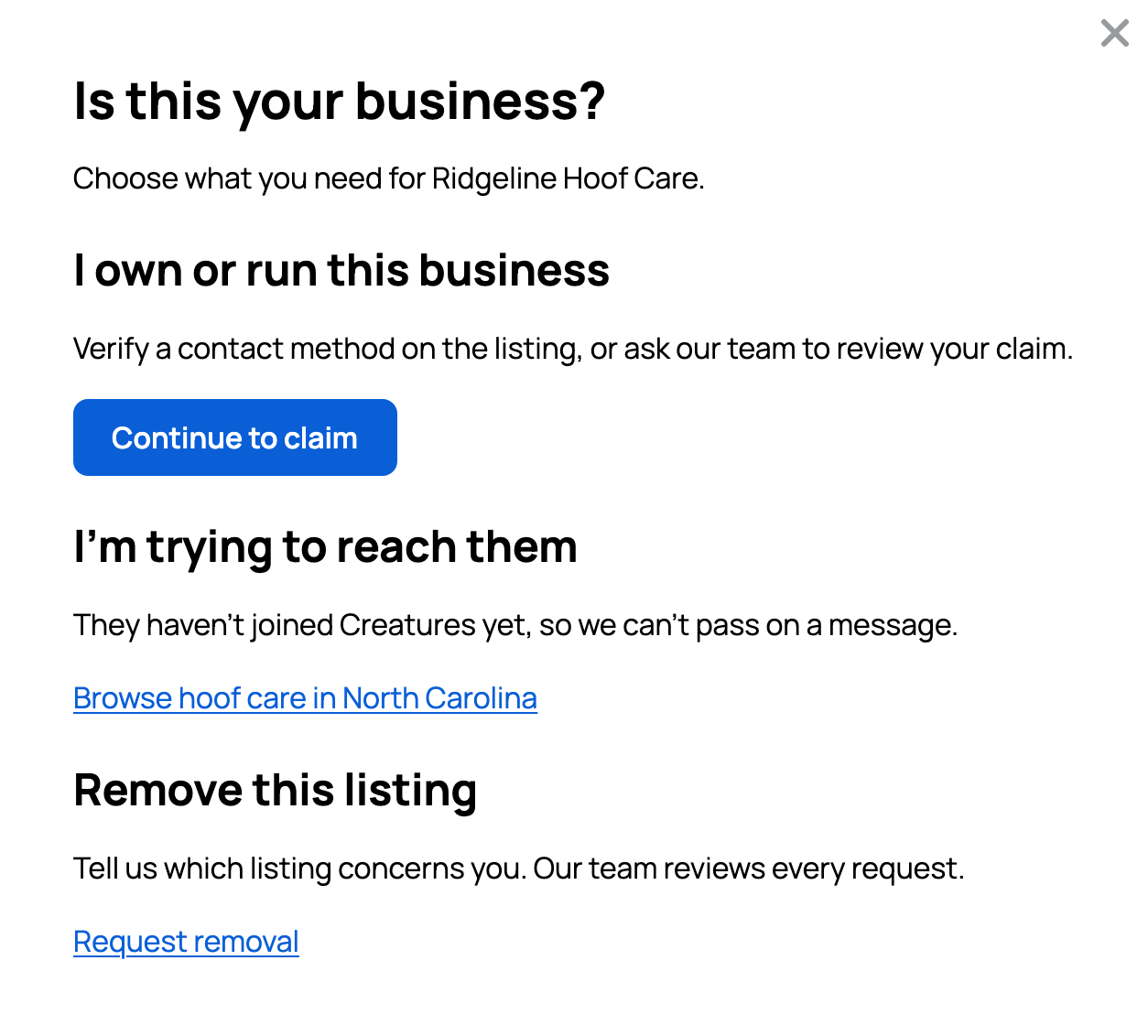
- Under I own or run this business, tap Continue to claim. Sign in or create a free account if we ask.
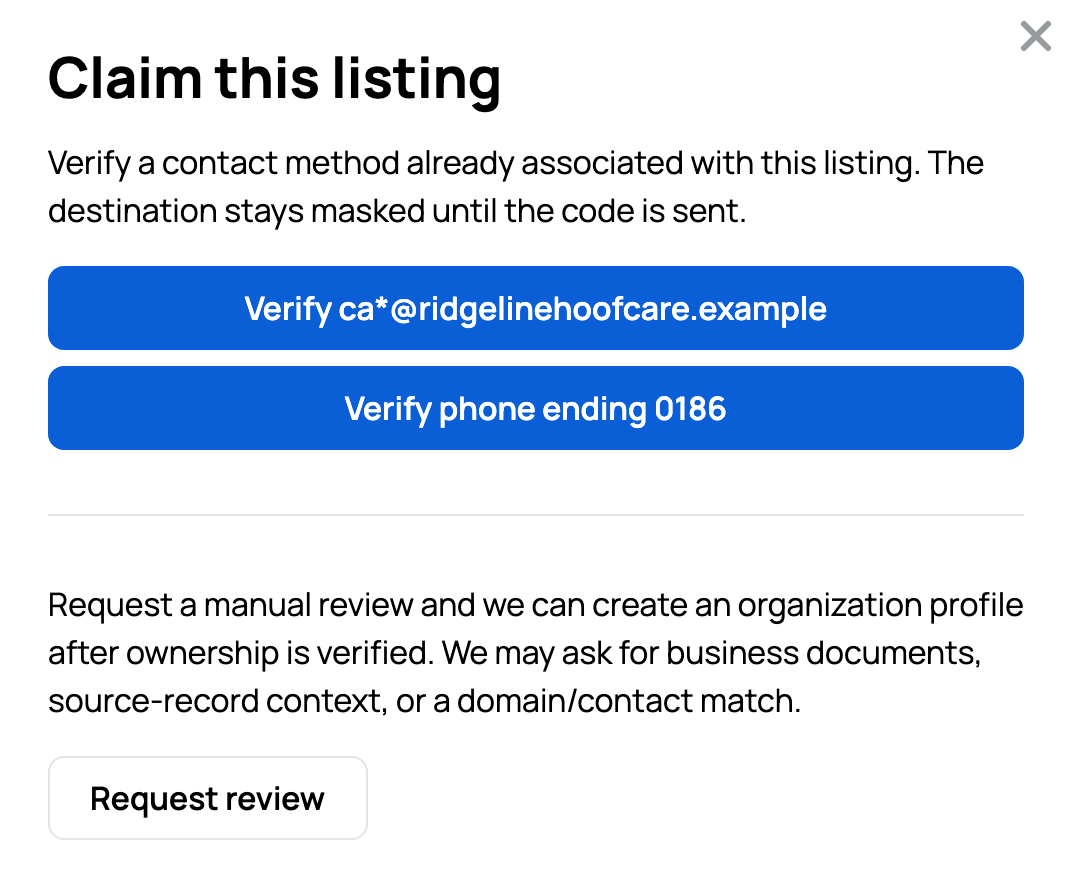
- Tap the Verify button for a contact the listing already has. Service listings show only part of each contact, for example Verify phone ending 0186, so only the real owner knows where the code goes.
- Enter the six-digit code we send, then tap Verify.
The listing becomes your organization, a shared profile for your business, and Edit organization profile opens so you can fix the details. We can text codes to US and Canadian numbers only, so use the email if the phone is somewhere else.
Can't use those contacts? Our team can check ownership by hand and may ask for business documents.
- No organization yet: tap Request review. We create the organization once we confirm it's yours.
- You own or co-own an organization: tap Claim as followed by its name to add the listing to it, or tap Claim as a new organization.
The listing then says Your claim is pending review. For breeder listings, the steps differ a little. See Getting listed in the breeder directory.
If you already run an organization for it
Have a transport, reproduction, hoof care, shearing or processing organization? Its Edit organization profile page may ask, under the directory switch, whether one of our listings is yours. Select Claim this listing and verify a contact. The listing then merges into your organization and adds its services, instead of starting a new one. Can't use the contacts? Select Request review. Not yours? Select Not my business.
Correct it
After you claim the listing, open your organization page and tap Edit profile to change the name, description, location or contact details.
Not the owner, but something is wrong with a service listing? Sign in, open the listing and tap Report a concern.
- Choose a Reason: Incorrect details, Safety concern, Business closed, Duplicate listing or Other.
- Explain what's wrong under Details.
- Tap Submit report. You'll see "Thanks, we'll review this."
To fix a breeder listing you don't own, contact us.
Ask us to remove it
You don't need an account to ask.
- Open the listing's Is this your business? page (tap Claim this listing, or Want it removed? Tell us on a breeder listing). Under Remove this listing, tap Request removal.
- Fill in Your name, Email for our reply and Your connection (Owner, Family or staff or Other). Add a note if it helps.
- Tap Send request.
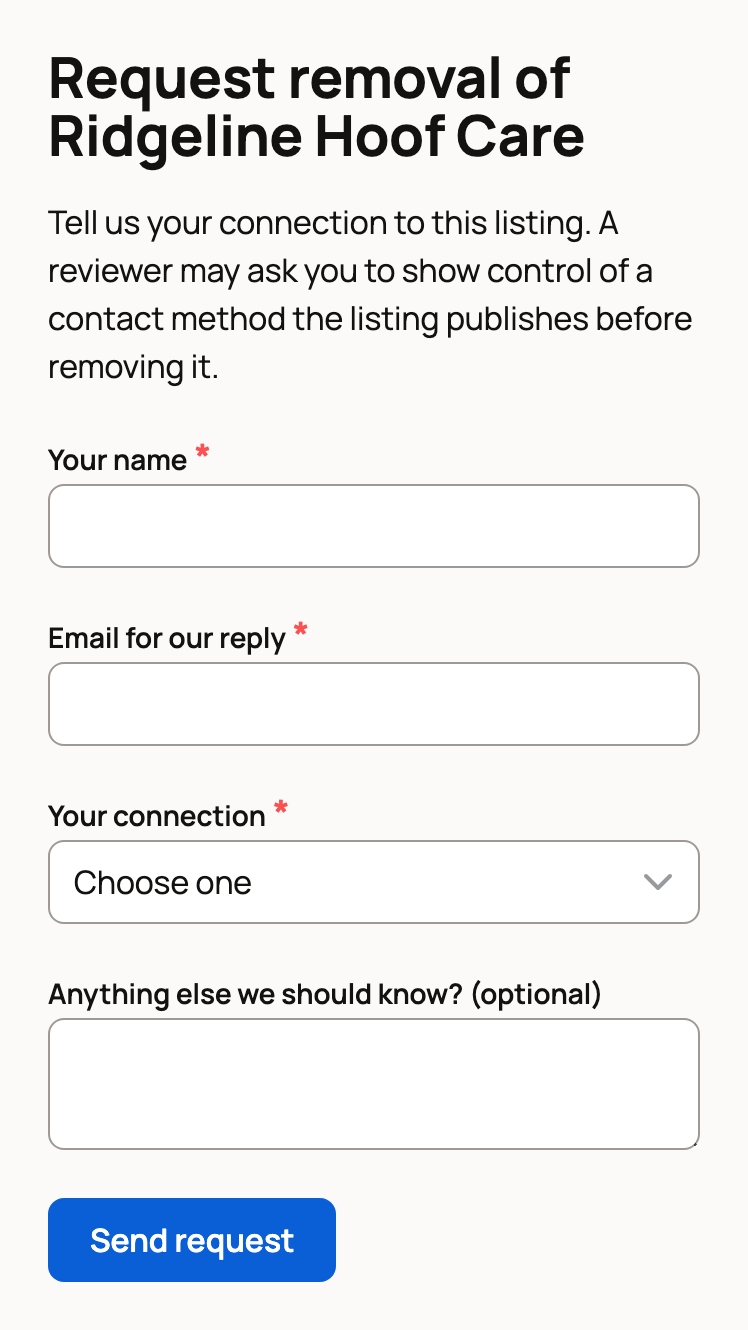
You'll see "Thanks. Our team will review your request and email you with the outcome." Before we remove a listing, a reviewer may ask you to show that you control a phone or email it lists.
Trying to reach the business instead?
On Is this your business?, the I'm trying to reach them section shows the phone and email a breeder listing publishes, plus Notify me if they join. Service listings keep their contact details private until the owner claims them, so that section links to similar businesses nearby instead.
Related information
- Getting listed in the breeder directory
- Creating an organization for your farm or business
- Find breeders and service providers in the Directory
- Claiming your registry or club listing
Updated on: 29/10/2026
Thank you!