
How to Apply for a Boarding Service
How to Apply for a Boarding Service
This guide walks you through finding a boarding facility, submitting an application, and completing payment on Creatures.
Step 1: Browse boarding services
Go to the Creatures Marketplace and select a boarding service that interests you.
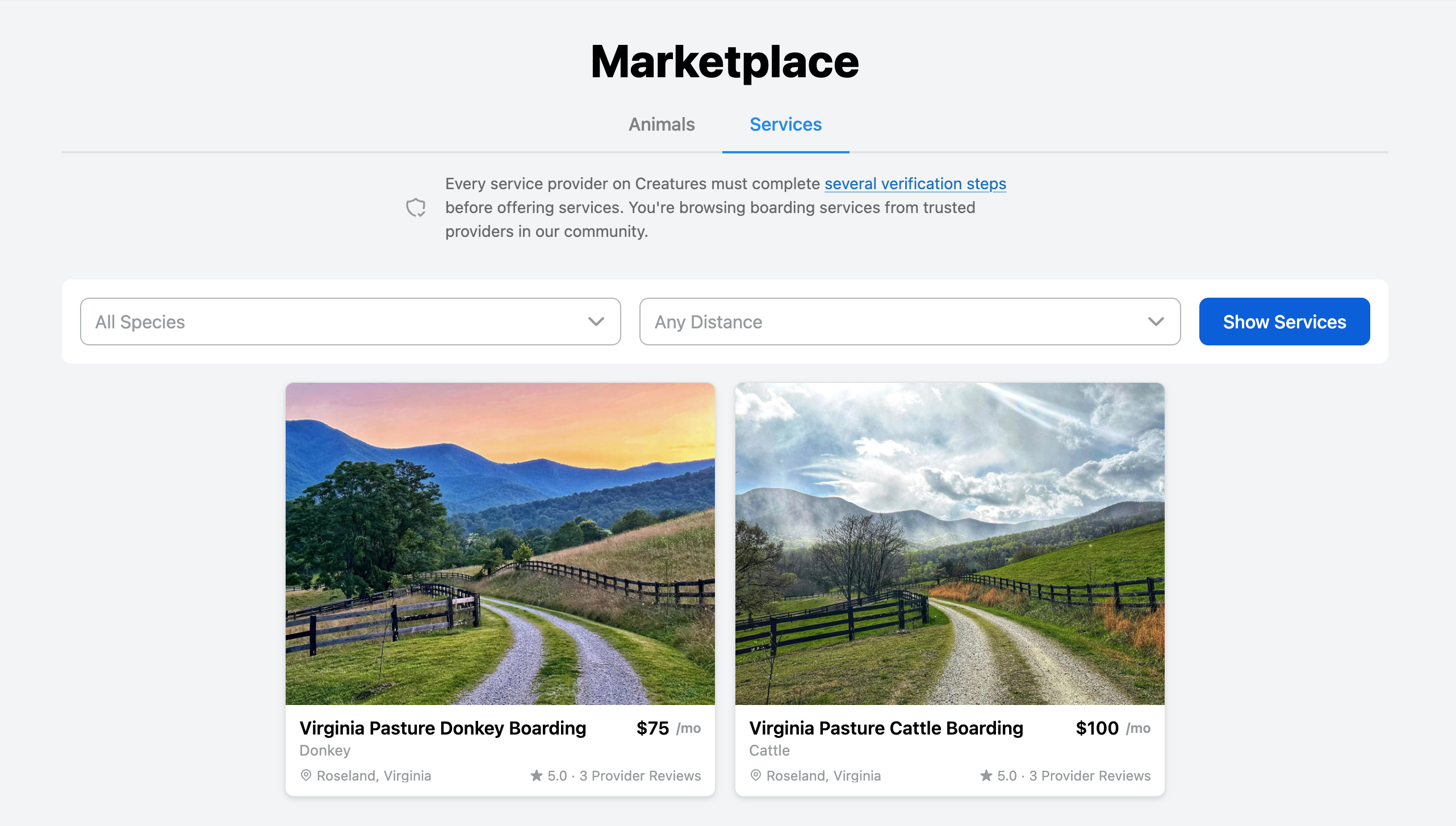
Step 2: Review the service details
Check the details, terms, and any specific rules listed for the service.
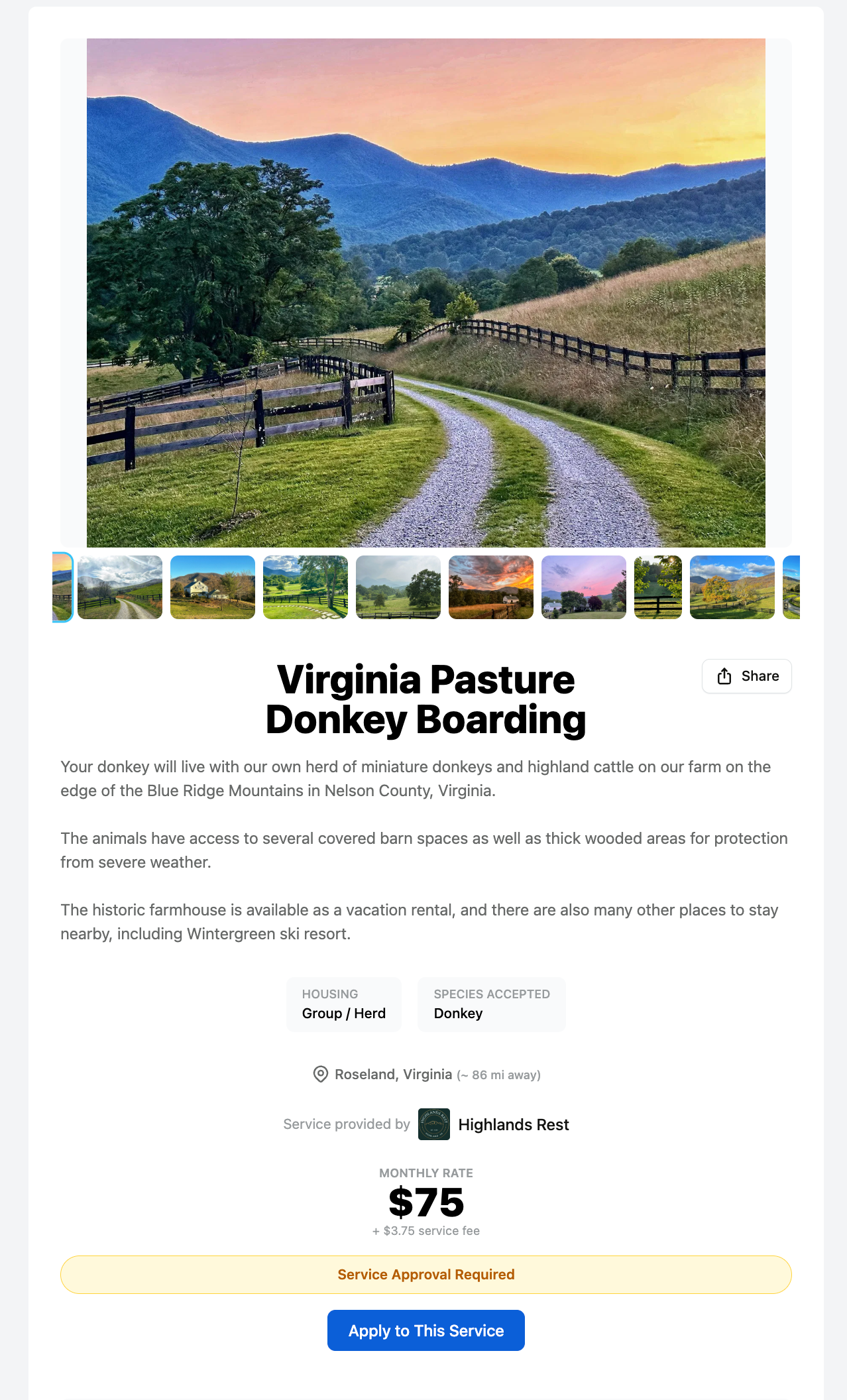
Step 3: Start your application
When you find a service you like, click Apply to this Service to begin your boarding application.
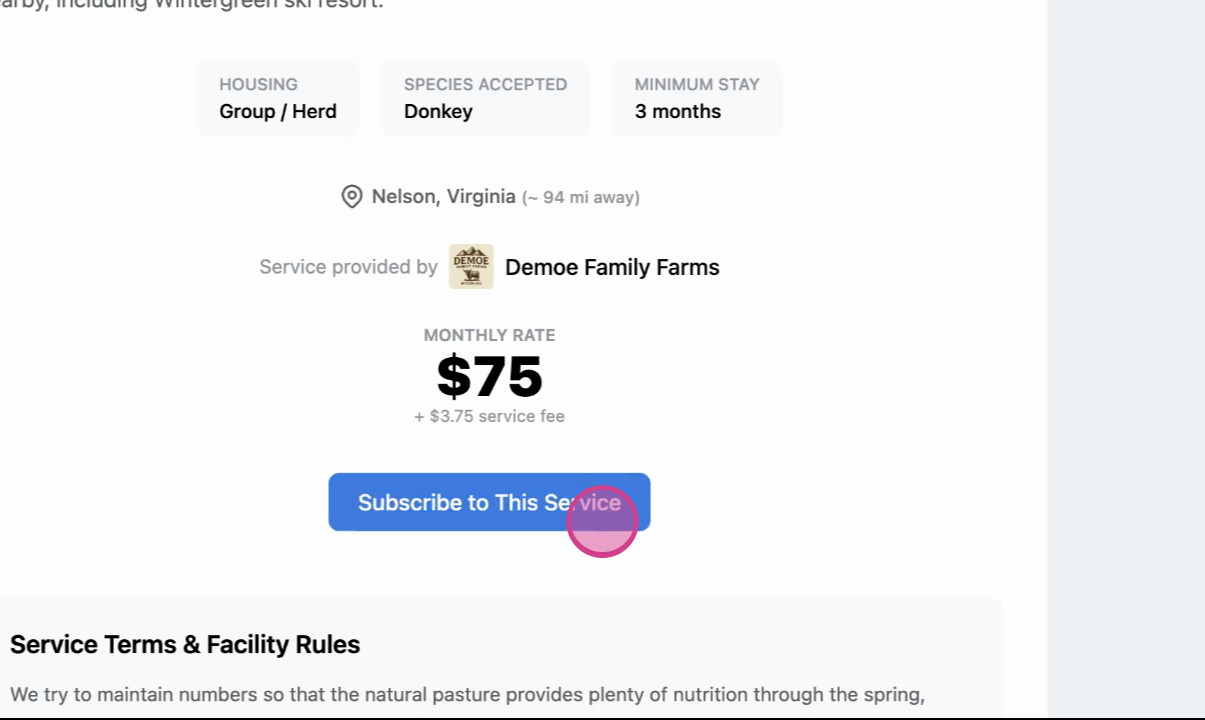
Note: Not all boarding providers require an application. If one isn't required, the button will say Subscribe to This Service and you'll go directly to checkout.
Step 4: Select your animals
Choose the animal(s) you want to board. If your animal isn't on Creatures yet, select + Create New Animal Profile. Once you've selected your animal(s), continue to the next step.
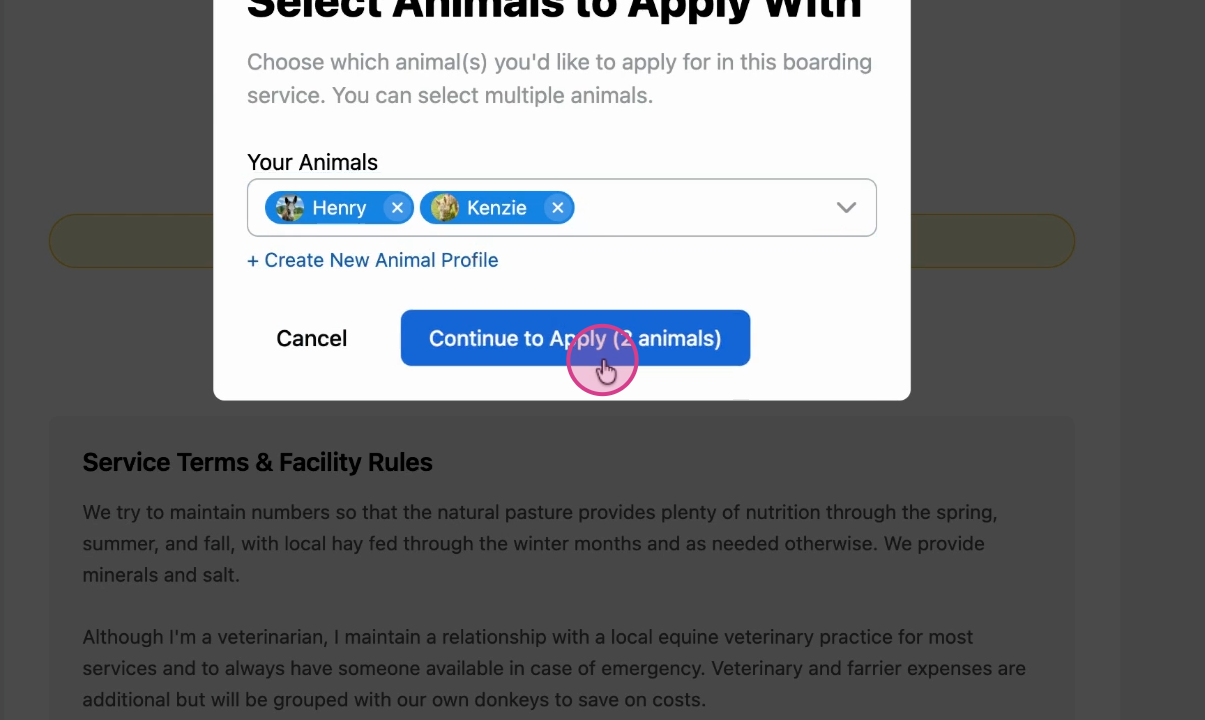
Step 5: Answer application questions
Some boarding providers include questions with the application. Answer the required questions and select Submit Application to finalize.
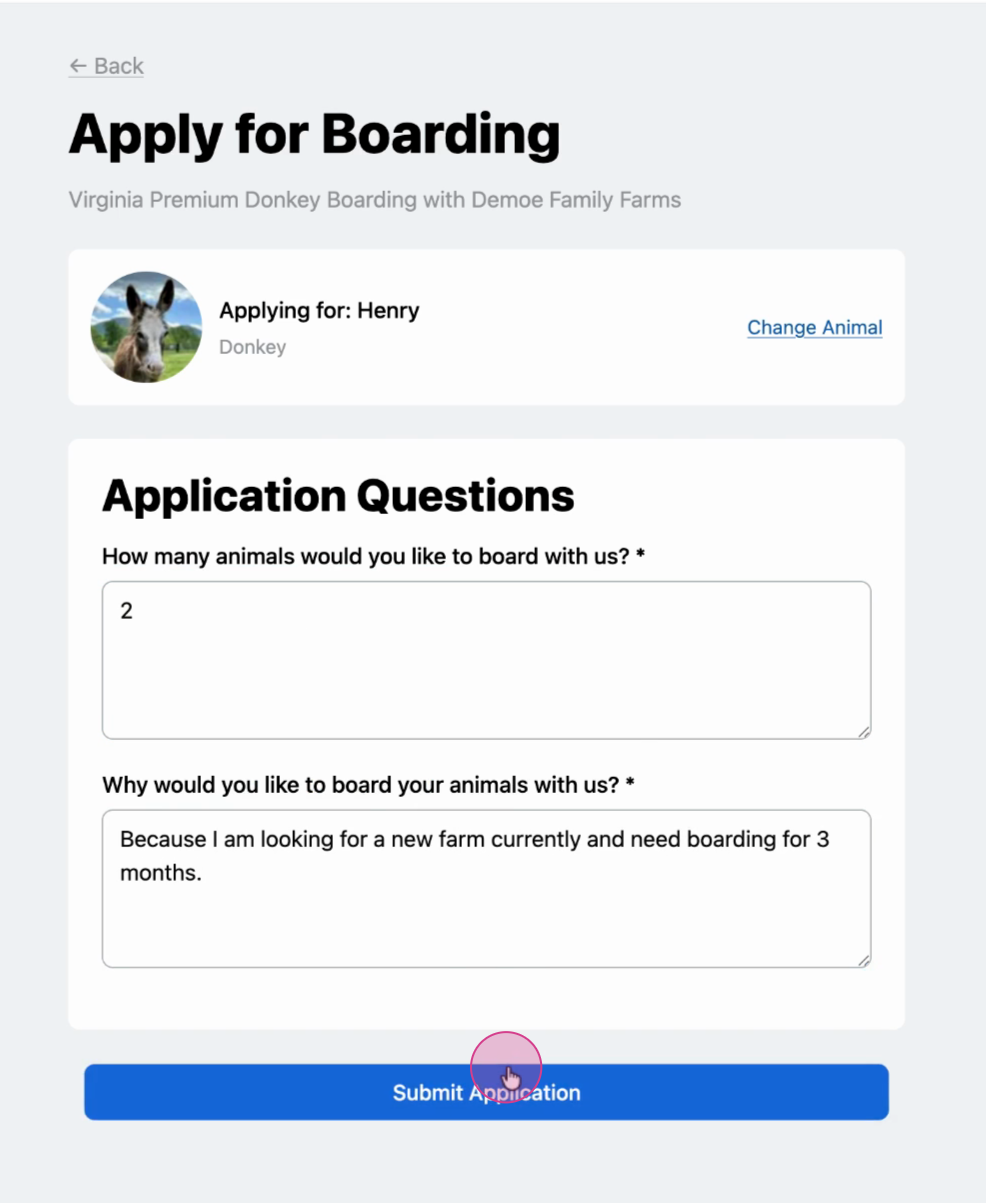
Step 6: Wait for approval
The service provider will review your application. You'll be notified once they approve it.
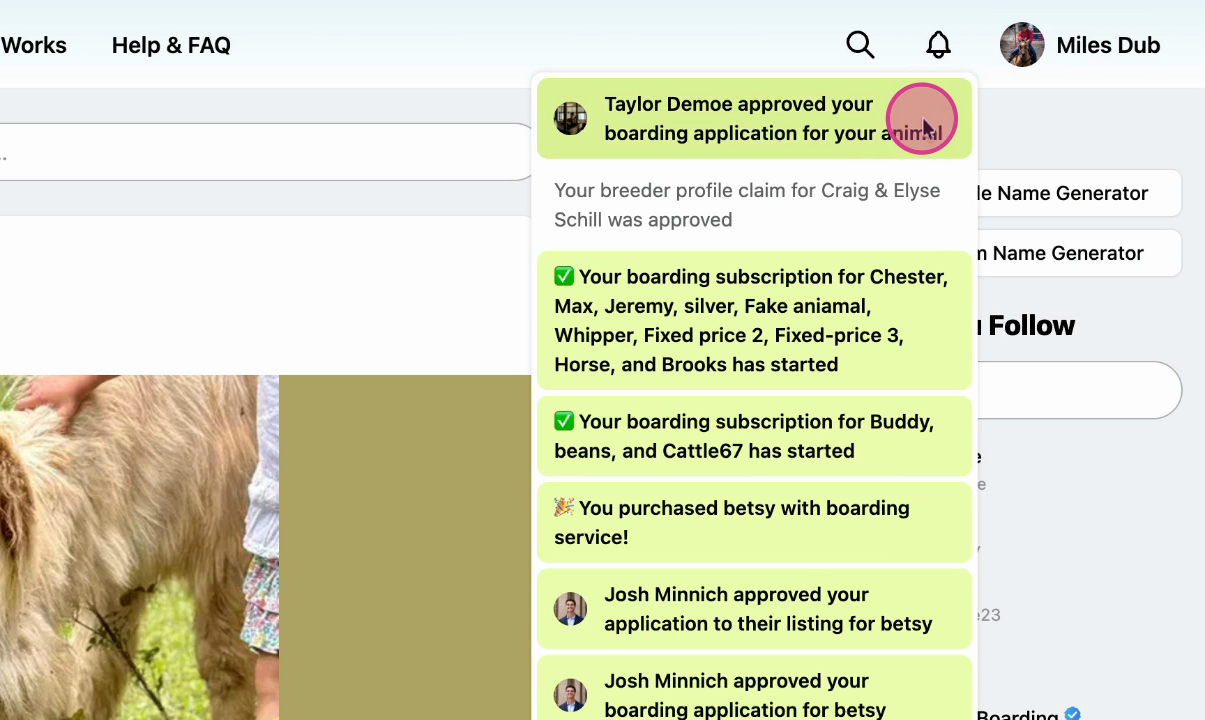
Step 7: Complete payment
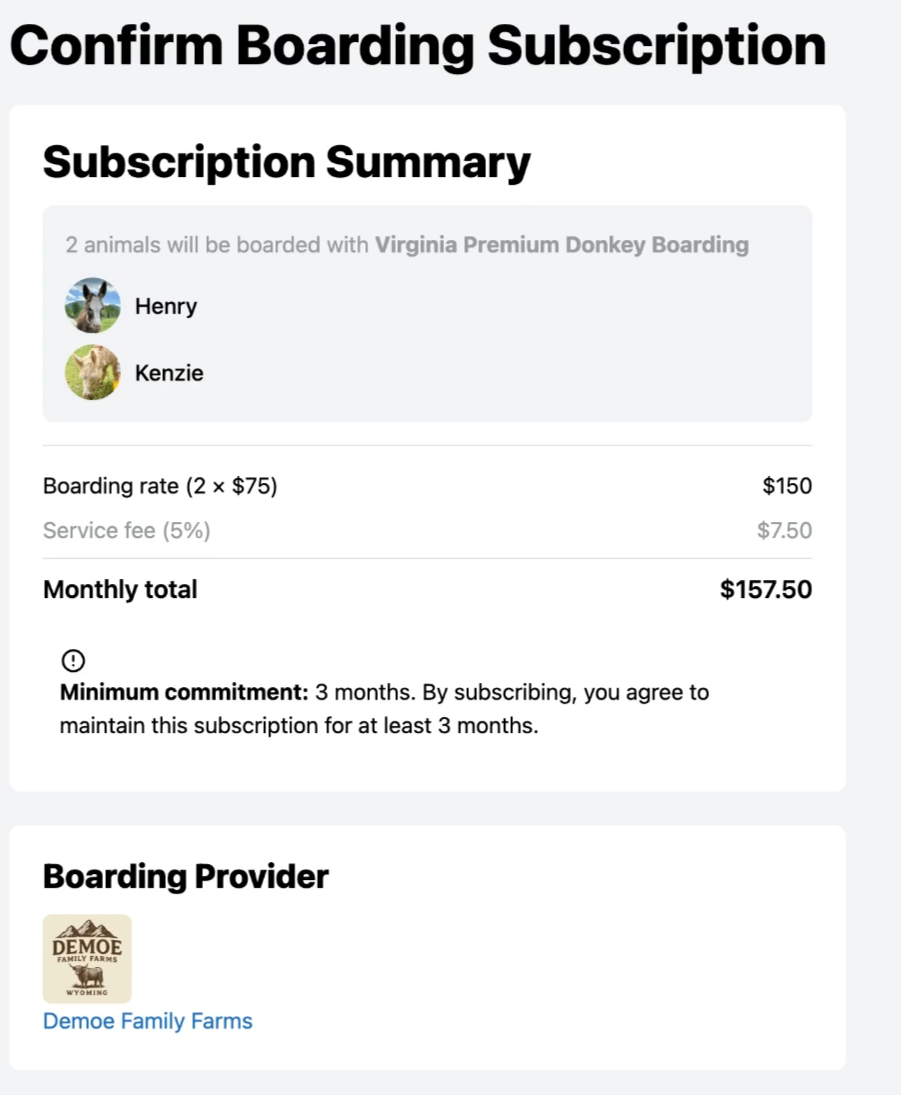
Once approved, return to the listing page and select Subscribe to this Service. Review the total (including any service fees) and proceed to checkout.
Related articles
How to Create a Boarding Service
How to Approve a Boarding Service Application
Updated on: 14/01/2026
Thank you!