
How to Claim a Reference Animal
How to Claim a Referenced Animal
Claiming a referenced animal profile gives you full control over your animal's information in one place. Follow these steps to claim, complete, and submit the profile for review.
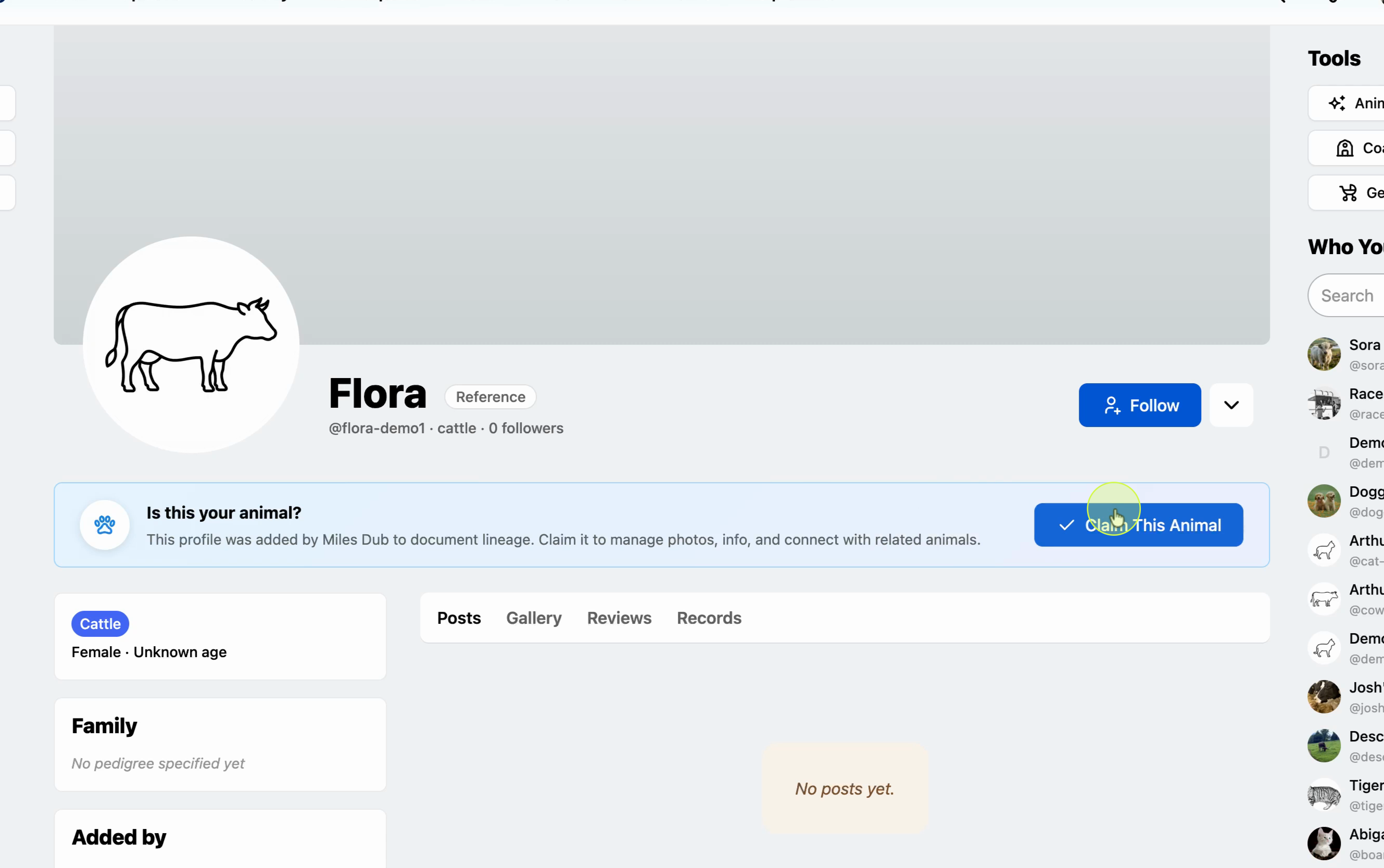
Select the animal you want to claim
On the animal profile you want to manage, select Claim.
Upload a profile image
Start filling in the profile by uploading a photo of your animal.

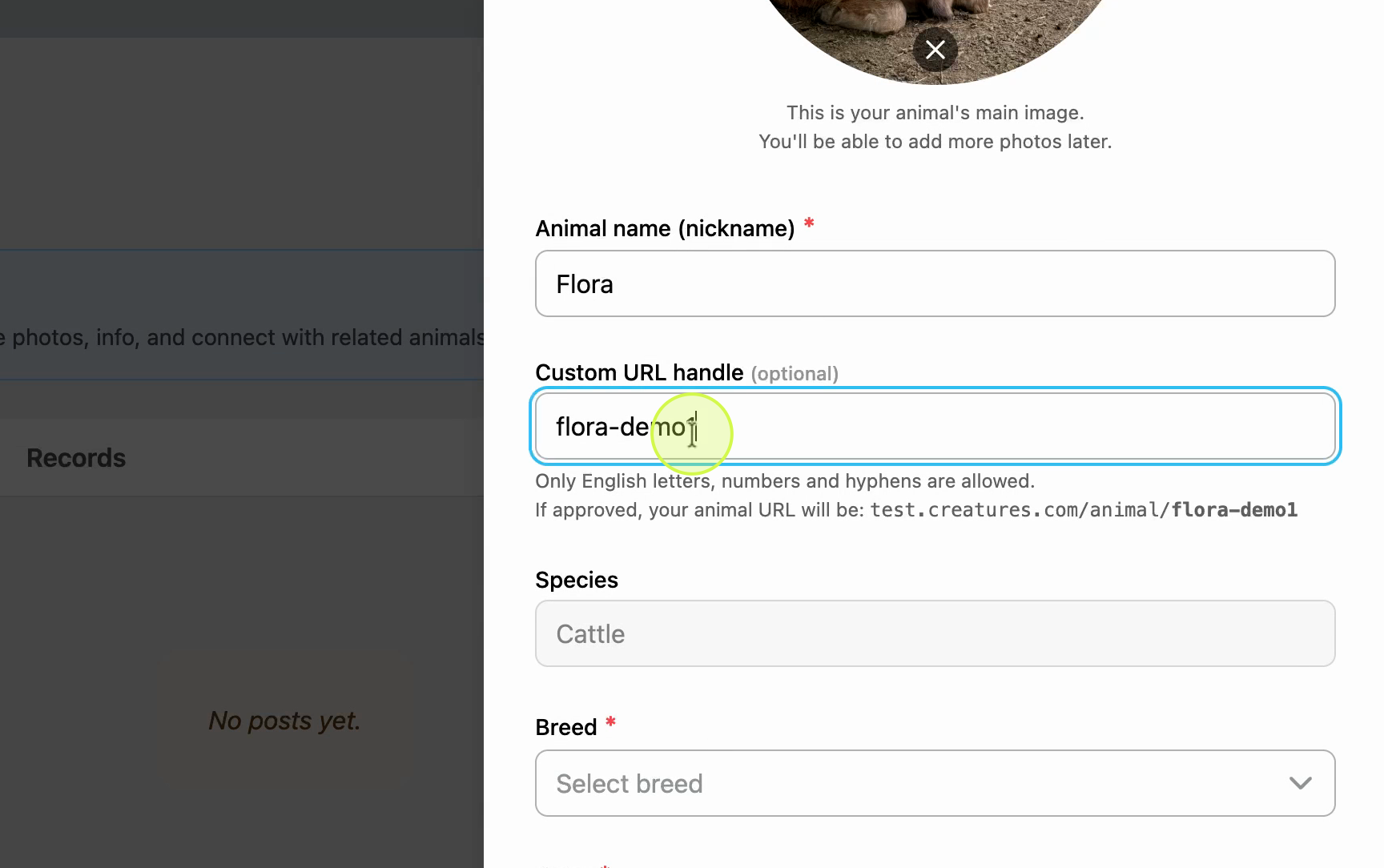
Confirm the name and choose a URL handle
Check that your animal's name is correct, then choose a URL handle for the profile.
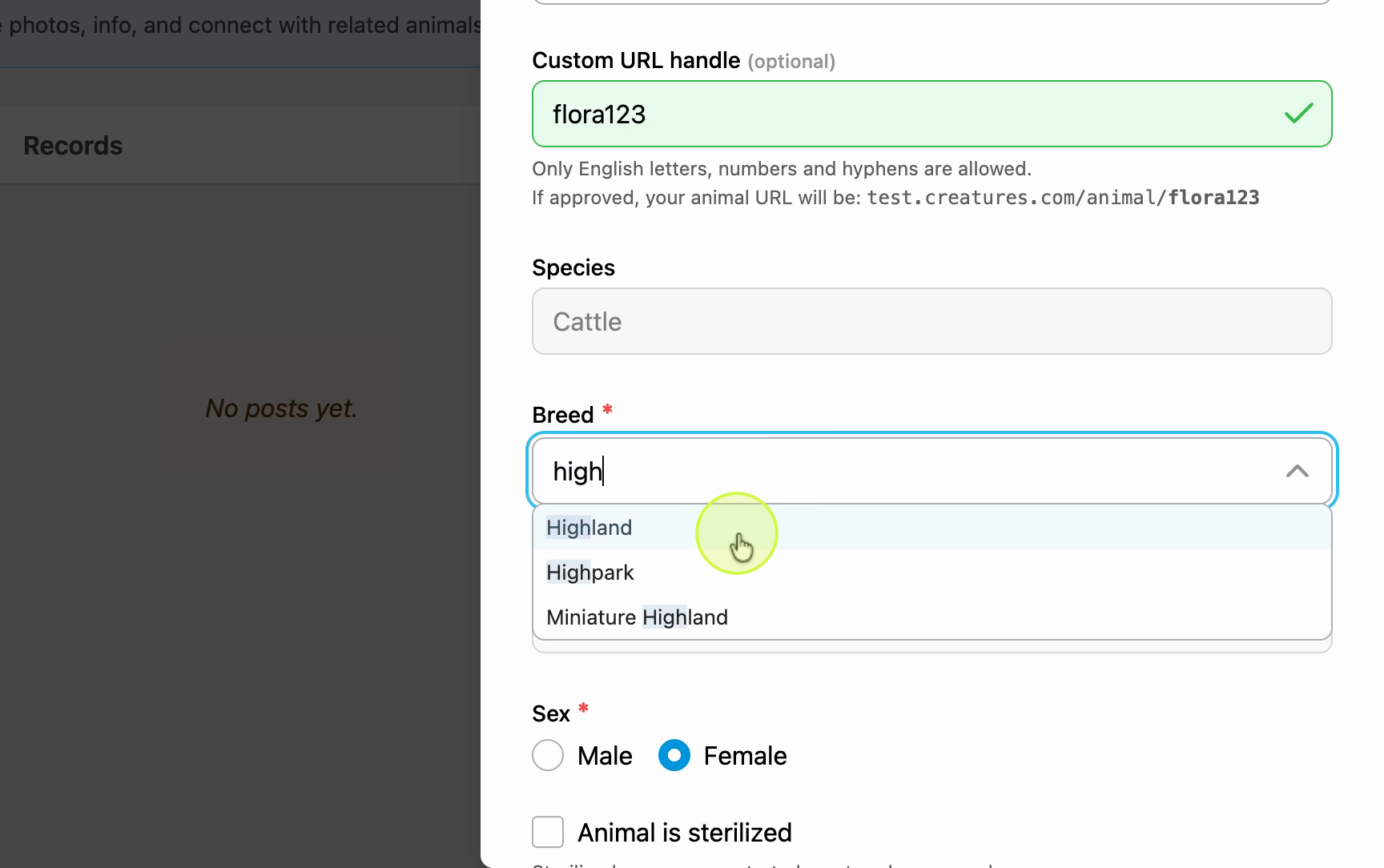
Enter the breed, color, and sex
Fill in the animal's breed, color, and confirm the sex is correct.
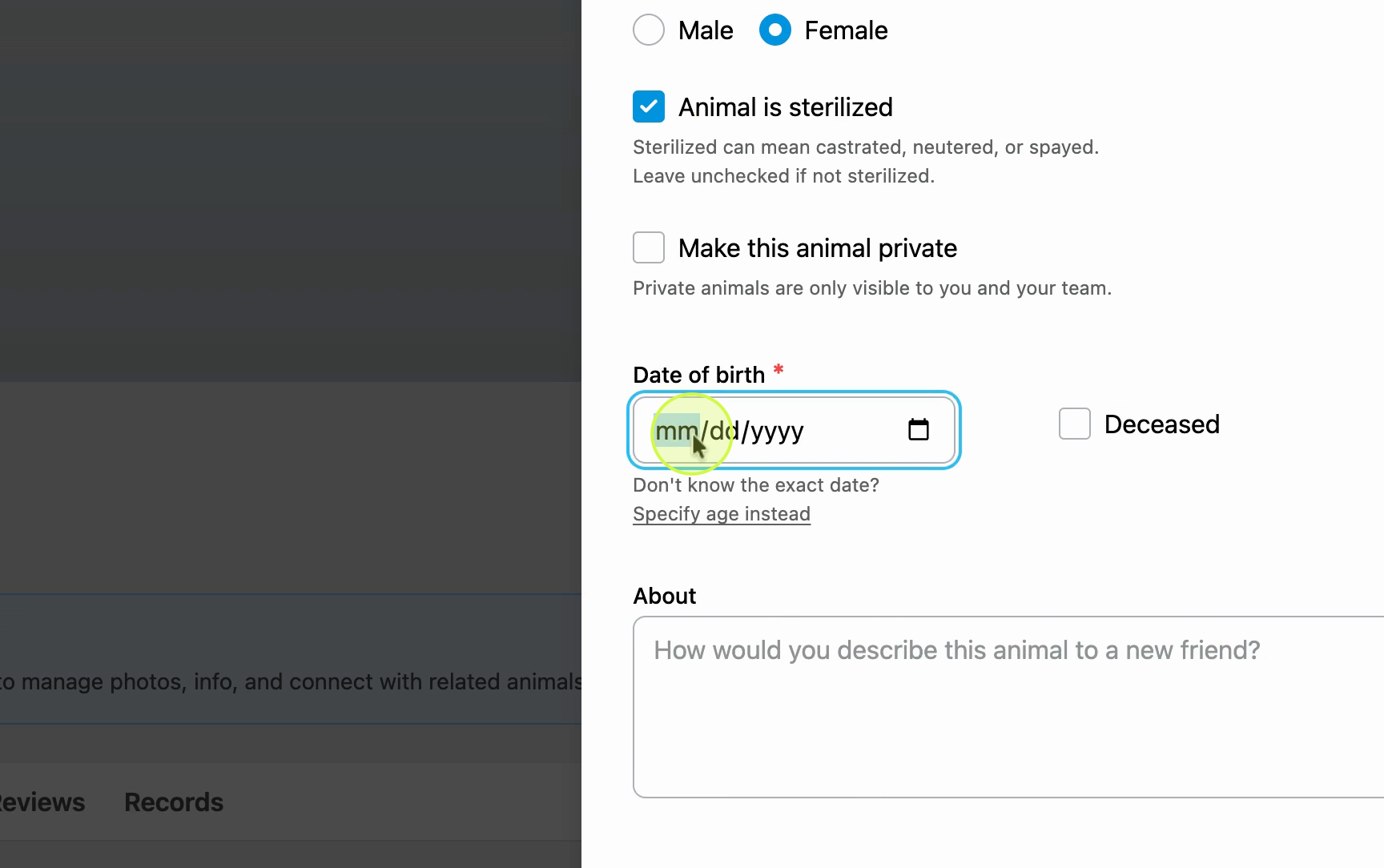
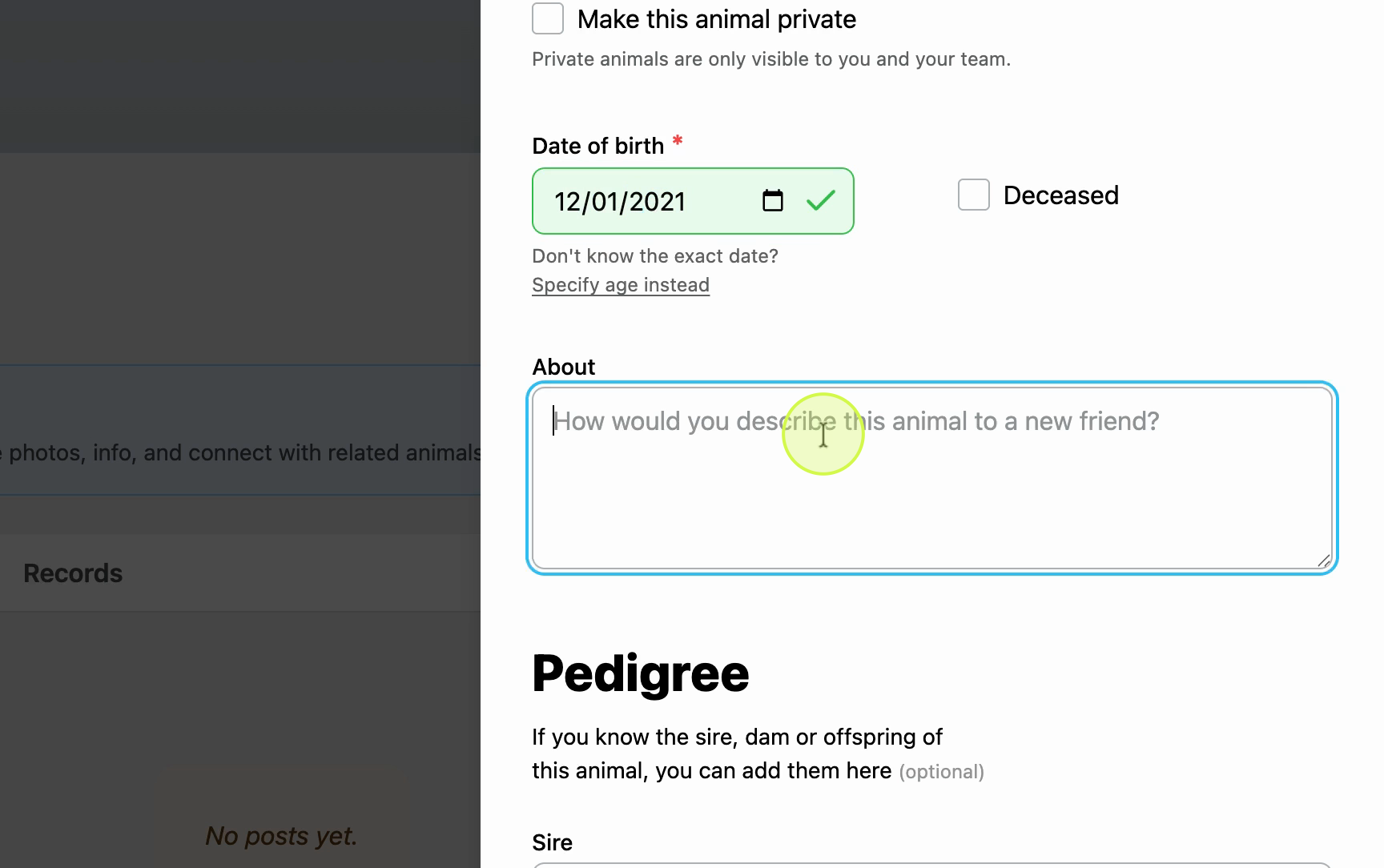
Add the date of birth and description
Enter the animal's date of birth or age, then write a short description. You can also add a pedigree, but this is optional.
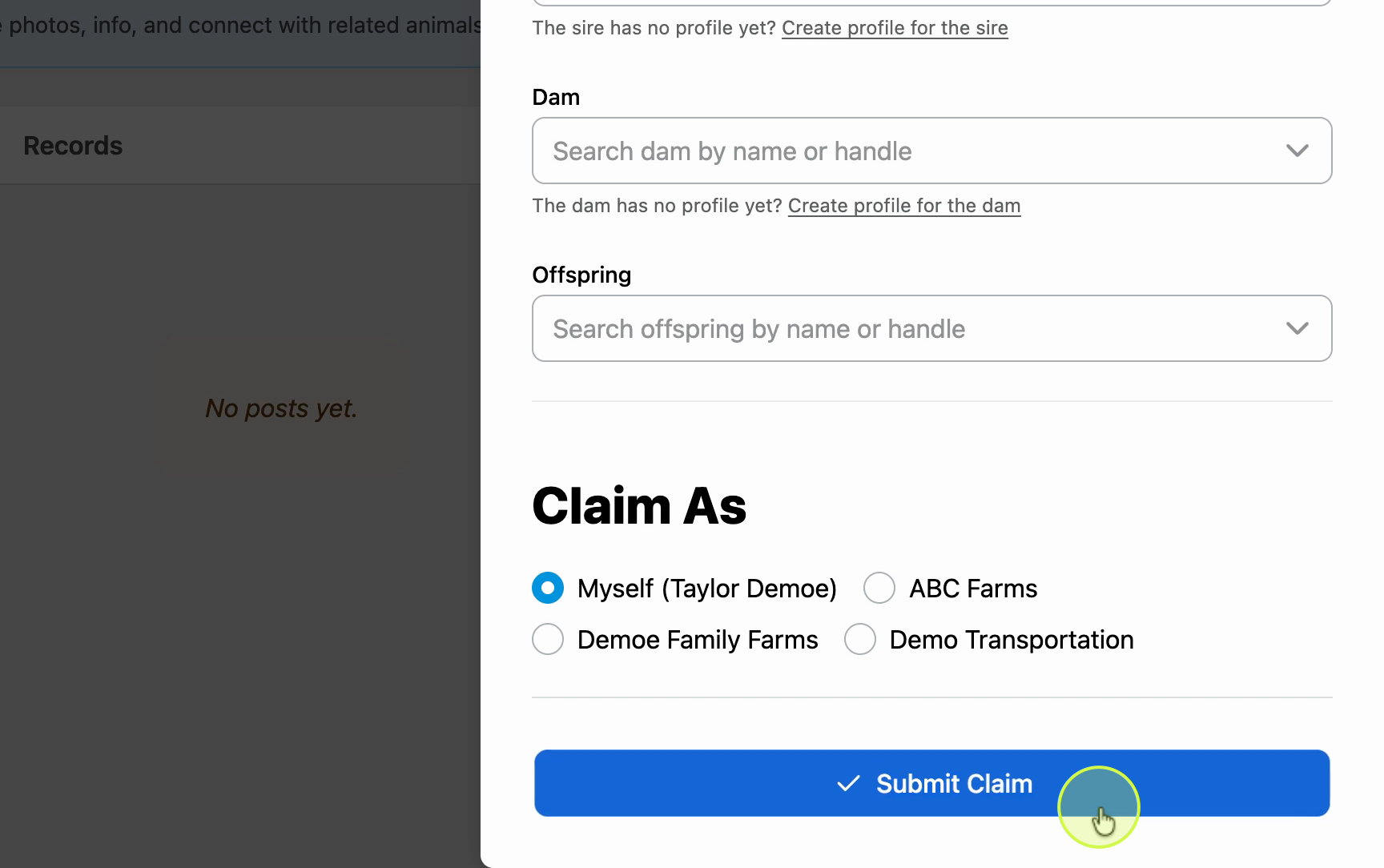
Choose an owner and submit
Select whether you're claiming the profile as yourself or on behalf of an organization. Review all the details, then select Submit to send your claim for review.
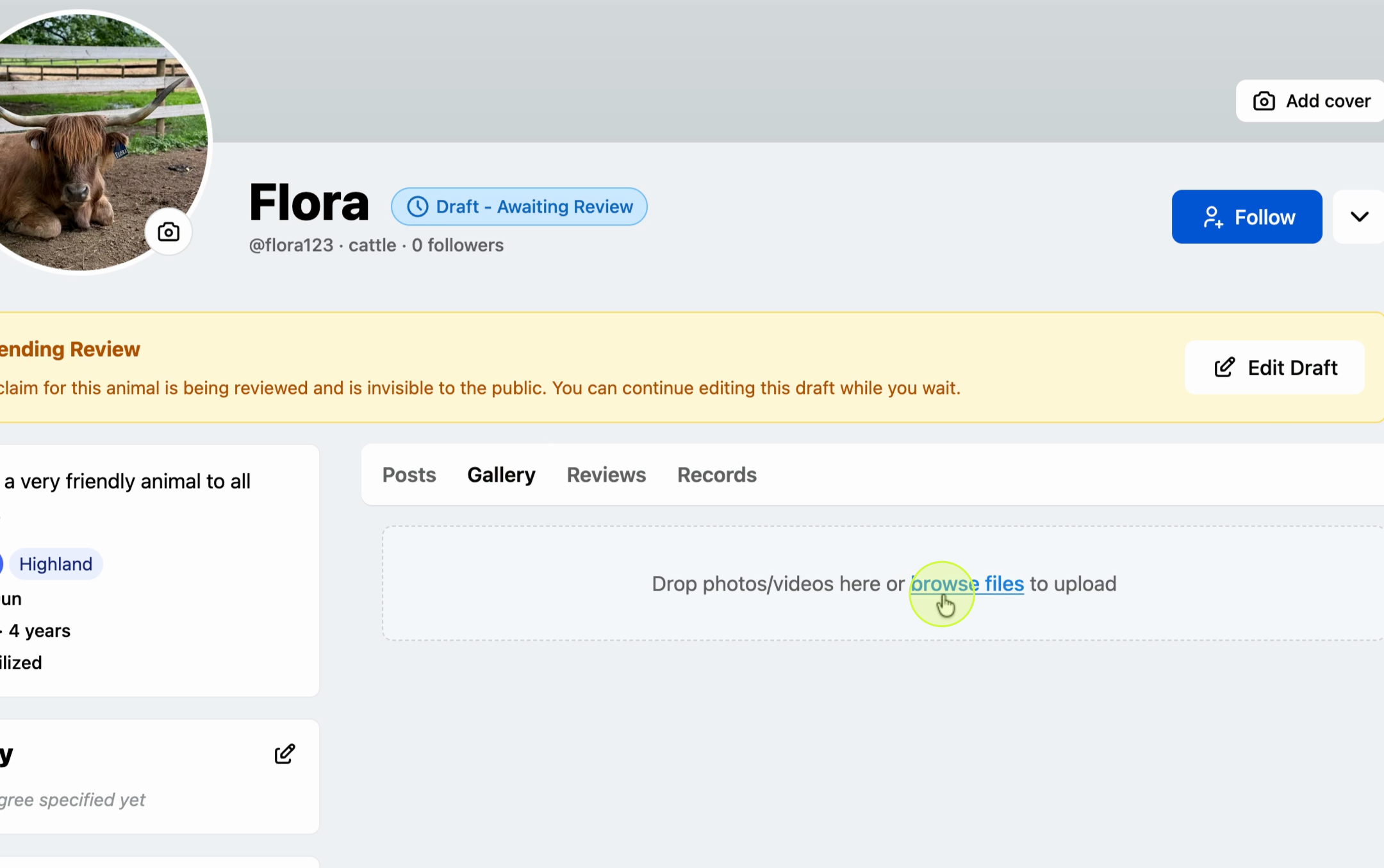
Wait for admin review
After you submit, the profile displays as awaiting admin review. While your claim is pending, you can add images to the gallery or add animal records. The profile stays private to you and the admin until it's approved.
Get notified when your claim is approved
You'll receive a notification when your claim is approved. Once approved, your profile is fully visible and you're recognized as the main owner.

Updated on: 03/03/2026
Thank you!