
How to Create a Boarding Service From the Dashboard
How to Create a Boarding Service From the Dashboard
This guide shows you how to create a boarding service directly from your dashboard.
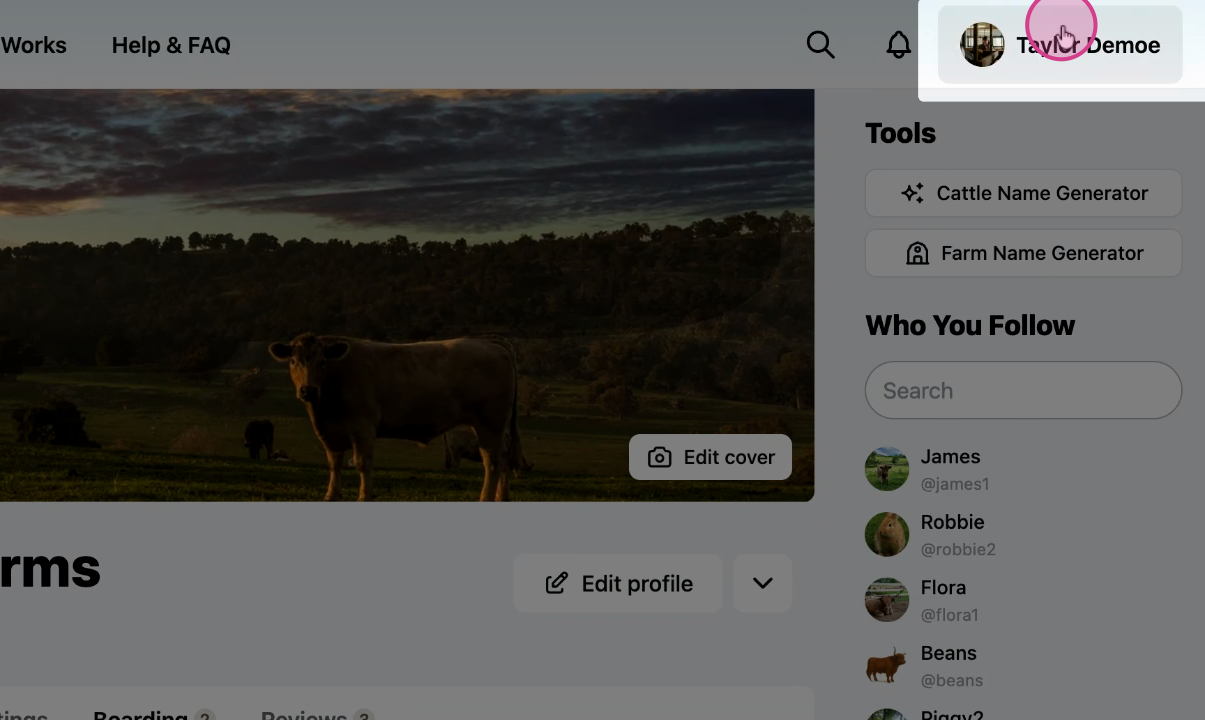
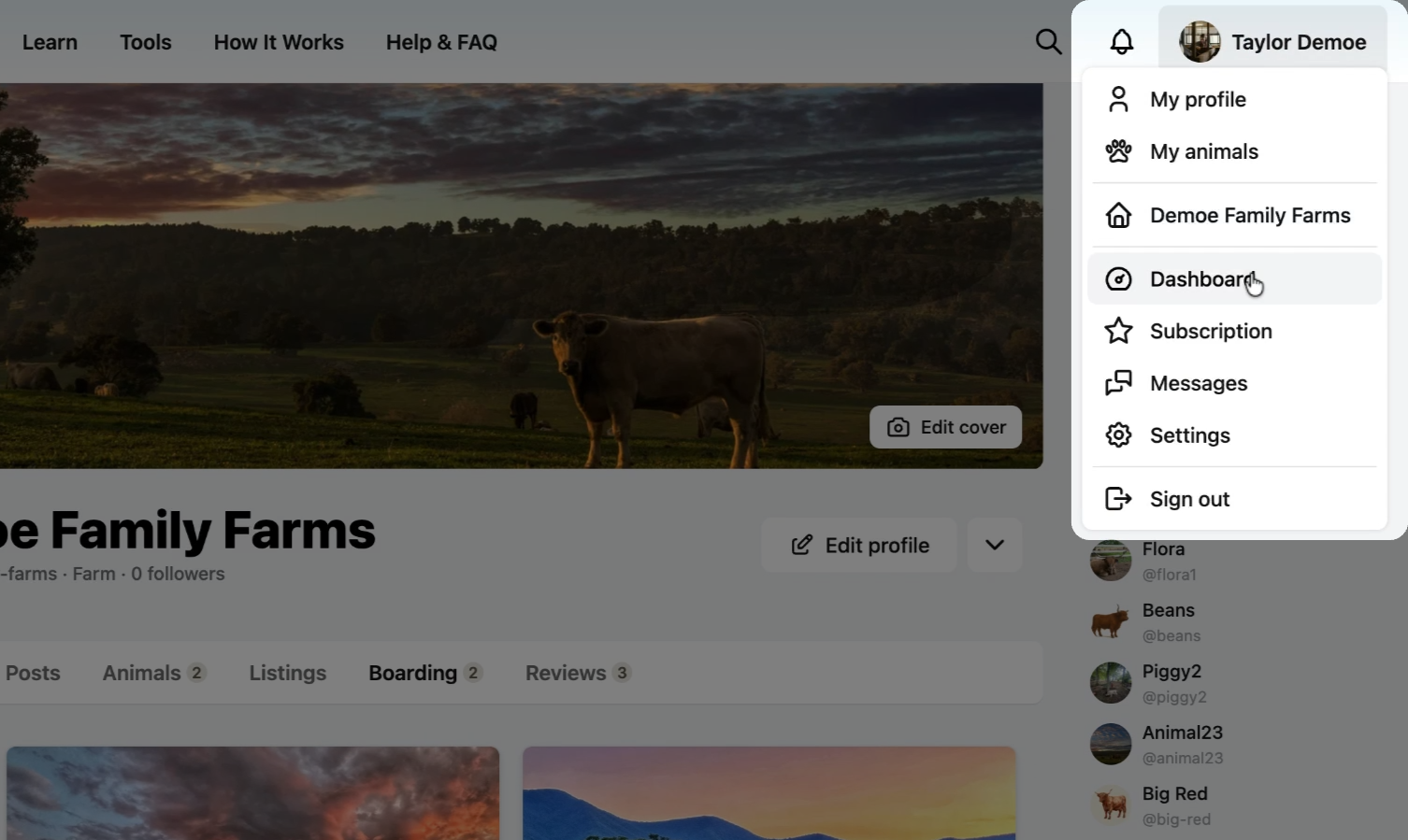
Step 1: Open your dashboard
From the profile menu, select Dashboard.
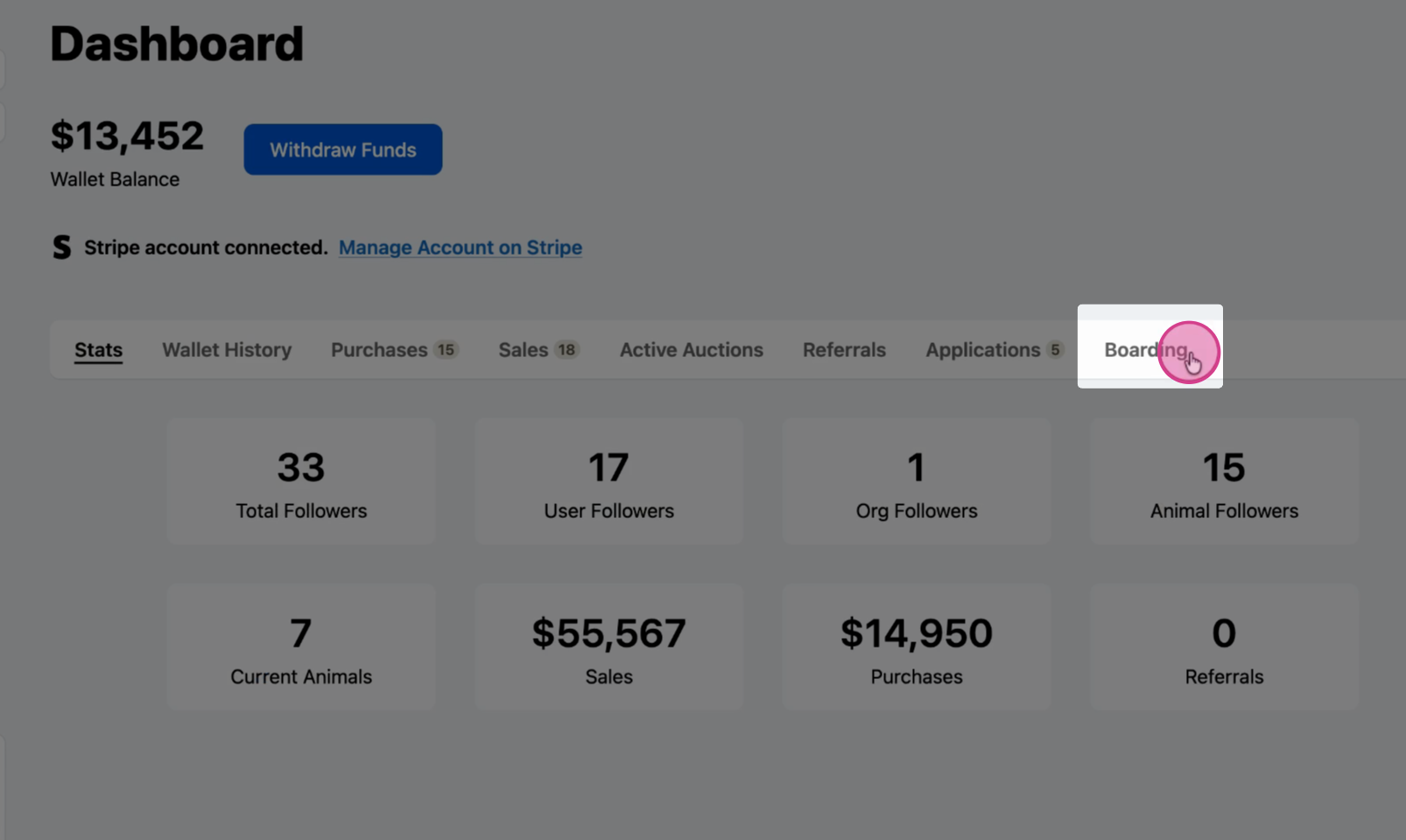
Step 2: Go to boarding
Select Boarding from the menu.
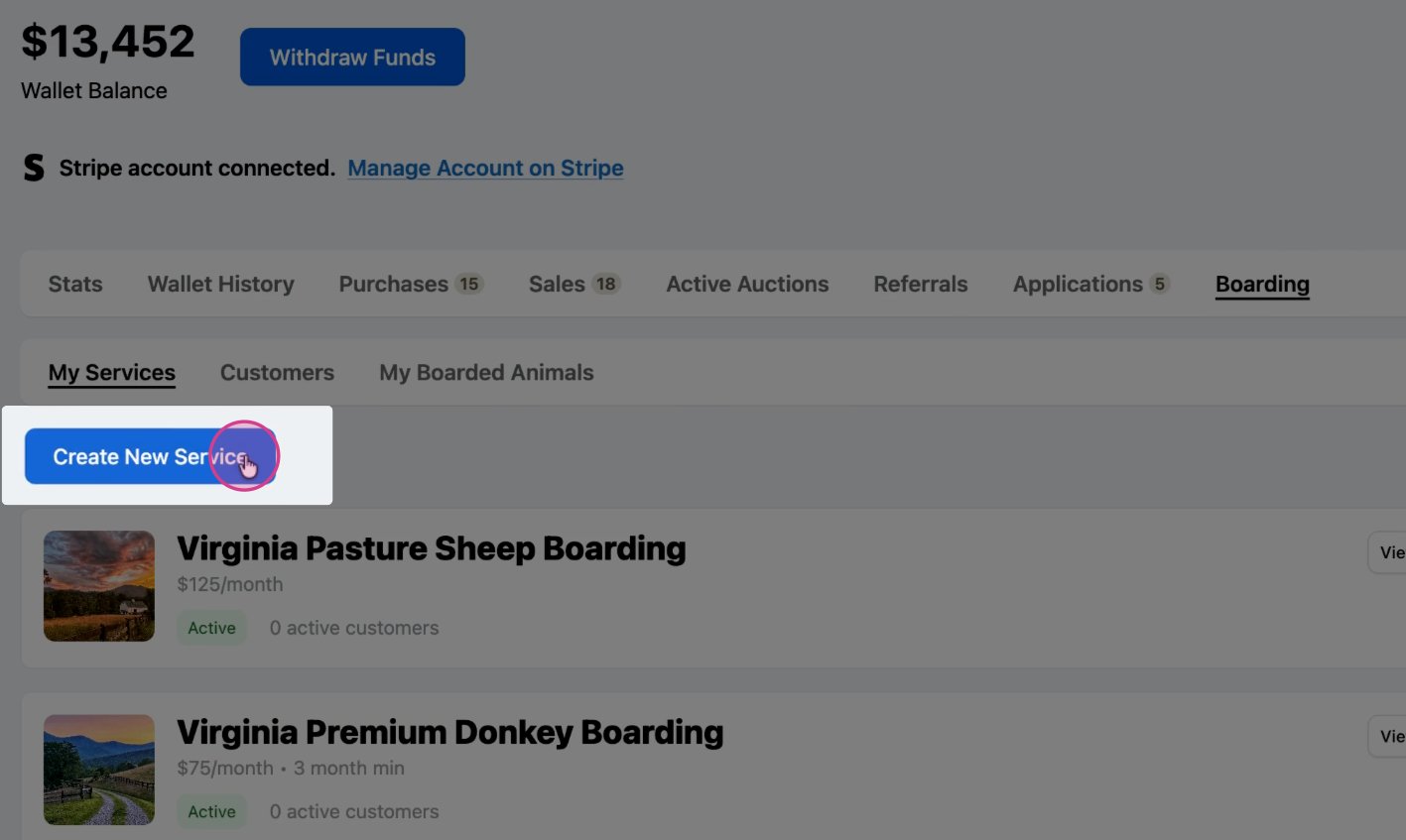
Step 3: Create a new service
Click Create New Service.
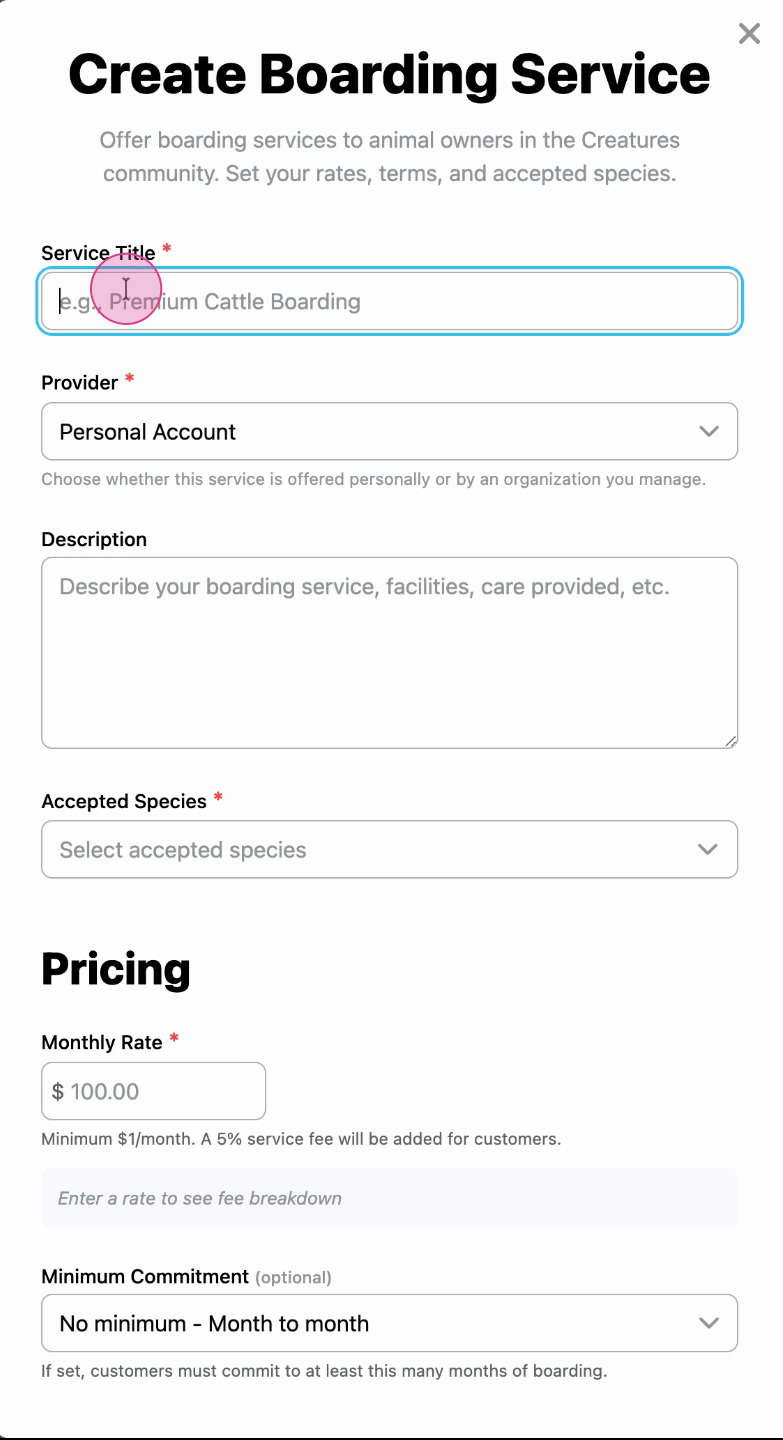
Step 4: Enter your service details
Fill in the required information for your boarding service. See How to create a boarding service for a detailed explanation of each field.
Related articles:
Updated on: 14/01/2026
Thank you!