
How to Promote an Event
How to Promote an Event
Anyone with a Creatures account can promote an event or listing and earn a referral bonus. You don't have to be the event creator or animal owner to be a promoter.
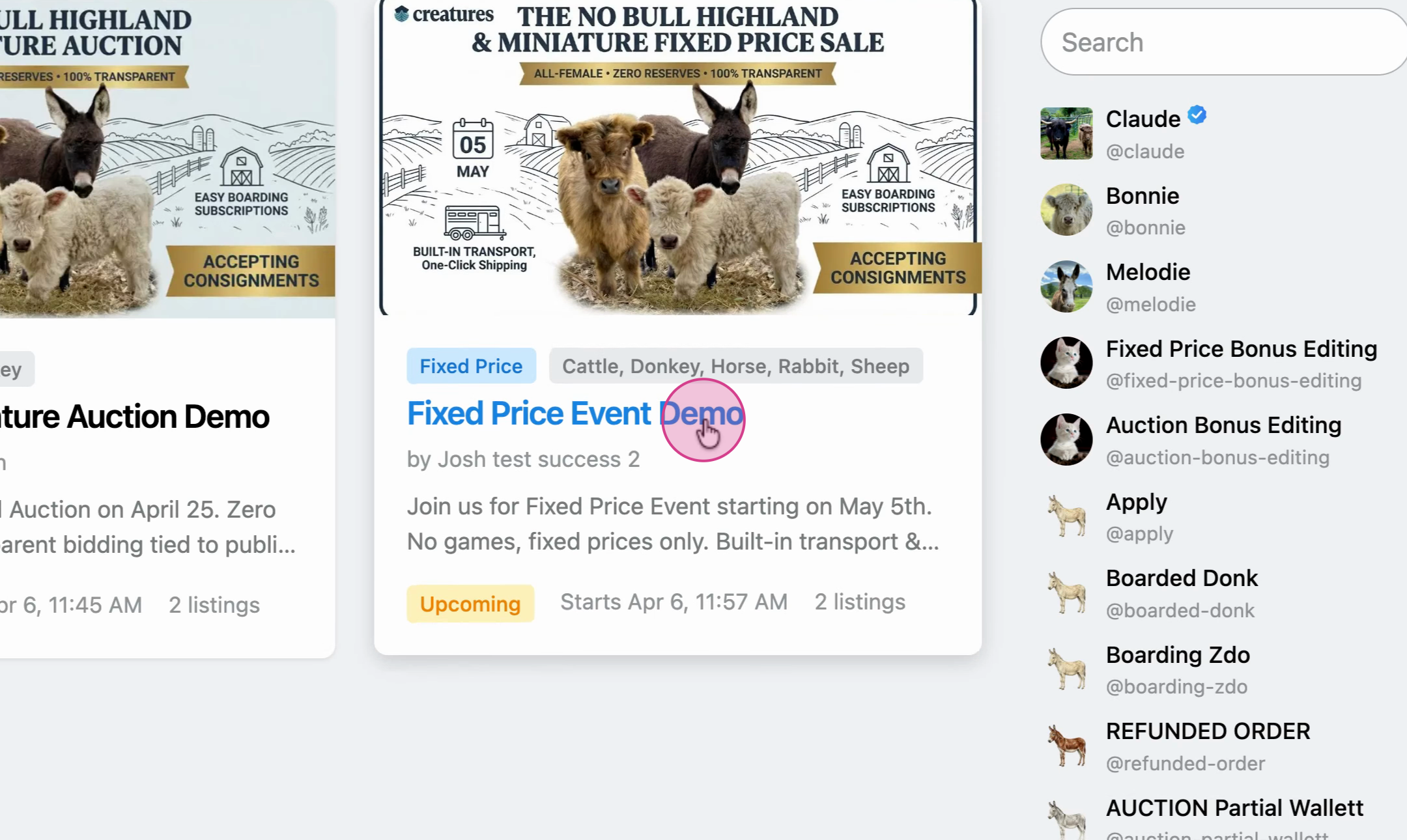
Step 1: Select an event from the marketplace and read the description. At the bottom, you'll find the participating listings.
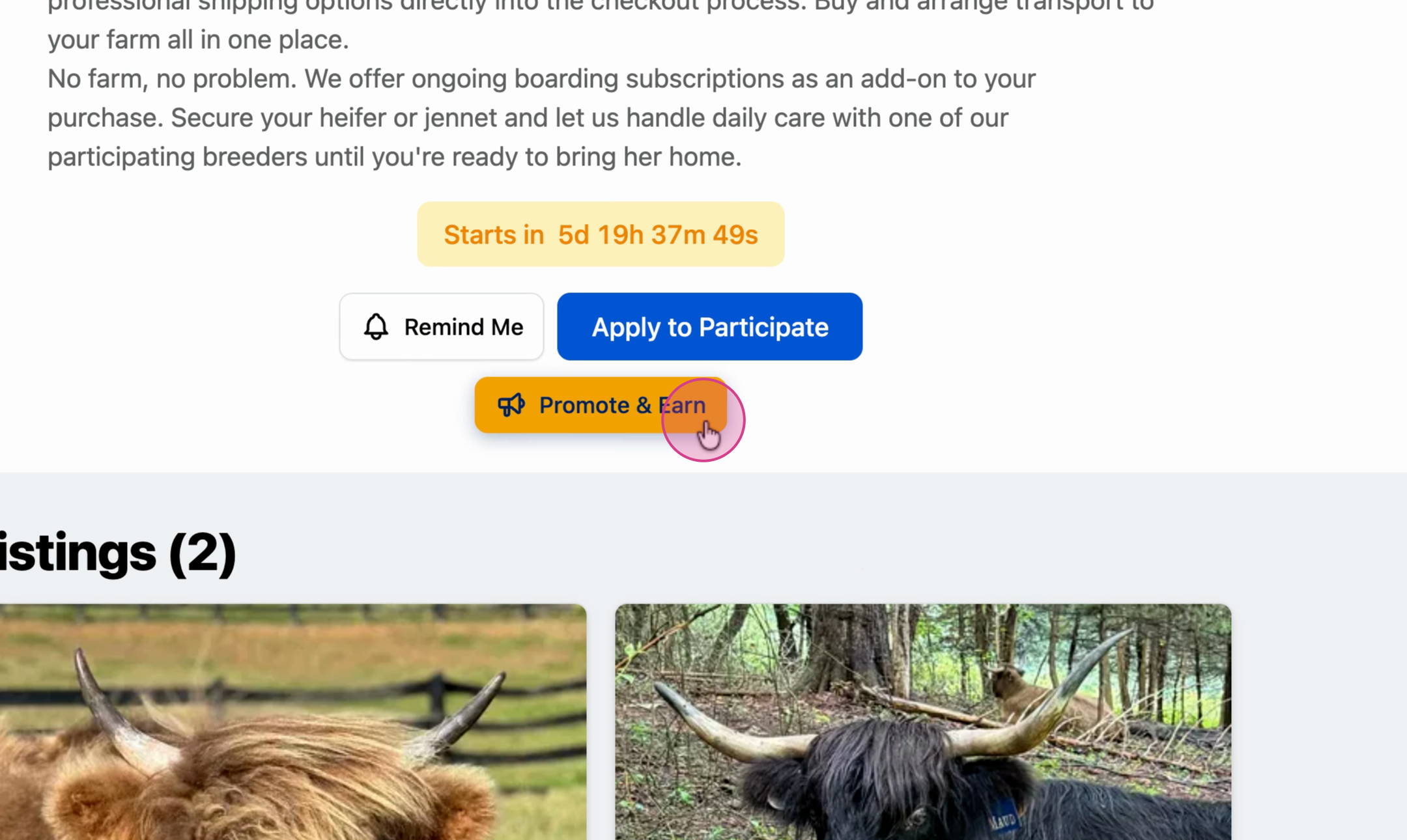
Step 2: If you know someone who may be interested, click Promote and Earn.
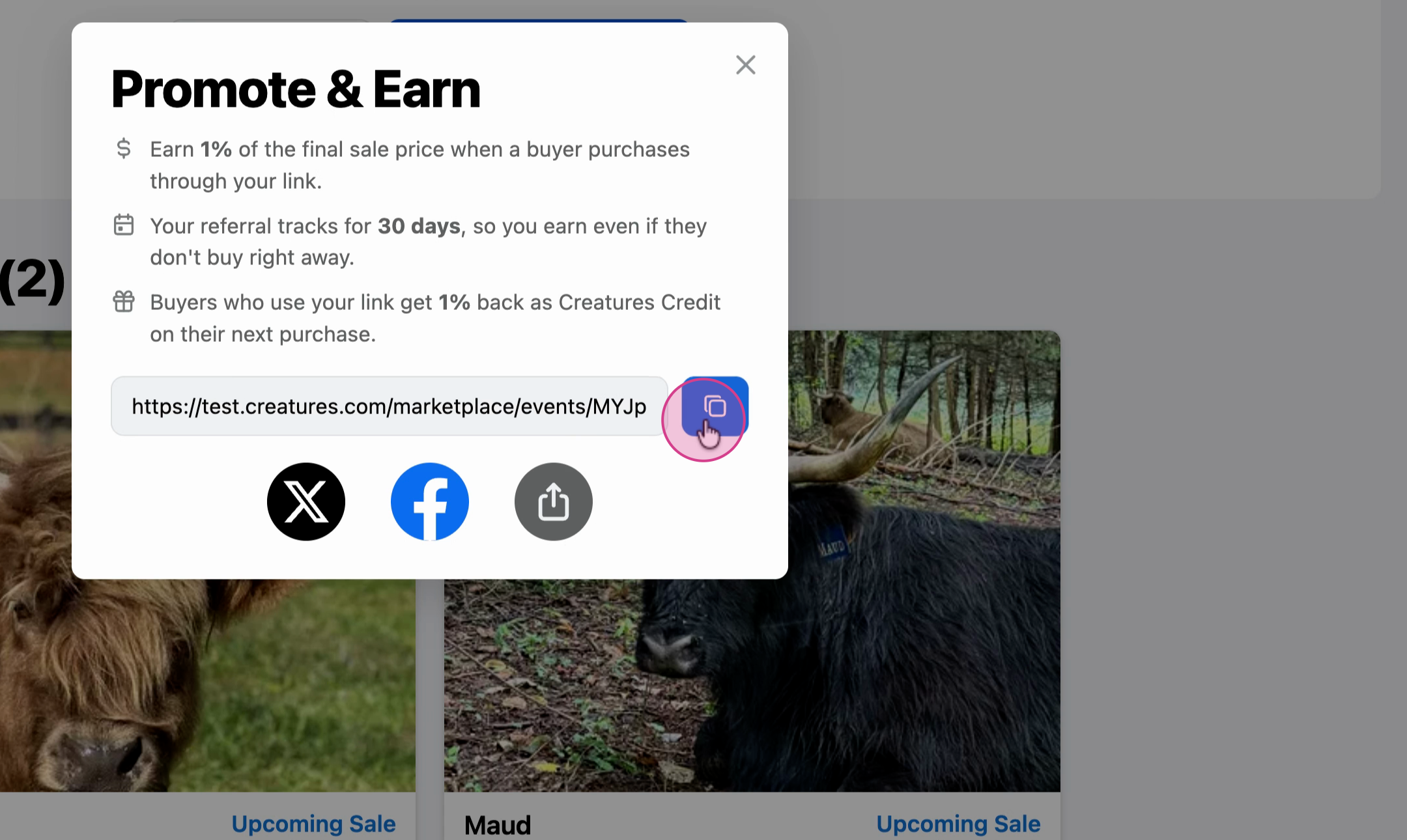
Step 3: Share your custom referral link on social media, or copy it and send it directly to potential buyers.
How referral rewards work
Whenever someone purchases a listing on Creatures through your promoter link, you earn 1% of the sale as a referral reward. The reward applies even if the buyer purchases a different listing than the one you originally shared. Any additional purchases they make on Creatures within 30 days also earn you a bonus; if someone clicks your link and buys later, you still get rewarded.
Tip for sharing
Let buyers know they receive 1% back in Creatures Credit when they purchase through your referral link. It gives them an incentive to use it.
Updated on: 06/04/2026
Thank you!