
How to Add a Co-Owner to an Organization Profile
How to Add a Co-Owner to an Organization Profile
Adding a co-owner gives someone full administrative access to your organization, including editing profile information, listing animals for sale, and managing records.
See Understanding Team Member Permissions for more details on role differences between Team Members and Co-Owners.
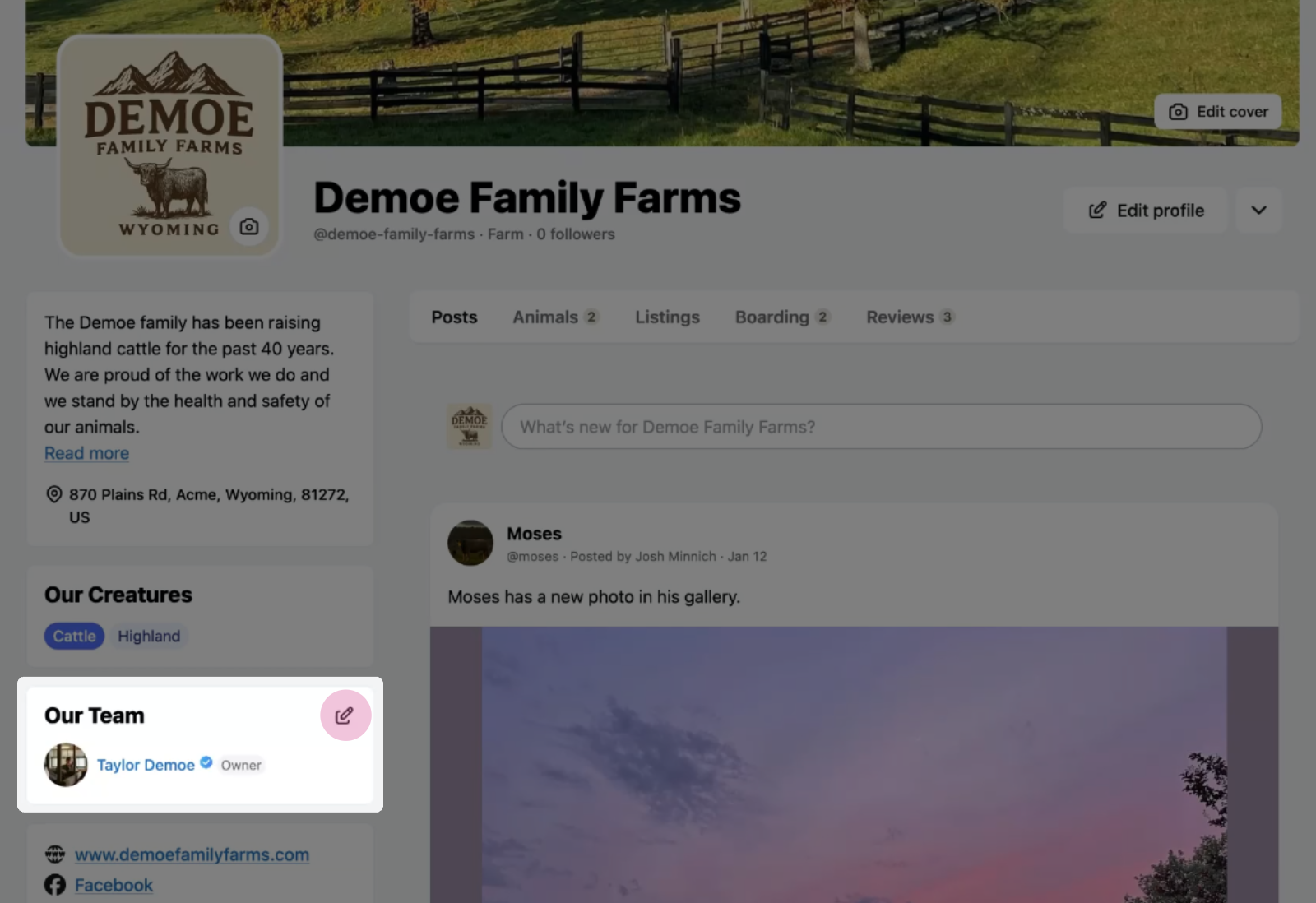
Step 1: Open team member settings
Select the Manage Team Members icon from your organization page.
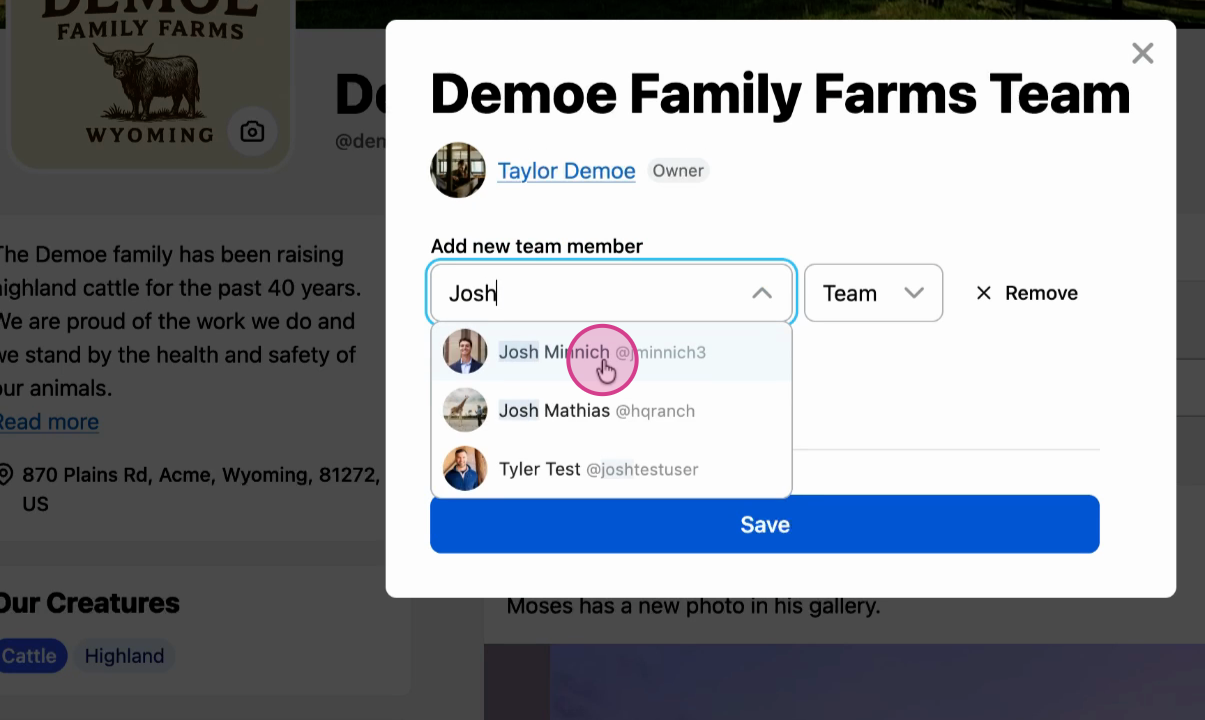
Step 2: Find the user
Use the search bar to find the person's profile, then select them.
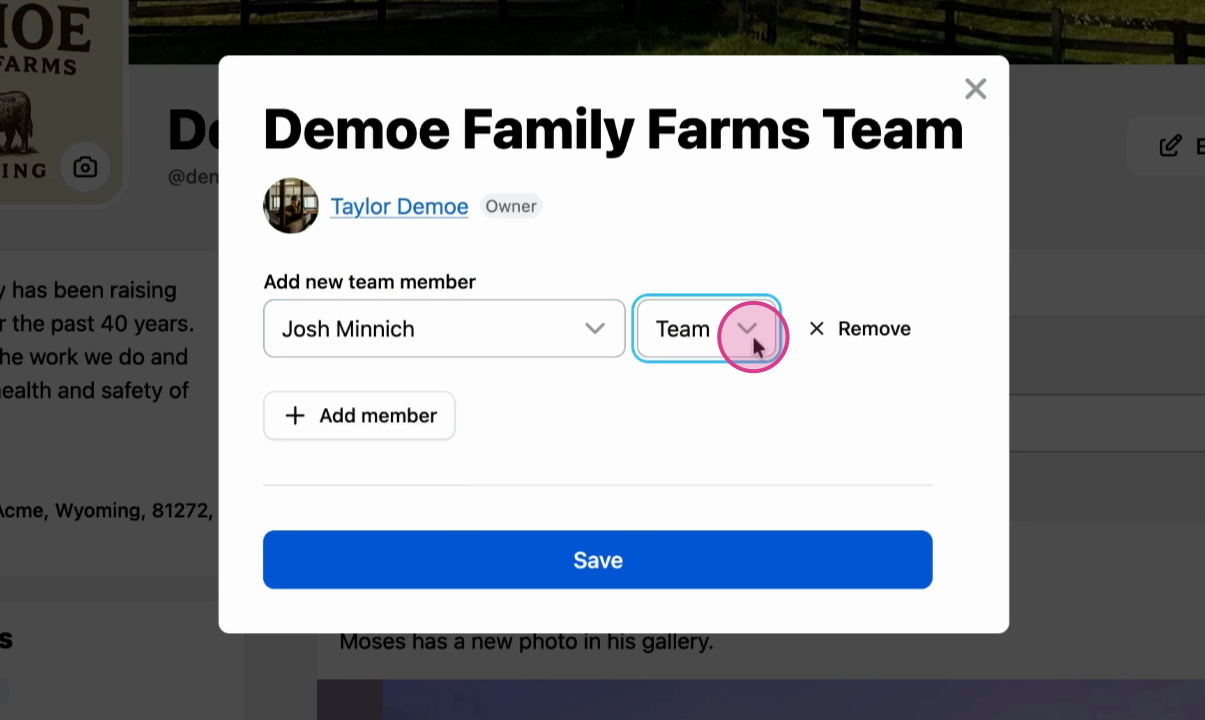
Step 3: Set their role to Co-Owner
Change their privileges to Co-Owner.
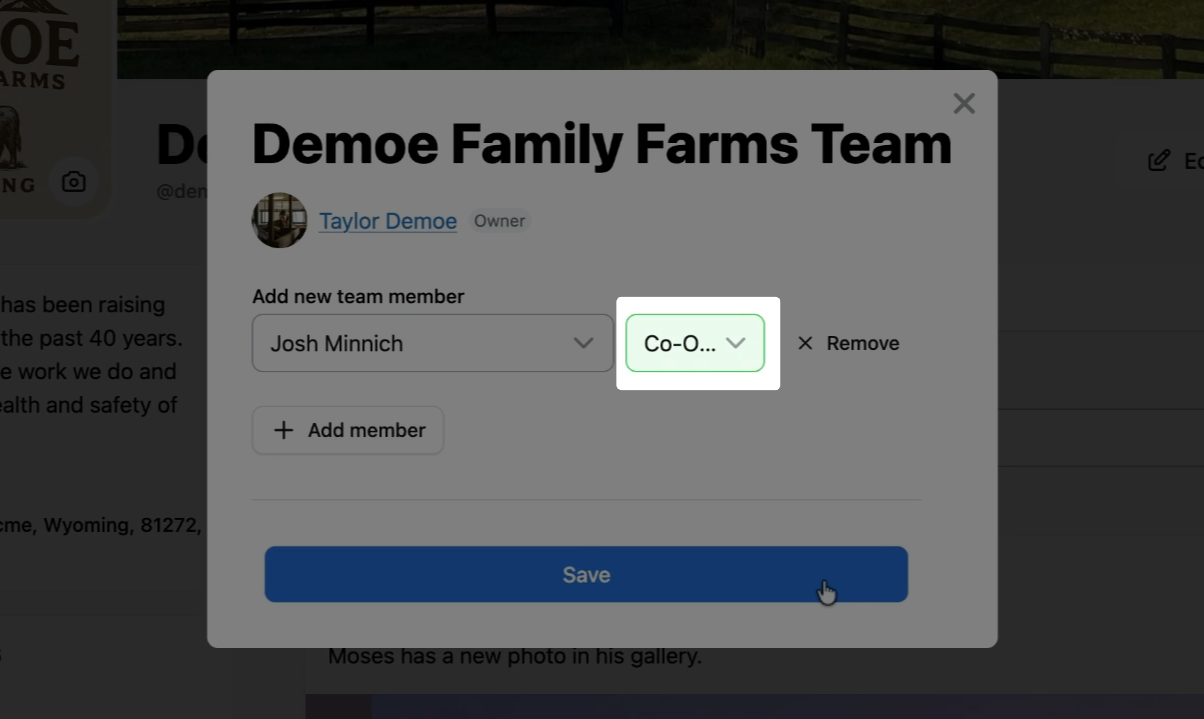
The co-owner now has full access to your organization, including the ability to edit profile information, add posts and gallery images, edit animal details, list animals for sale, and add records for any animal.
Related articles:
Understanding Team Member Permissions
How to Add a Team Member to an Organization
How to Add a Co-Owner to an Animal Profile
Updated on: 14/01/2026
Thank you!