
How to Add a Team Member to an Animal Profile
How to Add a Team Member to an Animal Profile
Adding a team member lets someone else help manage your animal's profile, such as updating photos or adding records, while keeping ownership details secure.
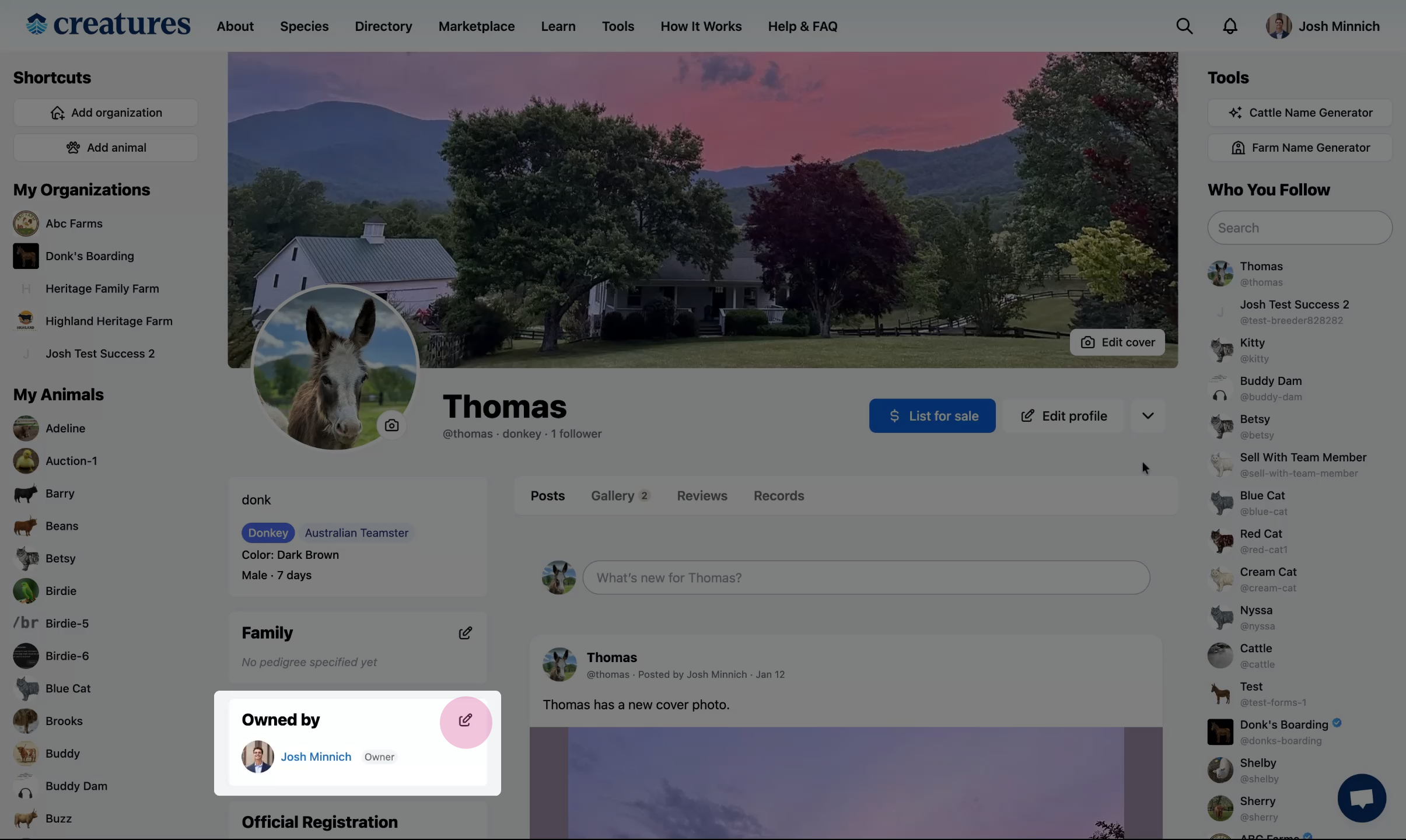
Step 1: Open team member settings
Go to your animal's profile and click the team member edit icon.
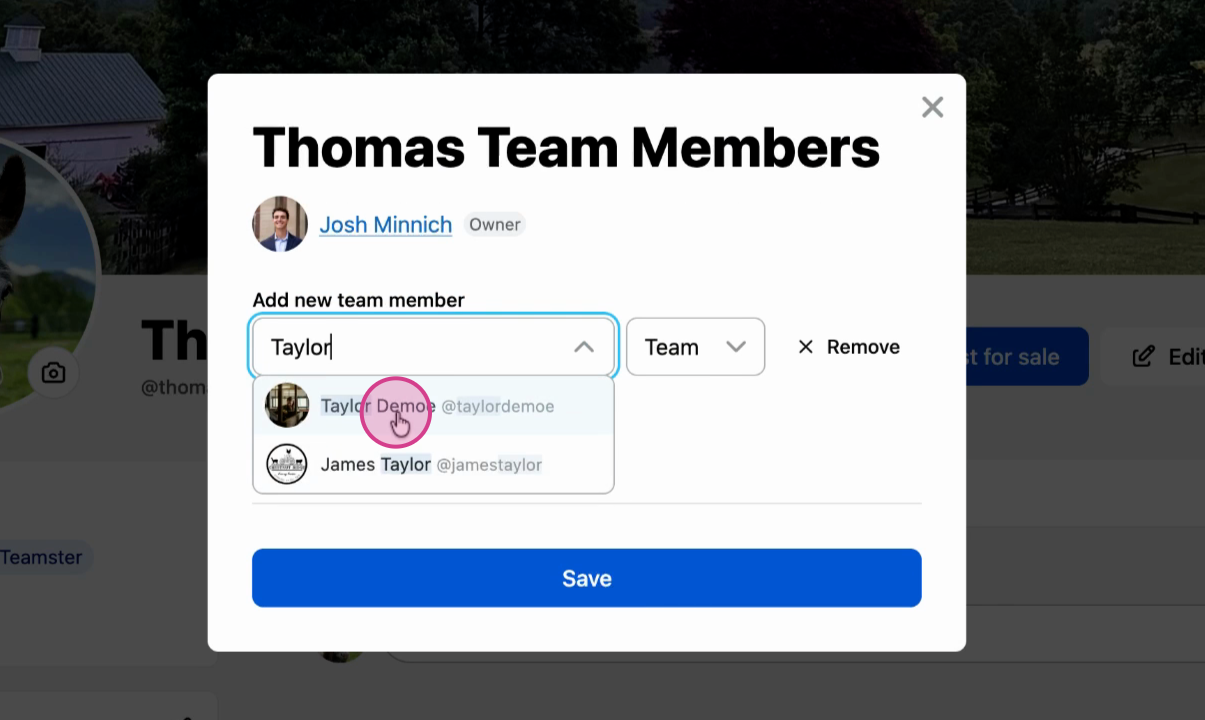
Step 2: Add the team member
Enter the person's name and select their access level: Team Member or Co-Owner.
See Understanding Team Member Permissions to learn the differences between these roles.
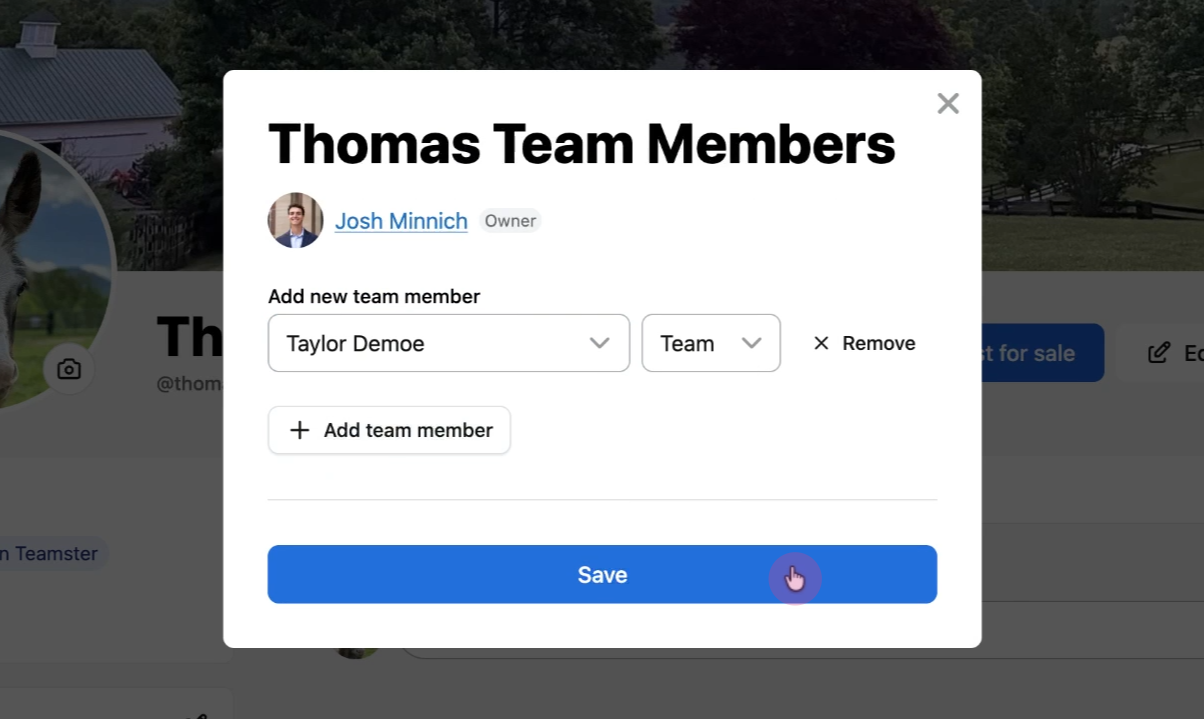
Step 3: Save your changes
Click Save.
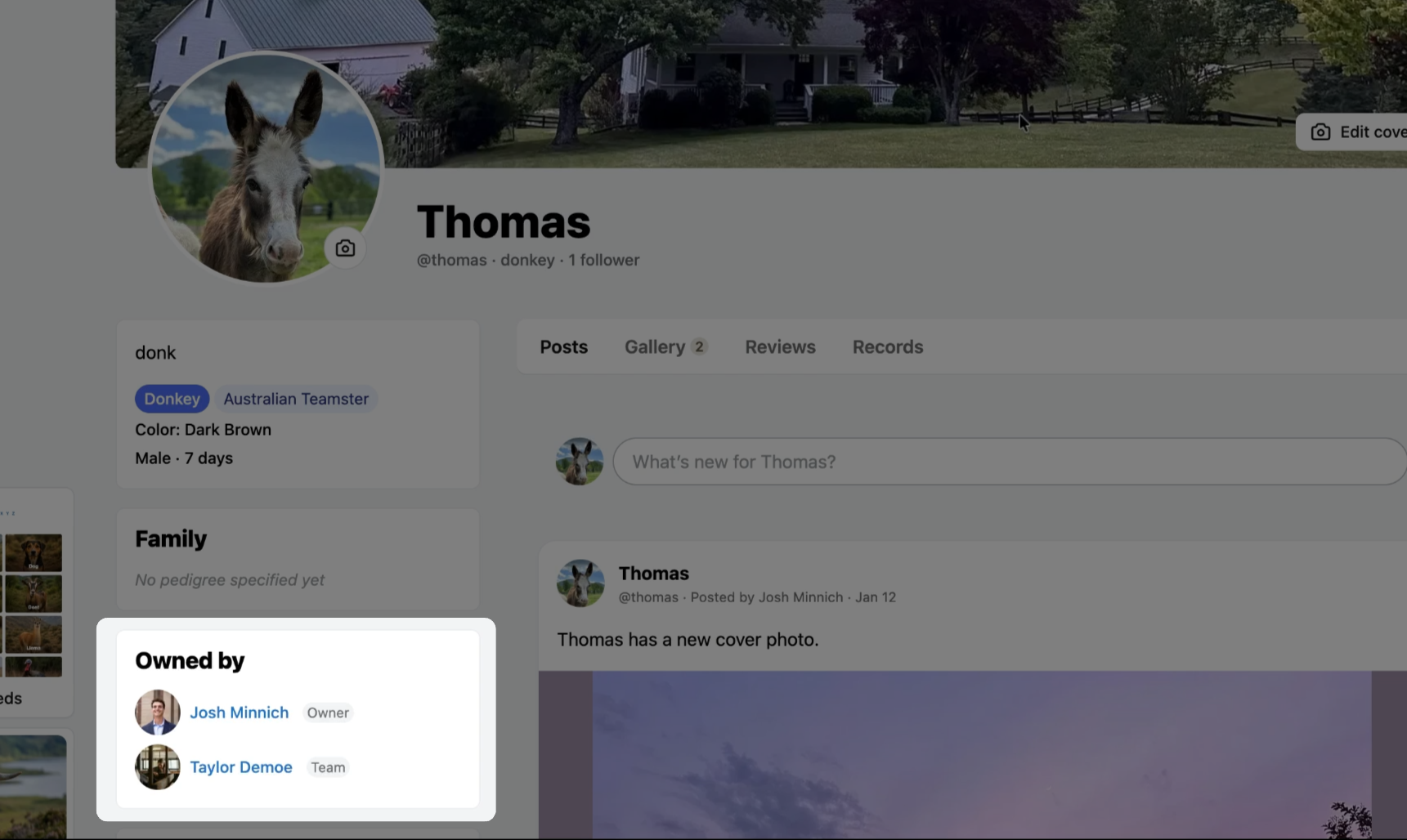
The team member now has access to the animal's profile.
Related articles:
Understanding Team Member Permissions
How to Add a Co-Owner to an Animal Profile
How to Add a Team Member to an Organization
Updated on: 14/01/2026
Thank you!