
How to Approve or Deny a Buyer Application
How to Approve or Deny a Buyer Application
This article will guide you through the process of reviewing and approving buyer applications from a sellers perspective.
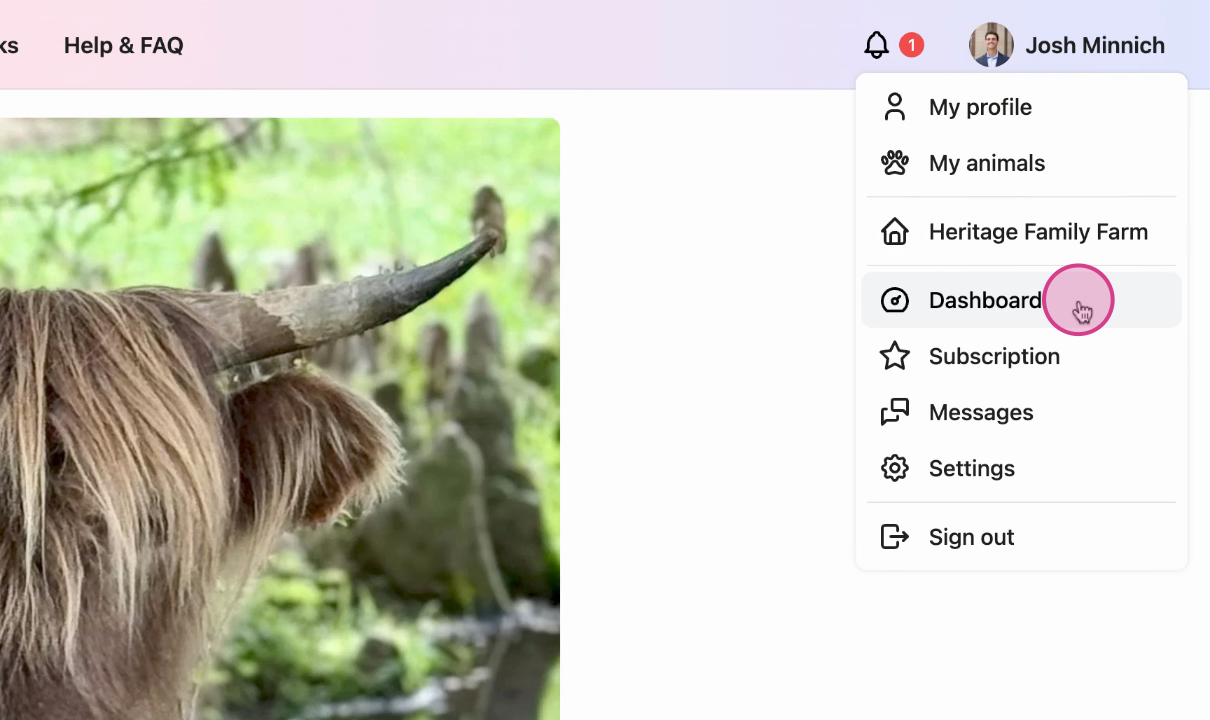
Step 1: Navigate to the Dashboard from the profile menu.
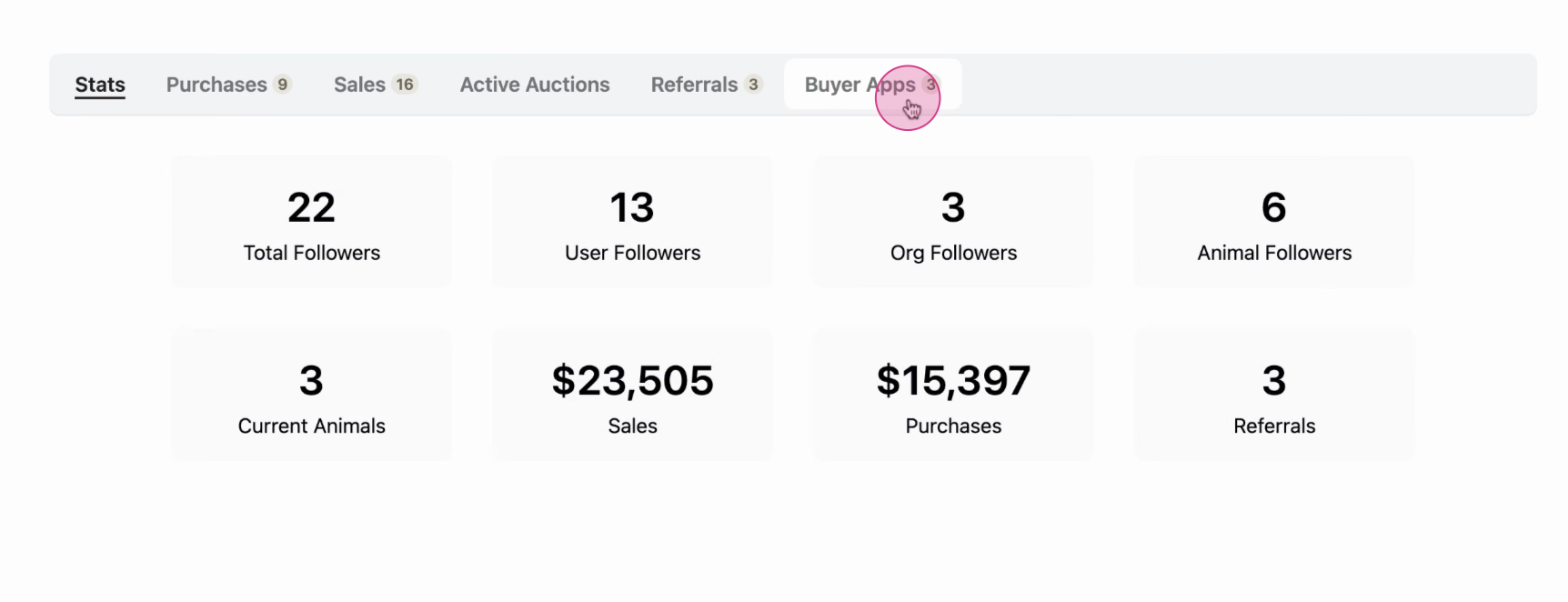
Step 2: Next, choose buyer apps from the menu.
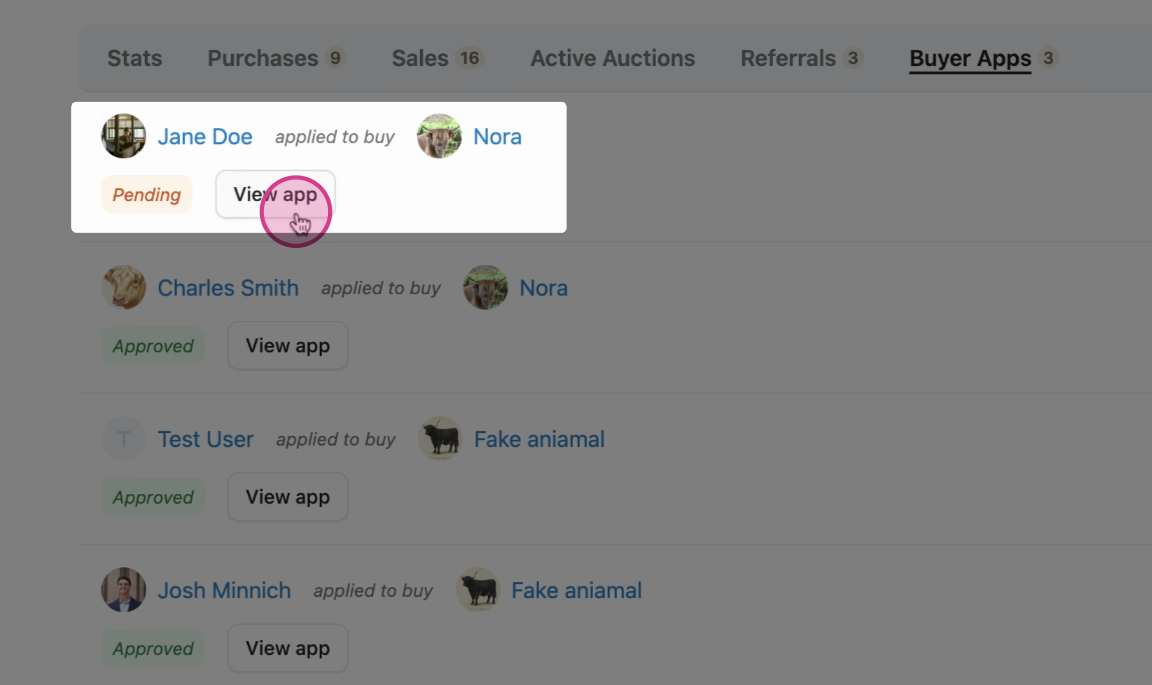
Step 3: Here, you'll notice a new application that is awaiting our review. Click on View app to review it.
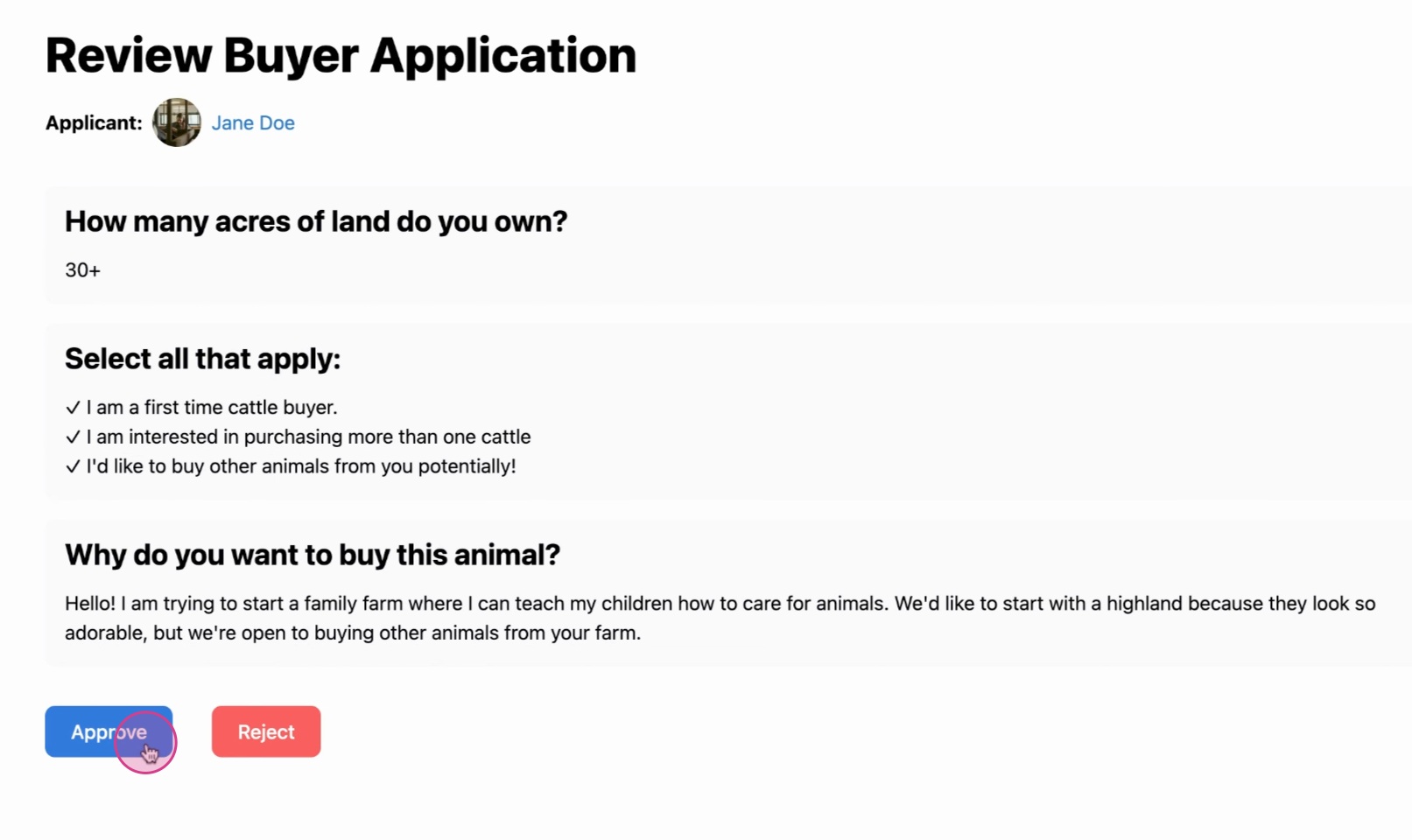
Step 4: Read all the information carefully to ensure the buyer meets your specifications. Choose whether to approve or reject the buyer from purchasing your listing.
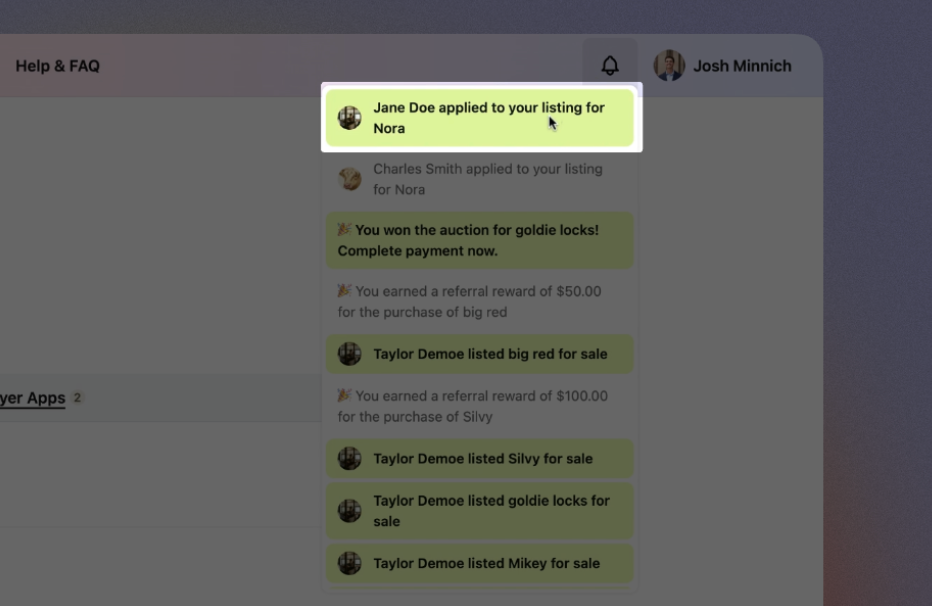
Note: You'll receive notifications about any new buyer applications. Clicking on these will take you directly back to the application where you can approve or deny the buyer.
Related Articles:
- What are Buyer Applications?
- How to Create a Buyer Application
- How to Create a Buyer Application with Forms
Updated on: 02/02/2026
Thank you!