
How to Claim a Reference Animal Profile via Email
How to Claim a Reference Animal Profile via Email
Claiming your animal profile on Creatures lets you manage your animal's information, share details with others, and keep records in one place. Here's how to get started when you receive an invitation.
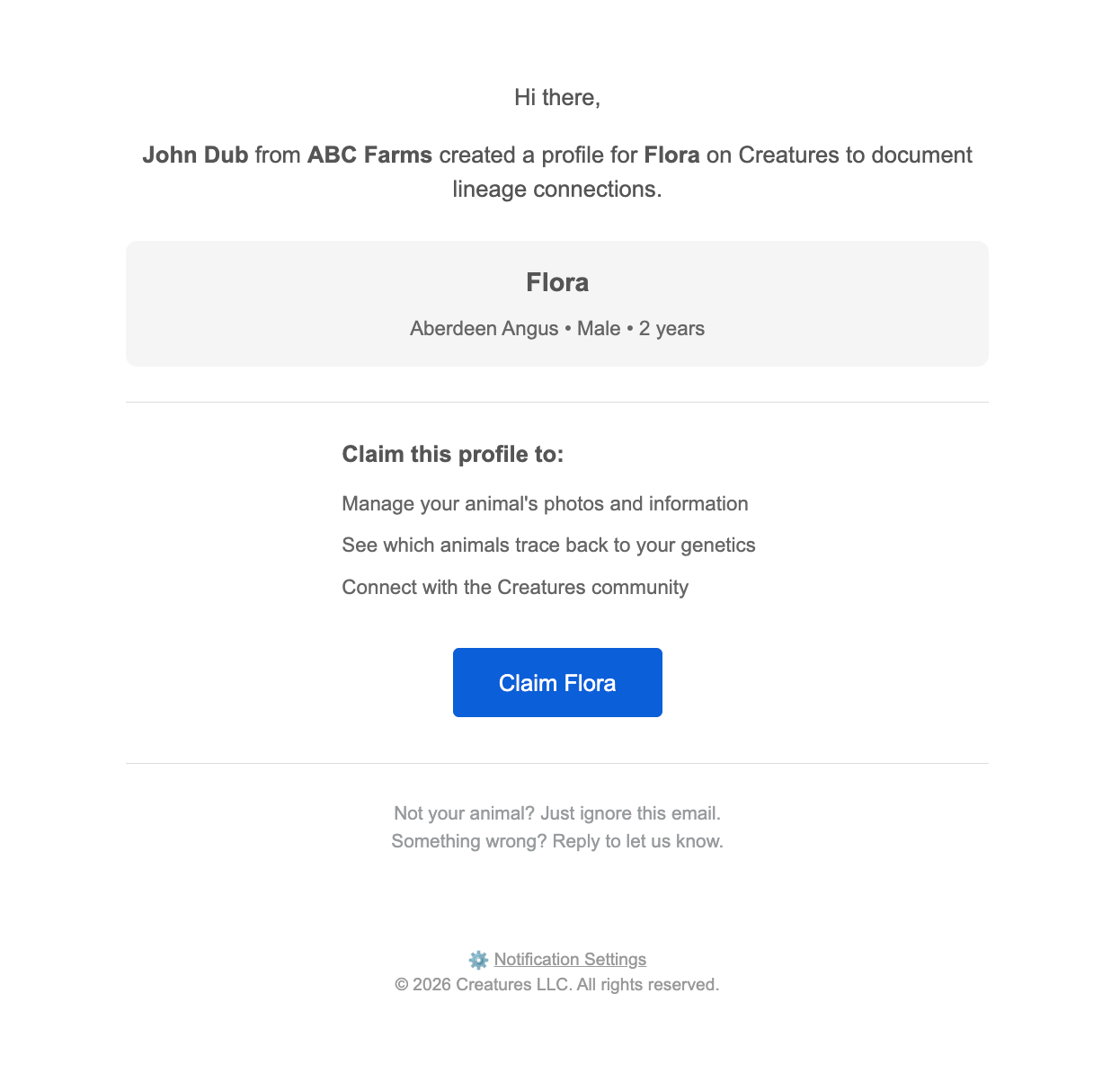
Open the invitation email
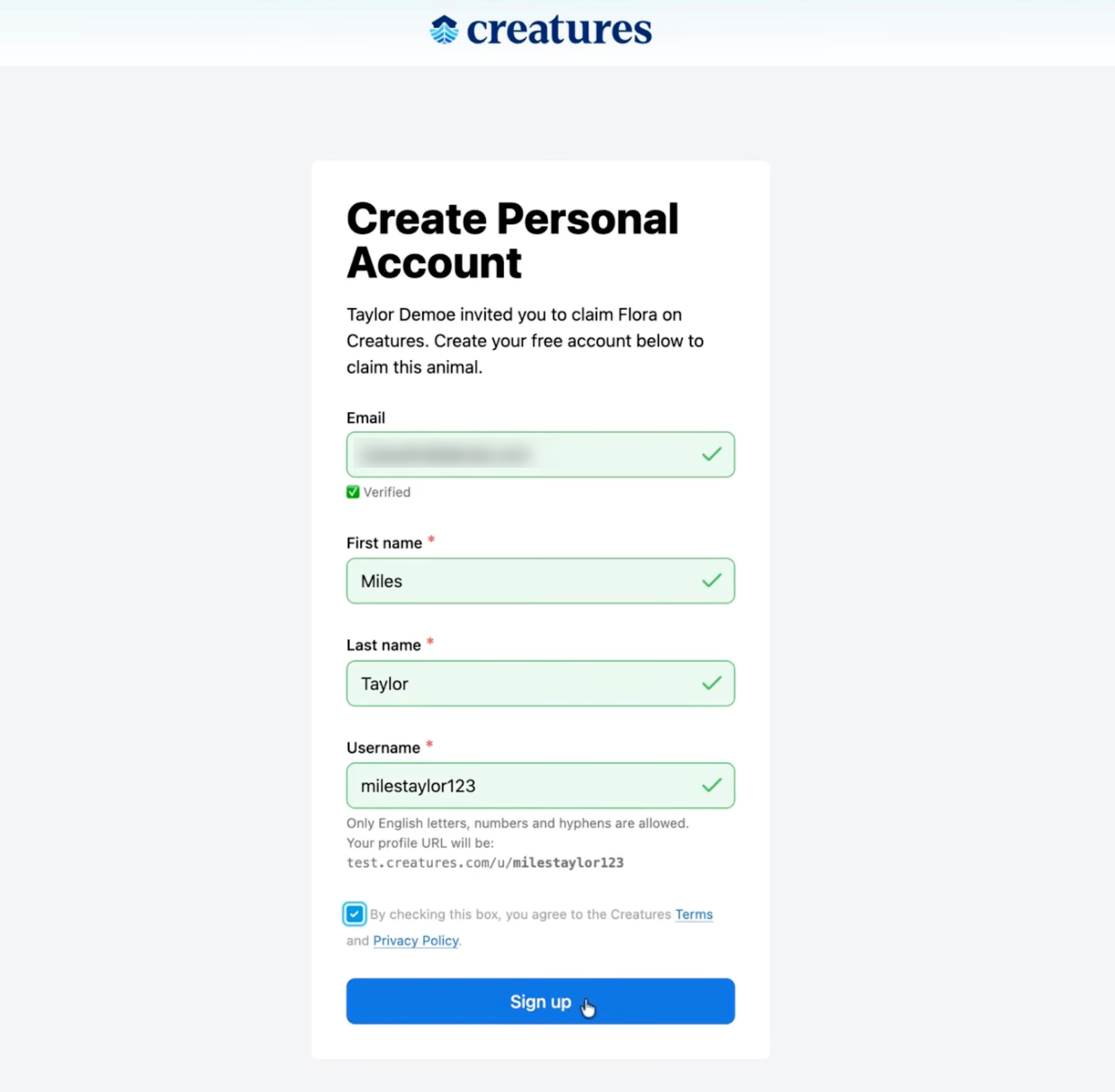
Select Claim Animal in the email you received. This opens the Creatures website, where you'll create a personal account if you don't already have one.
Upload a photo
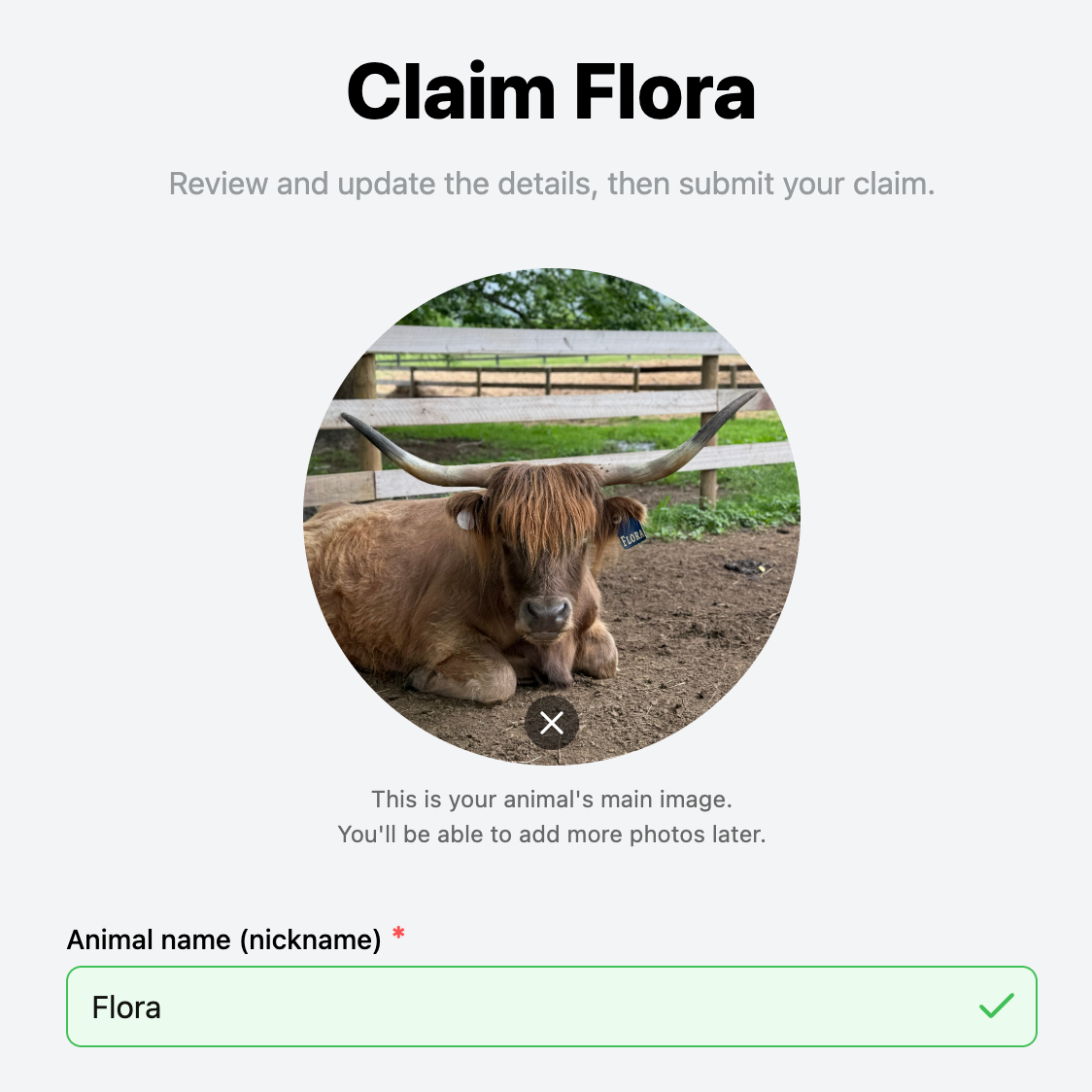
Once logged in, start the claim process. If your animal doesn't already have a photo, upload one now.
400
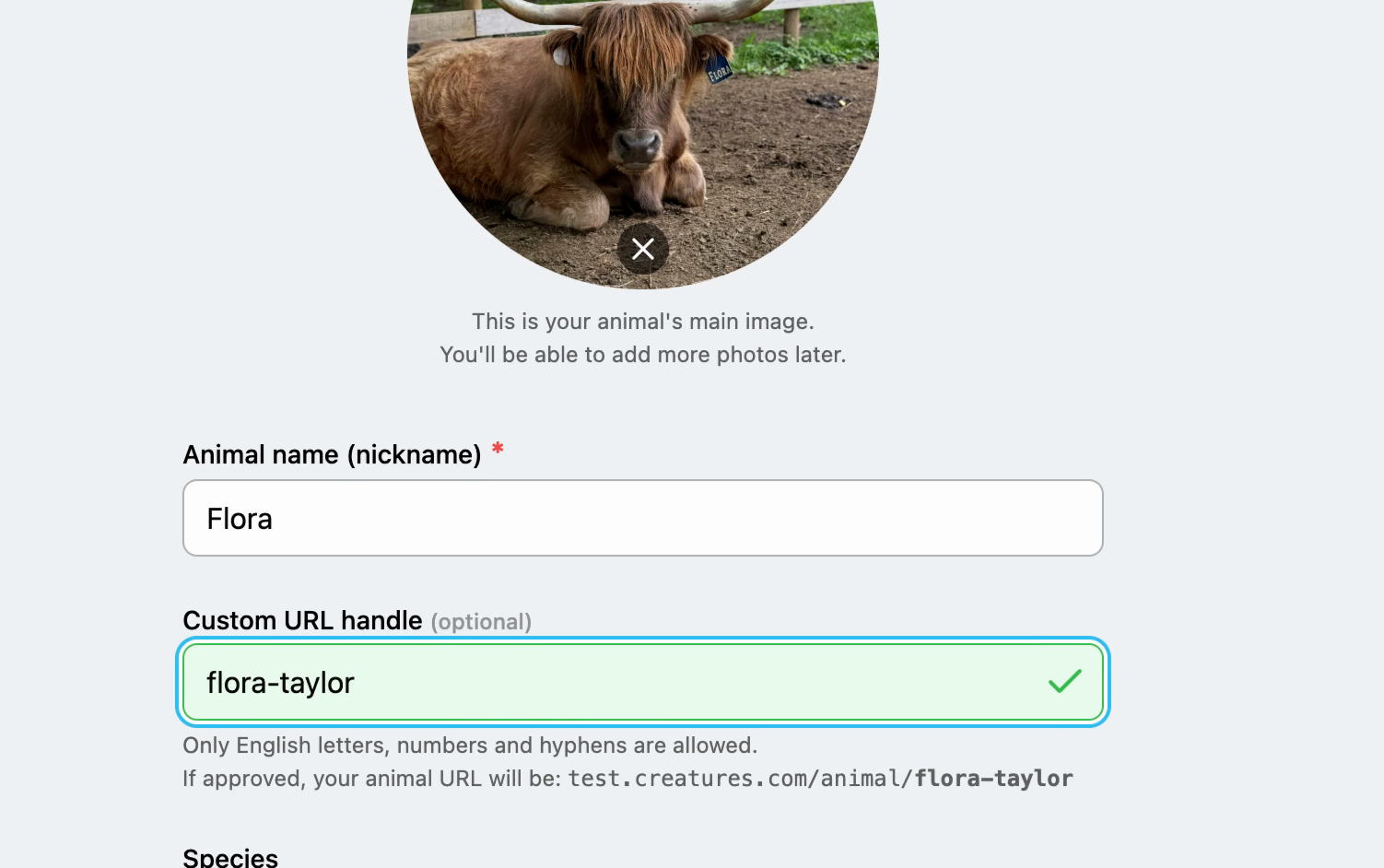
Confirm name and URL
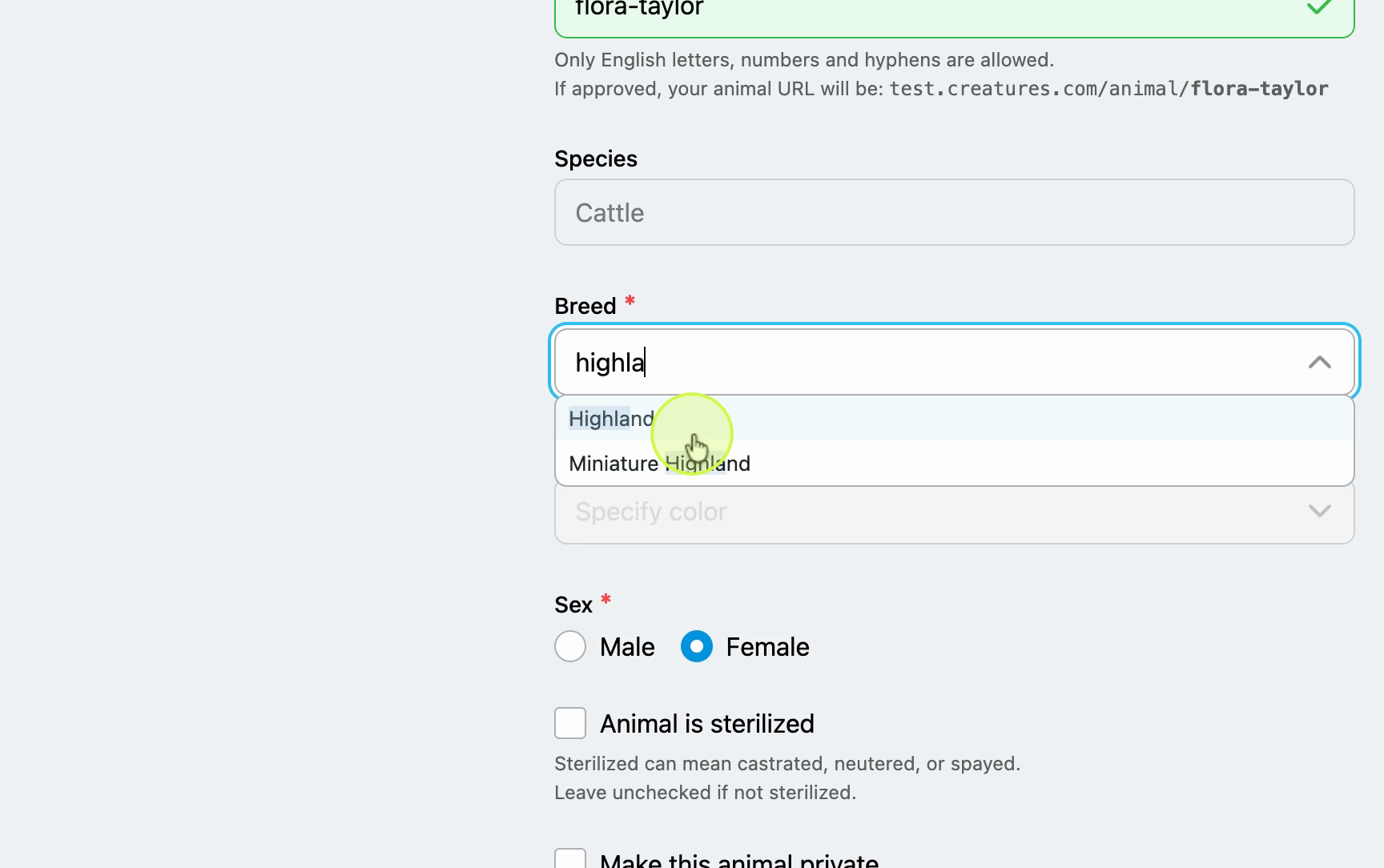
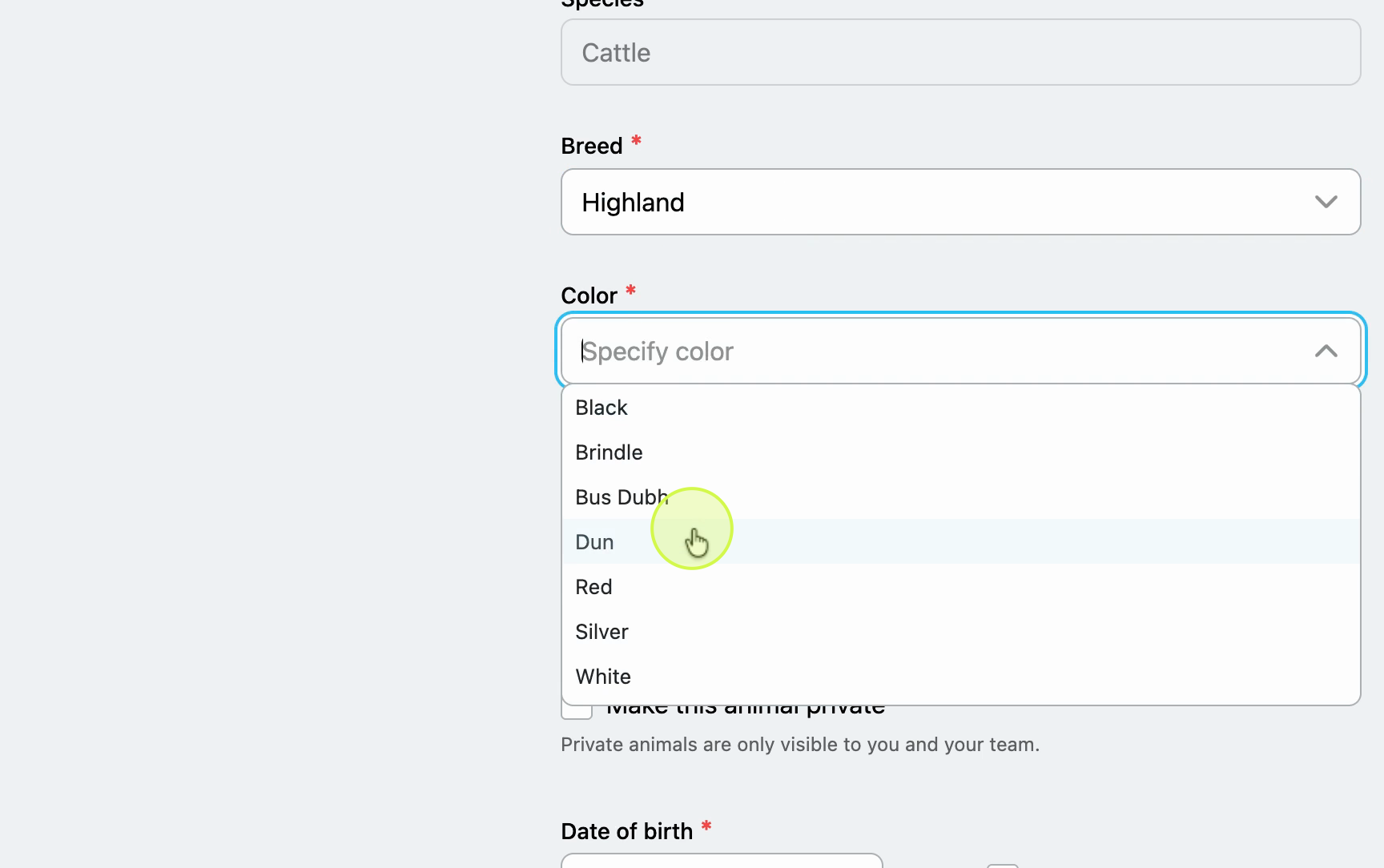
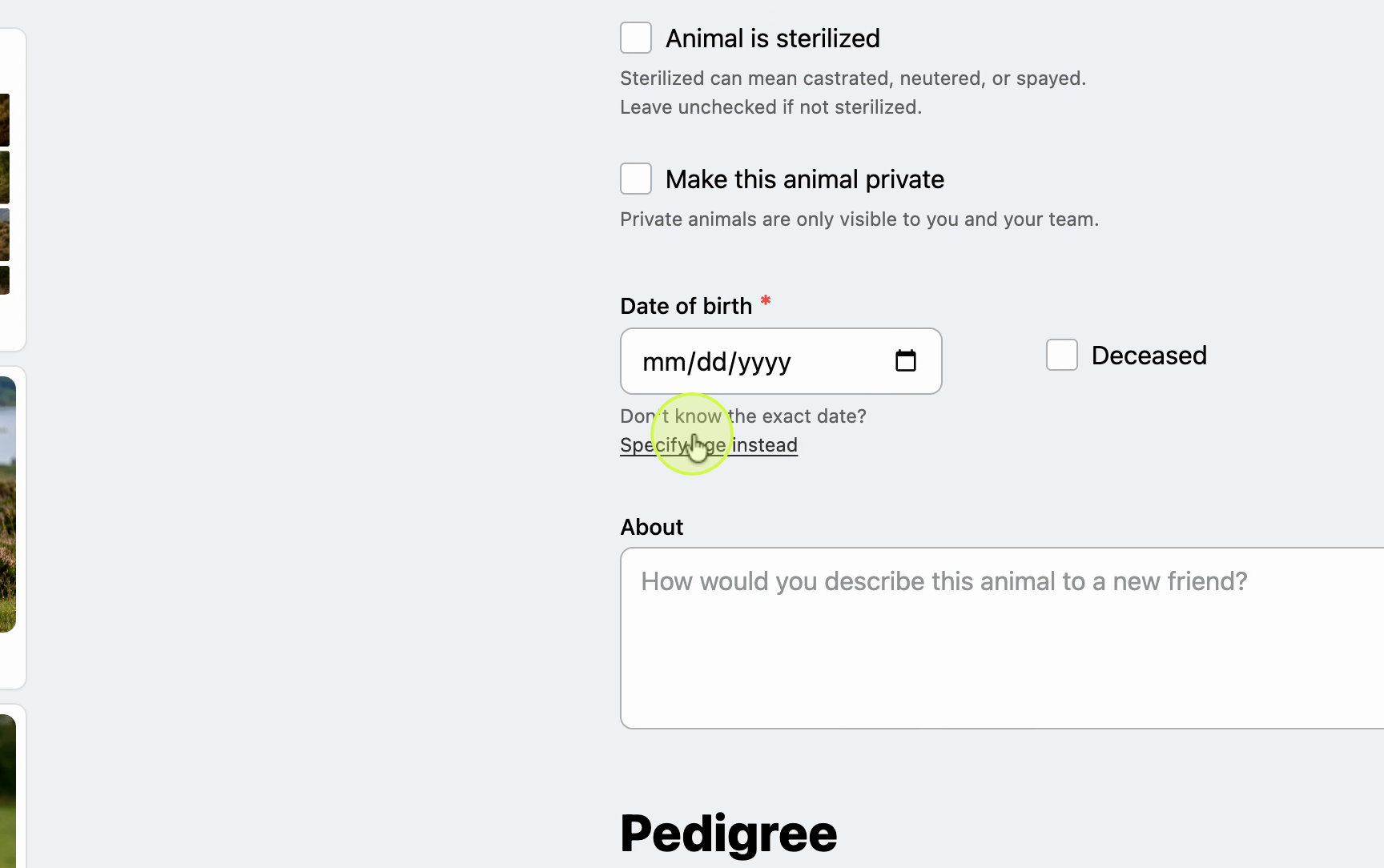
Review breed, color, and date of bir
Write an about section
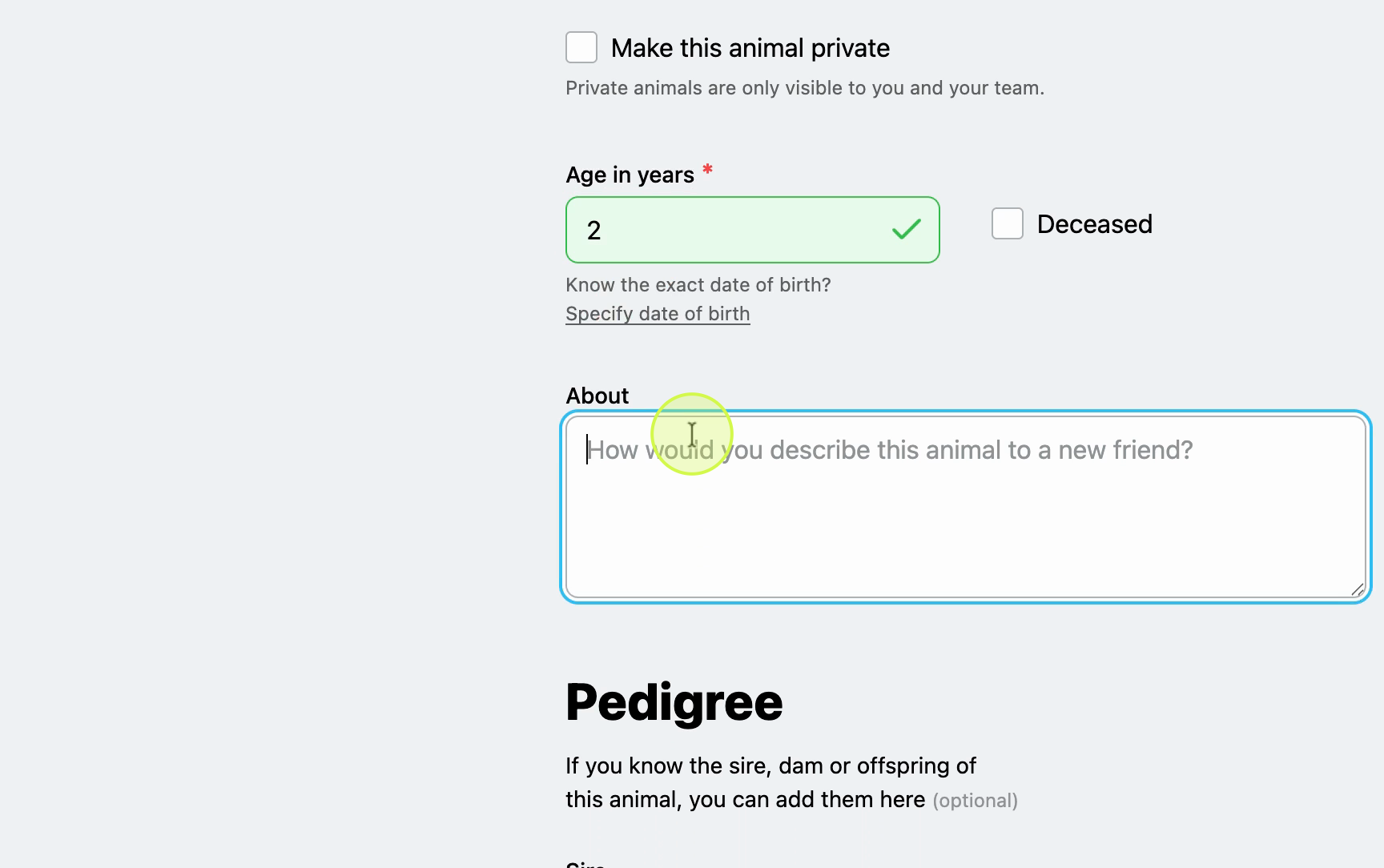
Add a description to introduce your animal to other users on Creatures.
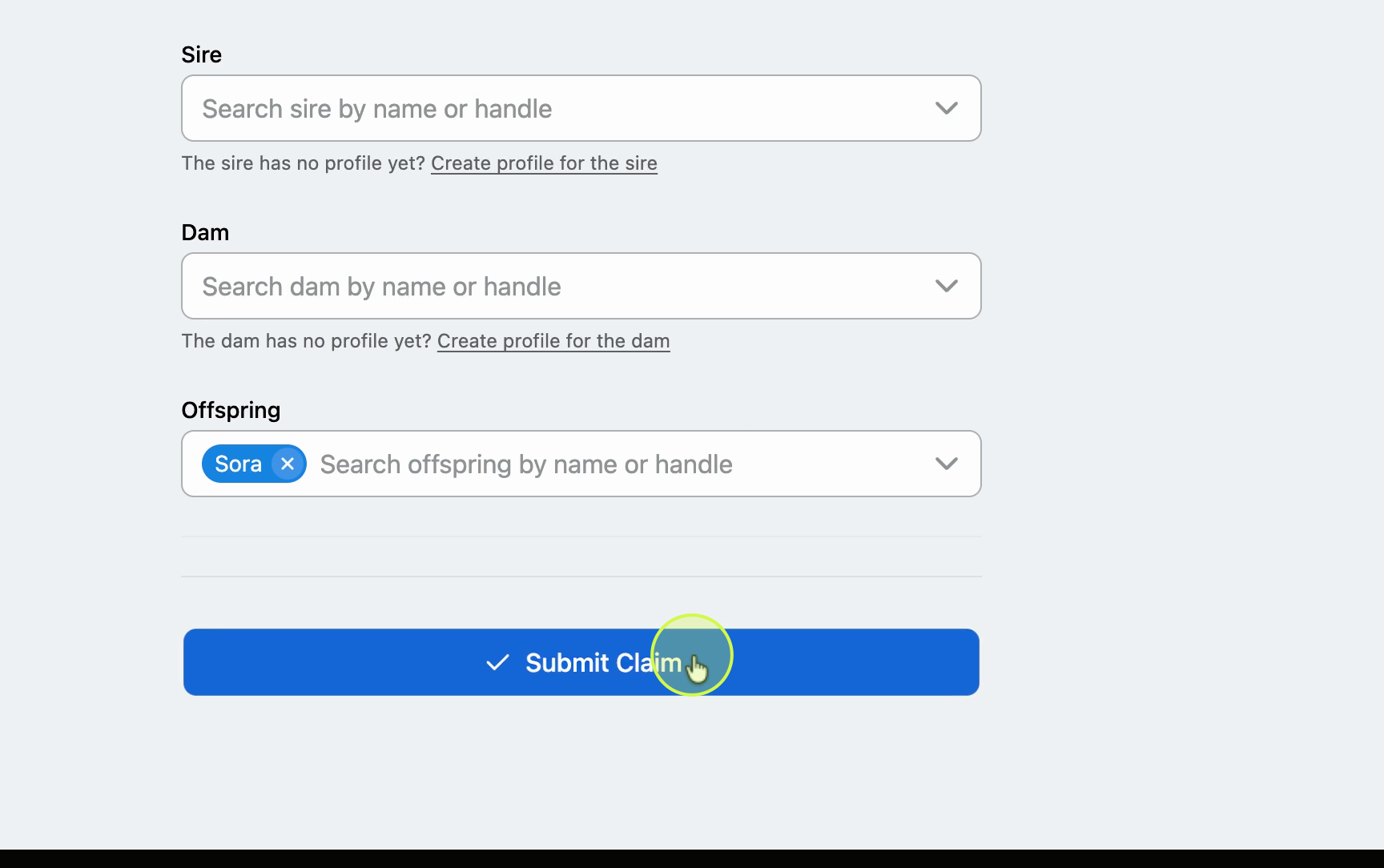
Add pedigree profiles and submit
If your animal has pedigrees, you can create profiles for them here. When you're ready, select Submit Claim.
Your animal profile is now set up and ready to manage. Keep your animal's details updated to share with other owners and build a strong profile on Creatures.

Updated on: 15/04/2026
Thank you!