
How to Create a Buyer Application with Forms
How to Create a Buyer Application with Forms
This article will guide you on how to create a buyer application, with a form, for your listing.
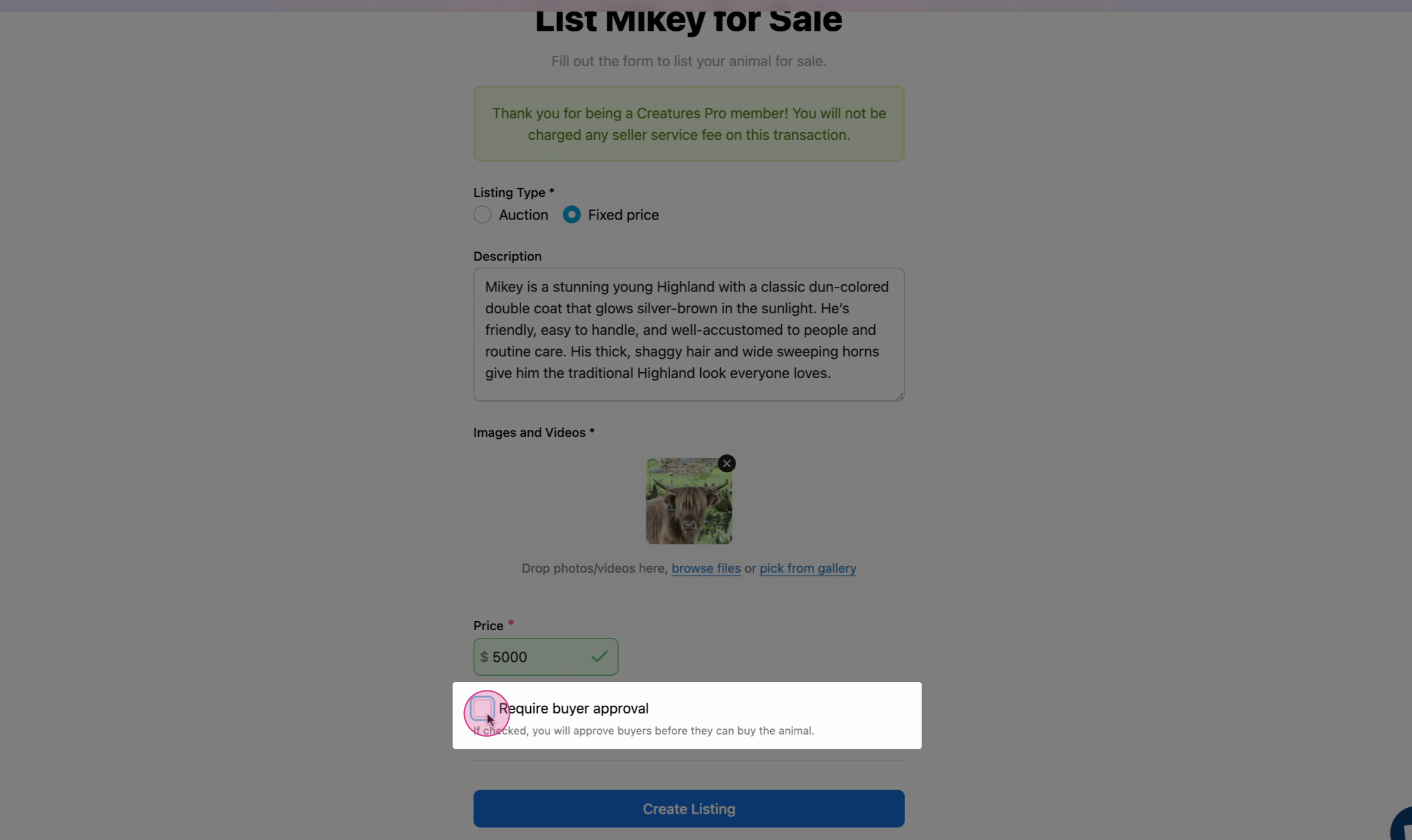
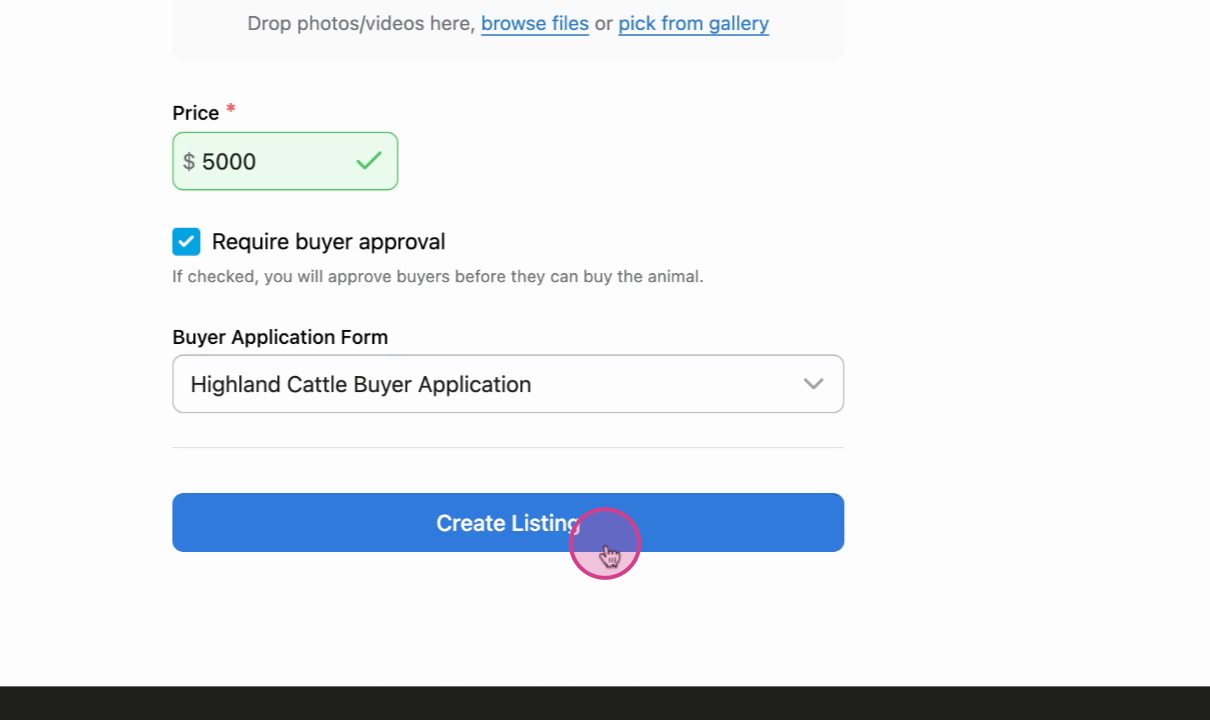
Step 1: From the animal listing page, start by checking the box labeled require buyer approval.
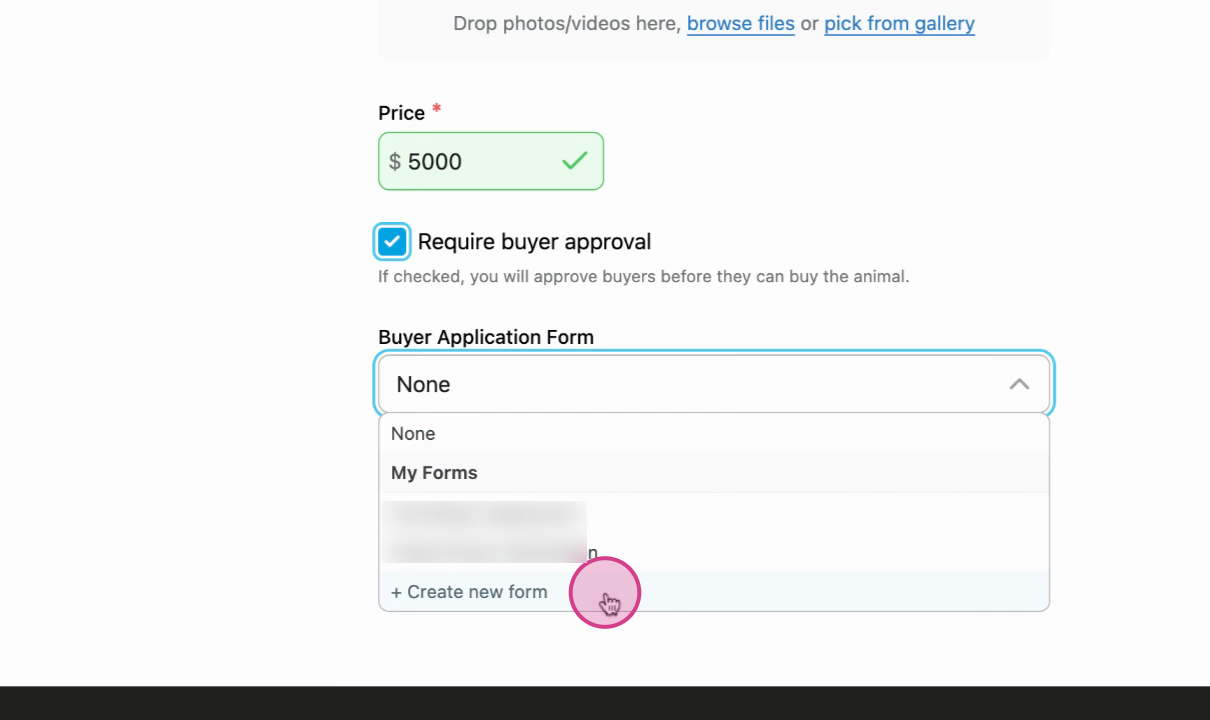
Step 2: Select Create new form from the 'Buyer Application Form' drop down menu.
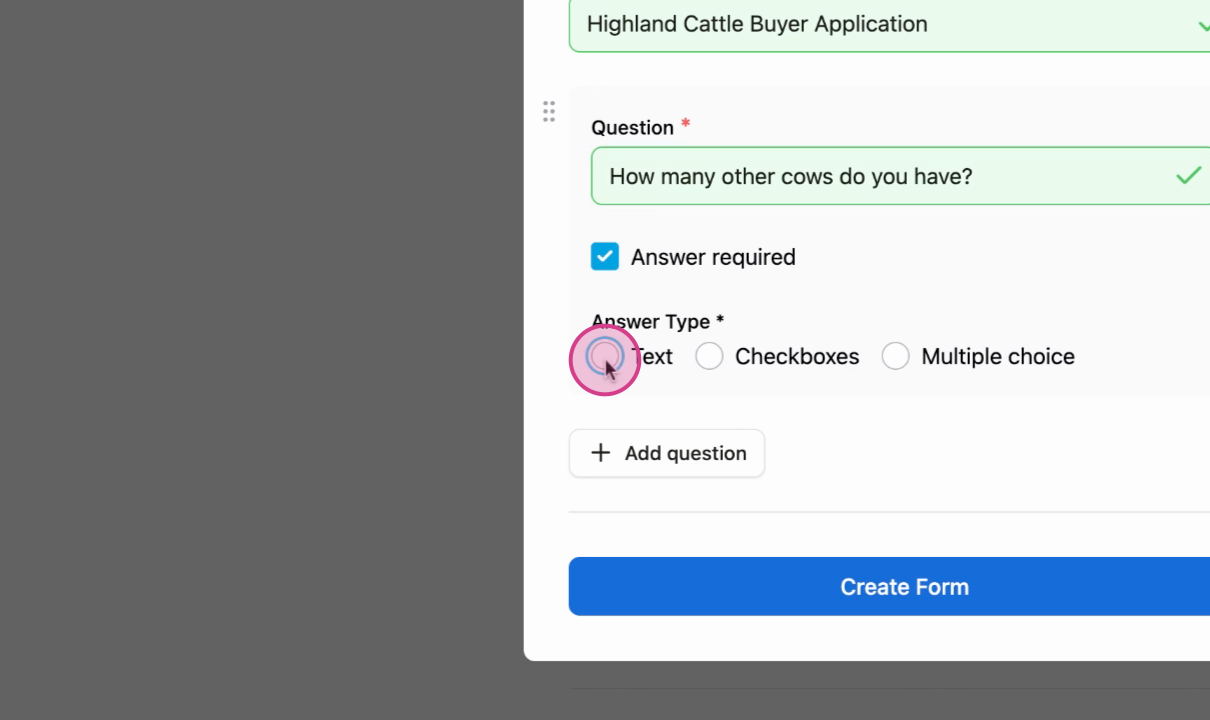
Step 3: Add questions to the form. Add as many questions as you would like your buyers to answer.
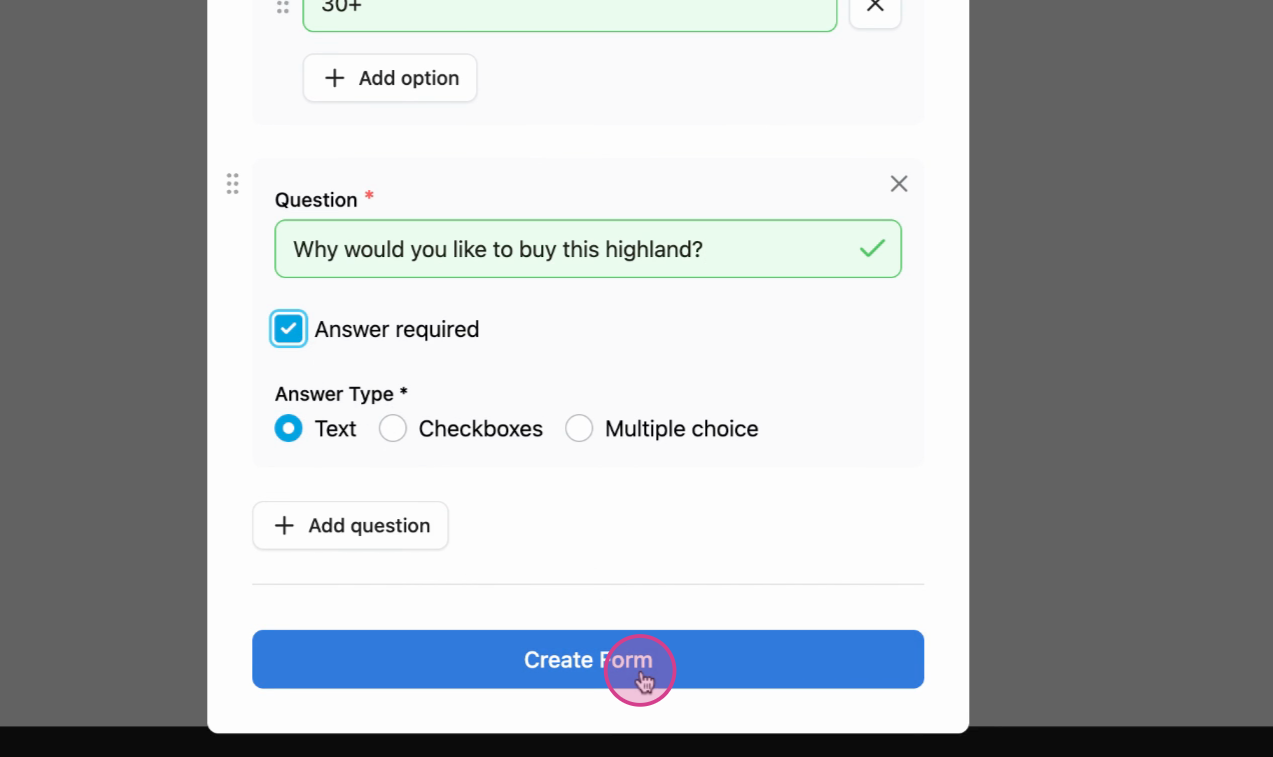
Step 4: After double checking everything, proceed to Create the form.
Step 5: Finalize the Listing.
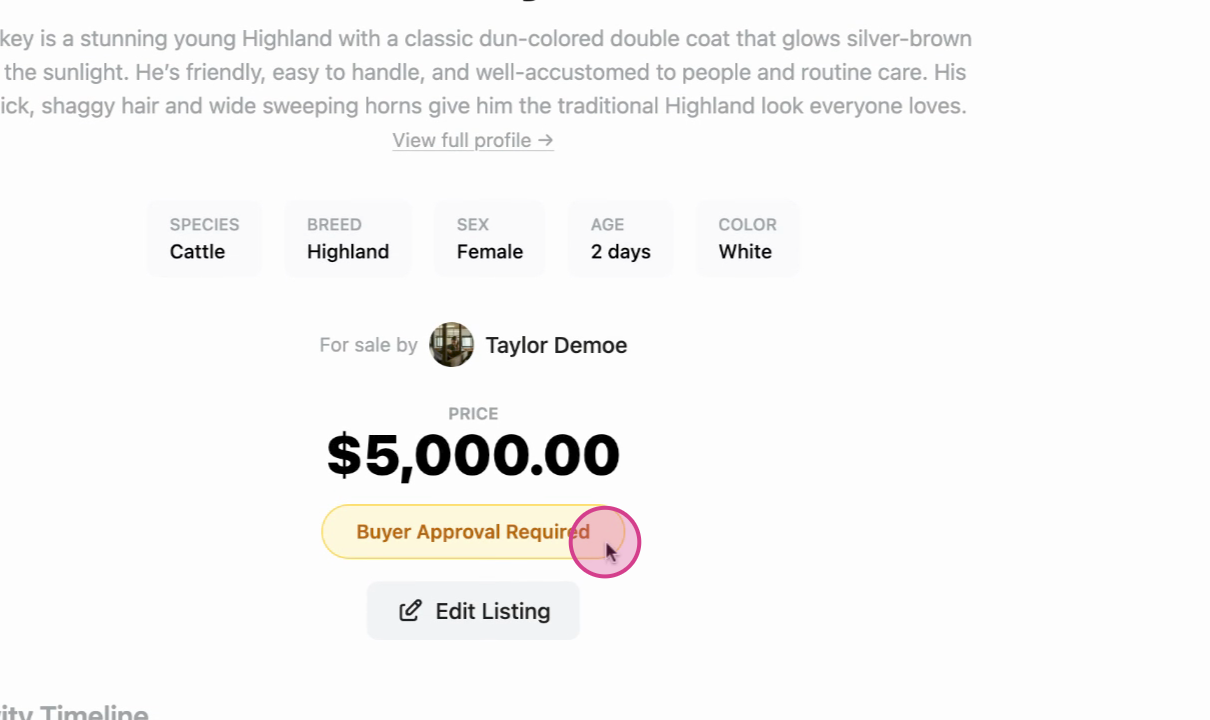
Success: You'll notice that buyer approval is now required for your listing.
Related articles:
- What are Buyer Applications?
- How to Fill Out a Buyer Application
- How to Create a Buyer Application with Forms
Updated on: 02/02/2026
Thank you!