
How to Add a Team Member to an Organization
How to Add a Team Member to an Organization
Adding a team member lets someone help manage your organization's animals and posts without giving them full administrative access.
See Understanding Team Member Permissions for a full breakdown of role differences.
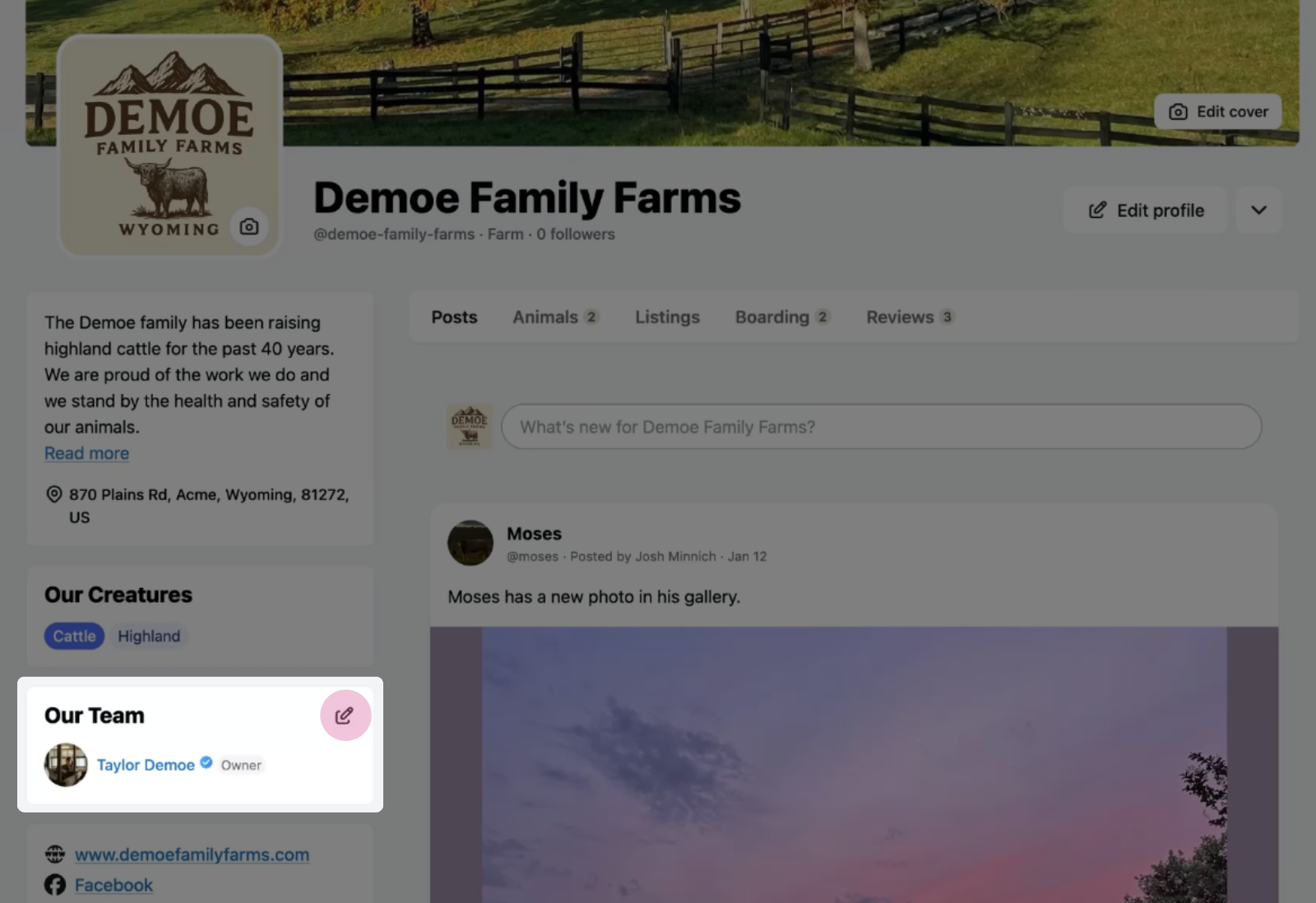
Step 1: Open team member settings
Select the Manage Team Members icon from your organization page.
Step 2: Add a new member
Select Add member from the menu.
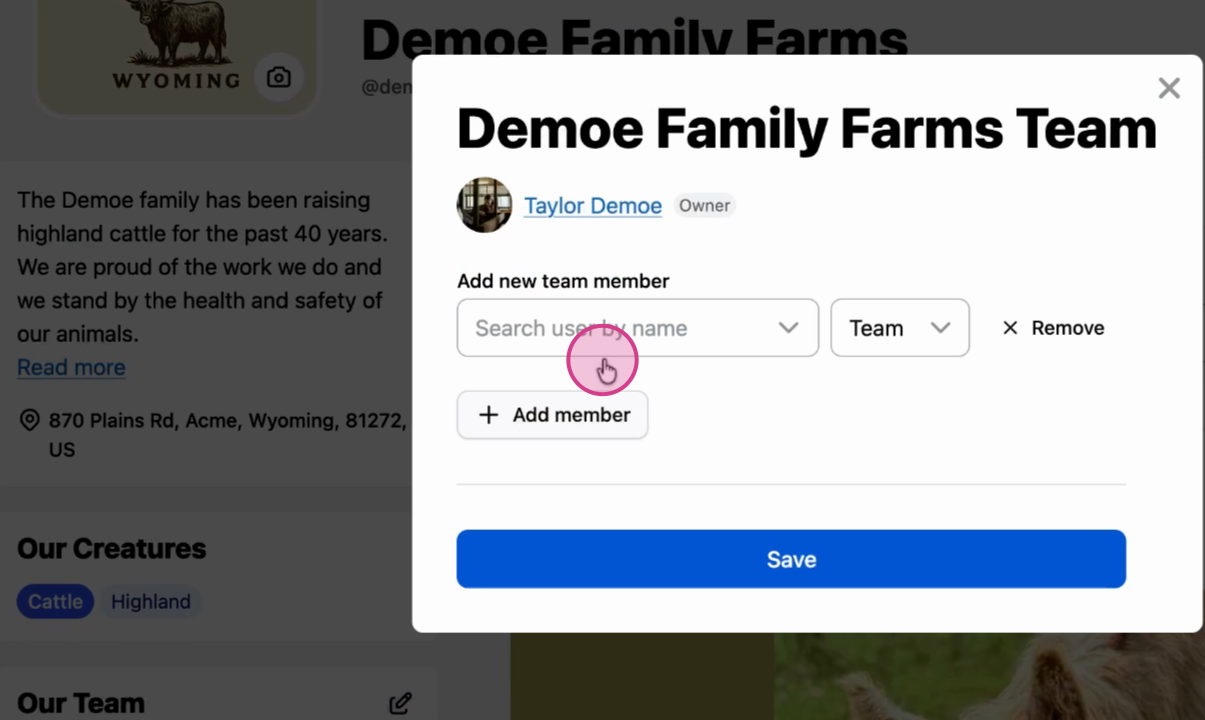
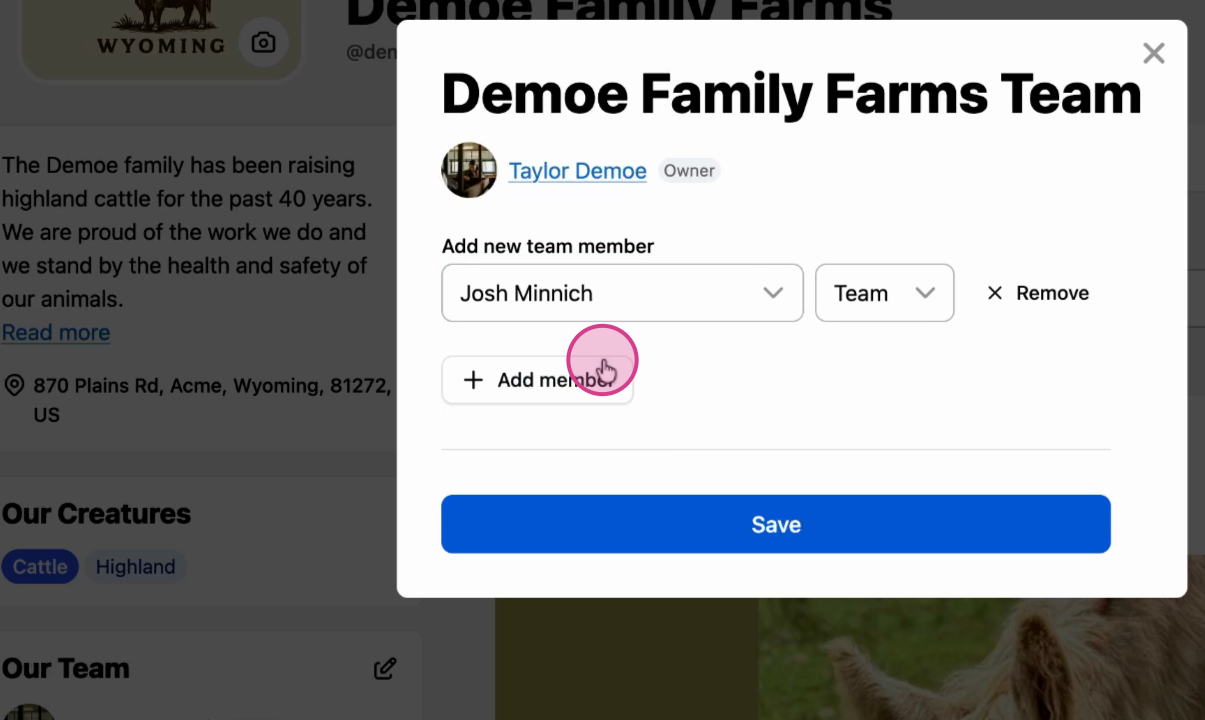
Step 3: Search and assign role
Search for the user by name, then select Team member as their role.
The team member now has access to your organization.
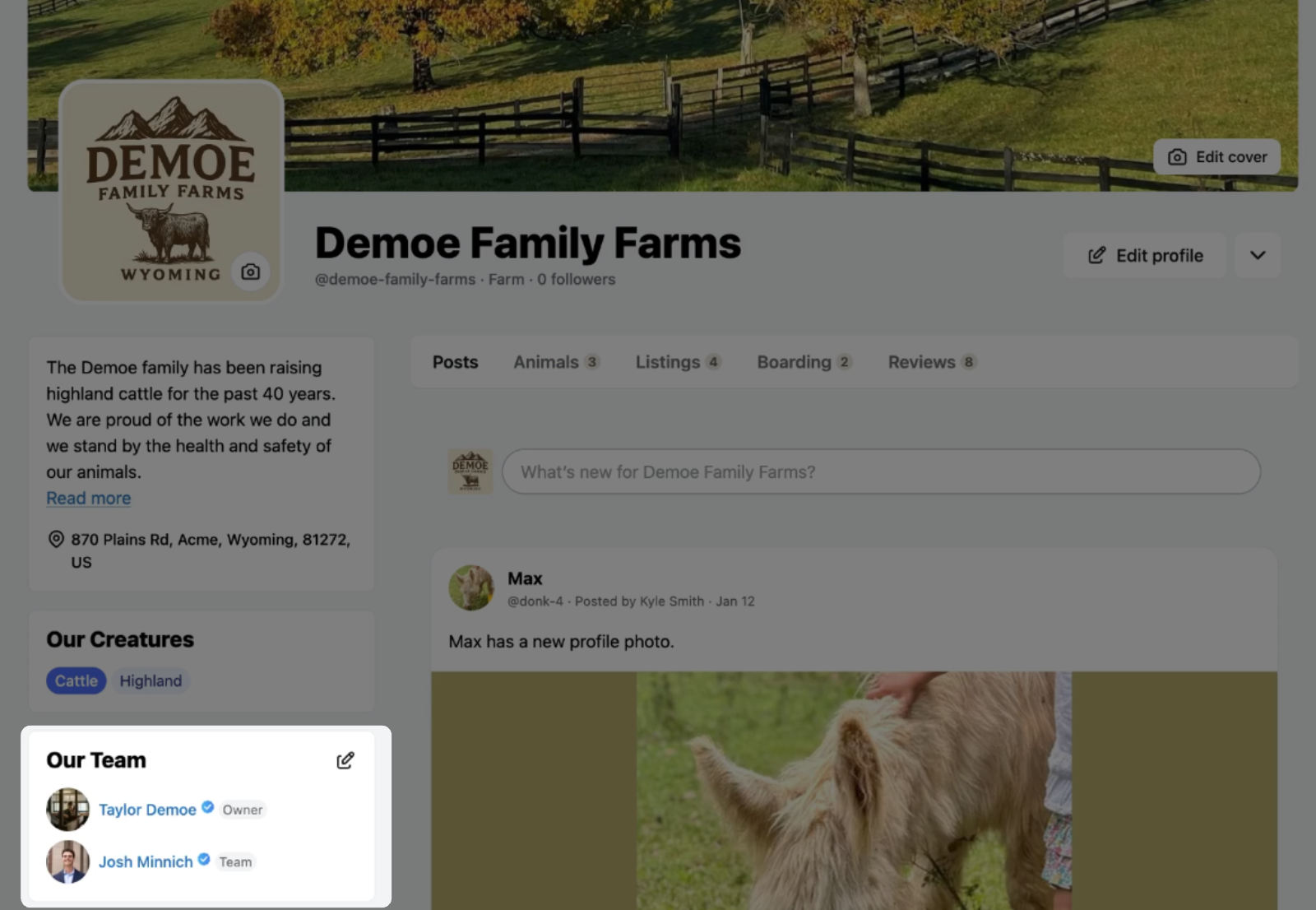
Team members can edit animal images, post updates, manage animal profiles, and add records. They can't edit organization-level details or list animals for sale—only co-owners have those permissions.
Related articles:
Understanding Team Member Permissions
How to Add a Co-Owner to an Organization Profile
How to Add a Team Member to an Animal Profile
Updated on: 14/01/2026
Thank you!