
How to Refer a Friend
How to Refer a Friend
This article will guide you on how to refer a new friend to the website and earn from their purchases.
When your friends sign up using your link and make purchases, you'll earn 1% of their total spend.
The earnings from your referrals will be updated in the dashboard section.
Here is a walkthrough:
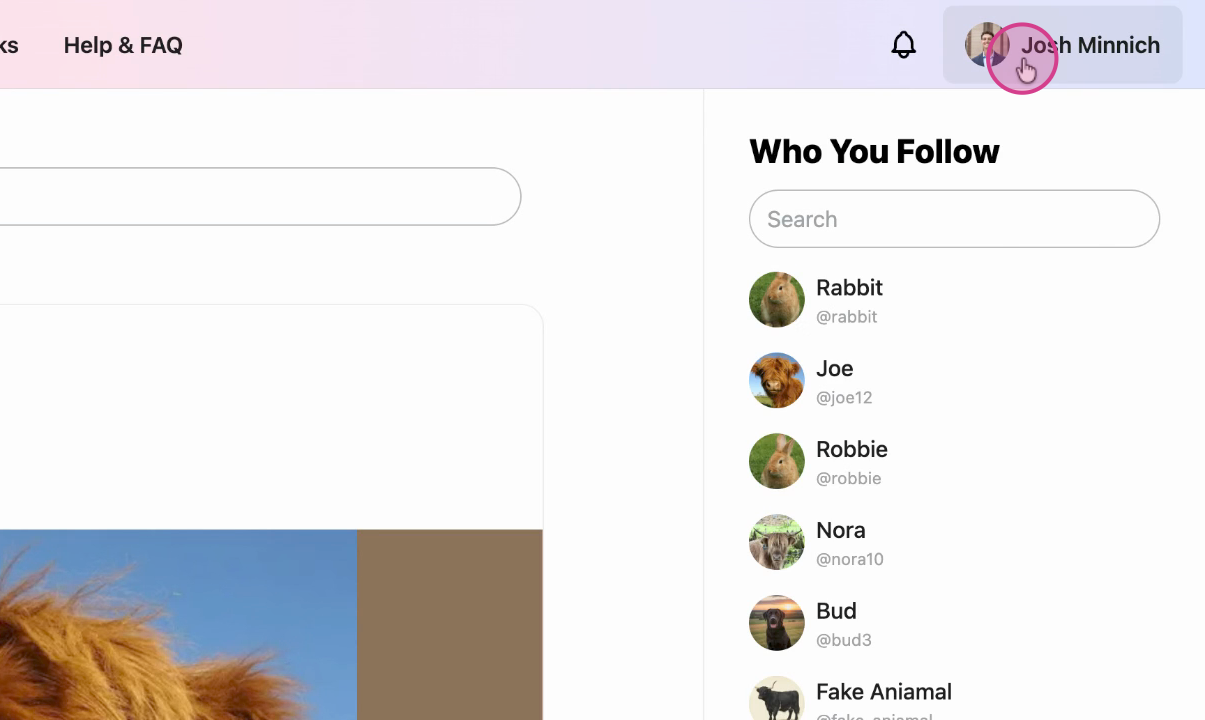
Step 1: Navigate to your profile menu.
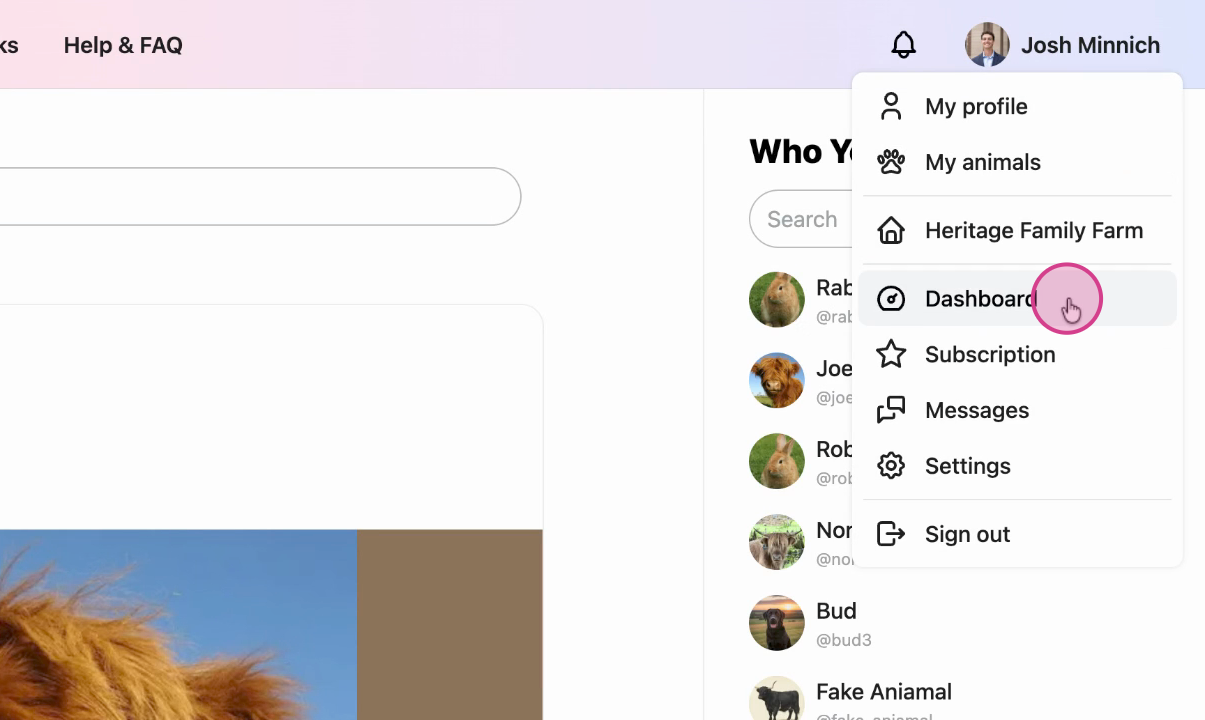
Step 2: Click on the Dashboard option.
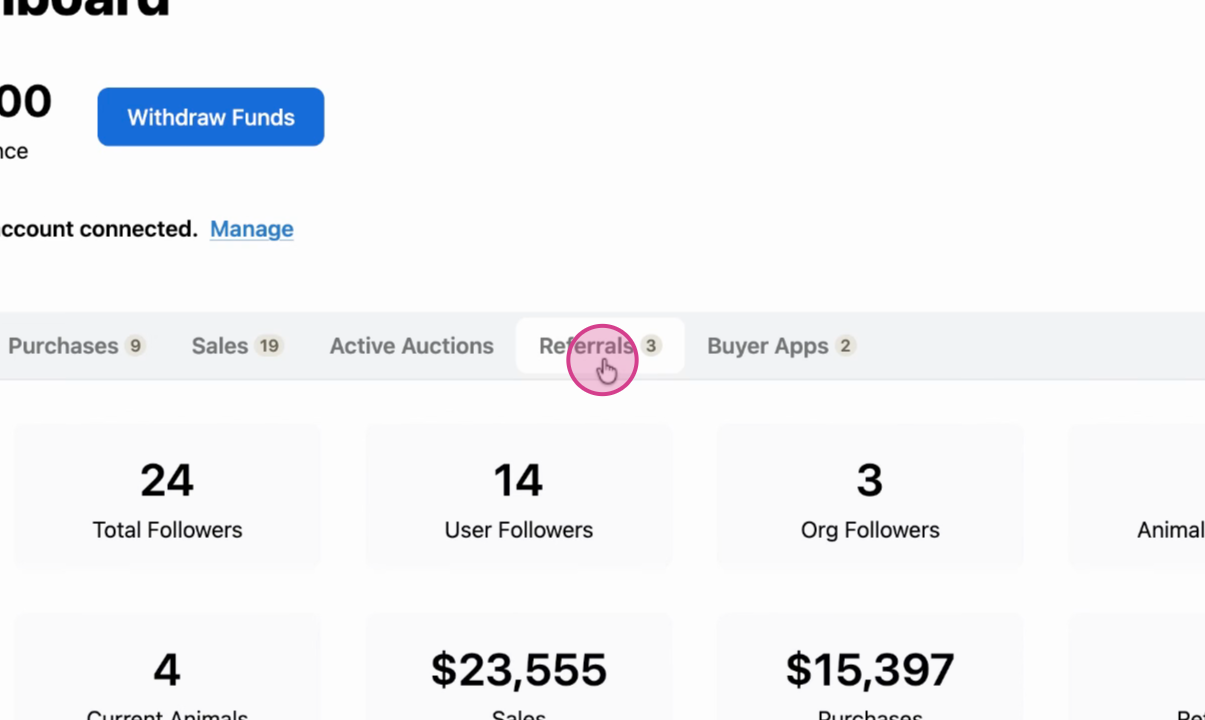
Step 3: Select the Referrals option.
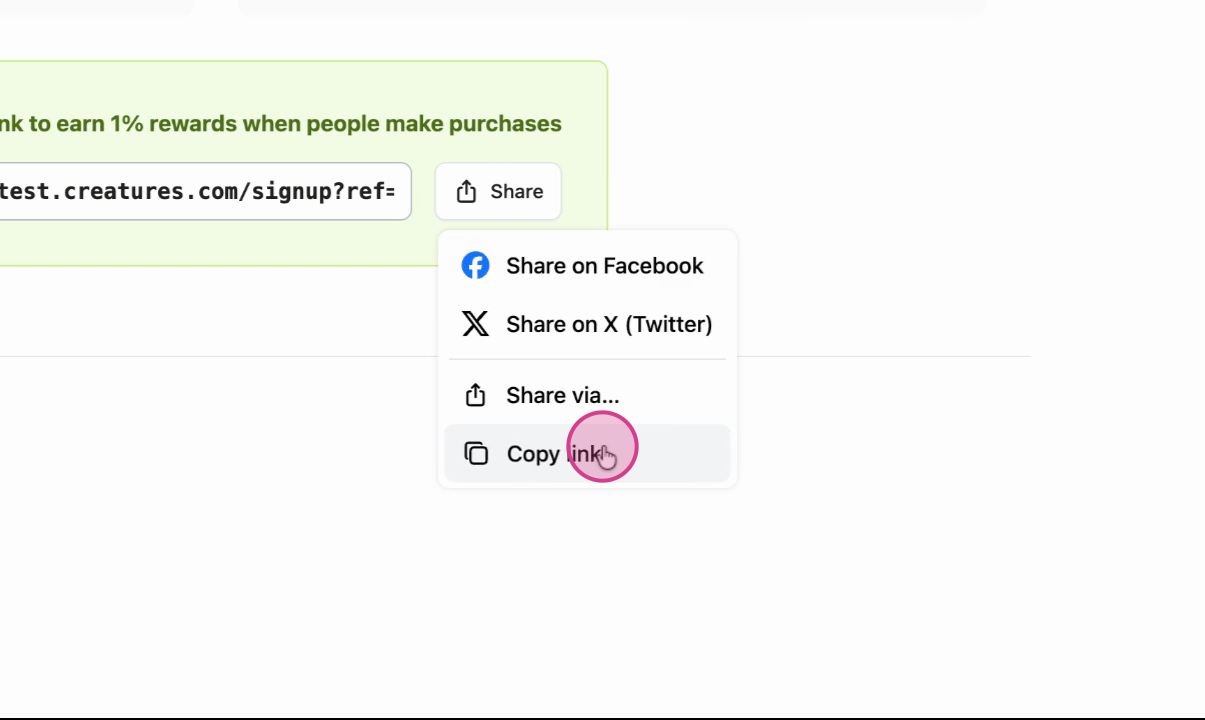
Step 4: Notice the shareable link.
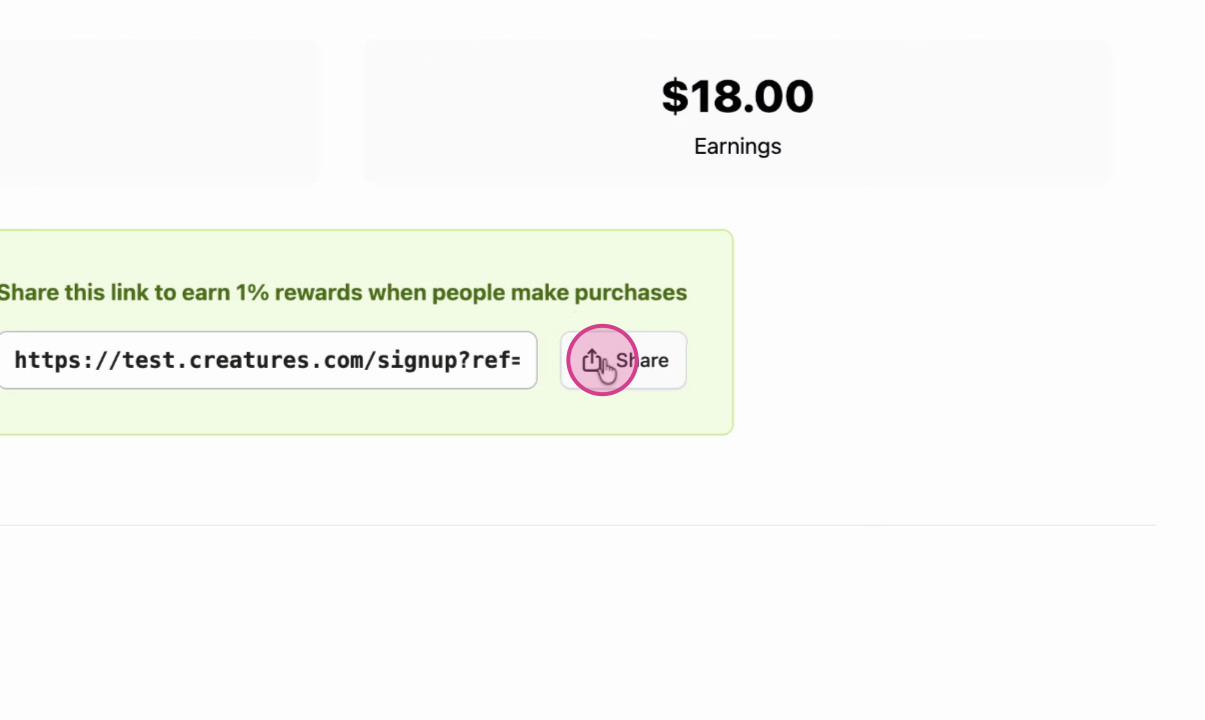
Step 5: Copy this link and share it with potential users.
More information about setting up a payout account:
- How to Complete Seller Bank Account Verification
- Discover Creatures
- Understanding Verification on Creatures
Updated on: 10/11/2025
Thank you!