
How to Withdraw Funds to Your Bank Account
Withdraw Funds to Your Bank Account
Here's how the withdrawal process works on Creatures.
1. Open your profile menu.
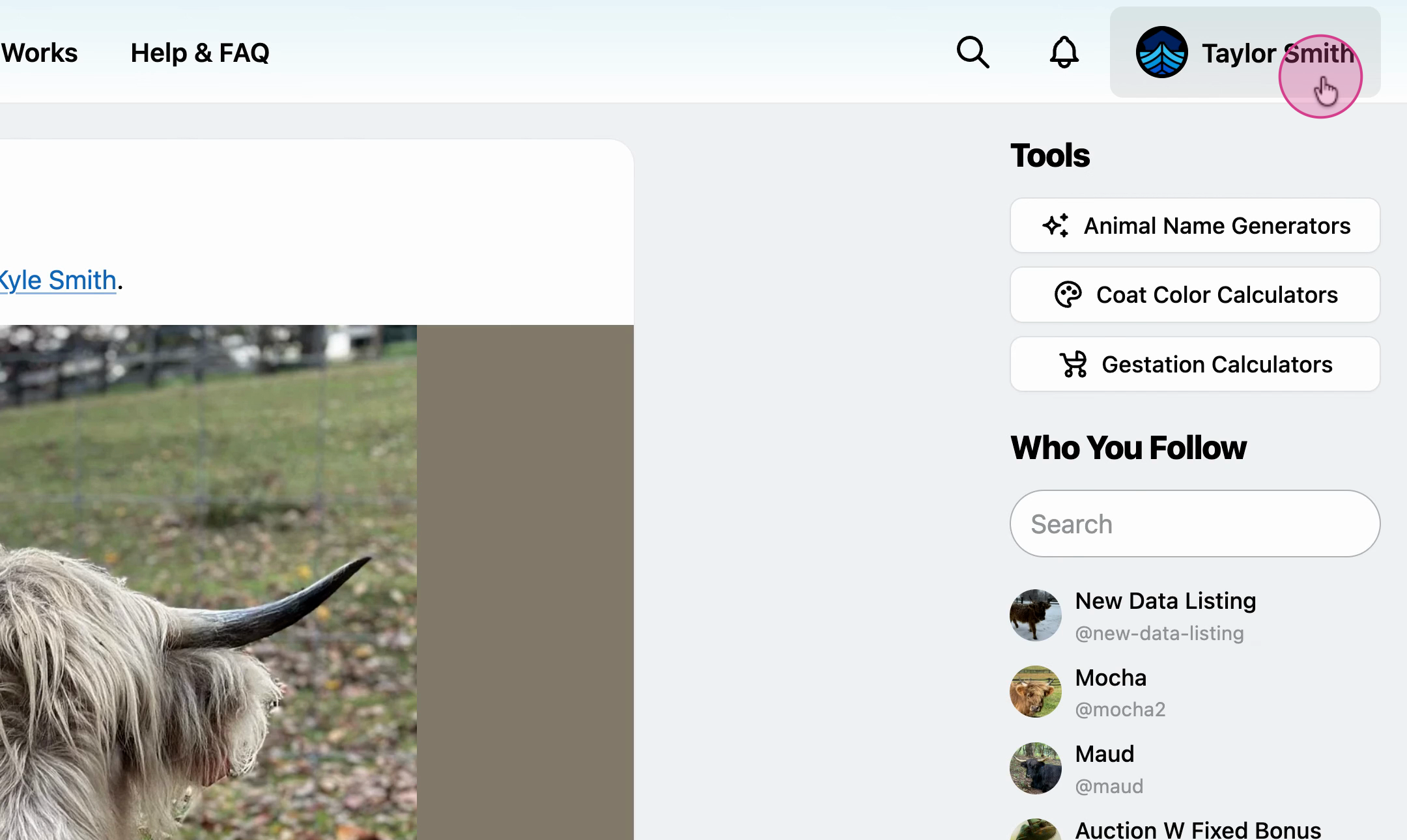
2. Select Dashboard.
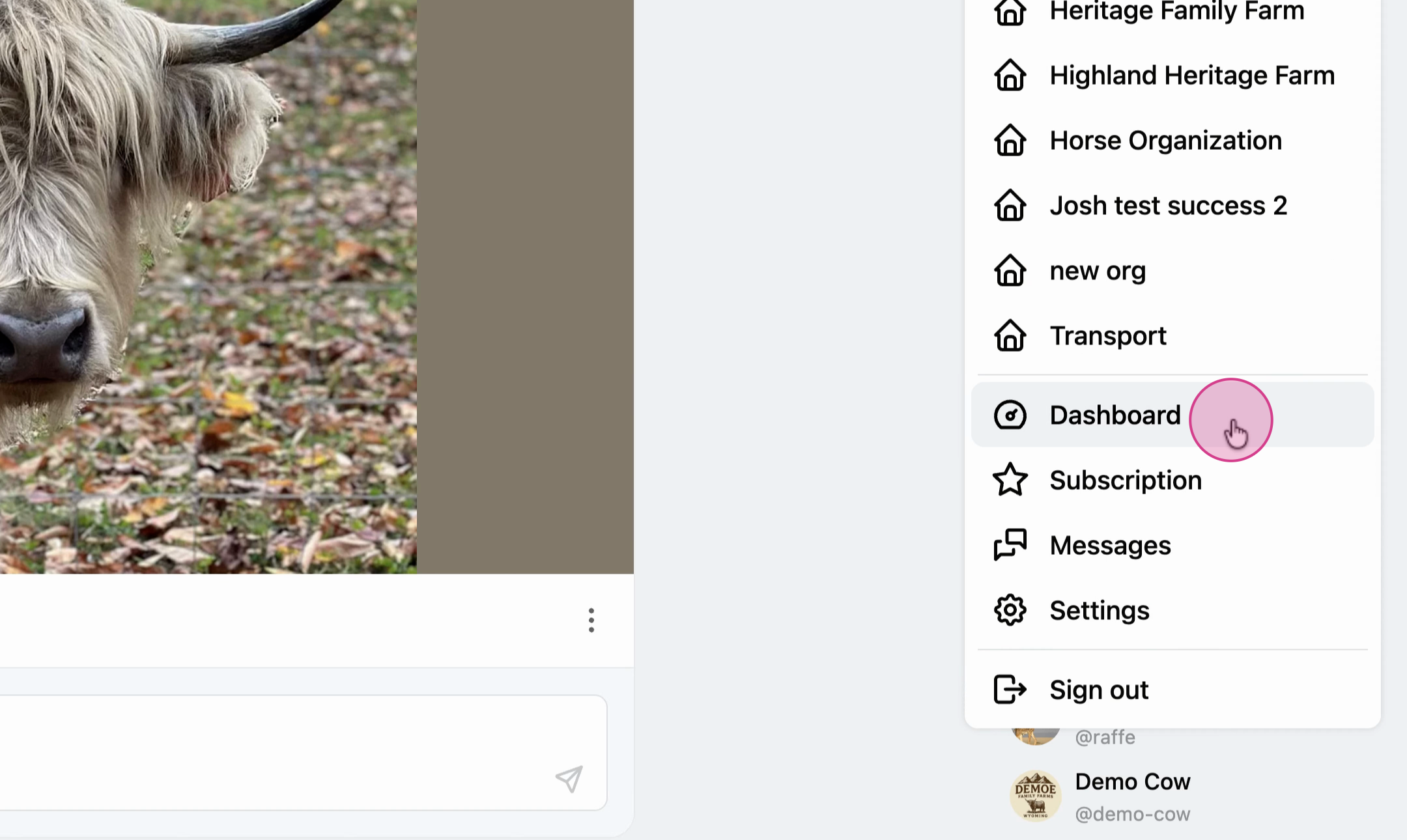
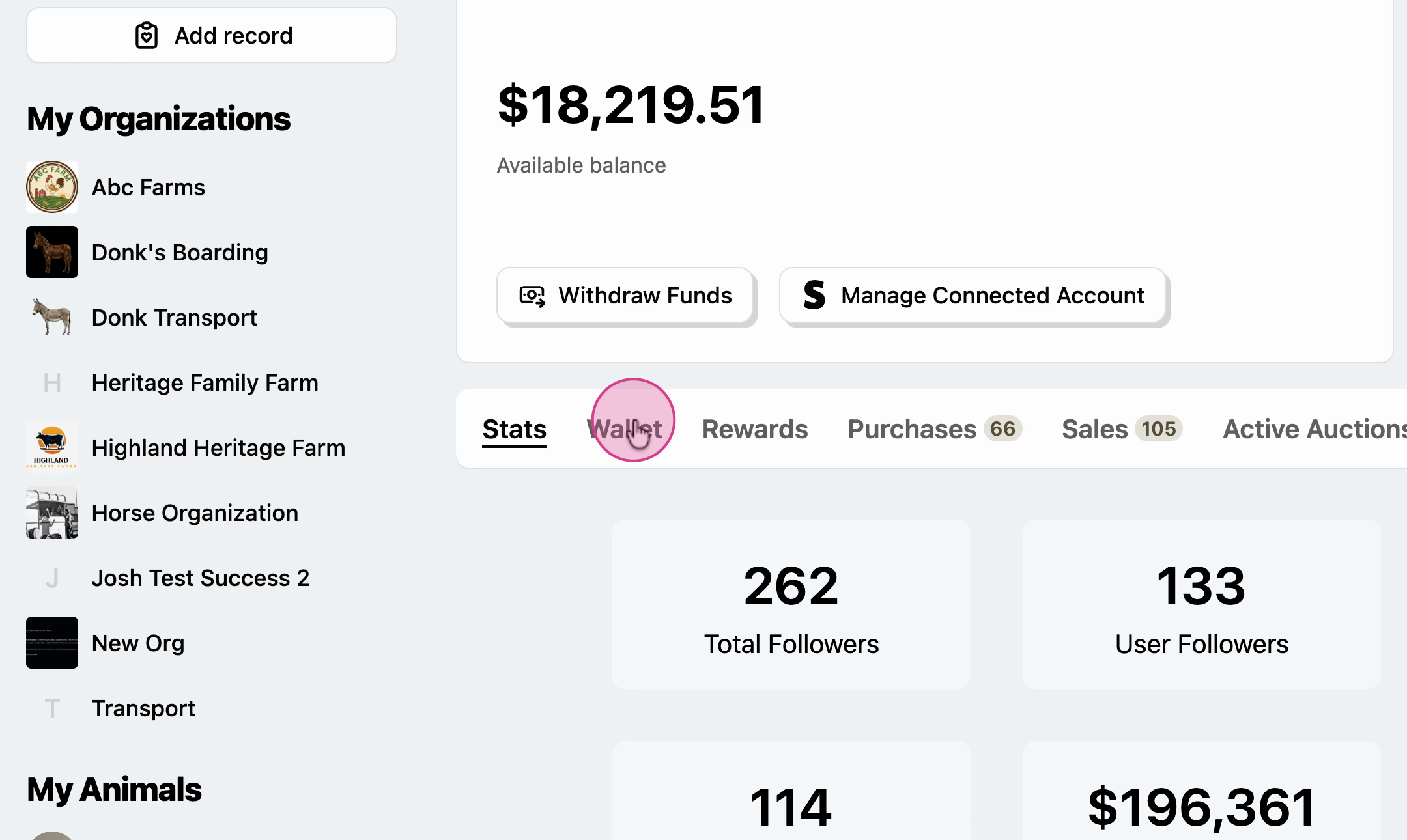
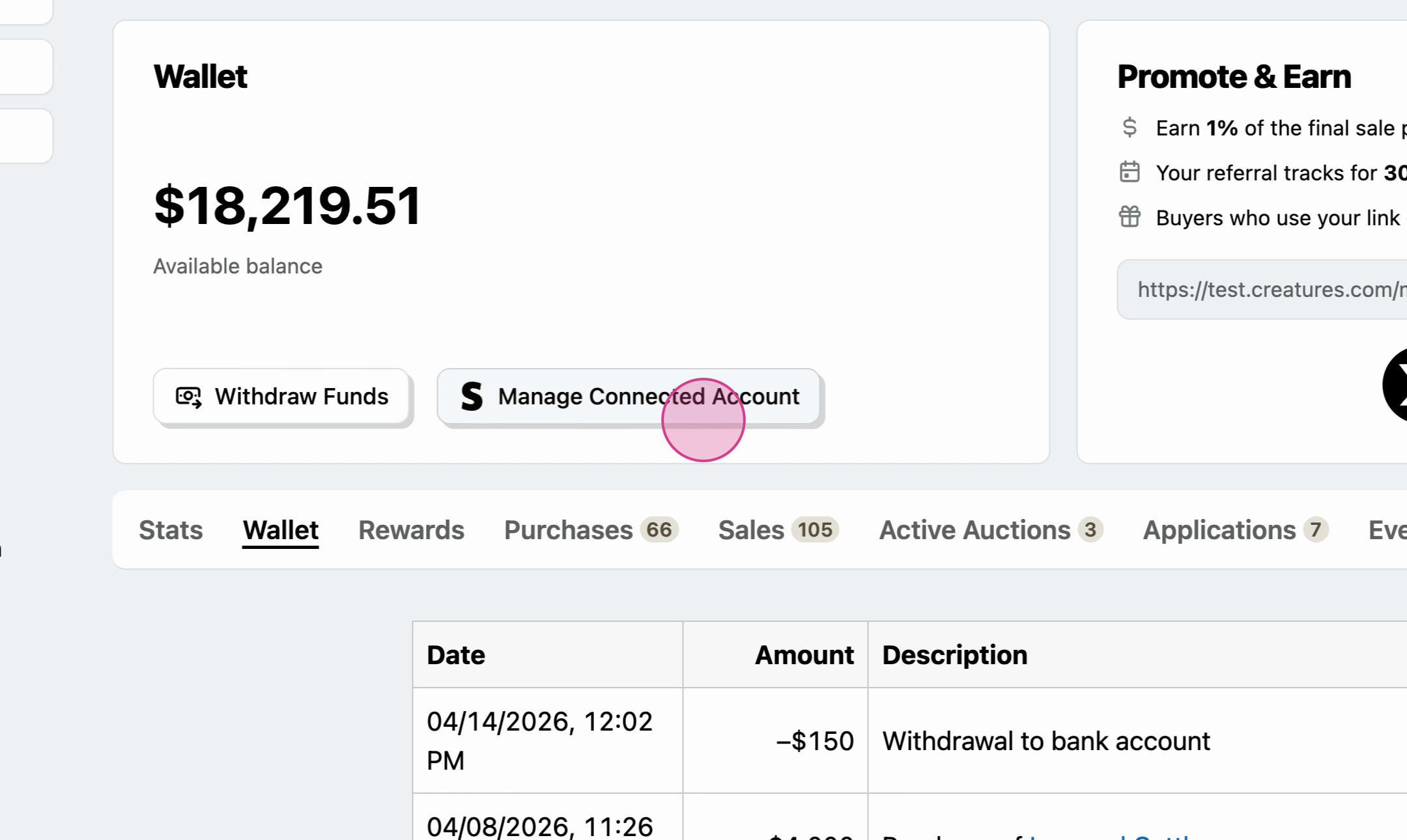
3. From the Wallet tab, choose Withdraw Funds.
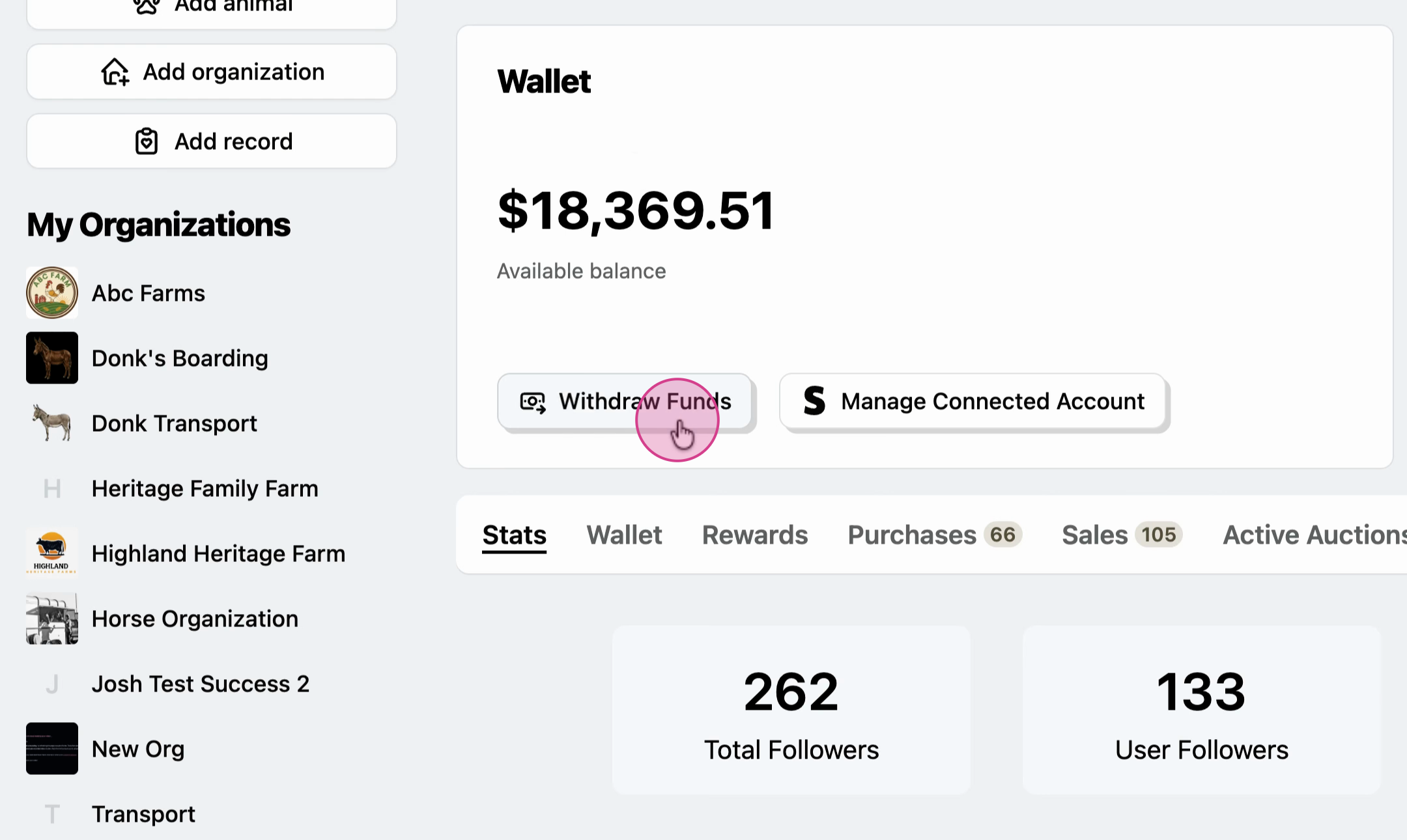
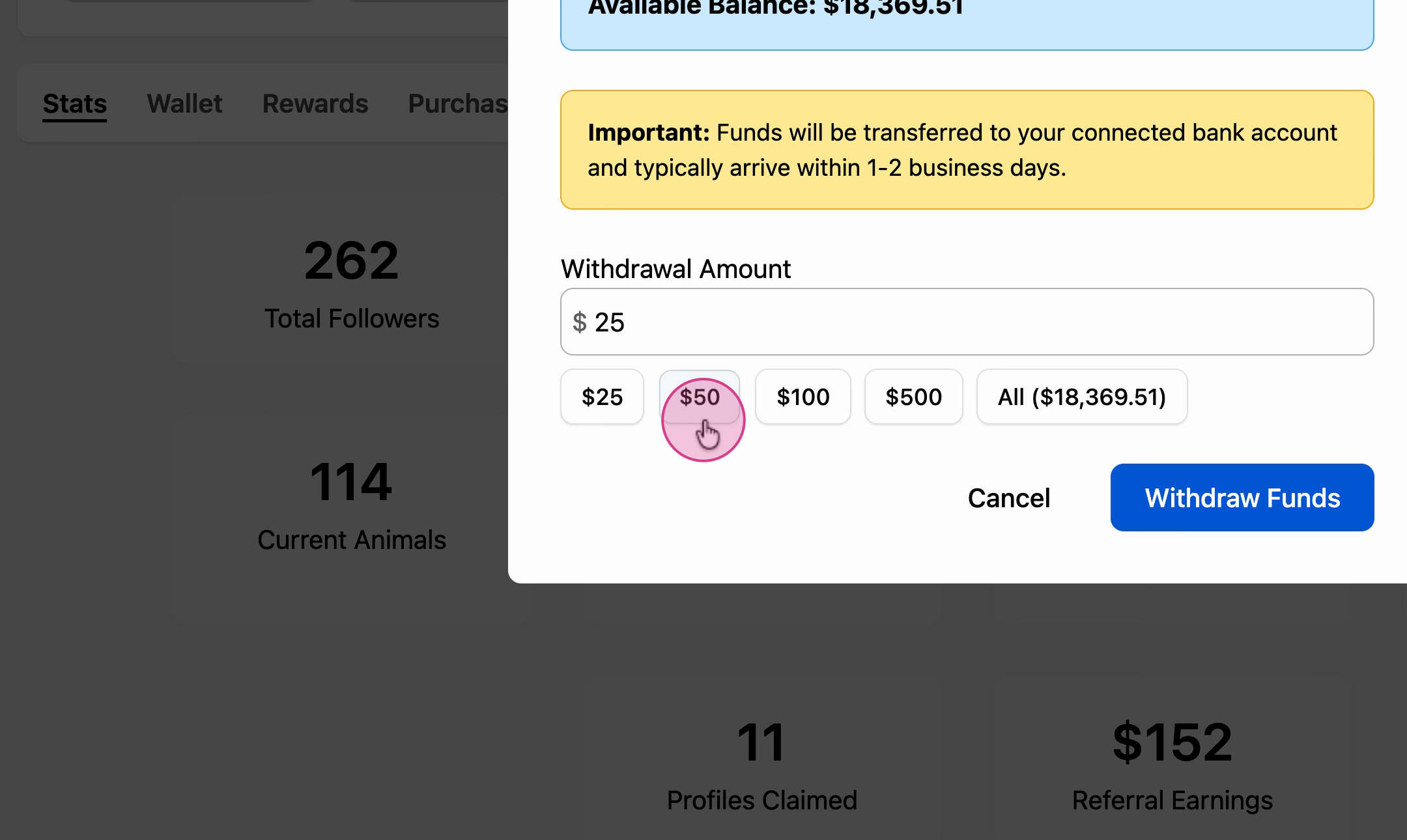
4. Review your available balance. Transfers can take one to two business days to complete.
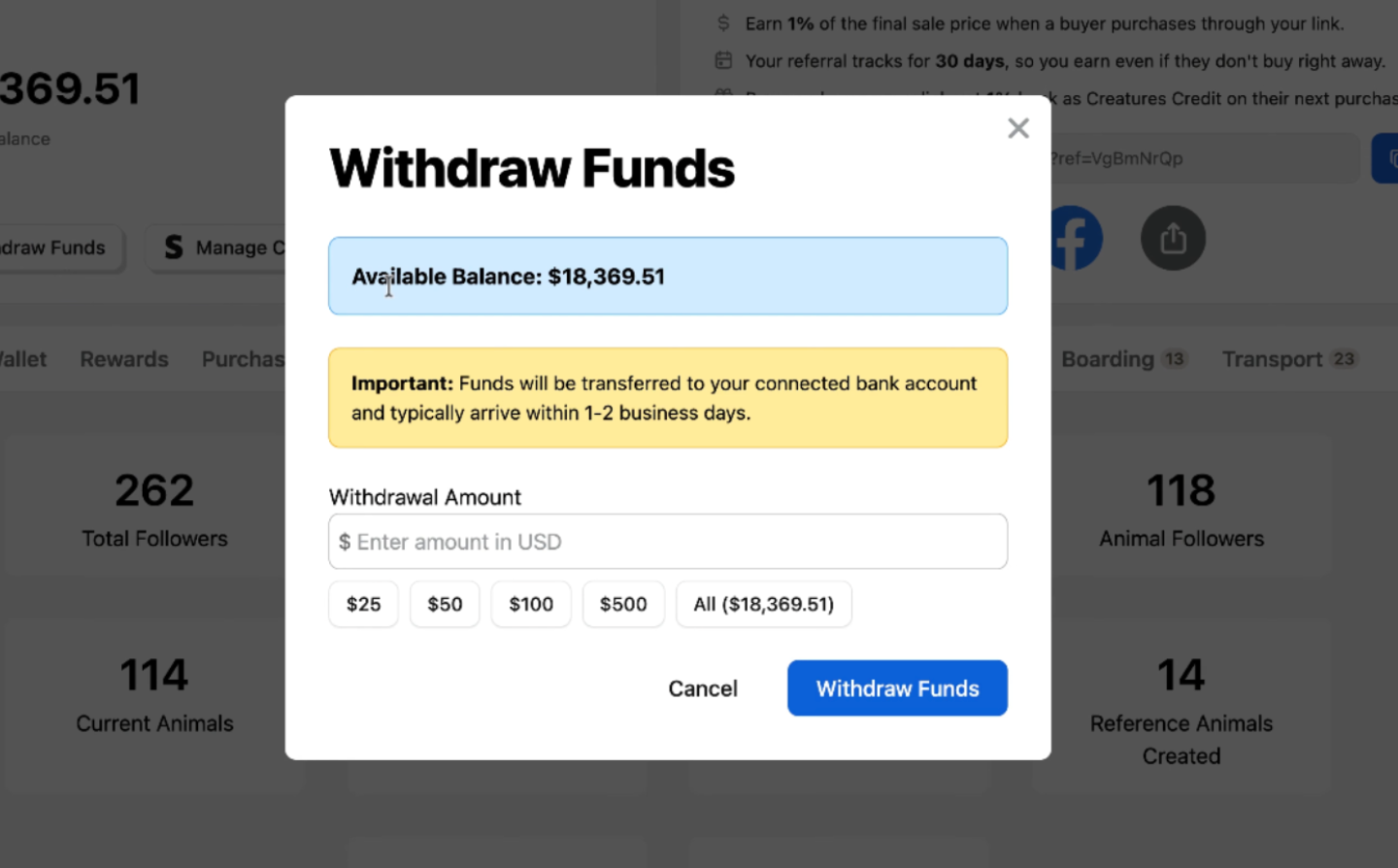
5. Use the on-screen buttons to select a preset withdrawal amount, or enter a custom amount.
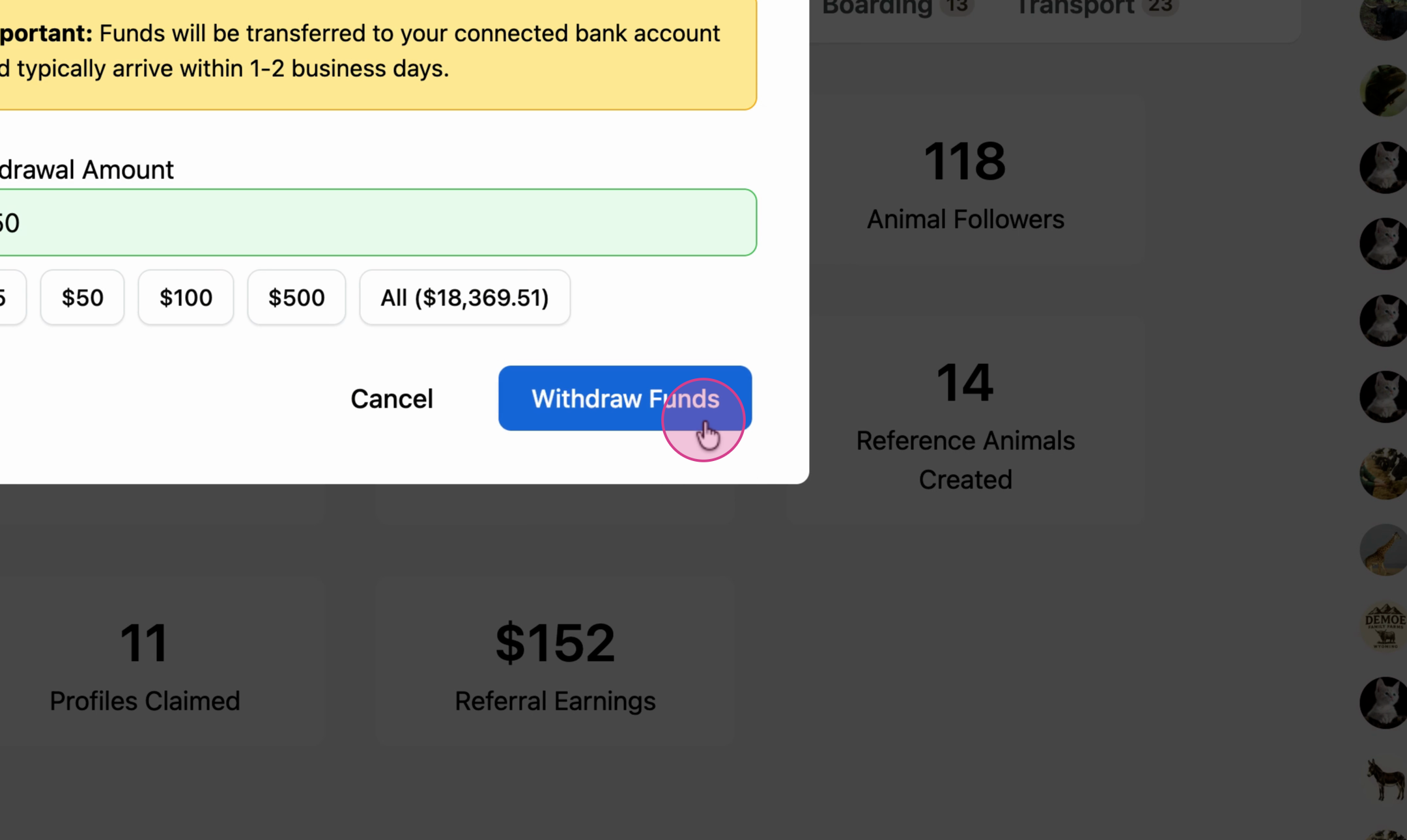
6. Click Withdraw Funds to confirm.
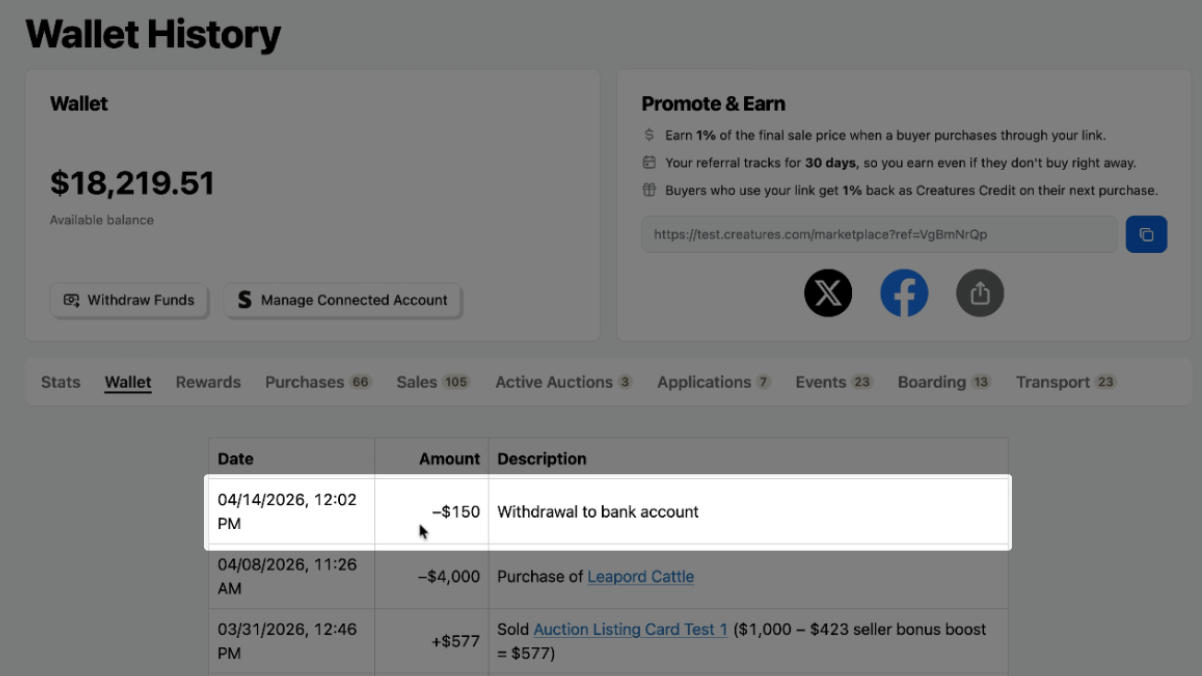
7. Find a record of your withdrawal in the Wallet tab, including the destination and timestamp.
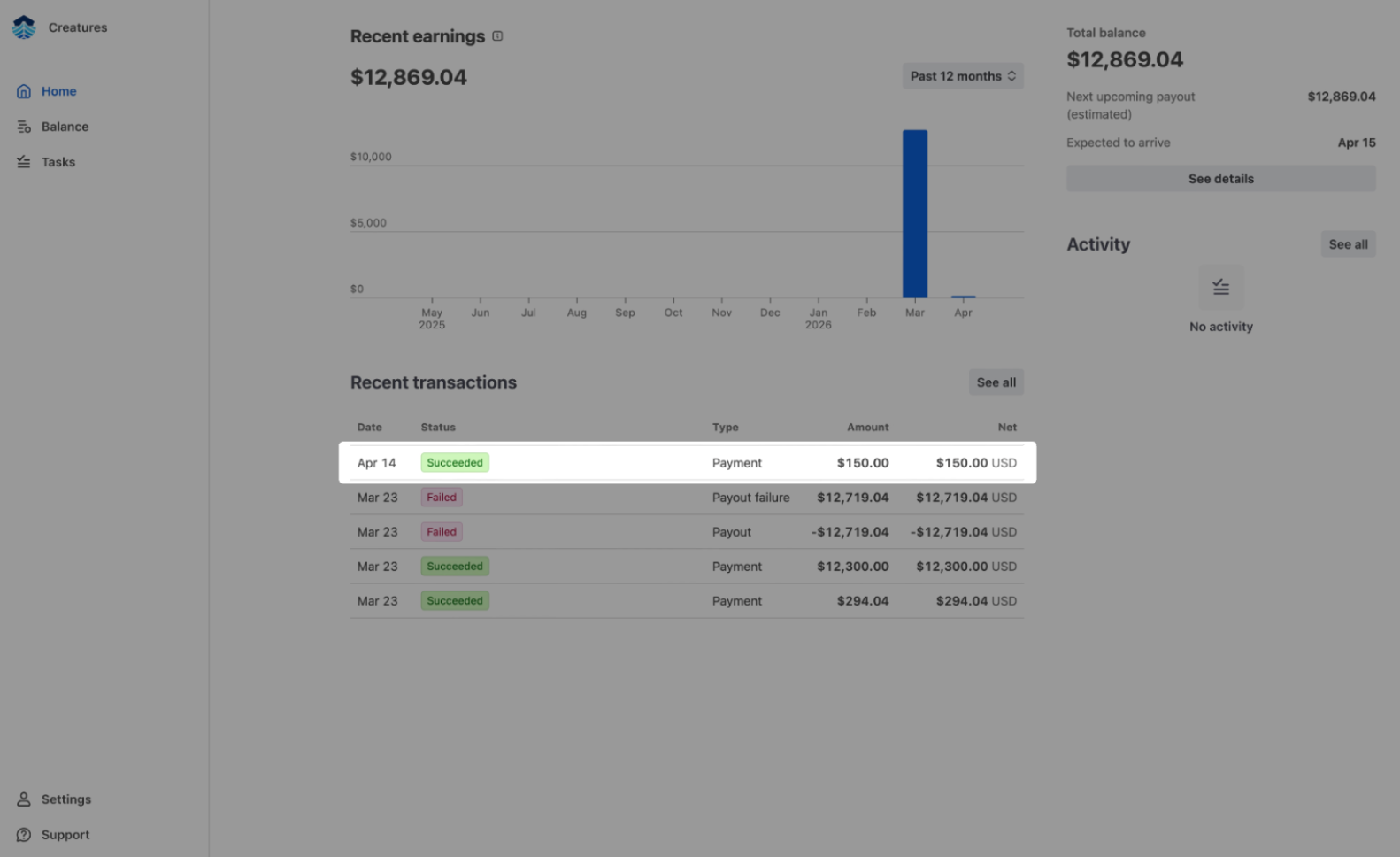
8. Check your Stripe Express account for payout details and confirmation of a successful transaction.
To learn more about managing your connected account, check out How to Manage your Connected Account.
Updated on: 20/04/2026
Thank you!