
Connecting your payout account
Connecting your payout account
Connecting a payout account is the third and final setup step for getting paid on Creatures. It is the bank-account side of selling: it is how money that buyers pay, and that lands in your Creatures Wallet, makes its way out to your actual bank. Creatures uses Stripe to handle payouts, so your banking details live with Stripe, not on Creatures. This article covers connecting an account, the important difference between "connected" and "payout-ready," and what to expect during setup.
Personal vs. organization payout accounts
You connect a payout account to the entity that is being paid, and there are two kinds:
- A personal payout account. Connected from /stripe/connect_info (which explains what is coming) and set up for you as an individual. This is what a personal seller uses. Stripe creates an account of the "individual" type in your name.
- An organization payout account. Connected from your organization's page at /org/{handle}/stripe/connect, and set up for the organization as a business. Stripe creates a "company" account in the organization's name. Only an organization's owner or co-owner can connect or manage it. This is what a farm or business uses so payouts go to the business, not a person.
Money is paid out to whichever account the sale was made under. If you sell as yourself, you need a personal payout account; if you sell as your organization, that organization needs its own. You can have both.
What "connecting" actually does
When you connect, Creatures hands you to Stripe's secure onboarding, where Stripe collects what it needs to pay you and to satisfy financial regulations. Creatures itself never sees or stores your bank details. Stripe will ask you for:
- Your identity details: full name, date of birth, address, and the last four digits of your SSN (for US accounts). This is Stripe verifying who is being paid. For an organization account, Stripe also asks you to confirm whether you own 25% or more of the business and lets you add other owners by name and email.
- An industry. Since there is no animal-specific option, the recommended choice is "Retail: Other Merchandise." If your organization is a transport business, "Transportation: Other transportation" fits better, and for a boarding facility, "Travel & lodging: Other travel and lodging."
- A website or social URL. Your website, or a Facebook, Instagram, TikTok, or Creatures organization page works.
- A short business description. Two or three sentences about what you do (for example, that you raise animals to sell and want to accept payments through Creatures).
- Your bank account. The account where you want Creatures payouts deposited.
One thing to get right the first time: you choose a country for the account, and it cannot be changed later. Choose the country where you pay taxes (for an organization, where the business is legally based).
"Connected" is not the same as "payout-ready"
This is the most important distinction in this article, because it explains a common surprise:
- Connected means you have created and linked a Stripe account to Creatures. You finished the handoff.
- Payout-ready means Stripe has finished verifying your identity and banking and switched on the ability to actually send money. On Creatures this is when a connected account also has payouts enabled.
The gap between the two is Stripe's review. After you connect, Stripe may still be checking your details, and during that window your account is connected but not yet payout-ready. Creatures only treats you as ready to be paid once Stripe has flipped payouts on. The implication: connect early in your setup so Stripe's verification has time to finish before you need to withdraw. If a step still shows incomplete right after you connect, give Stripe a little time and check back, or follow any prompt Stripe gives you to finish a missing detail.
One more thing that can hold a first withdrawal: the payout name check
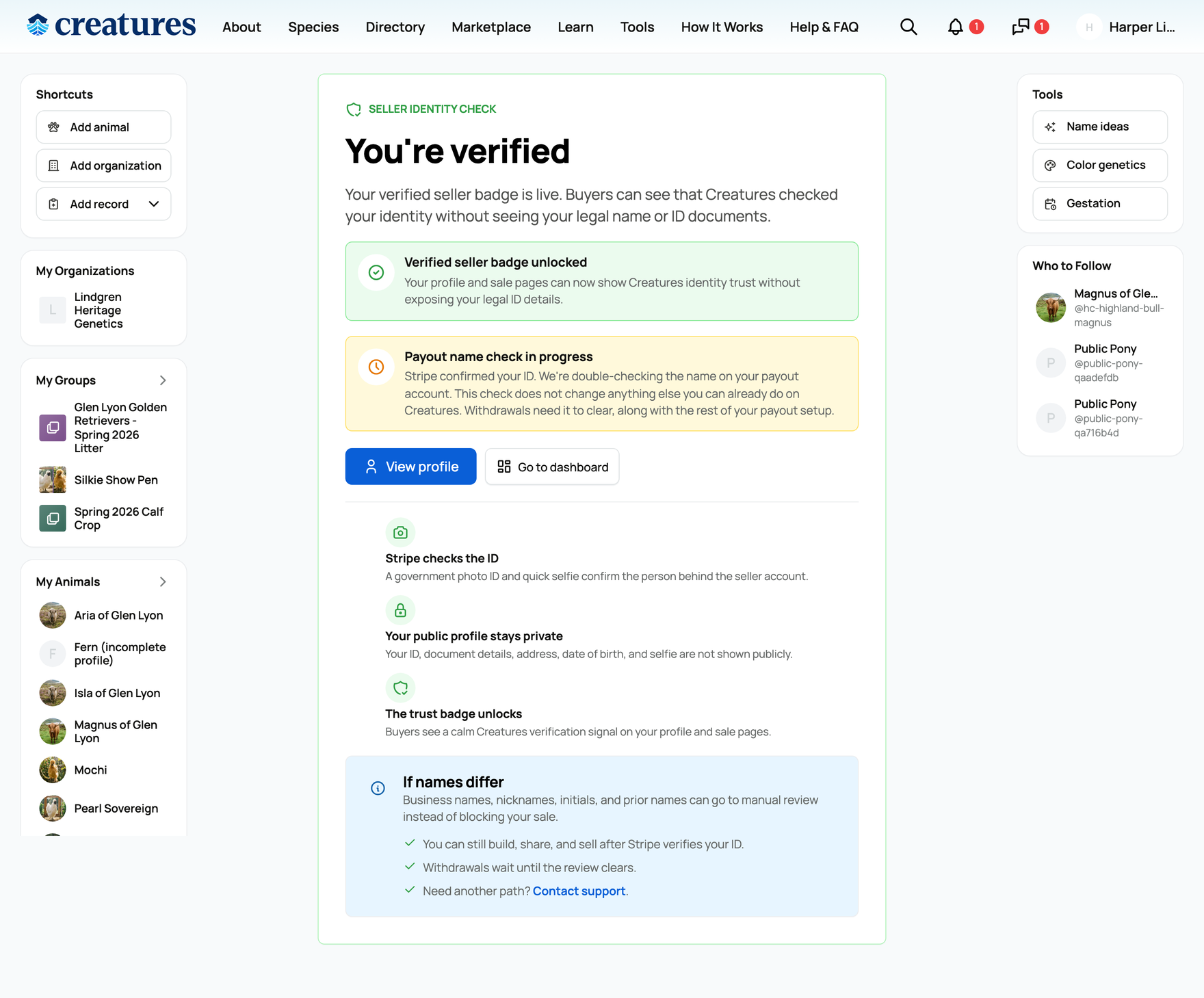
Separately from connecting your account, Creatures runs a payout name check after Stripe confirms your ID, comparing the legal name on your verified ID against the name on your payout account. While that check is being sorted, the Verify ID page shows a short status card and withdrawals wait for it to clear. It affects withdrawals only: connecting, listing, and everything else you can already do stay available. The card reads one of:
- "Payout name check in progress" while Creatures is double-checking the name.
- "We need a bit more to finish your payout check" if more information is needed (it links you to support).
- "Your payout name check needs support" if the name could not be cleared automatically (it links you to support).
If your name matched cleanly, you will not see any of these. For the full picture of the name check and how to avoid it, see Verifying your identity.
Changing or managing your payout account
You are not locked into your first choice. To switch where money lands, connect another bank in Stripe's secure flow (link a new account or enter the details by hand) and pick it as your destination; for an organization, the owner or a co-owner sets which connected account it pays out to from the org's settings. Because the banking details live with Stripe and not on Creatures, the actual account changes happen in Stripe's hosted screens.
Why a payout account is required
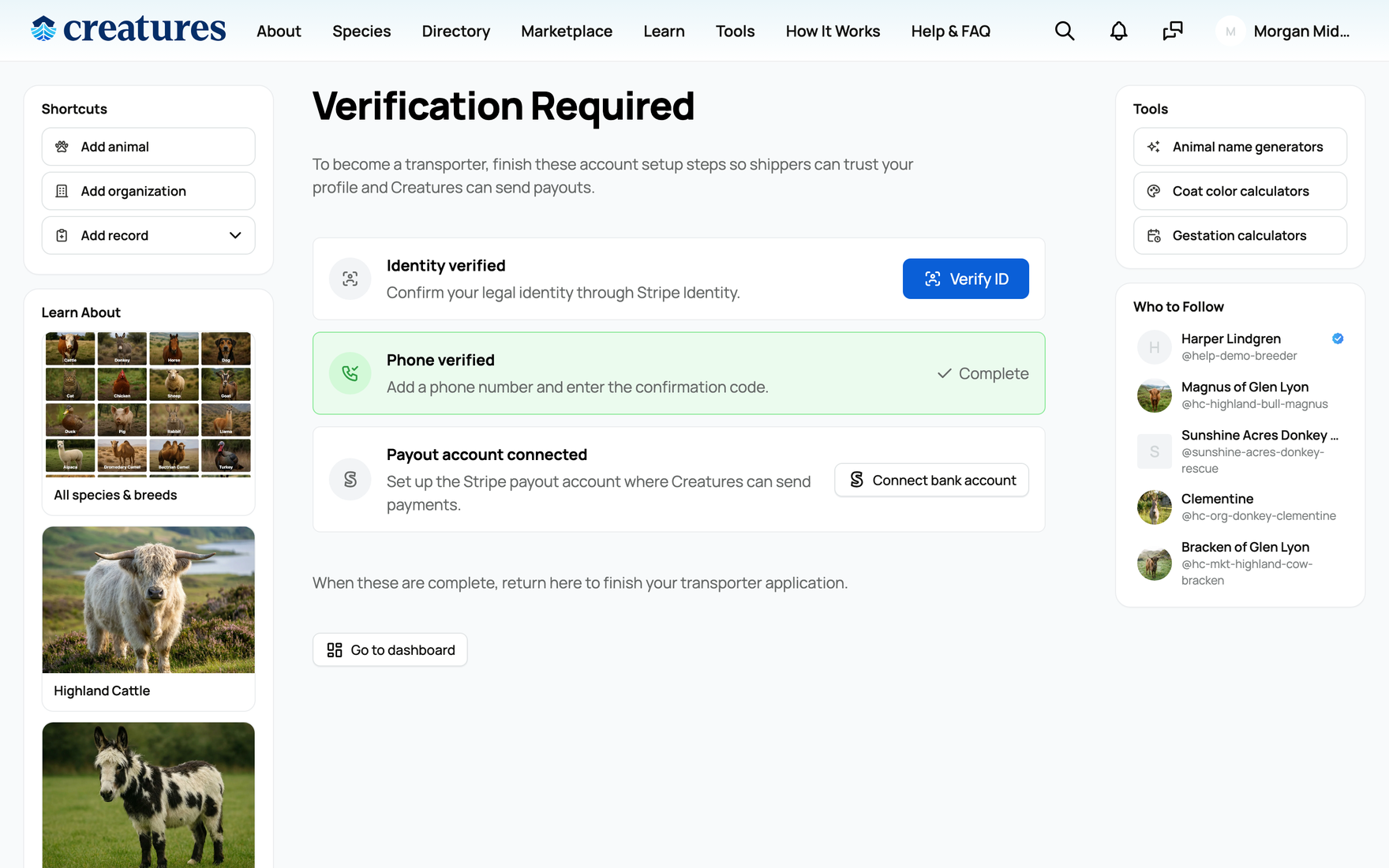
A connected payout account is the third step of the verification checklist ("Payout account connected: Set up the Stripe payout account where Creatures can send payments"), and it gates two things:
- Publishing a listing. Creatures will not let you publish a sale without a payout account set up, because there would be nowhere to send the proceeds.
- Withdrawing your funds. To move money from your Creatures Wallet to your bank, you need a connected, payout-ready account as the destination. See Withdrawing your money to your bank.
A note on your first withdrawal
The very first time you withdraw from a Wallet, Creatures applies a one-time 7-day hold before that first batch can be sent to your bank. The withdrawal screen explains it plainly: "Funds from the first sale on this wallet are held for 7 days. This one-time review helps protect the Creatures community from payment fraud and chargebacks." It is a single anti-fraud step for brand-new sellers. After that first hold clears, all of your future withdrawals are immediate. Connecting your payout account early means this clock can start sooner.
Next steps
- If you have not finished the earlier steps, do those first: Verifying your phone number and Verifying your identity.
- For how payouts and seller proceeds work end to end, see How seller payout works.
- To set up an organization that gets paid as a business (with its own payout account and team), see Creating an organization and adding your team.
Related information
Updated on: 25/06/2026
Thank you!