
How seller payout works
When a buyer pays for your animal, Creatures holds the payment until the animal changes hands. Then your money is released to your Wallet, and you can withdraw it to your bank.
Follow each sale in Dashboard > Selling > Sales. Select the animal's name on a sale to open its listing.
Hand over the animal in person
When the buyer picks up, the sold listing shows a Handoff panel that says Ready for handoff.
- Ask the buyer to open the listing on their phone and select Show pickup code.
- Type their 6-digit code under Buyer pickup code. Or scan the QR code on their screen with your phone camera while you're signed in to Creatures on that phone. The code fills in for you. Check that it matches their screen.
- Select Complete with code.
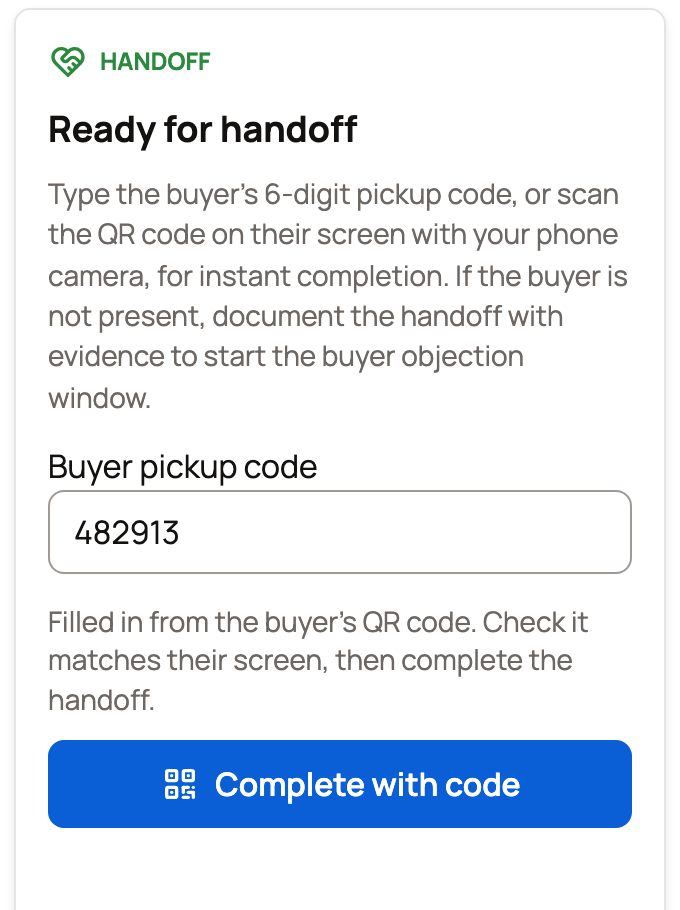
Your money is released right away. The buyer can also release it with Confirm handoff once they have the animal.
If you signed in with an email link, Creatures may email you a code to confirm it's you first. See Why Creatures asks for a code before showing your money.
If the buyer isn't there
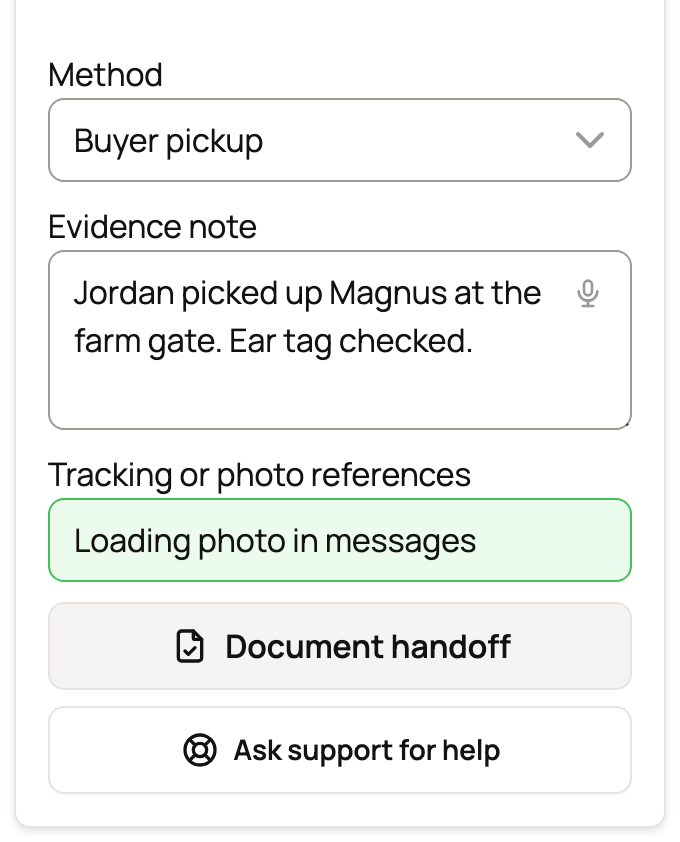
If you delivered the animal, or the buyer's own hauler took it, document the handoff on the same panel:
- Under Method, choose Seller delivery, Buyer pickup or Buyer-arranged transport.
- Write an Evidence note about what happened, or add Tracking or photo references. You need at least one.
- Select Document handoff.
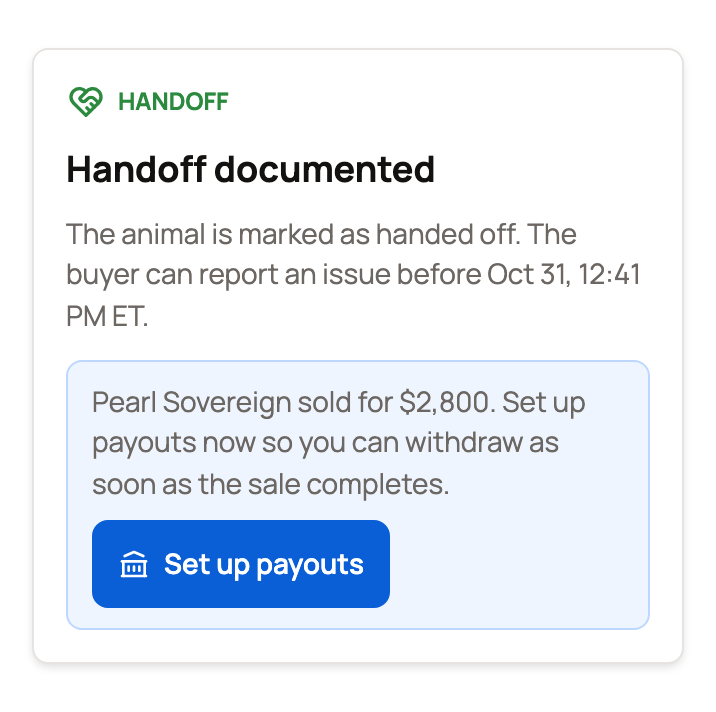
The panel changes to Handoff documented. It shows when the buyer's window to report a problem ends, usually 72 hours later. If the buyer reports nothing, your money is released when the window closes.
Stuck? Select Ask support for help and say what is blocking the handoff.
When support checks first
If the panel says Support is reviewing this handoff, the buyer reported a problem or you asked support for help. Payout steps pause until support is done. See Reporting a problem with your purchase for the buyer's side.
If it says Support is reviewing the payout, the sale's location wasn't confirmed at checkout. Support checks the payout before releasing it. You don't need to do anything.
Transport and boarding
- Creatures Transport: your money is released when the buyer confirms the delivery. See Getting paid when transport is involved.
- Boarding included: if the animal stays with you on a boarding plan, the sale money is released when checkout and boarding setup are done. Monthly boarding payments are separate.
What reaches your Wallet
Your Wallet gets the sale price minus anything taken out for that sale:
- the 5% seller service fee (none when Creatures Pro covers the seller who gets paid)
- a buyer fee you chose to cover
- a sale event organizer's fee
- a promoter reward you offered
- the Creatures Transport charge, when the buyer paid for a trip
A delivery fee you charge for driving the animal yourself stays with you. The money goes to whoever made the sale: you, or the organization you sold for. See Seller fees and the Creatures Pro subscription.
Withdraw to your bank
You don't need a payout account to sell. Your money waits in your Wallet. When you want it in your bank, select Set up payouts in your Wallet and connect an account through Stripe, our payment partner. Until then, Set up payouts also shows on the Handoff panel and your newest handed-off sale in Sales.
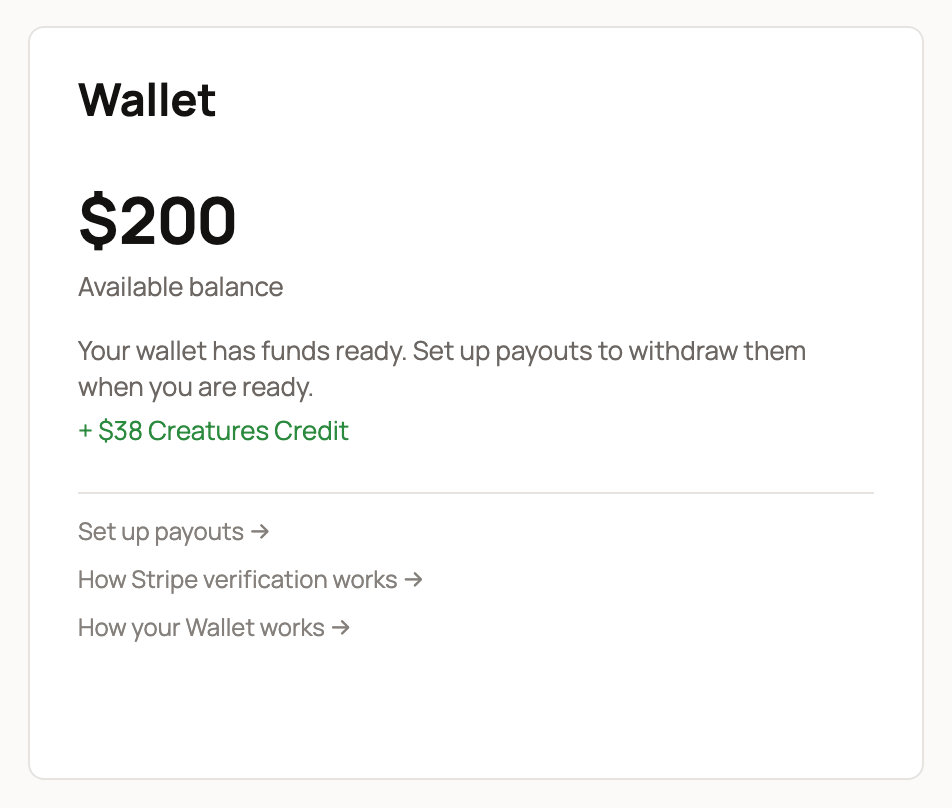
Each Wallet has a one-time 7-day wait after its first transaction. It doesn't start over with each sale. An ID check, a payment dispute, or a balance below zero can also pause withdrawals, and your Wallet tells you why. Your bank has its own processing time after that. See Withdrawing your money to your bank.
Related information
- Getting paid when transport is involved
- What happens after I sell an animal?
- Your Creatures Wallet: balance, holds, and getting paid
- Connecting your payout account
Updated on: 05/11/2026
Thank you!