Articles on: Payments, Wallet & Earnings

Withdrawing your money to your bank

Withdrawing your money to your bank


When you have an Available balance in your Wallet, you can withdraw it to your bank. This article covers exactly how a withdrawal travels, what you can withdraw, and the four checks that have to be clear before the money can move.


Withdrawing funds to your bank


How a withdrawal travels


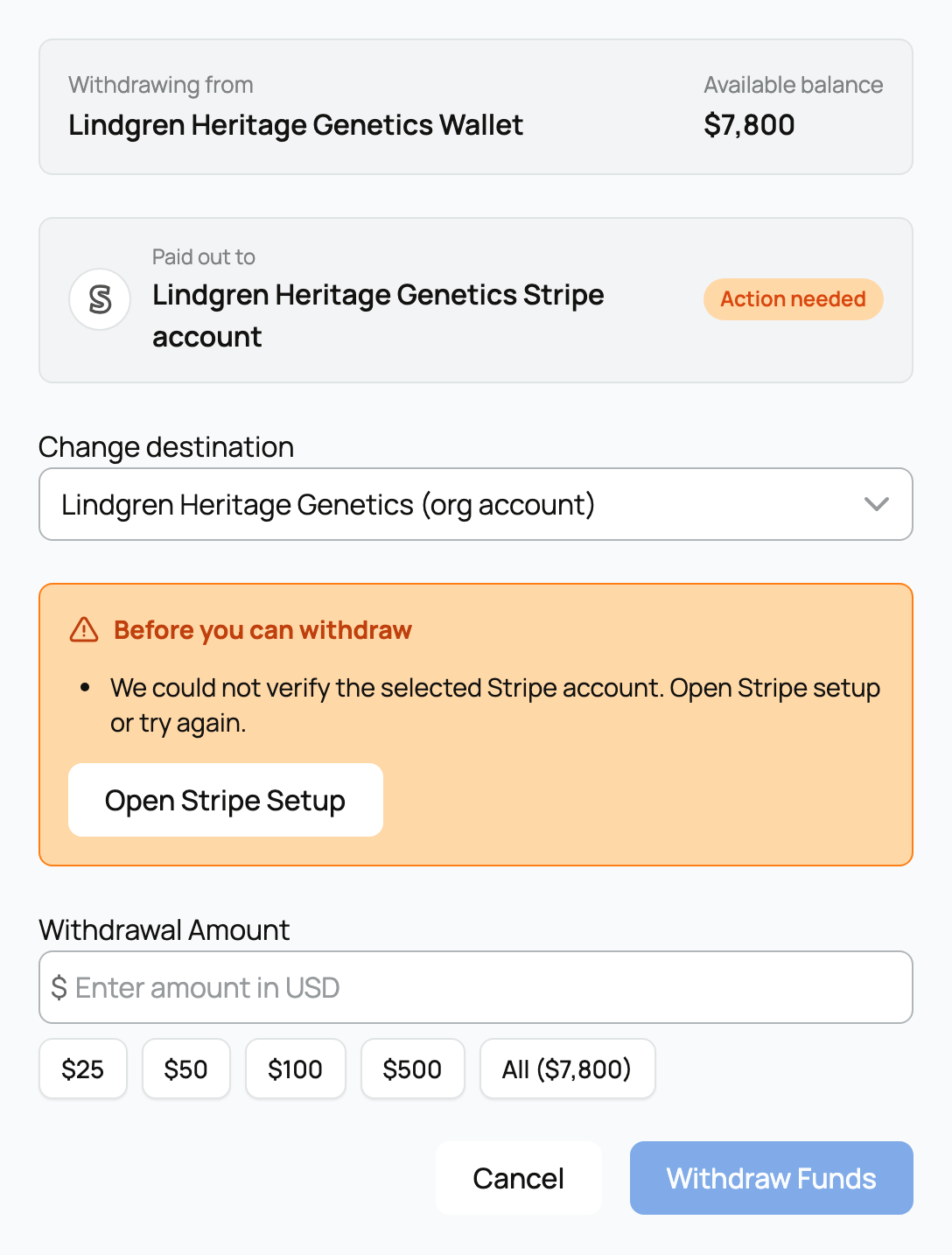
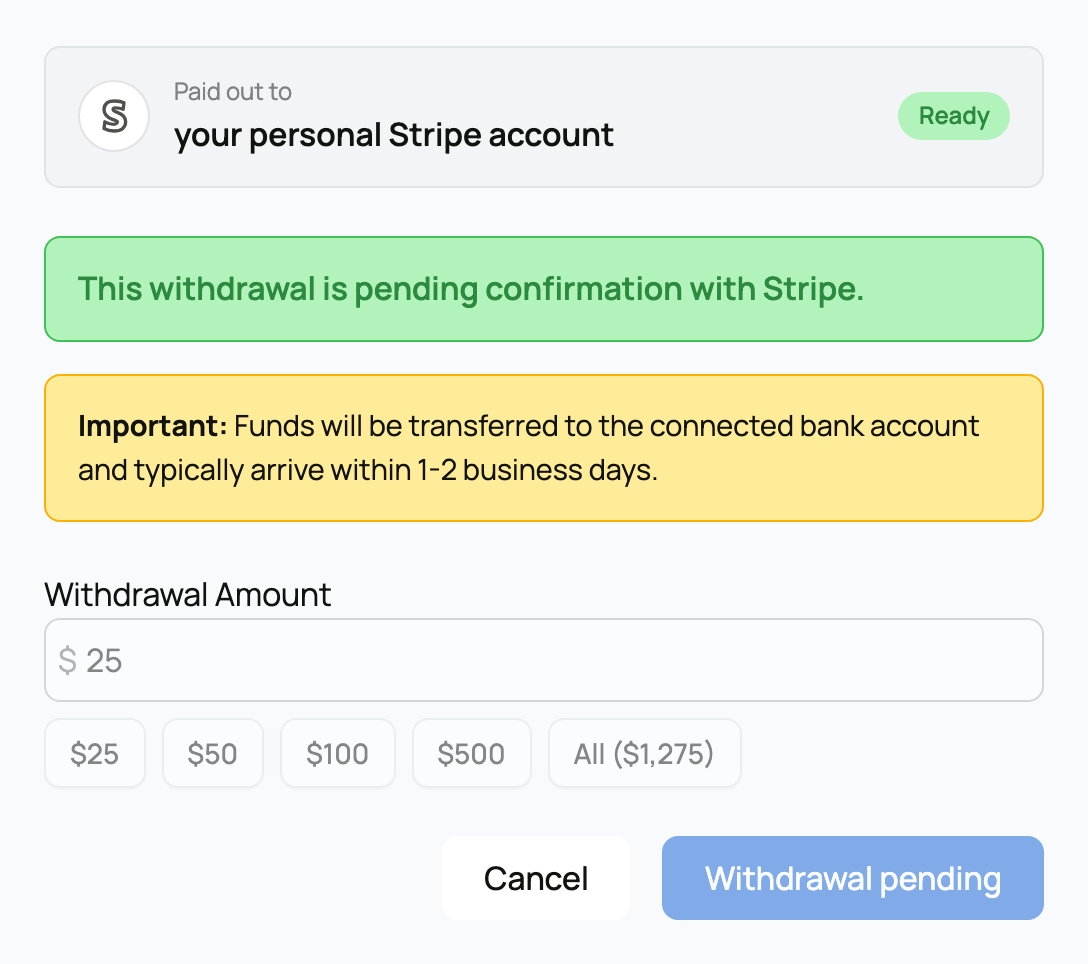
You start a withdrawal from the Wallet card with Withdraw Funds, choose an amount, and confirm.


  • What happens: Creatures sends the amount from your Wallet as a transfer to your connected bank through Stripe, our payment processor. The money leaves your Wallet immediately, and Stripe then deposits it to your bank on its normal payout schedule (commonly a day or two).
  • Where it goes: to the connected Stripe account on the wallet you selected. If you have org wallets, the destination follows the account chosen in the selector. To set up or change where payouts land, see Connecting your payout account.
  • The implication: once you confirm, the withdrawal is on its way. You can follow it as a "Withdrawal to bank account" line in your activity; see Reading your wallet activity.


How much you can withdraw


  • Minimum: $1 per withdrawal. Amounts under a dollar are not accepted.
  • Maximum: $1,000,000 per withdrawal, a safety cap on a single transfer.
  • Cannot exceed your balance: you can never withdraw more than your Available balance. The amount you enter is checked against your current balance before anything moves.
  • The implication: withdraw any amount from $1 up to your full Available balance, in one or several transfers. There is no fee to withdraw your own Wallet money.


The four reasons a withdrawal can be blocked


If the Withdraw Funds button is unavailable, it is for one of four specific reasons. Each one tells you what is happening and what clears it.


1. The one-time 7-day first-sale hold


The very first time money lands in your Wallet, Creatures holds it for a short review before that first batch can be sent to your bank.


  • What it is: a single 7-day holding period, counted from your first-ever Wallet transaction. During those 7 days the balance is yours and visible, but it cannot yet be withdrawn.
  • Why it exists: it is a one-time fraud and chargeback review that protects the whole Creatures community when an account first starts receiving money.
  • What it means for you: the card shows the date your funds become available. After this first hold clears, all of your future withdrawals are available right away, with no repeat of the wait. (This hold is live on Creatures; it does not apply in local development.)


2. An open card dispute on one of your sales


If a buyer's card payment on one of your sales is being disputed, withdrawals pause while it is reviewed.


  • What it is: an open card dispute (a chargeback in progress) on one of your sales pauses all withdrawals from that wallet until it resolves.
  • Why it exists: if the dispute goes against the sale, the amount may need to be recovered from your Wallet. Pausing payouts keeps the funds available to settle the dispute rather than letting the balance be drained first.
  • What it means for you: this is temporary. Once the dispute resolves, withdrawals return to normal. The card tells you a payment dispute is under review.


3. Identity clearance


Withdrawals require that your identity is cleared, which protects you and everyone you trade with.


  • What it is: you must have completed identity verification and either had your name match the verified identity, or had a manual review approved. If your verification is still pending review, withdrawals wait for it.
  • Why it exists: matching a real, verified identity to the person receiving the money is the core protection against payout fraud and account takeover.
  • What it means for you: if identity is the blocker, the card points you to complete it. See Verifying your identity. Once you are verified and cleared, this check passes for good.


4. Stripe account readiness


The connected account that receives the payout has to be fully set up and in good standing with Stripe.


  • What it is: the destination's Stripe account must be payout-ready: transfers enabled, payouts enabled, and no outstanding Stripe requirements (no missing details, no errors, not disabled).
  • Why it exists: Stripe cannot deposit to an account that is not finished onboarding or has unmet requirements, so Creatures checks readiness before letting you start a withdrawal that would fail.
  • What it means for you: if something is outstanding, the card gives you a button to finish Stripe setup or resolve the requirement. Once the account is ready, withdrawals work normally. For setting up the payout account, see Connecting your payout account.


Where to go next


Updated on: 23/06/2026

Was this article helpful?

Share your feedback

Cancel

Thank you!