
Promo codes and Sale Incentives at checkout
A promo code lowers an eligible buyer's checkout total. A Sale Incentive increases the Wallet reward for an outside promoter who refers a completed sale. They are separate tools, and only the promo code changes what the buyer pays.
Apply a promo code as a buyer
In the cart, find the promo-code area for the seller, enter the code, and choose Apply. A successful code appears beside that seller and the order summary shows Promo discount before stored value and the amount due today.
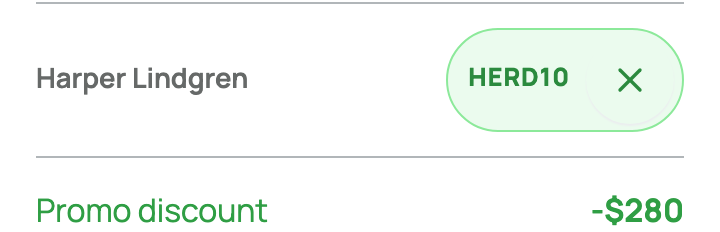
A code may apply to one listing or to all eligible listings from its seller. It can be a percentage or fixed amount and may have a minimum order, start or end date, total-use limit, per-customer limit, or new-customer rule. If the cart rejects it, read the message and check the exact spelling, seller, item, subtotal, and date before trying again.
Do not complete checkout just to test a code. The discount is visible in the order summary first.
Create a promo code as a seller
On your dashboard, open Selling > Promo codes. Check Selling as, choose an Eligible listing or All my listings, then set the code, discount, and any limits.
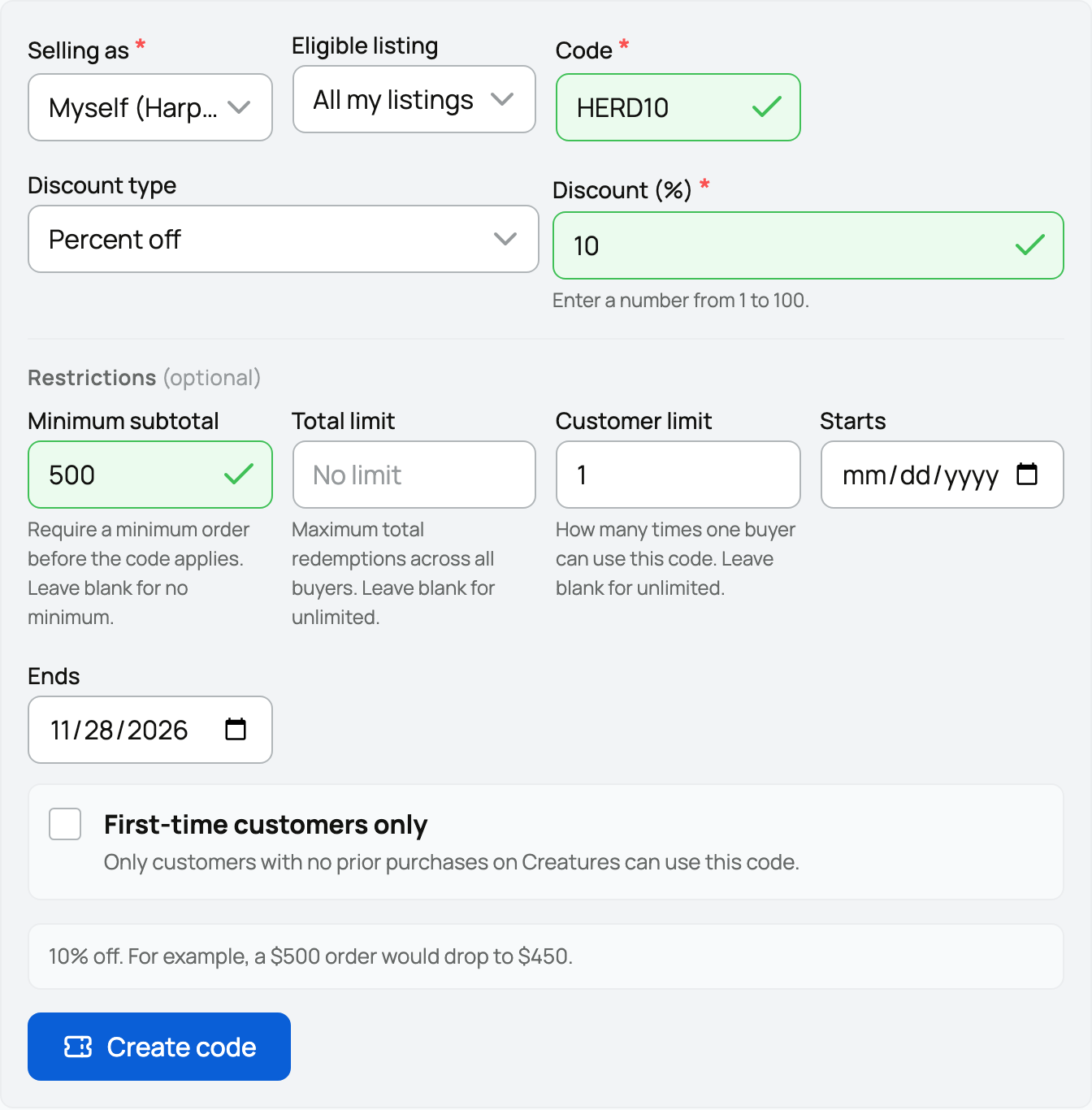
Review the preview and select Create code. A short, readable code is easier to share and type. The saved list shows the code, scope, amount, dates, limits, and whether it is active.

With a seller-funded code, the buyer pays less and that discount comes from the seller's proceeds. A platform-funded code also lowers the buyer's total, but Creatures funds the discount. The checkout result is visible to the buyer either way.
Add a Boost (Sale Incentive) for promoters
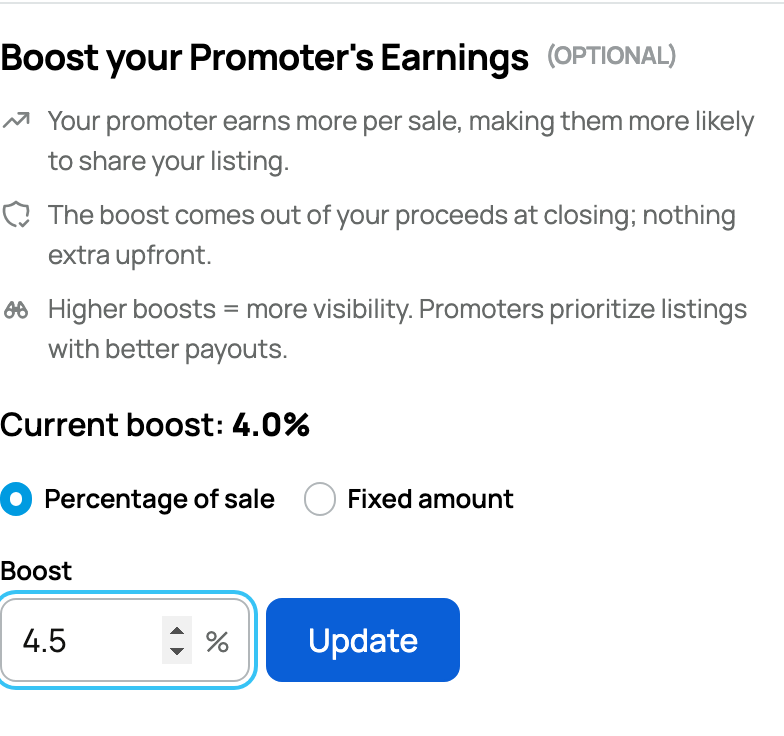
On your listing, open Promote & Earn. The app calls this setting a Boost; it is the seller-funded Sale Incentive described here. A seller can offer a fixed amount or percentage as an extra reward for an outside promoter who shares that listing and refers its buyer.
The panel keeps the saved Current boost visible while you edit. In the example below, 4.0% is saved, 4.5% is ready as the new value, and Update has not been selected yet.
The promoter receives the normal platform-funded 1% reward plus the listing's extra incentive after the referral becomes payable. The seller-funded amount is taken from seller proceeds and is limited so it cannot exceed those proceeds. It does not lower the buyer's price.
An animal purchase on the marketplace earns no referral reward when Credit, Wallet, or both cover the animal's full price.
Sharing your own listing can still qualify for the normal platform-funded promoter reward when another person buys through your link. You do not receive your own seller-funded Sale Incentive.
Keep the benefit clear
- Promo code: the buyer enters it; an eligible order costs less.
- Sale Incentive: the seller sets it; an outside promoter can earn more after a referred sale.
Read Referrals and promoter rewards for the 30-day tracking window, sale release, and additional seven-day reward wait. If a promo code fails, a Sale Incentive cannot replace it because the incentive belongs to the promoter, not the buyer.
Related information
Updated on: 03/09/2026
Thank you!