
Creatures Credit: what it is and how it is spent
Creatures Credit is money you can spend on Creatures but can't withdraw to a bank. It comes from gift cards, referral rewards and some refunds, it never expires, and it lowers what you pay at checkout.
See your balance
On your dashboard, open Money > Credit. The Creatures Credit card shows what is ready to spend. You can also get here from the Creatures Credit link under your Wallet balance.
The top of the page has two buttons: Buy a gift card and Redeem a code.
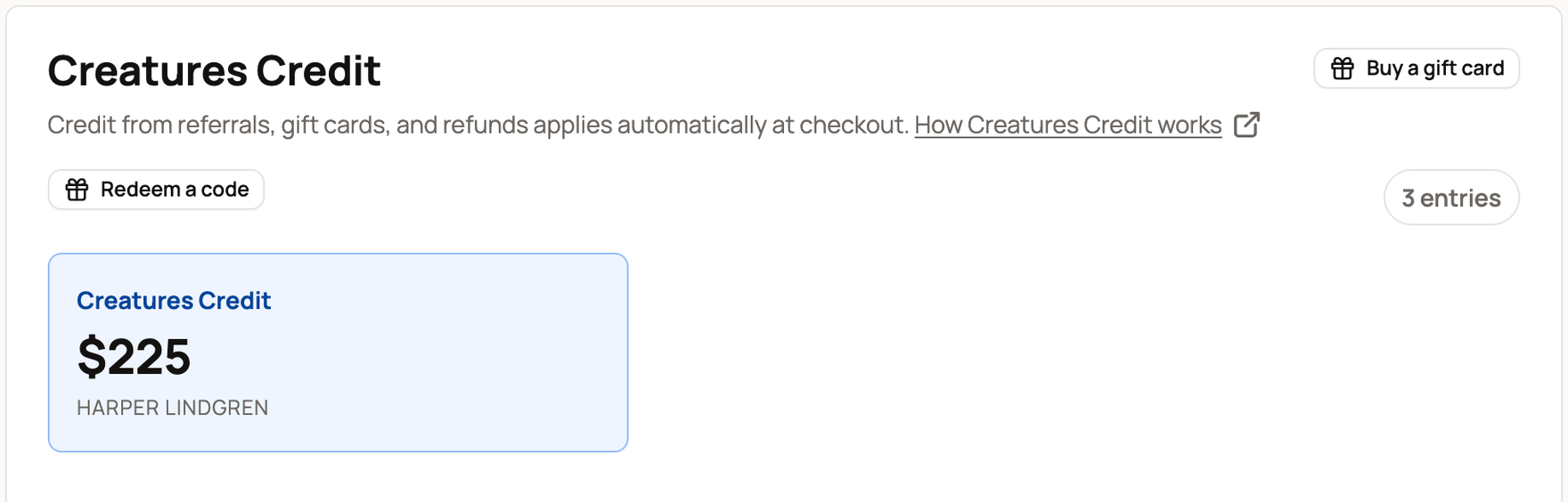
A new account shows No Creatures Credit yet and a Redeem a code button. If you signed in from a link in an email or text, Creatures first asks you to confirm it's you with a code. Here is why we ask.
Read your Credit activity
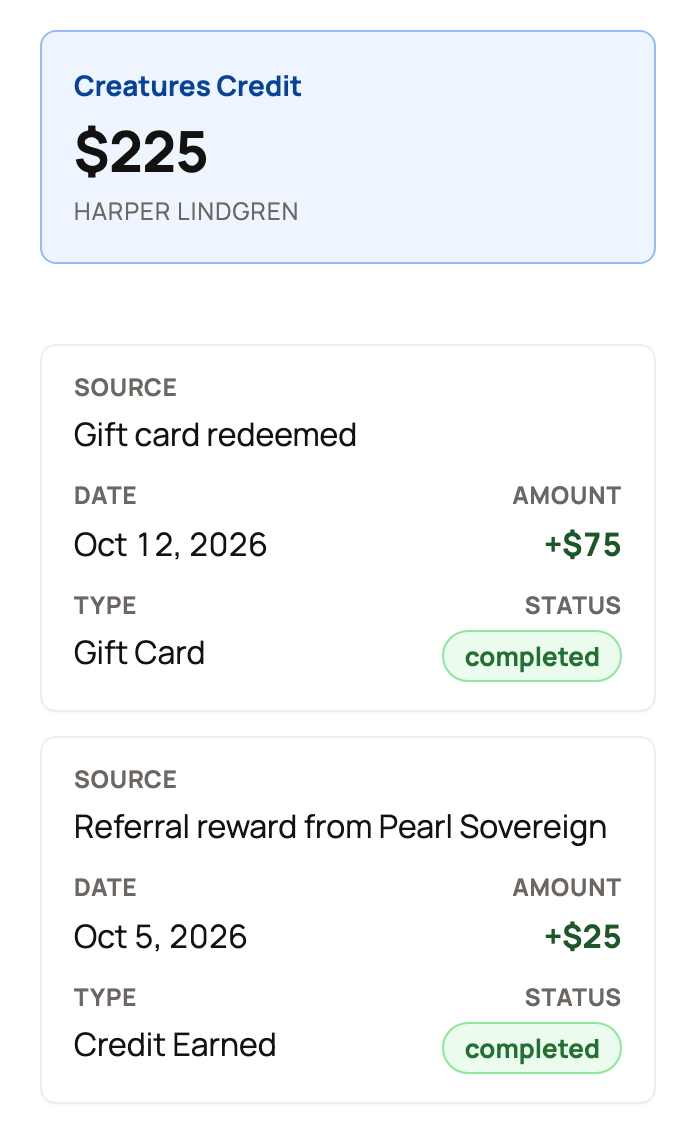
Each row in your Credit activity shows a date, a source, a type, a status and an amount.
- Source names the listing, booking or gift card the Credit came from or paid for.
- Type is Gift Card, Credit Earned (a referral reward), Spent, Refund or Adjustment (a change made by the Creatures team).
- Status is completed when the Credit is ready to spend or already used. It is pending while a referral reward waits, and cancelled if that sale was refunded first.
- Credit you got shows a plus sign. Credit you spent shows a minus sign.
A referral reward stays pending until the sale it came from is released to the seller and a 7-day wait ends. Pending Credit is not part of your balance yet.
Pay with Credit
How Credit is used depends on where you pay.
- In your cart. Credit pays first, then your Wallet balance, then your card. This happens on its own. The order summary shows a Creatures Credit line and a Wallet balance line above Due today.
- With Buy Now on one listing. In Checkout summary, under "Use available balance:", turn on Creatures Credit, and Wallet balance too if you like. Both start turned off.
- When you book an experience. Use available balance is on, and you can change the Creatures Credit and Wallet balance amounts. Credit pays only the part of a booking you pay online.
- Creatures Pro, boarding, genetics storage and sponsorships. Credit can pay the first payment only. Later payments go to your card.
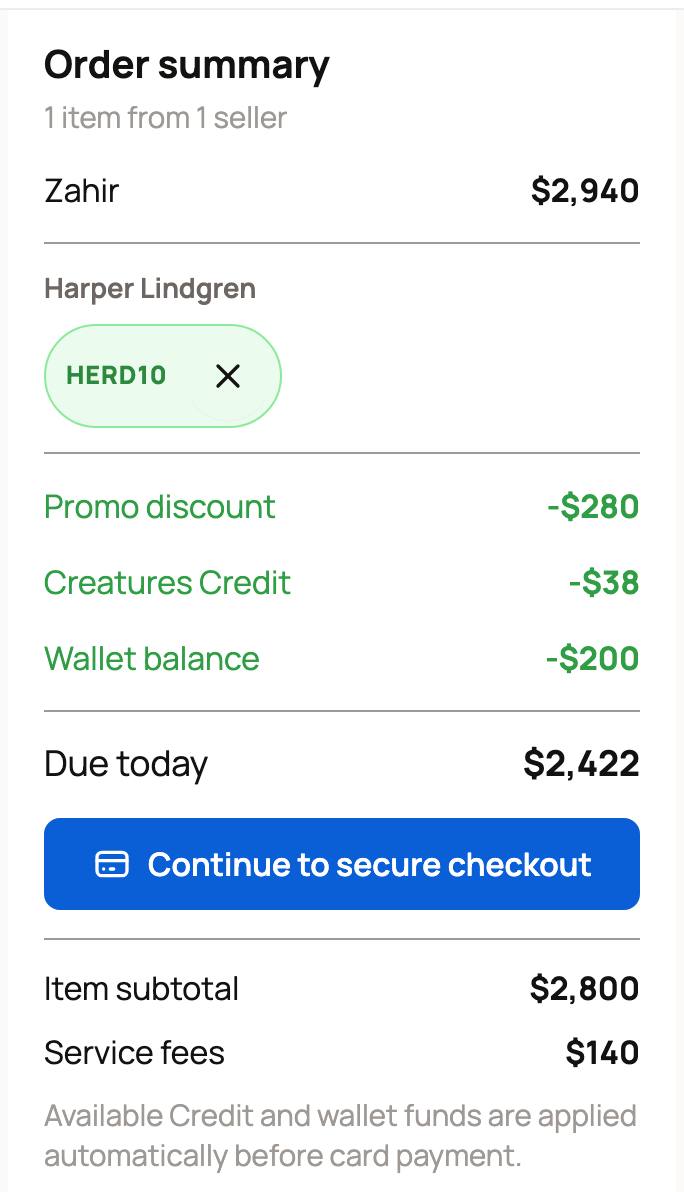
You never need to move Credit into your Wallet. If Credit and your Wallet cover the whole cart, the button reads Complete purchase and no card is charged. For more about checkout, read Paying with Wallet, Credit, and ACH.
If your Credit looks wrong
- A refunded purchase. Credit you spent comes back to your Credit balance as a Refund row, not to your card.
- The wrong account. Credit stays with the account that earned or redeemed it, and you can't move it to another member. Check that you are signed in to that account.
- Still pending. A pending referral reward can't be spent yet. Check again after the 7-day wait.
If the balance still doesn't match, contact Support with the date and source of the row. Please don't redeem the same gift card again.
Related information
- Gift cards: buying, redeeming, and refunds
- Referrals and promoter rewards: earn by sharing
- Your Creatures Wallet: balance, holds, and getting paid
- Paying with Wallet, Credit, and ACH
Updated on: 29/10/2026
Thank you!