
Gift cards: buying, redeeming, and refunds
A Creatures gift card is a code worth a set amount of Creatures Credit, the spend-only balance you use at checkout. Buy one under Money > Gift cards. Whoever redeems it gets the full amount as Credit, and it never expires.
Buy a gift card
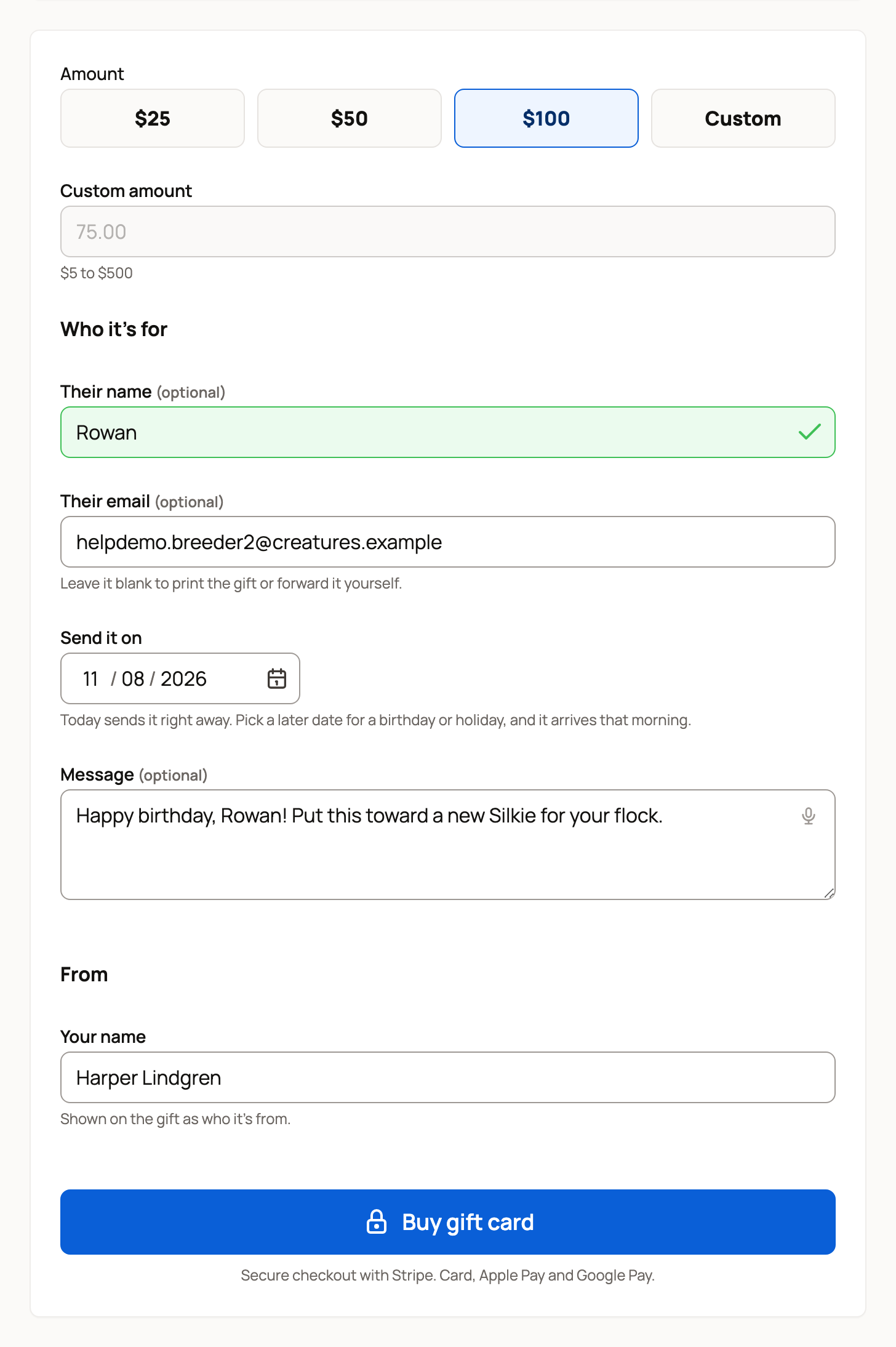
- On your dashboard, open Money > Gift cards.
- Under Amount, choose $25, $50, $100 or Custom. A custom amount can be $5 to $500.
- Under Who it's for, add Their name (optional) and Their email (optional) if you want Creatures to email them the code. Leave the email blank to print the gift or forward it yourself.
- With an email, choose when in Send it on: today, or a later date up to a year ahead.
- Add a Message (optional). Under From, Your name is the name the gift shows.
- Select Buy gift card and pay by card.
Not signed in? You don't need an account. Add Your name and Your email under From, then select Continue to payment. Your receipt and the code go to that email. To refund the card later, sign in with it.
Give an experience
On a farm tour or other experience you can book online, select Give this as a gift. A gift page for that experience opens with its photo, host and price. Its price is the first amount, and a message is filled in for you. After redeeming, your friend gets a Book button for that experience.
Share the code
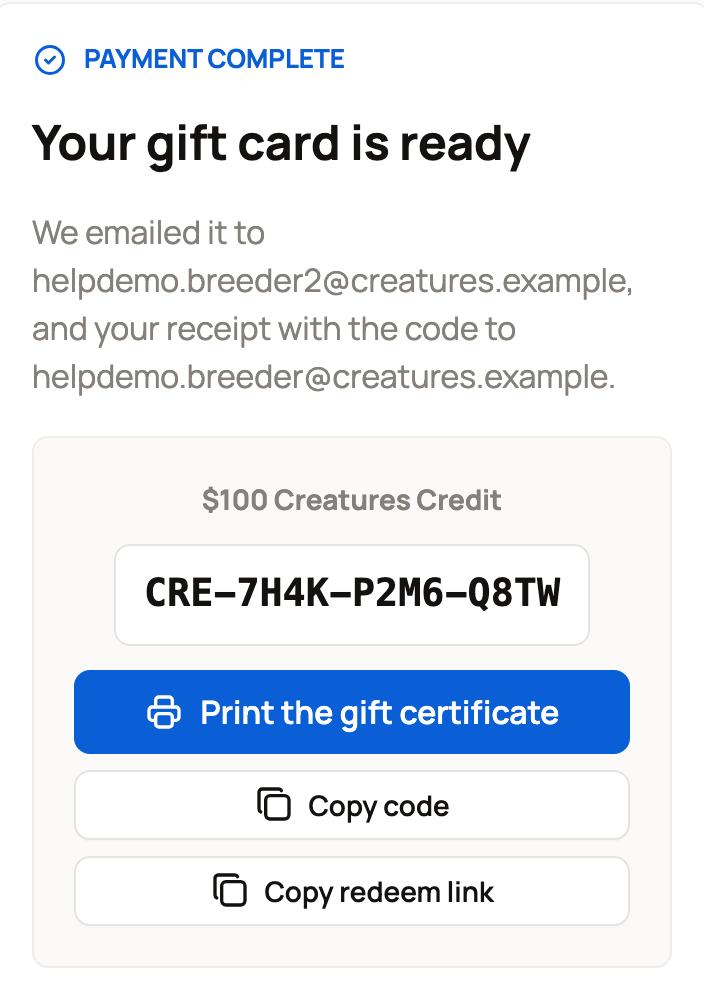
After you pay, Your gift card is ready shows the code, such as CRE-7H4K-P2M6-Q8TW. Use Print the gift certificate, Copy code or Copy redeem link. Creatures emails you a receipt with the code. If you added their email, they get it right away or on the date you picked.
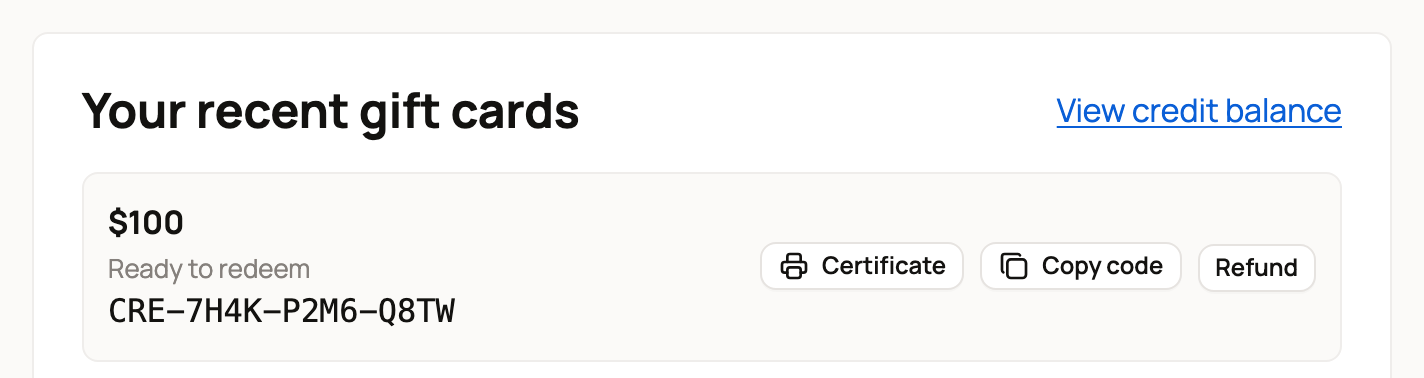
Your recent gift cards on Money > Gift cards lists the last 20 cards you bought. Each shows Ready to redeem, Redeemed or Refunded, or Emails and the date while it waits to be sent. Treat a ready code like cash, and share it only with the person it's for.
Redeem a gift card
The easiest way is the link in the gift email.
- Open the link. If you aren't signed in, select Sign in to redeem, or Create account if you're new.
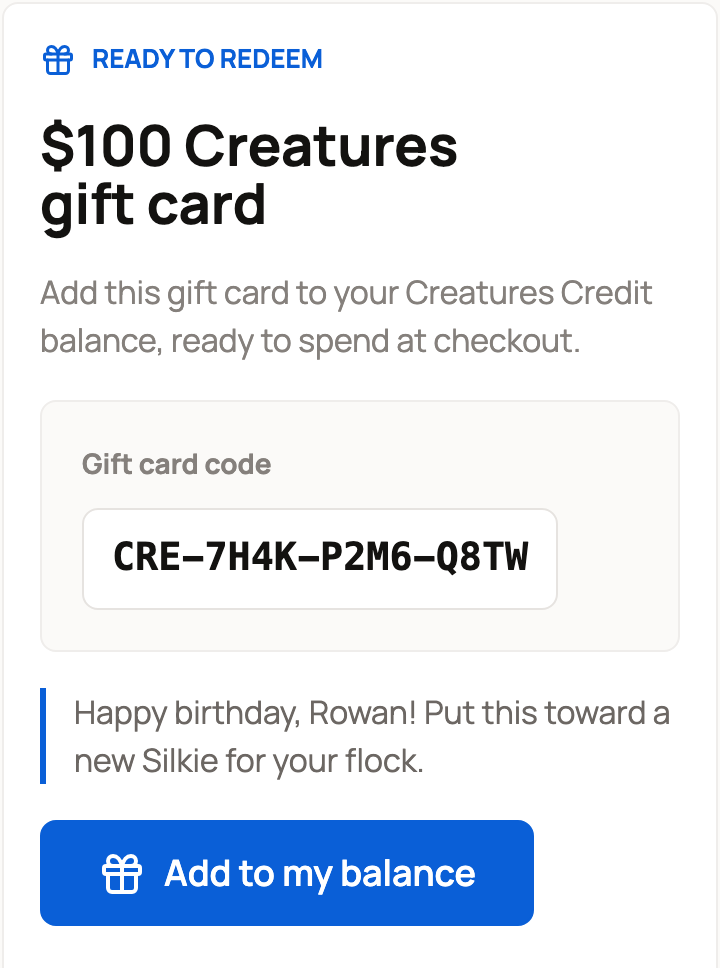
- Check the amount and the message.
- Select Add to my balance.
You can also open Money > Credit, select Redeem a code, type the code and select Add to my balance. This adds the Credit right away, with no review step.
Booking an experience? Open Have a gift code?, type the code and select Apply. The Credit comes off what you pay online.
A card can be added to one account only. If you open it again later, you'll see Already in your Creatures Credit balance. Anyone else sees "This gift card has already been redeemed".
Refund a gift card
Only the buyer can refund a card, and only before it's redeemed. If it was still waiting to be emailed, it won't be sent.
- In Your recent gift cards, select Refund.
- In "Refund this gift card?", select Refund card. Keep card closes it.
The page then says "This gift card was refunded before redemption. The code can no longer be used, and your payment goes back to your card." Otherwise, it says why, for example "Redeemed gift cards cannot be refunded here."
If a card shows Refund didn't finish, the code is already cancelled. Select Try refund again on that card. Don't buy or refund another one.
If you signed in from a link in an email or text, Creatures first asks you to confirm it's you with a code. Here is why we ask.
Related information
- Creatures Credit: what it is and how it is spent
- Booking and managing a session as a customer
- Why Creatures asks for a code before showing your money
Updated on: 29/10/2026
Thank you!