
Referrals and promoter rewards: earn by sharing
Share a Creatures profile or listing when you want someone else to discover it through you. If that person buys during the tracking window, the buyer can earn Creatures Credit and you can earn a Wallet reward.
Share a tracked link
On your dashboard, open Money > Wallet and find Promote & Earn to copy your public profile link. A marketplace listing also has sharing actions for its own tracked link.
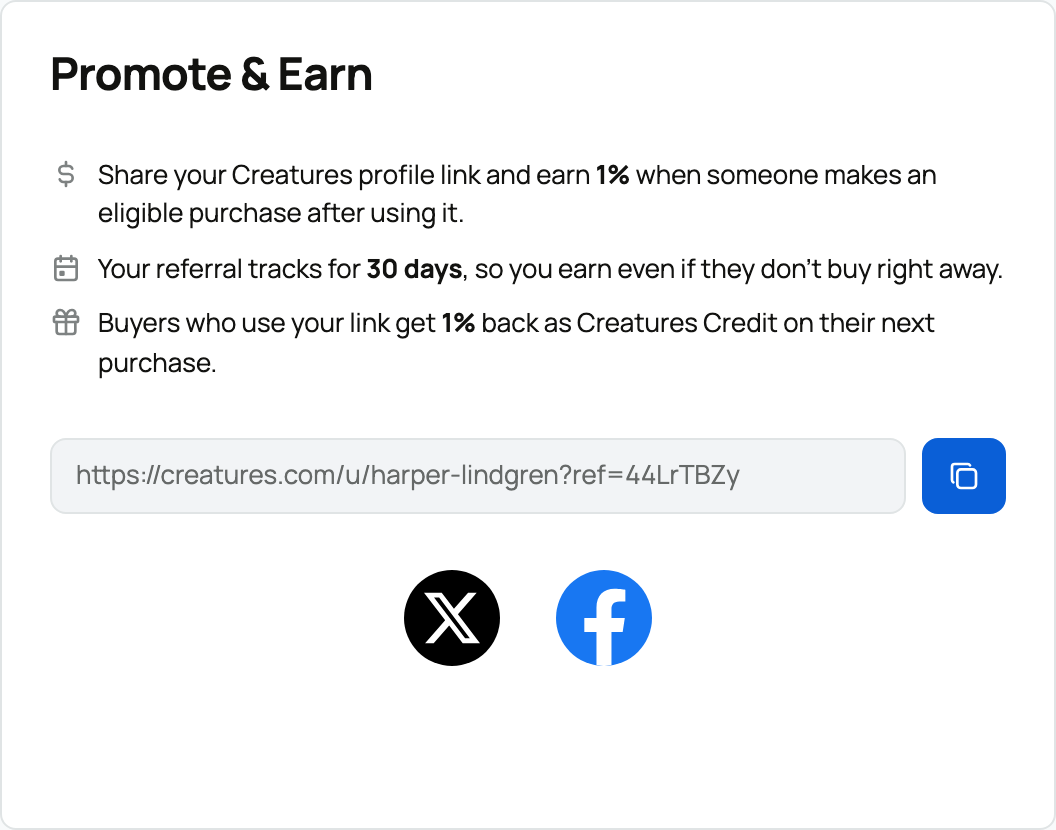
The link tracks for 30 days. If the buyer opens a newer valid referral link, the most recent click becomes the one used for a later qualifying purchase. The buyer may browse, leave, and return while that link remains active.
You cannot earn a reward by opening your own link and buying as yourself. You may share your own listing with another buyer and receive the normal platform-funded promoter reward if that purchase qualifies. A seller-funded Sale Incentive is for an outside promoter, so a seller does not receive their own listing's extra boost.
Understand the two rewards
- The buyer earns 1% of the purchase price as Creatures Credit for a later eligible purchase.
- The promoter earns 1% of the purchase price in their Wallet.
- A seller can add a Sale Incentive to increase an outside promoter's Wallet reward for that listing. The extra amount comes from the seller's proceeds and does not reduce the buyer's price.
Both rewards begin as pending. They do not become spendable when someone clicks, starts checkout, or merely pays.
Follow the reward timing
On your dashboard, open Money > Referrals. Referral earnings separates Pending from Completed Payouts and names the related animal or genetics listing. Use the Pending or Paid tab to narrow the list.
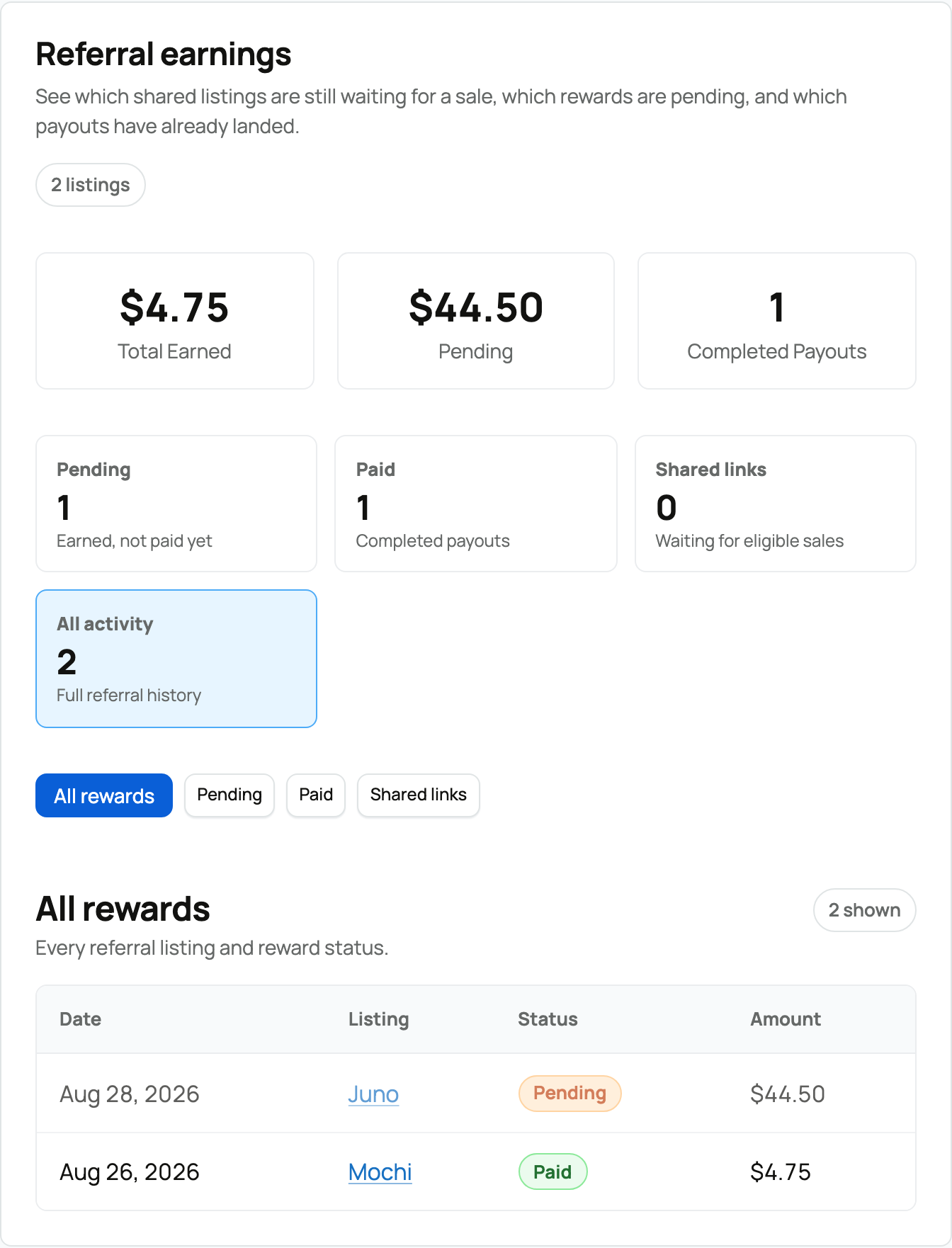
First, the underlying sale must reach its normal release step. Creatures then schedules the referral reward for seven days later. When that wait finishes, the promoter's reward moves into Wallet and the buyer's matching reward becomes available as Creatures Credit.
If the sale is refunded or canceled before the pending reward completes, the reward can be canceled with it.
If a reward is missing
Confirm that the buyer used a valid tracked link within 30 days, did not replace it with another promoter's link, and completed a qualifying purchase. Then check whether the sale itself has released and whether the additional seven-day reward wait has finished.
An animal purchase on the marketplace earns no referral reward when Credit, Wallet, or both cover the animal's full price.
The promoter should look in Referral earnings and Wallet activity. The buyer should look in Creatures Credit for a pending or completed entry. If those details still do not explain it, contact Support with the buyer, listing, and approximate purchase date. For using buyer Credit, read Creatures Credit.
Related information
Updated on: 03/09/2026
Thank you!