
How buying works: payments, held funds, and protection
When you buy an animal on Creatures, your payment and the seller's payout are two separate steps. Creatures holds your money until you confirm you have the animal, or until a short review window passes. Then it releases the money to the seller.
What you pay
Checkout lists each part of the price before you pay:
- Animal price: the listed price, your accepted offer, or your winning bid.
- Service fee: 5% of the animal price plus any delivery or transport. Some sellers cover it, and their listing shows No Buyer Fee (the fee still applies to Creatures Transport). Stripe's secure payment page calls this line Buyer Service Fee.
- Seller delivery or Creatures Transport, if you add one.
- Boarding, if you leave the animal with the seller. It is billed monthly and listed on its own.
Creatures Credit and your Wallet balance can lower what's charged to your card or bank. See Paying with Wallet, Credit, and ACH.
Where your money waits
After you pay, Creatures holds the money. The seller sees the sale, but the money doesn't reach them yet. A bank payment can take a few business days to clear first. While it clears, the listing says Your payment is on the way and the animal stays reserved for you.
Follow every purchase
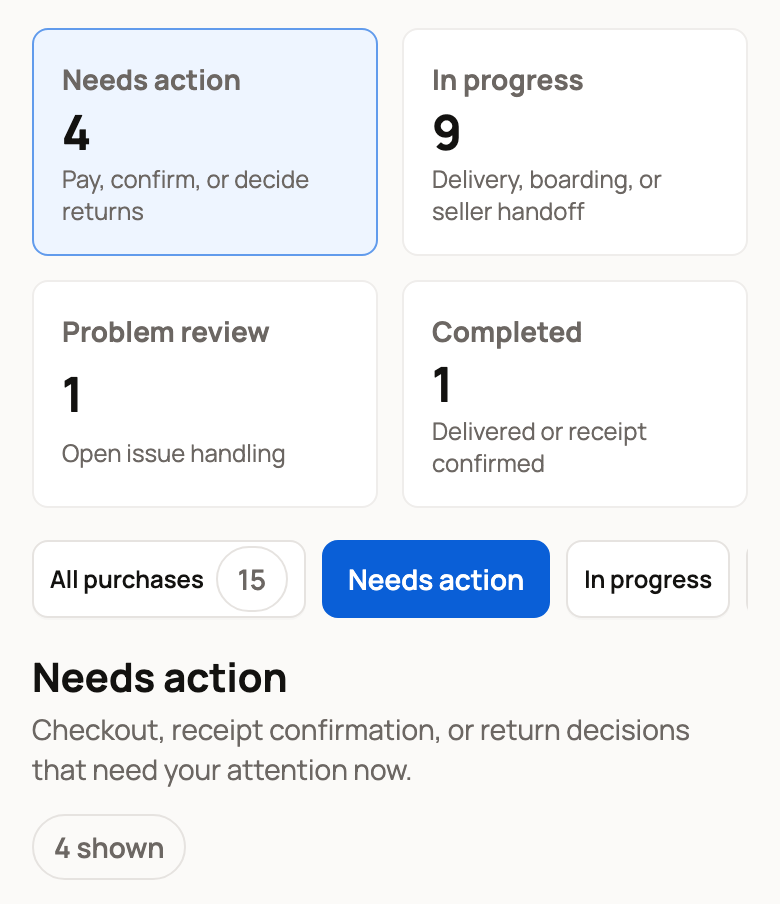
Open Dashboard, then Buying, then Purchases. On a phone, tap your profile picture at the top of the screen, then choose Dashboard.
The four boxes at the top sort your purchases:
- Needs action: something to pay, confirm, or decide.
- In progress: waiting on the seller, a delivery, boarding, or a review window.
- Problem review: an issue you reported is being reviewed.
- Completed: the handoff or delivery is done.
Each animal's card shows where it stands and what to do next:
- Ready for pickup: select Confirm handoff once you have the animal, or show the seller your pickup code.
- Marked delivered: check the animal, then select Confirm arrival.
- Handoff documented: the seller recorded the handoff. The card shows the date to report any problem by. Select Review handoff to confirm it or report a problem.
- Pending delivery: the animal is on its way. Select Track delivery.
- Issue under review: select View reported issue to see your report.
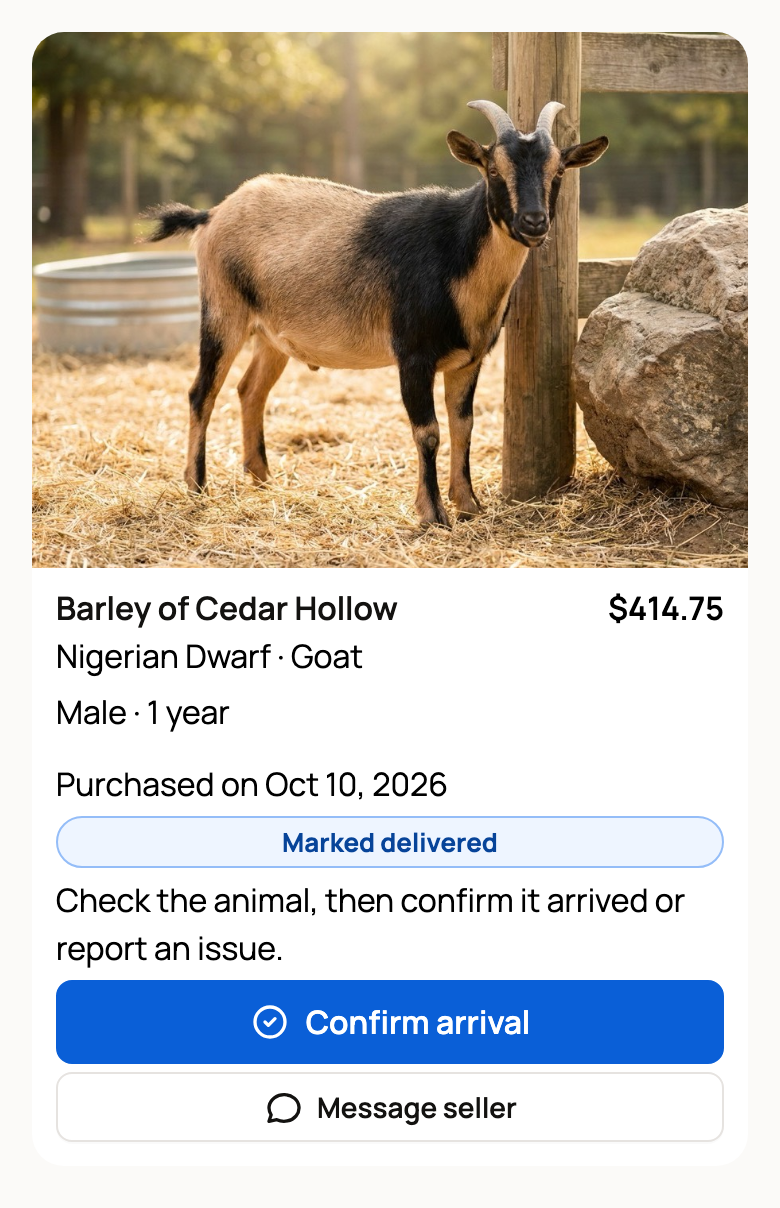
A pickup that is waiting on you also shows on your Dashboard as Confirm pickup.
How the seller gets paid
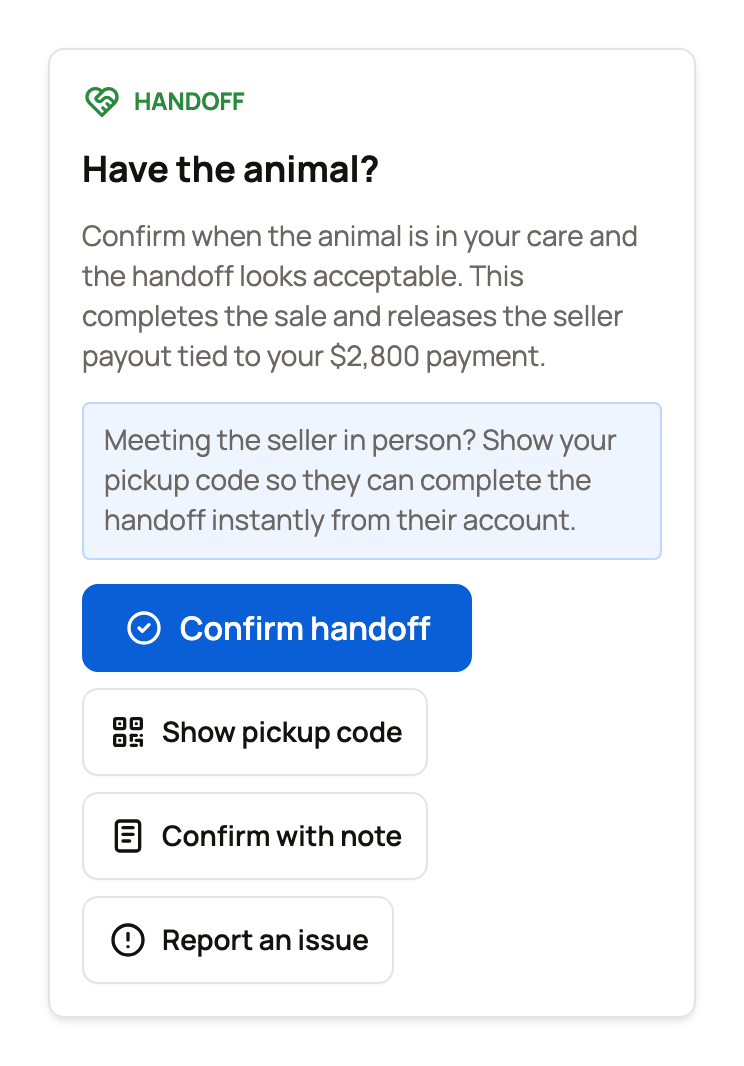
The card's button opens the Handoff panel on the animal's listing. It holds Confirm handoff, Show pickup code, and Report an issue.
The money goes to the seller in one of these ways:
- You confirm the handoff or the arrival. Or, when you meet, the seller enters your 6-digit pickup code.
- The seller documents the handoff, and 72 hours pass with no report from you.
- If the sale's location wasn't confirmed at checkout, Creatures support reviews the payout after those 72 hours. You don't need to do anything.
Buying with boarding works differently. The seller is paid when checkout is done, even though you collect the animal later. See When does the seller get paid?
If something is wrong
Don't confirm, and don't share your pickup code. Select Report an issue on the Handoff panel instead. A report pauses the seller's payout while it is reviewed. See Reporting a problem with your purchase.
Held funds don't promise one automatic outcome. The listing, the seller's terms, the evidence, and the payment all count. But they do keep the money from moving while an issue is reviewed.
Deposits and ongoing services have their own terms. Money you send a seller directly isn't held at all. See Paying outside Creatures.
Related information
- Buying at a fixed price
- Paying with Wallet, Credit, and ACH
- Receiving your animal and confirming delivery
- Reporting a problem with your purchase
Updated on: 29/10/2026
Thank you!