
Making an offer on a listing
An offer is a price you propose on an eligible fixed-price listing. It is not a bid and it does not charge you when you send it.
Send a clear offer
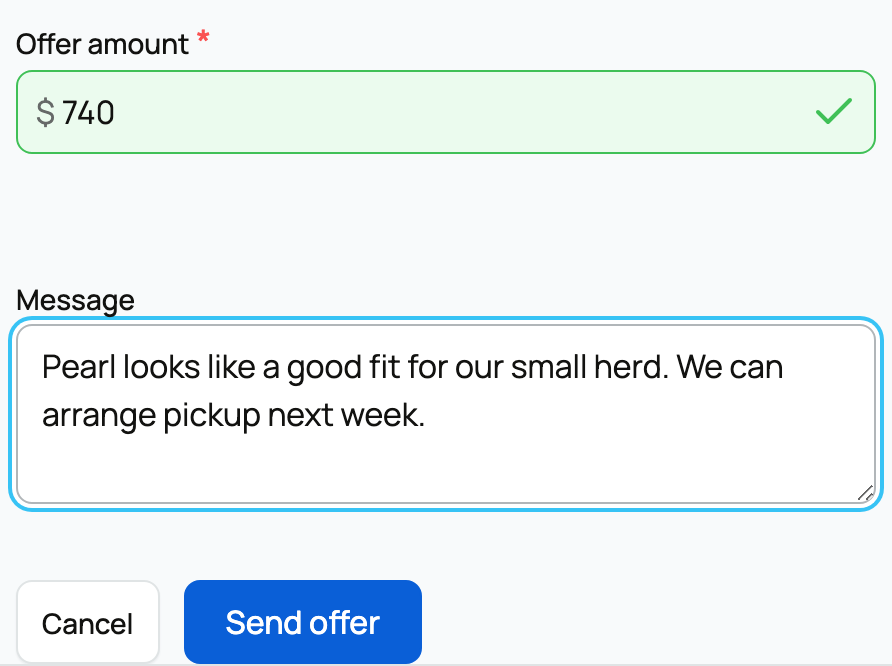
Open Make an offer, enter the amount, and add a short message if context would help the seller. Review the listing and ask any important care, pickup, or paperwork question before making a commitment.
If you are signed out, enter your name and email. Creatures sends a six-digit code to confirm the address before the offer is created. The code lasts one hour and can be resent.
Wait for the seller's decision
The seller can accept or decline your amount. Creatures does not run a built-in counter-offer thread. If the offer is declined, you can send a new amount or buy at the listed price while the listing remains available.
An accepted offer gives you a checkout at the agreed price. Acceptance is not payment and does not finish the purchase.

Pay before the offer ends
Open the accepted offer and complete checkout within the time shown. Review the buyer fee, any services, stored value, privacy choice, and remaining amount due. If the seller withdraws an accepted offer before payment, Creatures notifies you and checkout is no longer available.
Once paid, a purchase without boarding follows the held-funds and handoff flow. Buying with boarding releases the animal seller's proceeds at checkout, before later pickup. Keep the agreement and payment on Creatures so the purchase record reflects what both sides accepted.
Related information
- Buying at a fixed price
- How buying works: payments, held funds, and protection
- Buyer applications: what they are and how to apply
Updated on: 03/09/2026
Thank you!