
Finding animals: search, filters, and distance
Use the marketplace tabs and filters to narrow down what's for sale near you. Then open a listing to check the details with its seller before you buy or bid.
Pick where to look
The tabs across the top of the marketplace split up what's for sale: Animals, Genetics, Studs, Eggs, Storage, Events, Experiences, Boarding and Transport. Looking for a male to breed your female? Studs lists males offered at stud. Under Animals, the quick chips switch between All, Auctions, Sponsor and Sold. Sponsor only shows when animals are open for sponsorship.

Build a useful search
- Type a breed, trait, name, registry or phrase in the search box when you know what you want.
- Choose one or more species. With exactly one species picked, you can choose a breed and then a color. Pick the breed first, because the color choice opens after it.
- Choose a distance: Any Distance, Within 100 miles, Within 500 miles or Within 1000 miles (outside the US, the choices are in kilometers). This choice only appears when Creatures can tell roughly where you're browsing from, so always check the listing's location too.
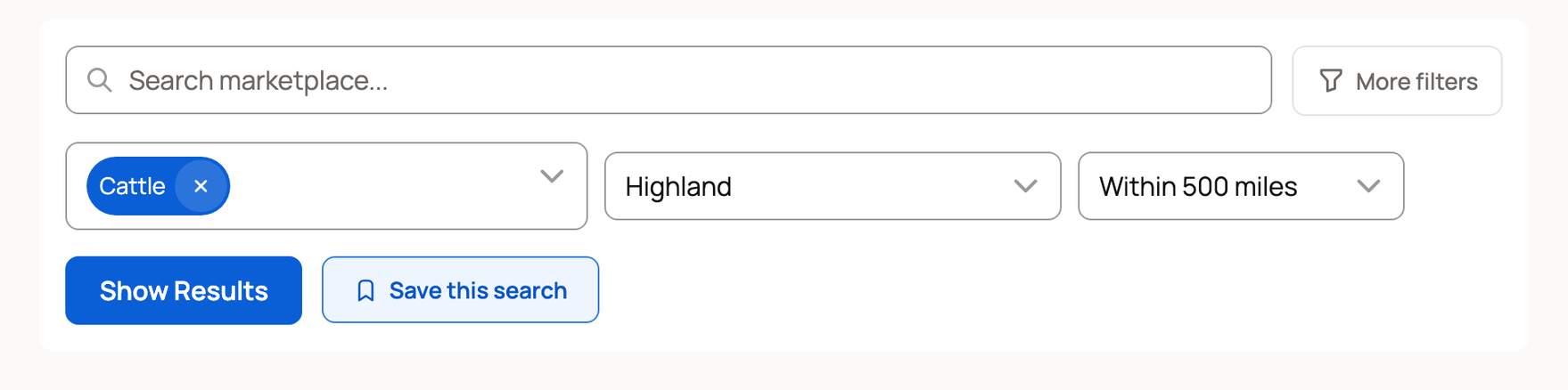
- For more choices, select More filters on a computer, or Filters on a phone. There you can pick sex (Male, Female, Unknown), sale format (Auctions or Fixed Price), Boarding Available and Registered.
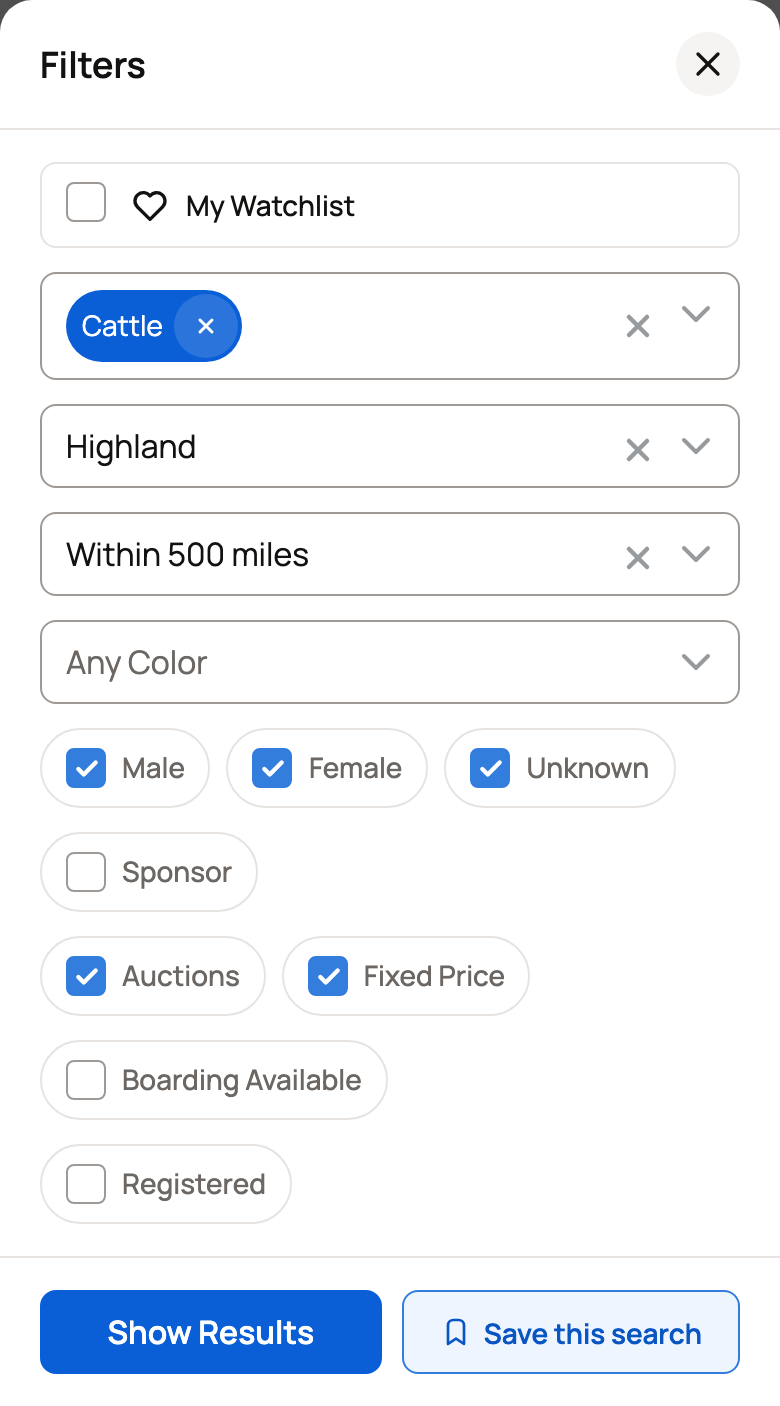
- Select Show Results. If you get too few matches, remove the filter that narrowed things the most.
Choose Fixed Price when you want a set price you can pay now. Choose Auctions when you're ready to bid.
Most results are animal listings. Sponsorship cards can appear too. When you type in the search box, matching litters, groups and bookable experiences can also show up.
Check recent sale prices
Select the Sold chip to see animals that recently sold on Creatures. It's a handy way to compare prices before you buy or bid. Animals that their buyers chose to keep private never show there.
Read each listing before you act
Open the listing to review the seller, location, photos, description, terms and sale status. Check the pickup and delivery choices too, so you know how the animal will get home.
Some older listings say the seller hasn't recently confirmed the animal is still available. That's a good reason to send the seller a message before paying. It doesn't mean the animal is gone.
Keep a good search
When the same filters keep giving you good matches, save them instead of building them again. A saved search can alert you to new matches, and your watchlist keeps single listings in one place. See Saving searches and using your watchlist.
Related information
Updated on: 29/10/2026
Thank you!