
Receiving your animal and confirming delivery
To finish a purchase, open Dashboard, then Buying, then Purchases, and use the button on your animal's card. Confirm only once the animal is in your care and matches what you agreed, because confirming releases your payment to the seller.
On a phone, tap your profile picture, then Dashboard. Your Dashboard also lists Confirm pickup when a pickup is waiting on you.
Pick up in person
The card shows Ready for pickup and Confirm handoff, which opens the Have the animal? panel on the listing.
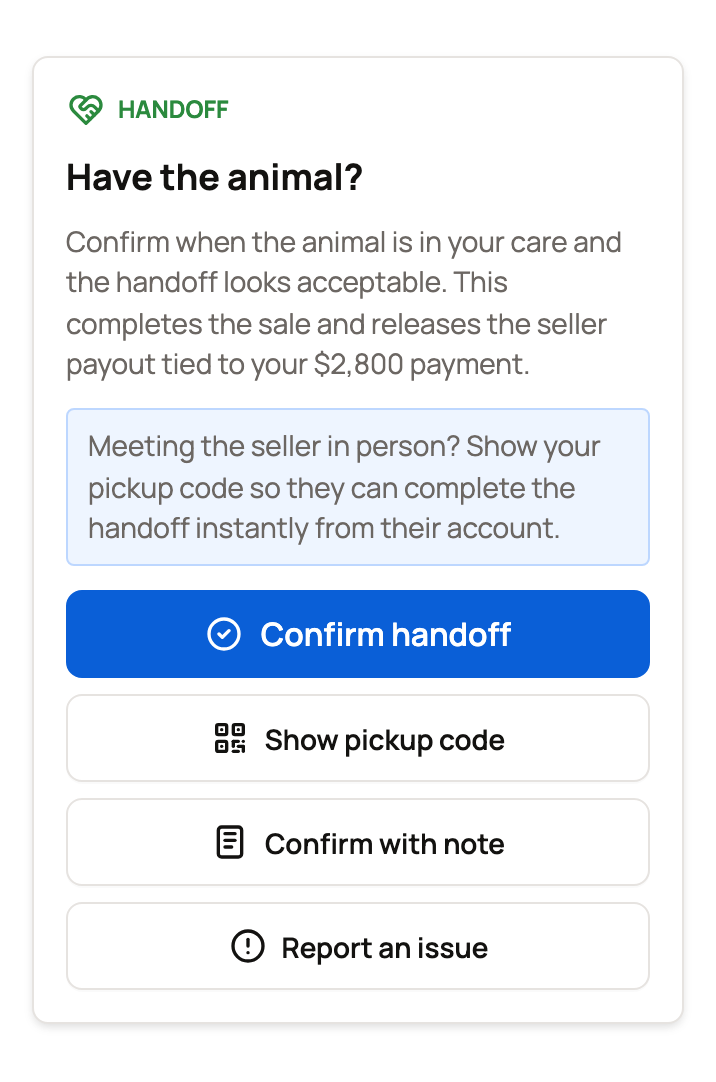
Once you have the animal, finish the sale one of these ways:
- Show pickup code: shows a 6-digit code and a QR code. The seller types the code, or scans the QR code. That completes the sale.
- Confirm handoff: Creatures asks Confirm handoff? Select Confirm handoff again to finish, or Not yet to back out.
- Confirm with note: finishes the sale and saves a short note, such as a small scrape you're happy to accept. Don't use it for a real problem.
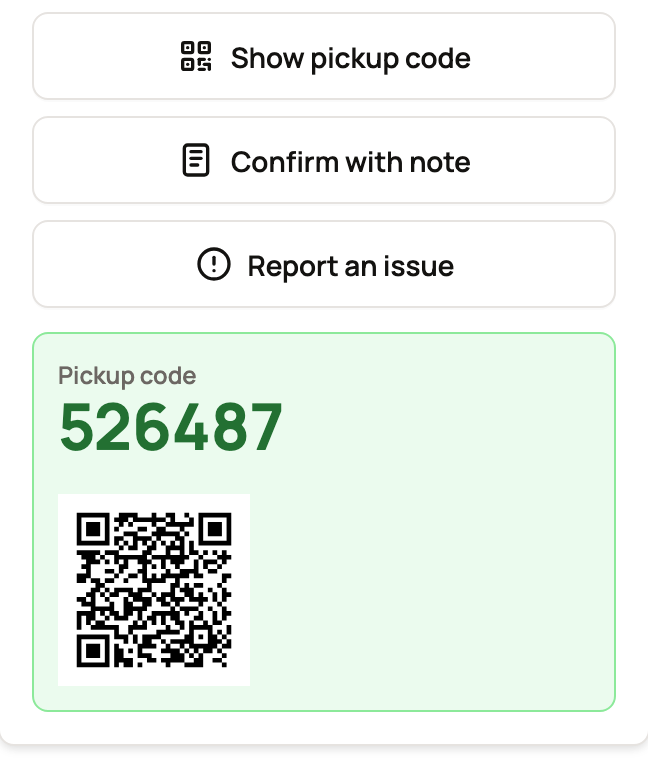
Show the code only once the animal is in your hands. Scanning the QR code never changes your code. But if you select Show pickup code again, you get a new code and the old one stops working.
Signed in from a link in an email or text? Creatures may ask for an email code first. See why Creatures asks for a code.
Seller delivery or Creatures Transport
While the animal is on the way, the card shows Pending delivery. Select Track delivery to open the trip page.
When the driver marks the trip delivered, the card shows Marked delivered, and Creatures sends you a notice that opens the trip page. You can also find the trip under Dashboard, then Services, then Transport. The trip page asks if your animal arrived.
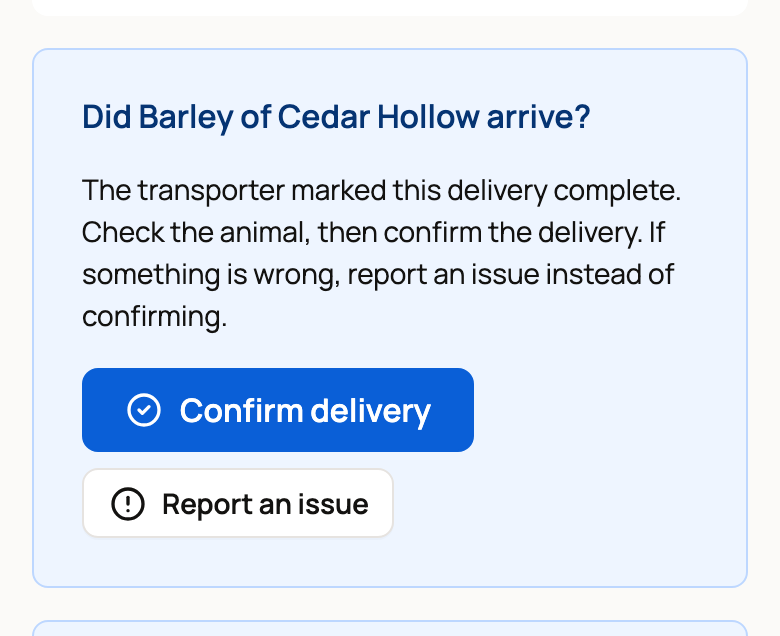
Check the animal, then select Confirm delivery. Creatures asks Confirm delivery?, because this releases the held payment to the seller and the transporter. Select Not yet if you aren't ready. For Creatures Transport, always confirm here, so the sale and the trip both finish.
For seller delivery, the card's Confirm arrival button works too. It opens the listing, which asks Did the animal arrive? Select Confirm handoff there.
If your transport was cancelled
Collect the animal from the seller yourself. Then open the listing, which asks Picked up the animal?, and select Confirm I picked up the animal. When asked, select Confirm pickup.
If you don't confirm or report a problem, Creatures sends a reminder after 7 days. After 14 days, it releases the payment to the seller, so report any problem before then.
If the seller documented the handoff
Sometimes the seller records the handoff, for example after a drop-off. Your card then shows Handoff documented, the date to report any problem by, and Review handoff, which opens the listing. Select Confirm handoff to finish the sale now, or Report an issue before that date if something is wrong. If you do neither, the payment goes to the seller when that date passes, unless support reviews the payout first. See When does the seller get paid?
If something is wrong
Don't confirm, and don't show your pickup code. Select Report an issue on the listing (the trip page's button takes you there). Describe what's wrong, then select Report issue. This pauses the seller's payment while Creatures looks into it.
Your report is text only, so share photos with the seller in your messages. See Reporting a problem with your purchase.
Bought with boarding? The seller was paid at checkout, so there's no handoff to confirm. If something is wrong when you collect the animal, contact support.
Once the sale is complete, you can leave a review.
Related information
- When does the seller get paid? Your role as the buyer
- Reporting a problem with your purchase
- The health guarantee and if your animal arrives sick
- Choosing pickup, seller delivery, or Creatures Transport
Updated on: 29/10/2026
Thank you!