
When does the seller get paid? Your role as the buyer
Creatures holds your payment until the handoff is done, then releases it to the seller. Most often that happens when you confirm you have the animal, or when the seller enters your pickup code.
Buying with boarding is different. The animal stays with the seller, so the seller is paid as soon as checkout completes.
Your confirmation releases the payment
Open Dashboard, then Buying, then Purchases, and select the button on your animal's card. It opens the handoff panel on the listing. When you select Confirm handoff, Creatures asks Confirm handoff? and shows the payment it will release.
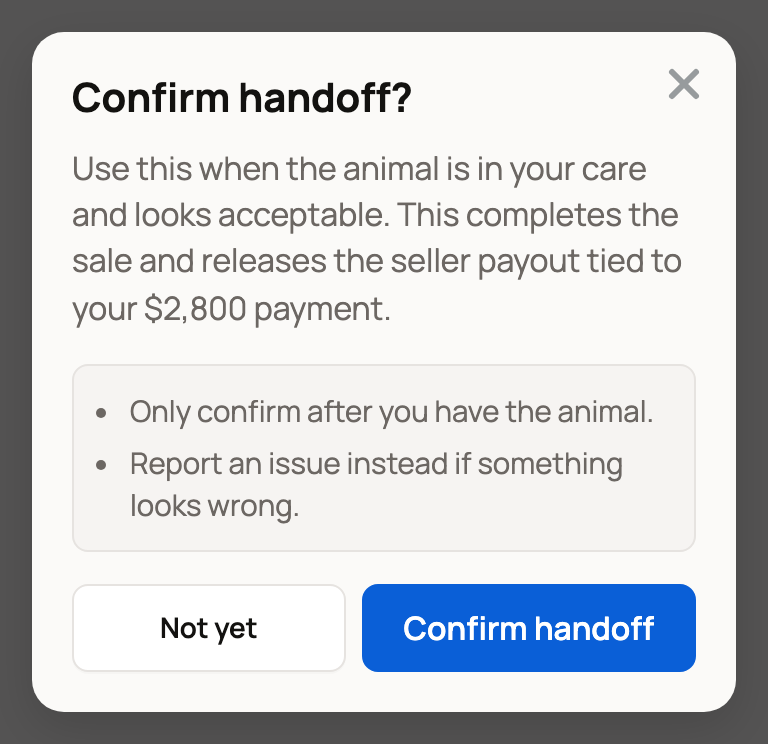
Select Confirm handoff to finish, or Not yet to back out. Only confirm once the animal is in your care and matches what you agreed.
These also release the payment:
- The seller types your pickup code, or scans its QR code with their phone camera.
- You select Confirm with note to accept the handoff with a small note.
- With seller delivery or Creatures Transport, you select Confirm delivery on the trip page. This releases the held payment to the seller and the transporter.
When everything looks right, confirm promptly. The seller has done their part and is waiting to be paid.
A documented handoff has a 72-hour window
If you can't confirm at handoff, the seller can document it on Creatures instead. Your Purchases card then shows Handoff documented and the date to report any problem by. That date is 72 hours after the seller documented it.
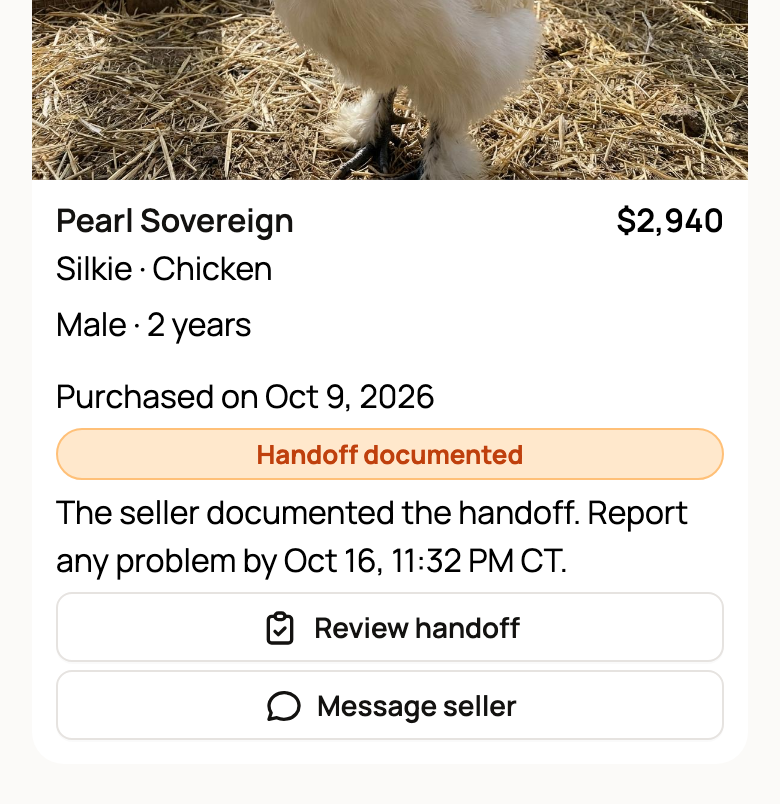
Select Review handoff to open the listing. It asks if the animal has arrived. If everything looks right, select Confirm handoff to pay the seller now. If something is wrong, select Report an issue before that date. If you do neither, the payment goes to the seller when the window ends.
Sometimes the sale's location wasn't confirmed at checkout. Then, when the window ends, Creatures support reviews the payout before releasing it. Your card shows Payout under review, and you don't need to do anything.
Reporting pauses the payment
If something is wrong, select Report an issue instead of confirming. The payment stays held while Creatures reviews it, and your card shows Issue under review. See Reporting a problem with your purchase.
If your Creatures Transport was cancelled, collect the animal and select Confirm I picked up the animal on the listing. If you don't confirm or report a problem within 14 days, the payment is released to the seller.
After the payment is released
The money goes to the seller's Creatures Wallet. When they withdraw it is up to them, and it doesn't change what you paid. Your Creatures Wallet: balance, holds, and getting paid explains the seller's side.
Related information
- Receiving your animal and confirming delivery
- How buying works: payments, held funds, and protection
- Reporting a problem with your purchase
- Your Creatures Wallet: balance, holds, and getting paid
Updated on: 29/10/2026
Thank you!