
Saving searches and using your watchlist
A saved search watches for new matches to a set of filters. Your watchlist keeps specific listings you want to compare or revisit.
Save a search
- Open the marketplace and choose the species, breed, distance, sale format, or other filters that matter to you.
- Select Show Results, then select Save this search.
- Give the search a useful name, such as Highland cattle within 500 miles, and select Save.
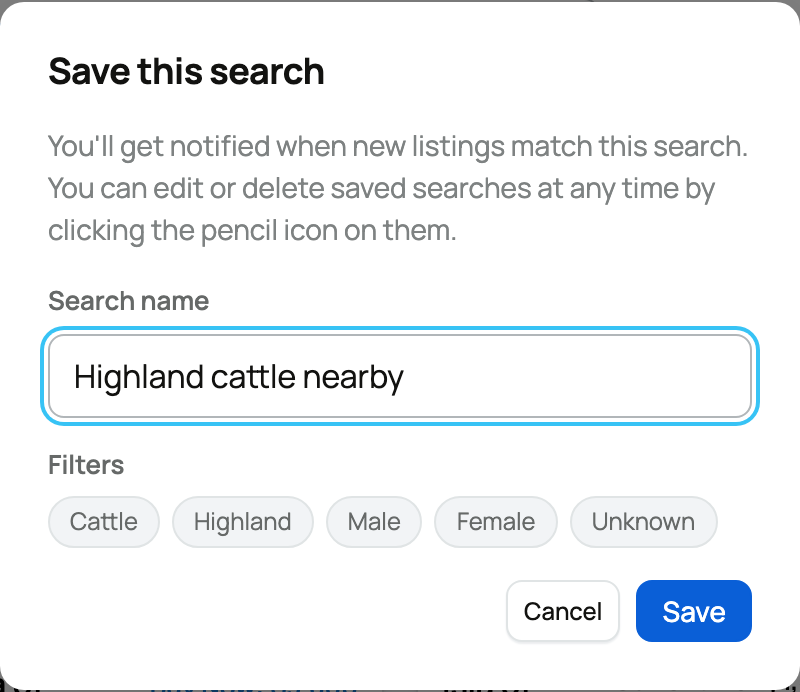
Creatures warns you when a search is so broad that it will match most new listings. You can still save it, but narrower filters usually make alerts more useful.
Your saved searches appear as named choices in the marketplace filters. Select one to run it again. Use the edit control beside it to rename or delete it. You can keep up to 10 saved searches.
Choose how often alerts arrive
After saving a search, open Settings > Notifications and find Saved Searches. Choose Instant, Daily digest, Weekly digest, or Off. The default is Daily digest. The channel choices in that row control where saved-search alerts can reach you.
Save an individual listing
Use the heart on a listing card or listing page to add it to your watchlist. Select the heart again to remove it. Open My Watchlist above marketplace results to see the animals and opportunities you saved.
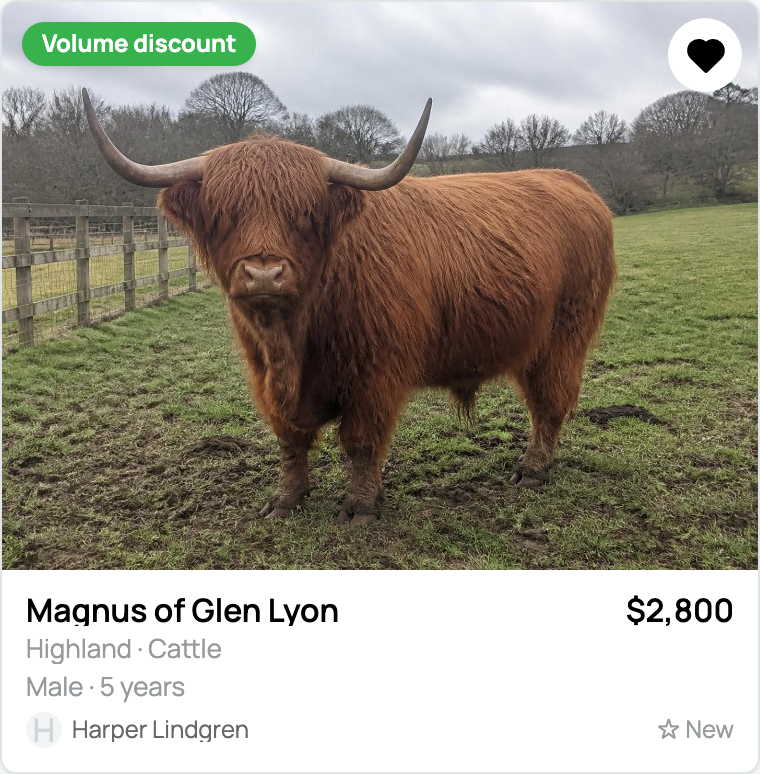
At a sale event, the Saved view gathers the event lots you saved. Auction lots you bid on can also show whether you are Winning or Outbid.
On a fixed-price listing, Alert me if price drops requests an email if that listing's price falls. It is separate from both the watchlist and saved-search notification frequency. Use the listing's alert control to turn that alert off again.
Related information
Updated on: 03/09/2026
Thank you!