
Before you bid or buy: what Creatures may ask for
You don't need to verify your phone or your ID to bid or buy on Creatures. Before you pay, you may still meet a seller's approval step, a note that the seller has a check to finish, a short email code, or a card hold when you bid.
Check the seller's badge
Every listing shows a badge for the seller just above the price. Identity verified means Creatures checked the seller with a government ID and a live selfie. Identity not yet verified means the seller still has a step to finish before anyone can pay.
When that happens, the listing names the missing step. For example: "Checkout opens after the seller verifies their phone number." This note is about the seller, not about you. Verifying your own phone or ID will not open checkout any sooner.
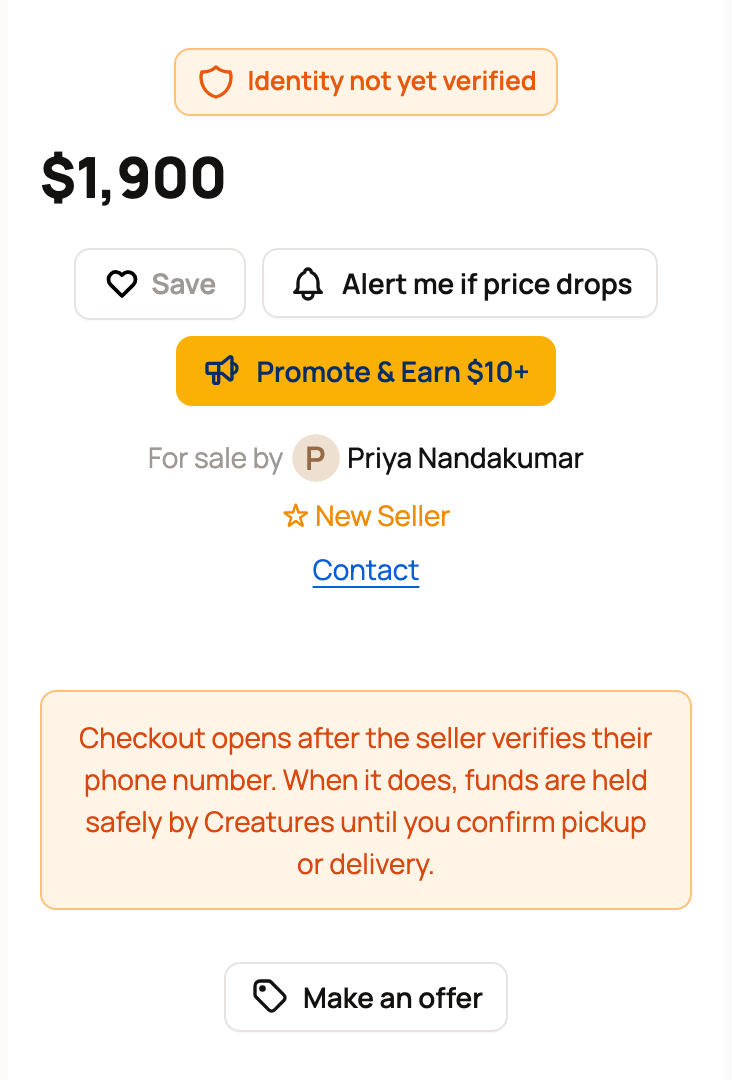
While you wait, you can still select Make an offer, Save the listing, or message the seller with Contact. Once the seller finishes, checkout opens. Creatures then holds your payment safely until you confirm pickup or delivery.
If the seller asks you to apply
Some sellers like to review buyers first. Their listings show Buyer Approval Required and an Apply to Buy button. On an auction, the button reads Apply to Bid.
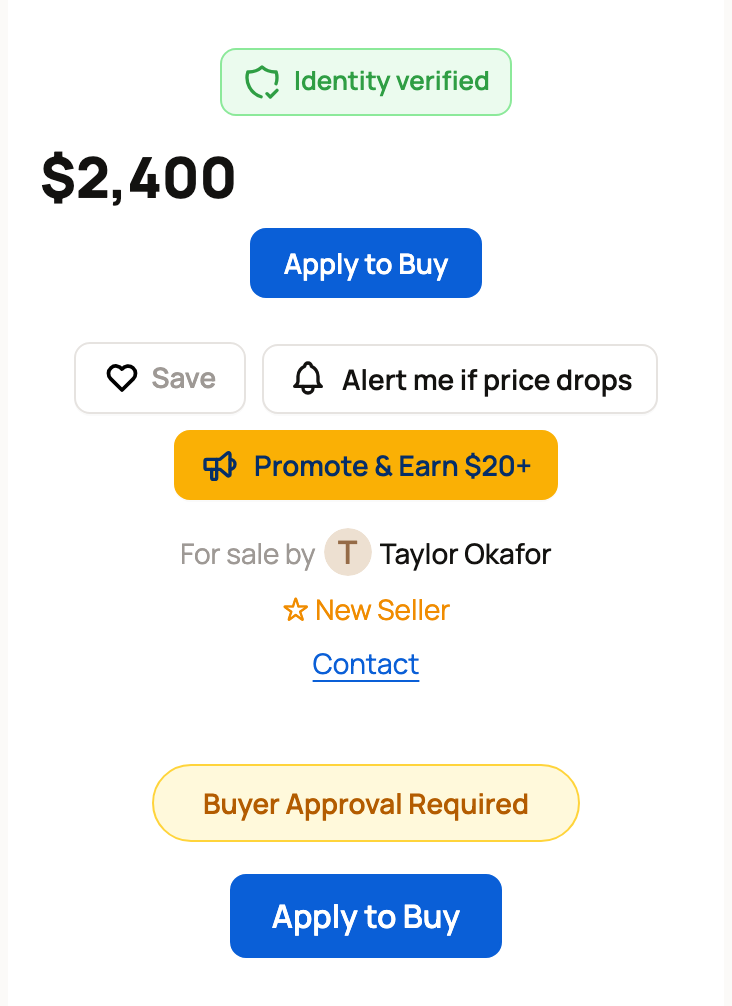
Fill in the short application and wait for the seller to answer. An approval covers that one listing only, so another seller may ask you to apply again. Learn more in Buyer applications: what they are and how to apply.
If Creatures asks for a code
Did you sign in by tapping a link in an email or a text? Then Creatures may stop you before a money step with a Confirm it's you page, or the message "Confirm it's you first. We'll email you a code."
This can happen before you:
- place a bid with your saved card
- pay with your Creatures Credit or Wallet balance
- show a pickup code or confirm a handoff
- answer a seller's return offer
Select Email me a code, then type the 6-digit code from your inbox. It's a quick check that keeps a forwarded link from being used to spend your money. See Why Creatures asks for a code before showing your money.
Know what you'll pay
The Checkout summary shows the animal price and a 5% Service fee before you pay. The fee is figured on the price plus any delivery or transport you add. Some sellers cover the service fee, so yours may be lower or not shown at all. Any delivery, transport or boarding you choose is added on top.
A bid is not a payment. When you bid, Creatures places a temporary hold on your card for 5% of your bid, at least $5. If you win, you pay by the deadline shown and the hold is released. If you don't win, the hold is released after the auction closes. See How auctions and bidding work.
Not signed in yet?
You can buy many fixed-price animals without an account. See Can I buy without creating an account?
Stay safe
Never send ID documents, card numbers or bank details to a seller in a message. Pay through Creatures checkout, so your money is held until you confirm pickup or delivery.
Related information
- Can I buy without creating an account?
- Buyer applications: what they are and how to apply
- How buying works: payments, held funds, and protection
- How auctions and bidding work
Updated on: 29/10/2026
Thank you!