Articles on: Trust, Verification & Reviews

Verifying your identity

Verifying your identity


Identity verification is the second trust step for selling on Creatures. It confirms you are a real, named person using a government ID, which is what lets you list publicly, take buyer payments, and withdraw your money. It is handled by Stripe Identity, a secure third-party identity service, so Creatures never handles your ID document itself. This article covers the flow, the name-match step, and what verifying unlocks.


The verification checklist: identity, phone, and payout account


The Stripe Identity flow


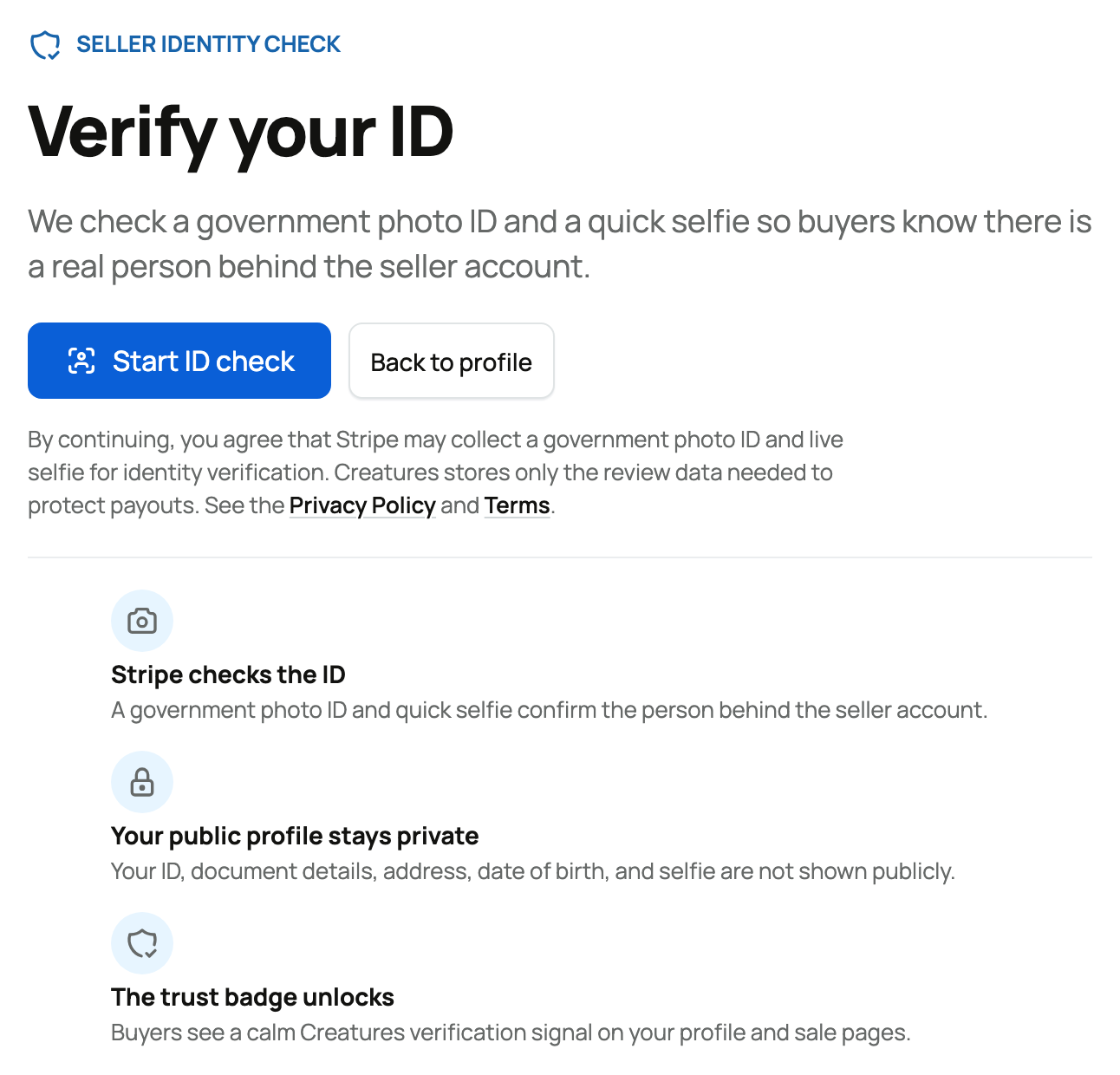
You start identity verification at /user/verify_id. Creatures hands you off to Stripe Identity's hosted flow, where you confirm your identity with a government ID (and a live selfie). When you finish, Stripe returns you to Creatures and reports the result.


  • What it is: a secure, document-based identity check run by Stripe. You photograph a government ID and take a selfie; Stripe does the matching.
  • Why Stripe: the same trusted verification used across the payments industry. Your sensitive ID details go to Stripe, not into Creatures.
  • A limit: you can start identity verification up to 3 times per hour, which is plenty for a genuine attempt or two and prevents abuse.


The statuses you may see


While verification is in progress or after it returns, your identity can be in one of these states:


  • Processing: Stripe is still checking your submission. Nothing for you to do but wait; the page will reflect the result when it is ready.
  • Requires input: Stripe needs something more or something was off (for example a blurry photo), so you are asked to continue and finish the step. Re-enter or re-photograph what it asks for.
  • Verified: your identity passed. This is the goal state, and it is what flips the "Identity verified" step complete.
  • Canceled: the verification was canceled before completing. Creatures clears it so you can start a fresh attempt cleanly.


The name-match step


Verifying your ID does one more thing behind the scenes: Creatures compares the legal name on your verified ID against the name on your Creatures profile. This protects buyers from someone verifying under one identity while presenting as another. The comparison lands in one of three results:


  • Match: your profile name and your legal name line up (allowing for nicknames, middle names, and minor spelling differences). Nothing else is needed, and you are clear to be paid out.
  • Review: the names are close but not a clean match (for example a partial overlap, or a business word in the name). Creatures opens a quick manual review rather than guessing.
  • Mismatch: the names do not line up. This also opens a manual review so a person can look at it.


When a review is opened, it carries its own status that you can watch:


  • Pending: the review is open and waiting on Creatures. Payouts are held while it is pending, so your money stays safe in your Wallet meanwhile.
  • Approved: Creatures cleared the review. You are treated as verified and can withdraw.
  • Info requested: Creatures needs more information from you before deciding. Provide what is asked.
  • Rejected: the review could not be cleared. Your funds remain held while support works through next steps with you.


The practical guidance: make your profile name your real legal name before (or right after) verifying. If your profile shows a nickname or a farm name and your ID shows your legal name, you may land in review and your first withdrawal can wait on it. Matching them upfront is the smoothest path.


What verifying your identity unlocks


A verified identity (cleared by a match, or by an approved review) opens the parts of selling that involve real money leaving the platform:


  • Publishing a public listing, and buyers paying. Listing publicly on the marketplace requires identity verification. Until you complete it, a buyer viewing your listing sees the badge "Identity not yet verified" with the note "Checkout opens after the seller completes Creatures identity verification." The reason the gate is this strict on public listings is right there in the prompt Creatures shows the seller: "Complete identity verification before buyers can pay." Once you are verified, that badge turns into "Identity verified," and checkout opens.
  • Withdrawing funds to your bank. Moving money from your Creatures Wallet to your bank requires a verified identity that is name-matched (or a review that was approved). If you try to withdraw before that, Creatures tells you "Complete identity verification before withdrawing," or, if a review is open, "Your identity verification is under manual review before withdrawals can be sent."
  • Accepting payment, creating sale events, and issuing agreements. Taking buyer payments, running a sale event, and putting your name to agreements all sit behind the same verification, so every paid interaction is backed by a confirmed identity.


The readiness checklist


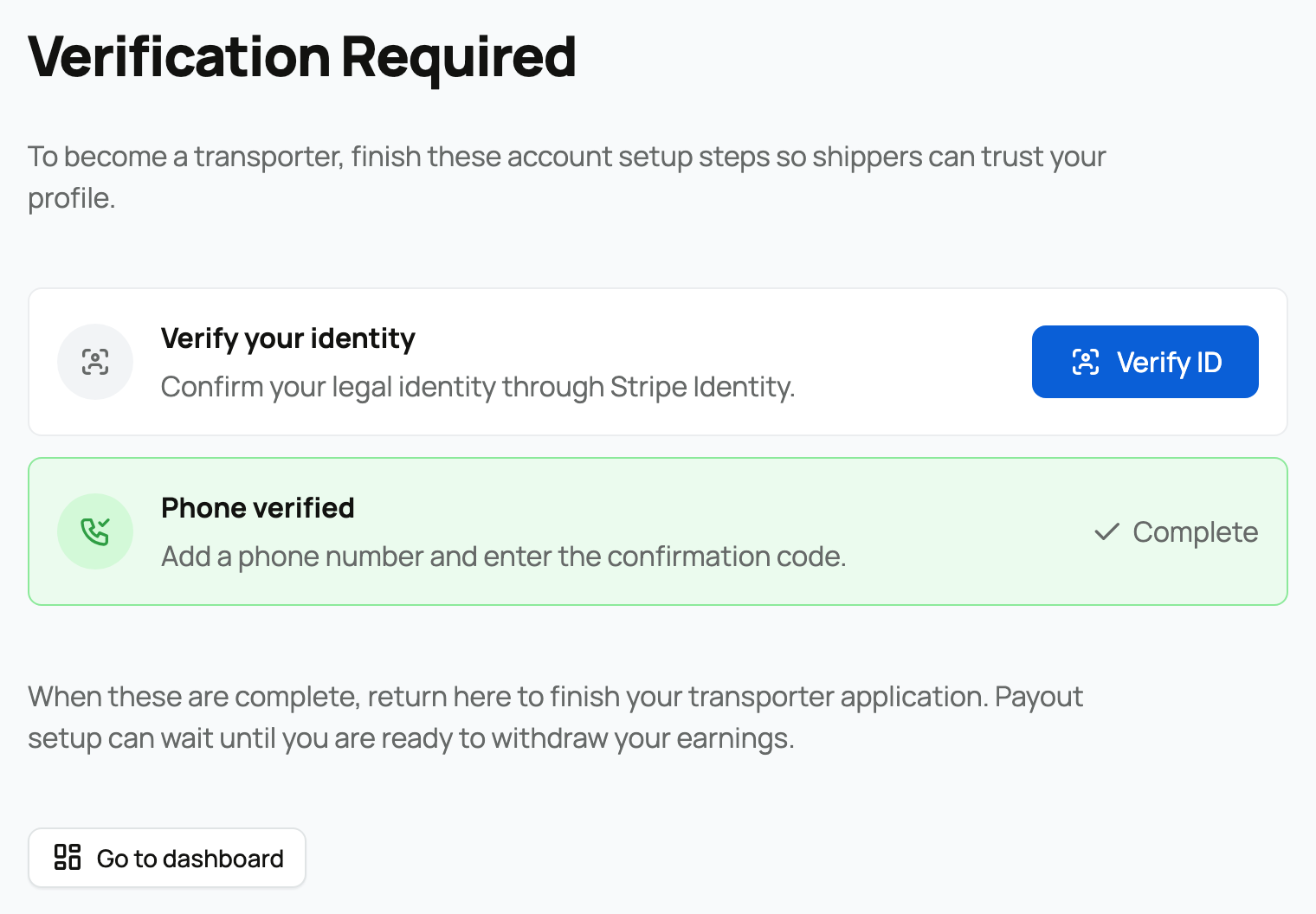
Across selling flows, Creatures shows a single readiness checklist with three steps, so you always know what is left:


  1. Identity verified ("Confirm your legal identity through Stripe Identity.") This article.
  2. Phone verified ("Add a phone number and enter the confirmation code.") See Verifying your phone number.
  3. Payout account connected ("Set up the Stripe payout account where Creatures can send payments.") See Connecting your payout account.


When all three show complete, you are fully set up to sell and get paid.


If you run an organization


As with phone verification, if you are the owner of an organization, completing your identity verification also marks that organization as identity-verified. A co-owner verifying their own identity does not currently cascade to the organization; the owner's verification is what the organization carries. See Creating an organization and adding your team.


Next steps


Updated on: 23/06/2026

Was this article helpful?

Share your feedback

Cancel

Thank you!