Reviews you receive
Reviews you receive
Reviews other members leave about you live on your profile's Reviews tab, and they feed your overall rating. This article covers exactly what you can and cannot do with them: how to respond, what you can remove, and how to handle a review you believe is unfair. To understand how those reviews are scored and displayed, see How reviews and ratings work.

Responding to a review: comment on it
When someone reviews you, the right way to respond is to comment on that review.
- How it works: every review has a comment thread beneath it. You reply by adding a comment there, in public, attached to the review.
- Why it is set up this way: there is no separate, private "reply to review" feature. The comment thread is the response mechanism, which keeps your reply right next to the review it answers so anyone reading can see both sides.
- What good responses look like: thank a happy reviewer, or calmly add context to a critical one. A gracious, factual comment on a less-than-perfect review often reassures future buyers more than a perfect score with no engagement.
You can also react to a review with an emoji, the same as anywhere else on Creatures, for a quick acknowledgment without writing a full comment.
What you can remove, and what you cannot
This is the part people most want to know, so here it is plainly.
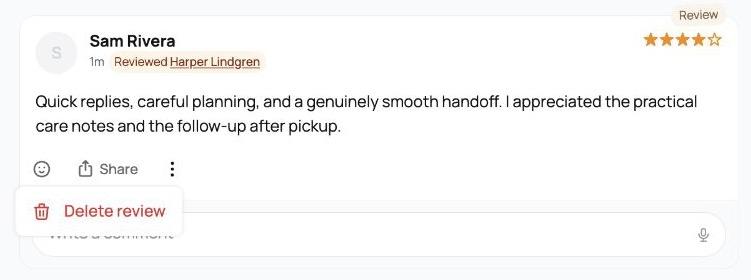
- You can delete a review you wrote. Any review you left about someone else, you can remove. Open the review and delete it. This is final: there is no edit. If you want to change a review you left, you delete it and (where allowed) leave a new one rather than editing the old text in place.
- You cannot delete or hide a review someone wrote about you. A review left about you is theirs, not yours, so you cannot take it down or hide it, even if it is unflattering. What you can do instead is respond by commenting, and, if the review actually breaks the rules, report it.
That split is deliberate. You control your own words (you can always remove a review you wrote), but you cannot quietly erase honest feedback others gave you. That is what keeps ratings meaningful for everyone.
Reporting a review that breaks the rules
If a review about you is not just negative but genuinely against the rules (spam, harassment, or something clearly false), you can report it for Creatures to review.
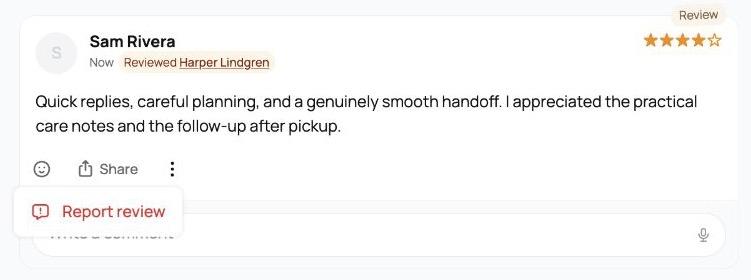
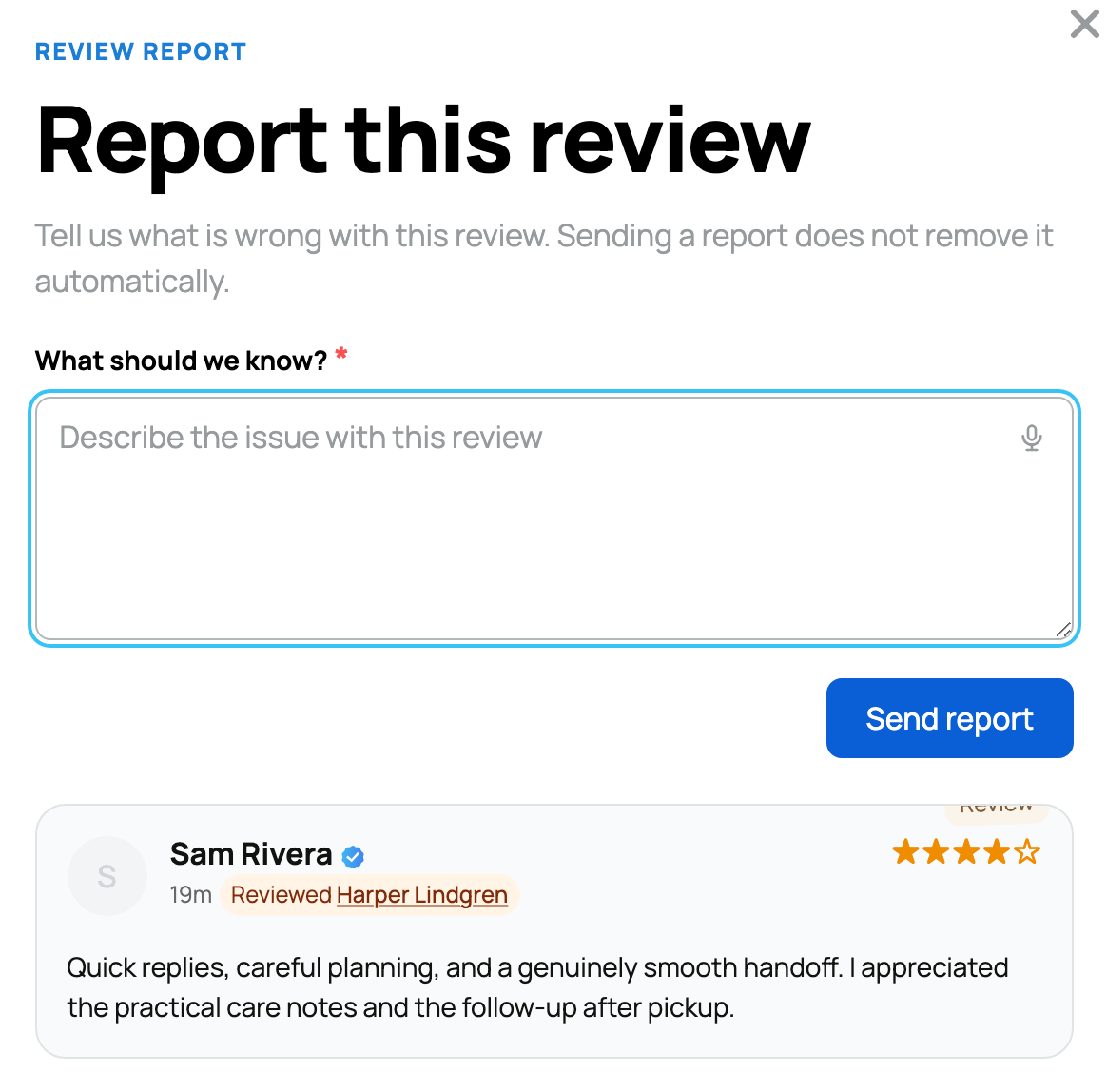
- How: open the review's options, choose to report it, write a short explanation of what is wrong in the free-text box, and submit.
- What happens next: your report goes to the Creatures team. Reporting flags the review for a person to look at; it does not remove the review automatically. The team decides whether anything comes off.
- Use it for rule-breaking, not disagreement. A review you simply do not like is not a reason to report it; that is what commenting is for. Reserve reporting for content that violates the rules. (See How reviews and ratings work for the report form.)
How your rating reflects all of this
Your overall rating is the average of all of your visible reviews, shown to one decimal out of 5 with the count, on your Reviews tab and across your listings.
- Every visible review counts, verified and free-form alike. You cannot cherry-pick which ones count by deleting the ones others wrote, because you cannot delete those.
- Verified reviews join the average when they are released. A double-blind transaction review still inside its hidden window is not in your average yet; once both parties submit or the 30-day window passes, it is revealed and counted. See How reviews and ratings work.
- Your org and personal reputation are shared. Reviews of an organization you own and reviews of you personally roll up together, so building a strong record in one strengthens both.
The honest takeaway: the best way to manage the reviews you receive is to earn good ones. Confirm deliveries promptly, communicate well, and the verified reviews that result are the strongest reputation you can have. For how those reviews are written, and how the verified, double-blind ones work, see Leaving a review. For when a transaction review window opens and how payment ties into it, see When does the seller get paid? Your role as the buyer.
Related information
Updated on: 23/06/2026
Thank you!