Articles on: Trust, Verification & Reviews

Leaving a review

Leaving a review


Reviews are how trust gets built on Creatures. There are two ways to leave one, and they are deliberately different, because they carry different weight:


  • A verified review is tied to a real, completed transaction or service between two people. Both sides review each other, and neither review is shown until both are in. This is the high-trust kind.
  • A free-form review is one you can leave on any member's profile, like a public rating. It does not require a transaction, and it shows right away.


This article covers how to leave each one. For how reviews are displayed and scored once they are live, see How reviews and ratings work.


Verified reviews: after a completed transaction


When you and another member complete something together on Creatures (a sale, a transport, a booking, and more), Creatures invites both of you to review each other. These are the reviews that show a Transaction Review marker and feed a member's verified reputation.


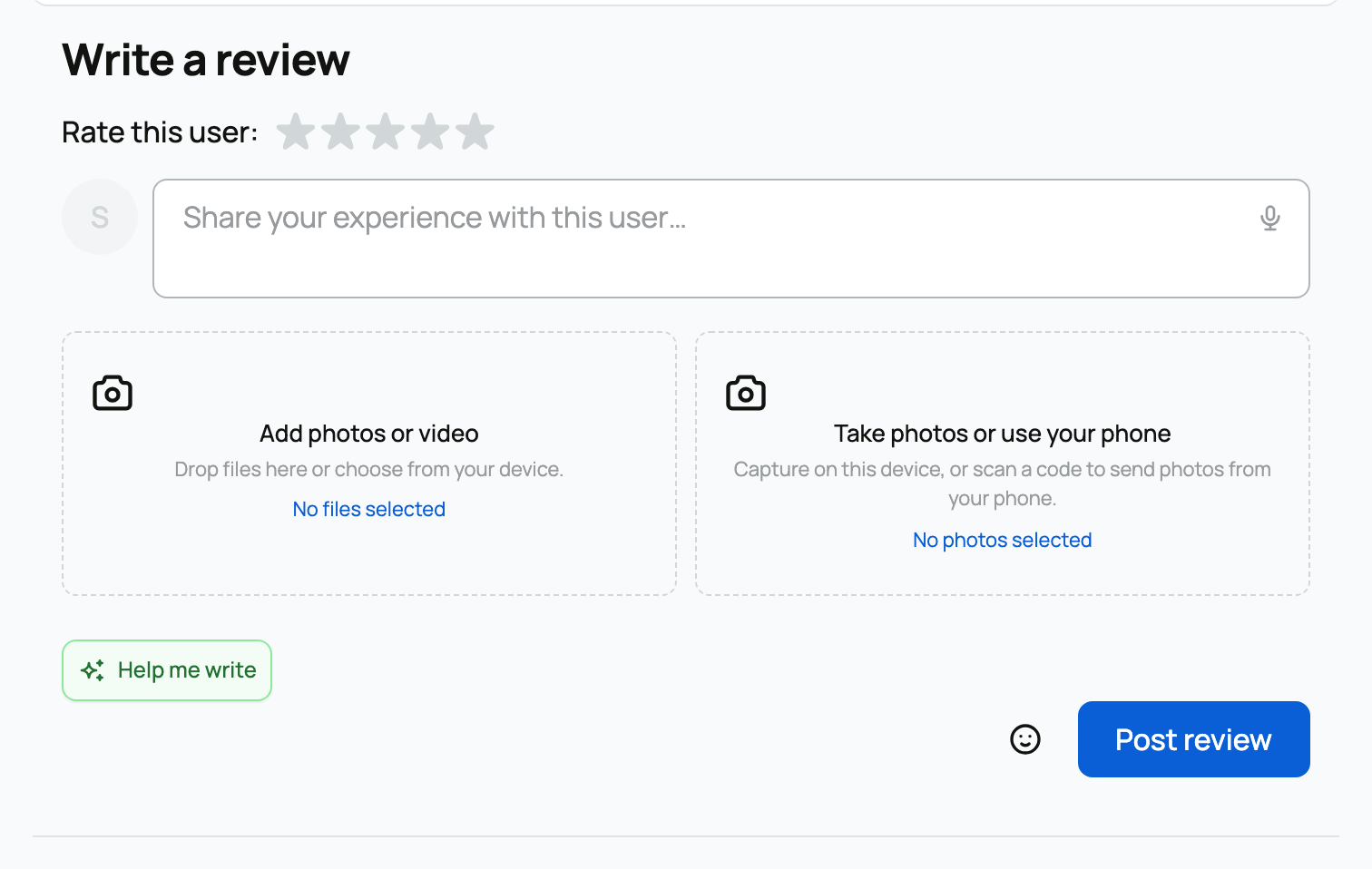
The verified review form, with the double-blind notice and the countdown


The six things you can leave a verified review for


A verified review is always attached to one specific completed transaction or service. You do not go looking for it; Creatures notifies you when one is ready and gives you the link. There are six kinds:


What you completed

You review

They review

When the review window opens

An animal sale (transaction)

the buyer reviews the seller

the seller reviews the buyer

when the buyer confirms delivery

A direct-hire transport (transport service)

the customer reviews the transporter

the transporter reviews the customer

when the transport is completed

A booking

the customer reviews the provider

the provider reviews the customer

when the booking is completed

A boarding arrangement

the customer reviews the provider

the provider reviews the customer

when the boarding is completed

Genetic storage

the customer reviews the provider

the provider reviews the customer

when the service is completed

A stewardship

the steward reviews the caretaker

the caretaker reviews the steward

when the stewardship is completed


A few things this table is telling you:


  • Only the two people in the transaction can leave a verified review of it. If you were not part of a given sale or service, you cannot review it. This is what makes a verified review trustworthy: every one comes from someone who was actually there.
  • There is exactly one review per side. The buyer leaves one review, the seller leaves one. When the seller is an organization, that one seller review can be written by any owner or member of the org; it still counts as the single review from that seller.
  • The clock starts when the window opens, not when money changed hands. For an animal sale, the window opens the moment the buyer confirms delivery (see Receiving your animal and confirming delivery), and you then have 30 days to leave your review. So the 30 days is measured from delivery confirmation, not from the day of purchase.


Filling out the verified review form


Every verified review uses the same simple form, no matter which of the six kinds it is. There are no extra per-type questions to answer.


  • A star rating, 1 to 5 (required). You pick a whole number of stars. This is the one field you must fill in. There are no half-stars: you choose 1, 2, 3, 4, or 5. The implication is that your rating is a clear, comparable number that rolls into the other person's overall score.
  • A written review. A text box for what you want to say about working with this person. Formatting is stripped down to plain text when it is saved, so what readers see is your words, cleanly. Be specific and fair; this is the part people actually read.
  • Photos or a video (optional). You can attach images or a short video, for example a photo of the animal as it arrived. You add media either by uploading from your device or by using a phone QR code to send pictures straight from your phone. The implication: a review with a real photo is far more convincing than text alone.
  • You need content or media. You can write text, attach media, or both, but a review cannot be completely empty. As long as you have a star rating plus either some words or a photo, you can submit.


Why it stays hidden: the double-blind window


Verified reviews are double-blind. When you submit yours, it does not appear right away. The form says it plainly:


Your review will remain hidden until both you and the other person submit your reviews, or until the 30-day deadline passes.


  • What this means: neither side can see the other's review before writing their own. You cannot read what the seller said about you and then match or retaliate, and they cannot do that to you. Both reviews stay sealed.
  • How they become visible: the moment both of you have submitted, both reviews flip to visible at the same time, and you are both notified that they are now live. If only one of you ever writes a review, it stays hidden until the 30-day window passes, and then the one that exists is revealed.
  • The countdown: while the window is open, the form shows how long you have left, for example "You have 12 days remaining," counting down to "Today is the last day." Creatures also sends a reminder nudge so a review you meant to leave does not slip past the deadline.


The point of all this is honesty. Because you write blind, the rating you give reflects your real experience rather than a reaction to what the other person said.


Free-form reviews: on any profile


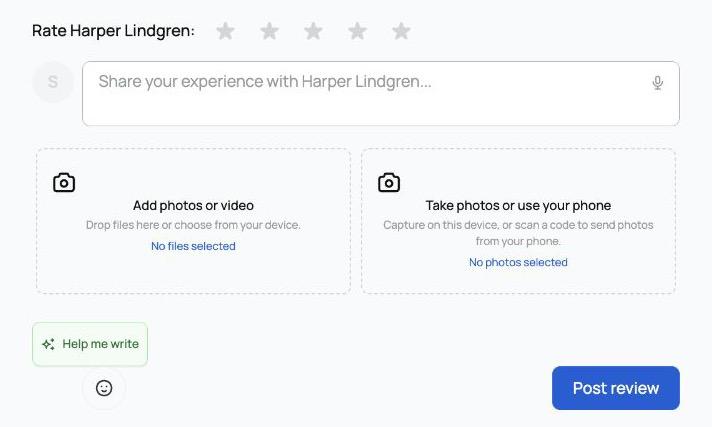
Separately from completed transactions, you can leave a free-form review on a member's profile, from the Reviews tab of that profile. This is the open, public-rating style of review.


The free-form review composer on a profile's Reviews tab


How a free-form review differs


  • No transaction needed. Any signed-in member can leave one on another member's profile. You do not have to have bought from them or sold to them.
  • It shows immediately. Unlike a verified review, there is no hidden window. As soon as you post, it is visible on their Reviews tab.
  • One per profile. You can leave one free-form review per member. If you try to add a second to the same profile, Creatures tells you that you have already reviewed this member. To change your mind, delete your existing one first (see Reviews you receive for how deletion works), then leave a new one.
  • It is lower-trust by design. A free-form review is not tied to a verified transaction, so it does not carry the Transaction Review marker. It still counts toward the member's overall rating, but readers can see it is a profile review rather than a confirmed-transaction one.


Filling out the composer


  • A star rating, 1 to 5. Same whole-number scale as everywhere else, no half-stars.
  • Your review text. Write what you want to share. There is a Help me write option that uses AI to help you turn rough notes into a clear review if you want a hand getting started; you stay in control of the final words.
  • Photos or a video (optional). As with verified reviews, you can attach images or a short video from your device or by phone QR.
  • Content or media required. Stars plus either text or a photo. A review cannot be entirely empty.


Which one should you leave?


If Creatures has invited you to review a completed transaction, leave that verified review: it is the strongest, most trusted signal you can give, and the other person is waiting to review you back. Use a free-form review when you want to vouch for someone you have dealt with on Creatures but where there is no specific completed transaction to attach it to. For how every review is displayed, marked, and scored once it is live, read How reviews and ratings work.


Updated on: 23/06/2026

Was this article helpful?

Share your feedback

Cancel

Thank you!