
Reserving a place in a litter or group
To reserve from a breeder's upcoming litter, apply on the group's page first. If the breeder accepts you, you pay a deposit to hold your place, then pay the rest when your animal is ready.
A group on Creatures is a litter, kid crop, clutch, or other batch of young animals listed together before each has its own profile.
Apply for the group
- Open the breeder's group page and select the main button. Depending on the group, it says Apply, Join interest list, Join waitlist, or Reserve your spot.
- Fill in The home and care you can offer and Your ideal future match. Preferences guide the breeder but don't promise a certain animal.
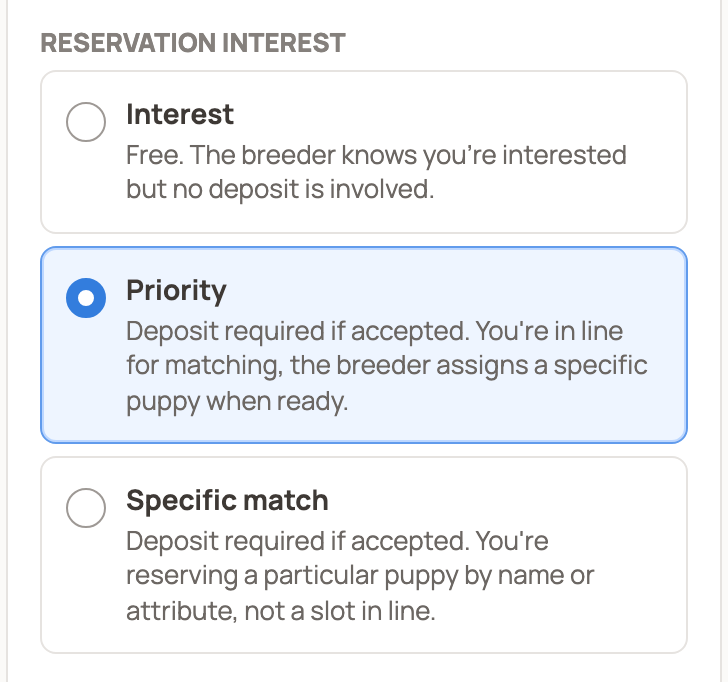
- Under Reservation interest, choose one:
- Interest: free, with no deposit. The breeder just knows you're interested.
- Priority: a deposit is due if you're accepted. The breeder assigns you an animal later.
- Specific match: a deposit is due if you're accepted. You ask for one animal by name or traits.
- Answer any questions from the breeder, agree to the terms, and select Submit application.
Not signed in? The button opens the application, where you can Apply as a guest and confirm your email, or sign in.
If there's an application fee
Applying is free unless the breeder charges a fee. After you submit, the page shows Application fee due and a Pay $X fee button. This screening fee is separate from any deposit and doesn't count toward the price. Once it's paid, the page shows Fee paid and the breeder can review your application.
If the breeder refunds the fee, you get a notice and the page shows Fee refunded. The money goes back to your original payment method, and your application stays as it is.
Follow your application
Open Dashboard, then Buying, then Applications, and choose Groups. On a phone, tap your profile picture first, then Dashboard.
- Accepted: the breeder said yes. If you chose Priority or Specific match, you pay a deposit once the breeder opens reservations.
- Waitlisted: the group's page shows Your waitlist position: #N. If a place opens, you have 72 hours to answer with Respond to offer. Applying to a breeder's program explains how offers work.
- Rejected: this group wasn't the right fit. Any note from the breeder shows in your notification and on the group's application page. If your plans change, you can apply again after 24 hours.
While your application is pending or waitlisted, Withdraw application gives up your place and any open offer.
Pay your deposit
When reservations open, select Place priority deposit or Place specific deposit on the group's page. The reserve page opens, such as Reserve this litter.
Check the Deposit due today and the Refund policy: whether the deposit is refundable, any cooling-off period, and when Creatures releases it to the breeder (at deposit, when each animal gets its own profile, or at handoff). Open Policy details for the full terms.
Then enter your payment details, agree to the terms, and select Place deposit.
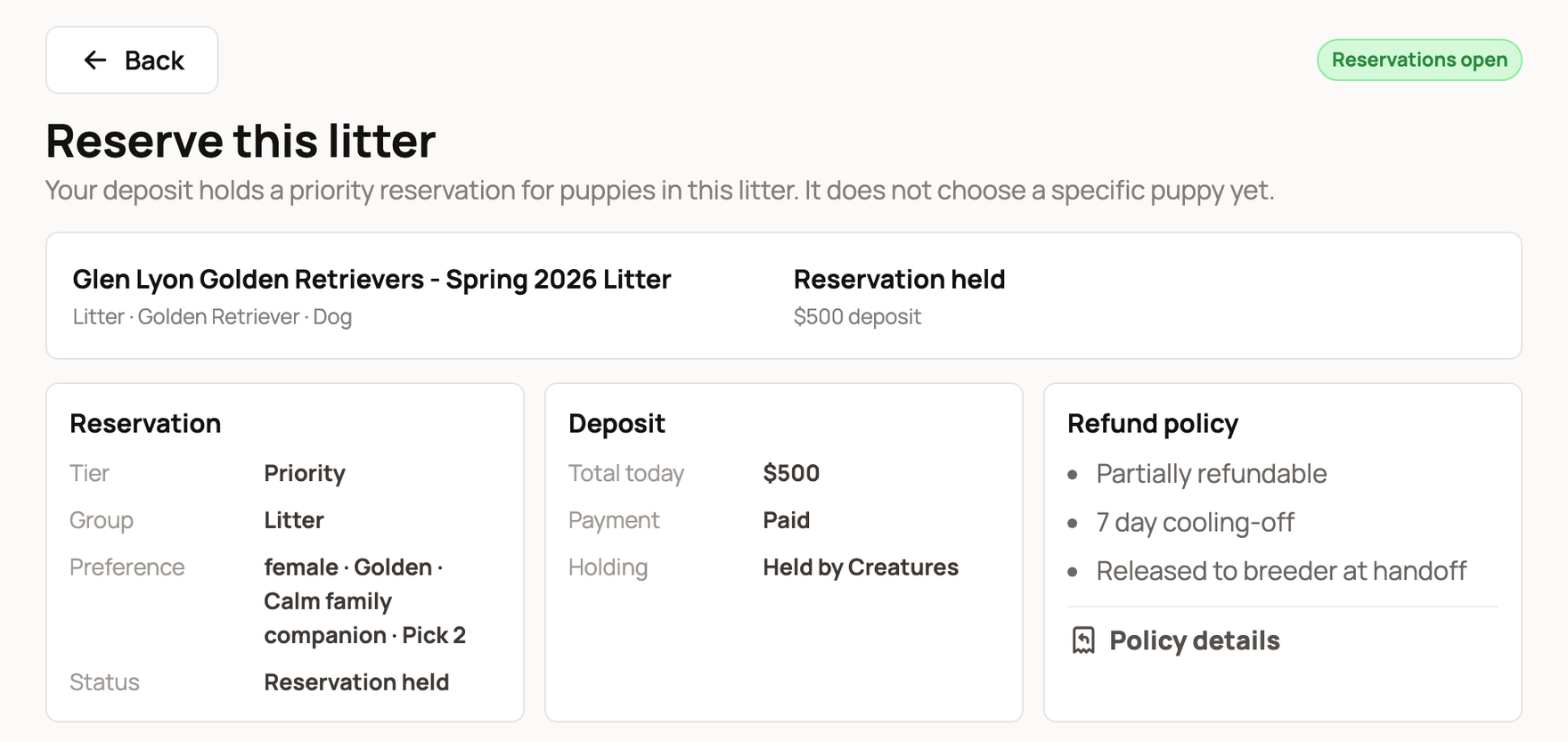
Afterward, the Deposit panel shows Paid and Held by Creatures. If it says Card authorized, not charged yet, the amount is only on hold on your card.
While you wait
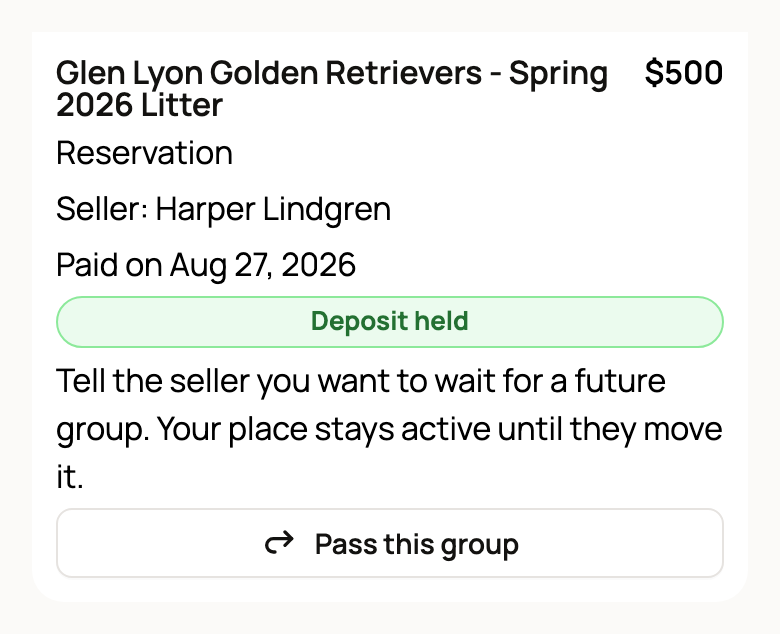
Your reservation appears in Dashboard > Buying > Purchases marked Deposit held. To wait for a future litter instead, select Pass this group. Your place stays active until the breeder moves it, and Stay with this group undoes the pass.
If the breeder linked the group to a pregnancy, you can also follow their updates.
If something goes wrong, message the breeder first. If that doesn't help, select Open a support request on the reserve page.
Pay the balance
When your animal is matched, the breeder sends a balance invoice with your deposit applied as a credit. Select Pay remaining balance on your Purchases card, then Confirm pickup or delivery once your animal is home.
Related information
- Paying a private deposit on one animal
- Following a reserved litter
- Applying to a breeder's program: waitlists and offers
- Buyer applications: what they are and how to apply
Updated on: 05/11/2026
Thank you!