
Boarding your animals with a provider
A boarding subscription is a monthly booking for one or more of your animals with a boarding provider. Pick a service, apply if the provider asks for approval, then subscribe and pay each month.
Choose a service
Open a service from Marketplace > Boarding. Its page shows the provider, the location, Housing, Species accepted, any Minimum stay, and the Monthly rate per animal.
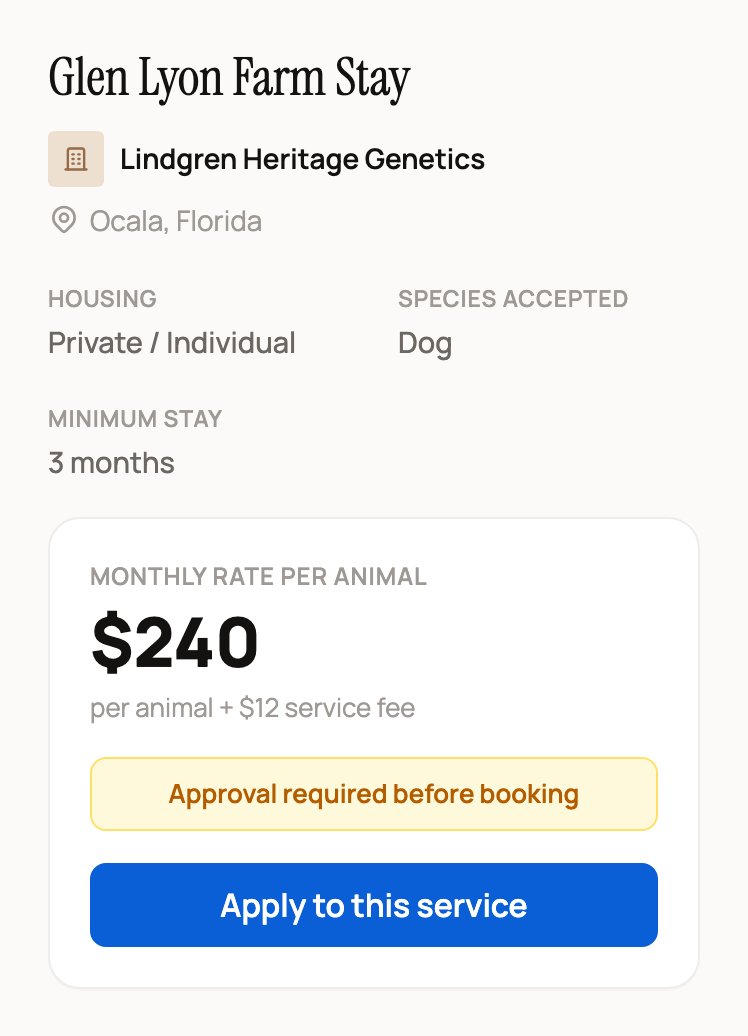
The rate is the price for one animal. Your monthly total is the rate times the number of animals, plus a 5% service fee. The line under the price shows the fee for one animal. For example, two animals at a $240 rate cost $480 plus a $24 fee, or $504 a month.
If you aren't signed in, the page says Sign in to subscribe to this boarding service. Select Sign in, and Creatures brings you back to the same service.
Apply when approval is required
Approval required before booking means the provider wants to review your animals first. Applying is free.
- Select Apply to this service.
- In Select Animals to Apply With, pick one or more animals. You can pick animals you own or co-own, of a species the service accepts. No match? Creatures offers to create an animal profile first.
- Select Continue to Apply.
- Answer the provider's questions, or tell them about your situation. Then select Submit application.
The service page now says Your application is pending approval.
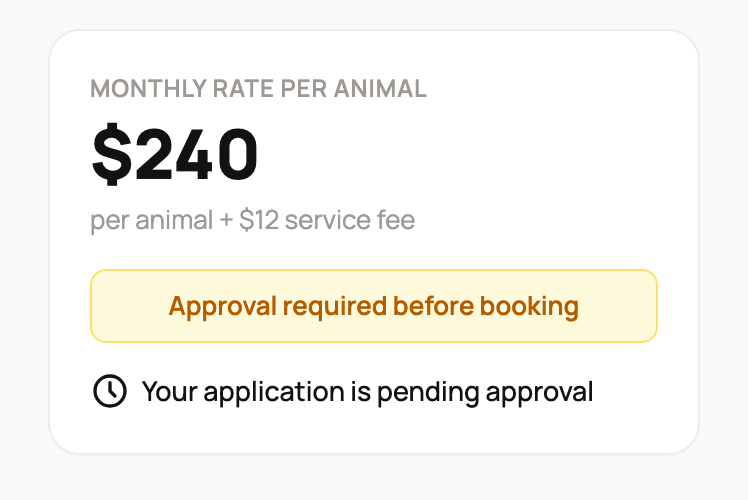
You get a notification when the provider decides. If you're approved, the button changes to Subscribe to this service. If not, the page says Your last application wasn't approved. You can message the provider to ask what would help, or select Apply again.
Subscribe and pay
- Select Subscribe to this service. If you applied, the animals the provider approved are filled in for you. If the service doesn't need approval, choose your animals in Select Animals to Board, then select Continue to Subscribe.
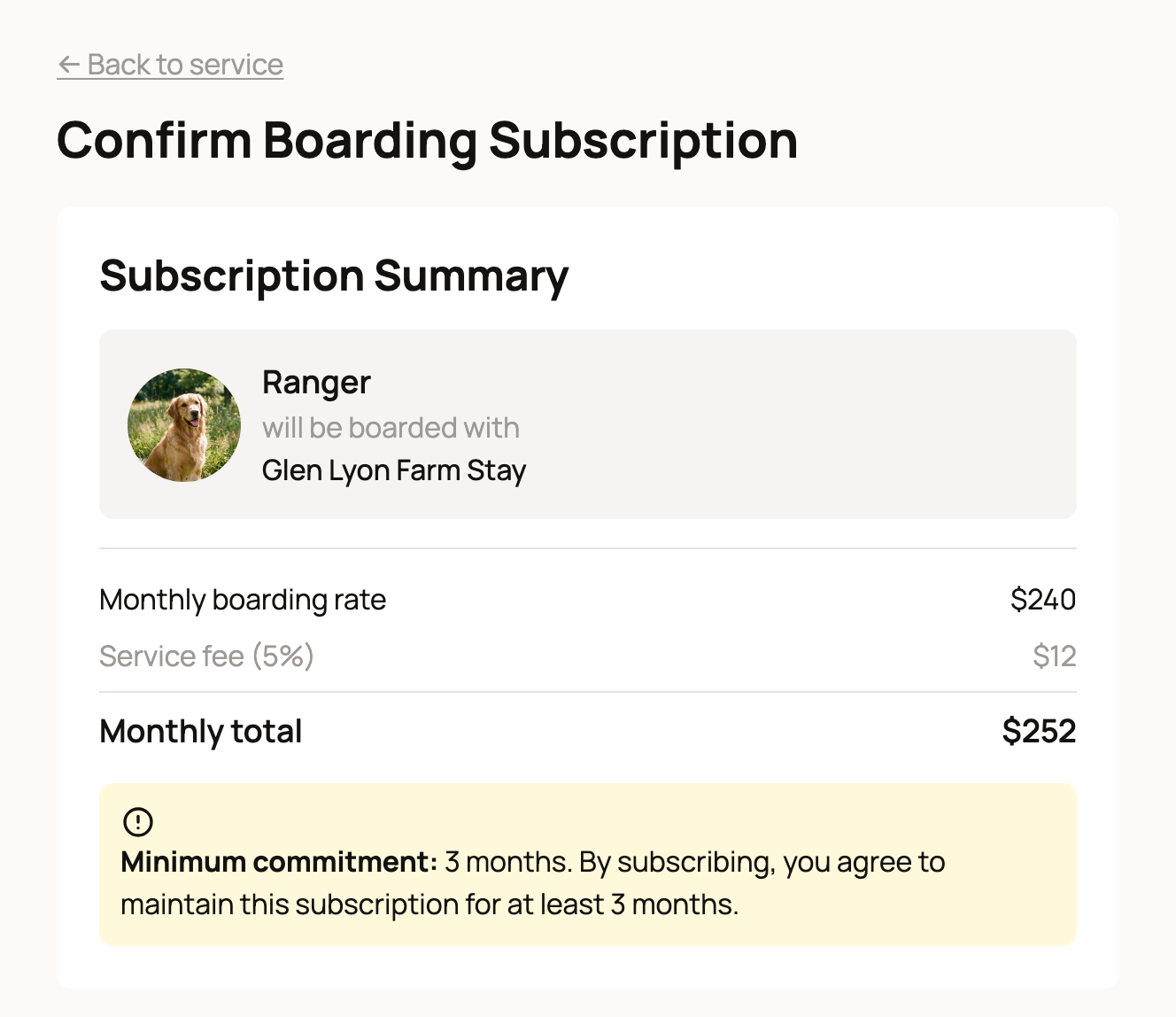
- Check the Subscription Summary. It lists your animals, the Monthly boarding rate, the Service fee (5%) and the Monthly total. If the service has a minimum stay, it shows the Minimum commitment. Subscribing means you agree to keep boarding for at least that long.
Have a code? Open Have a promo code?, enter it, and select Apply. If you have Creatures Credit, the page offers to apply it. A promo code and credit lower your first payment only. Later months bill the full amount.
When the total looks right, select the subscribe button, such as Subscribe for $252/month. Secure Stripe checkout opens, where you save a card or bank account (ACH) for the monthly charge. When you finish, Creatures opens My Boarded Animals.
Each animal can be in only one active boarding subscription at a time.
Manage or cancel boarding
Open your Dashboard, select Services, then Boarding, then the My Boarded Animals tab. Each card shows the Monthly cost, when it Started, the Next payment date, and Commitment until while a commitment is running.
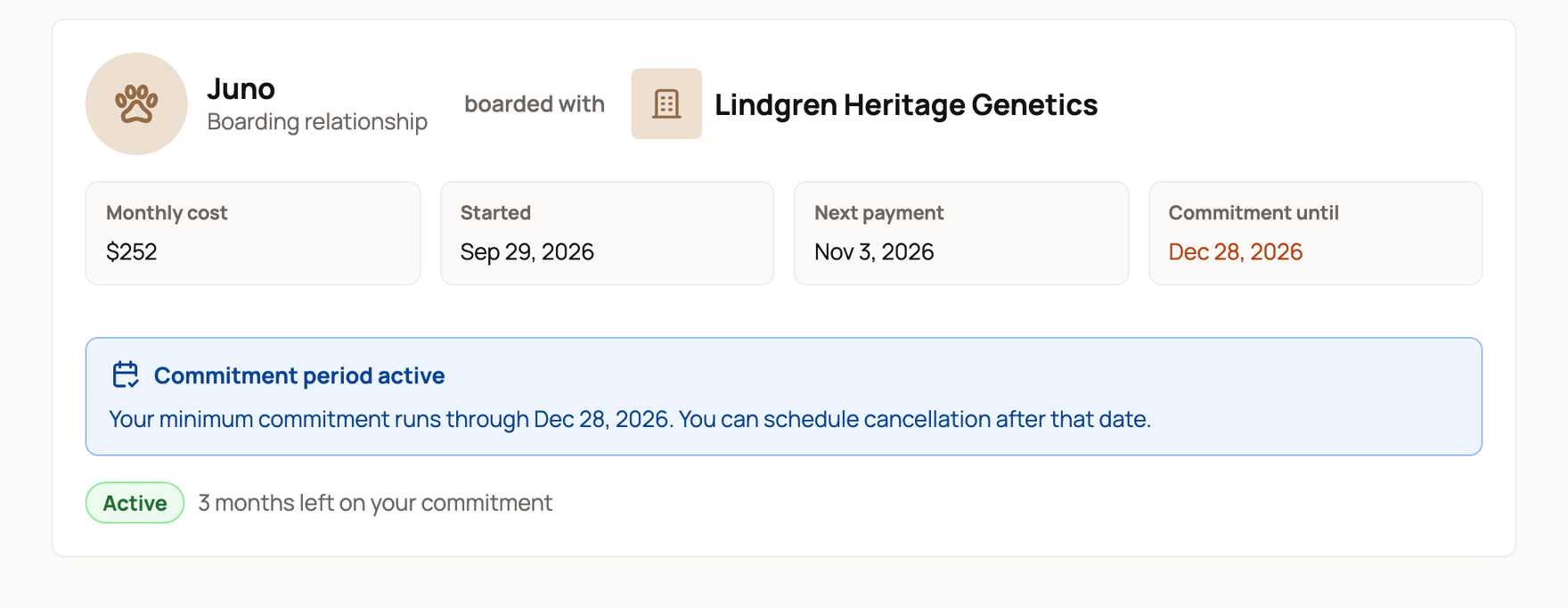
During a minimum commitment, there is no cancel button. The card shows how much time is left, such as 3 months left on your commitment.
After the commitment ends, or if there wasn't one, select Cancel Subscription. In Cancel this boarding subscription?, select Cancel boarding. Boarding continues to the end of the current billing period, and the card shows the date it ends. That last period isn't refunded on its own. For payment or refund questions, contact Creatures support.
Bought an animal that comes with boarding? See Buying an animal with boarding included.
Leave a review when invited
You're invited to leave a verified review after your first renewal payment, or when boarding ends if that comes first. The invitation lasts 30 days.
Related information
- Buying an animal with boarding included
- Leaving a review
- Creatures Credit: what it is and how it is spent
- Listing a boarding service
Updated on: 29/10/2026
Thank you!