
Buying an animal with boarding included
Some sellers offer boarding, so the animal can stay at their farm after you buy it. You add boarding at checkout, it is billed every month, and the seller is paid for the animal as soon as checkout completes.
Check the boarding panel on the listing
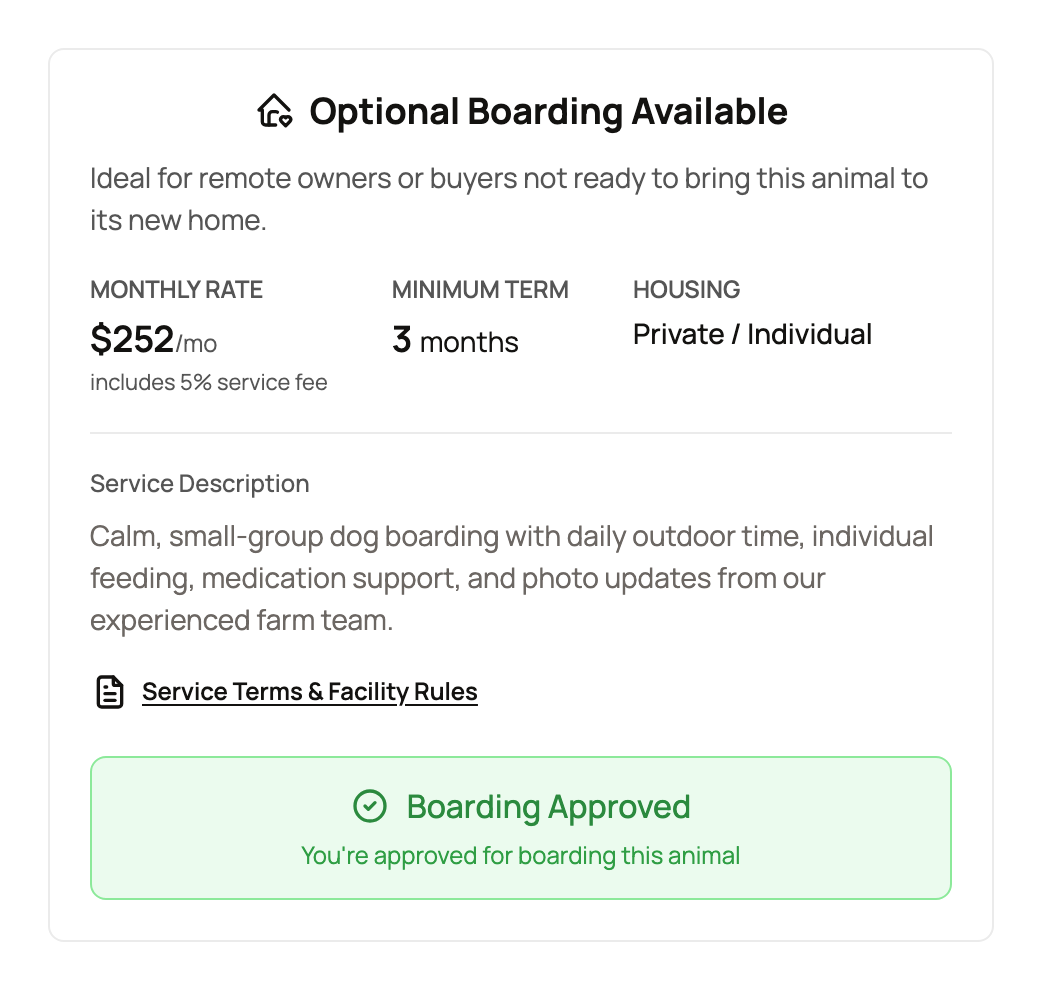
Scroll down the listing to the boarding panel. Its title tells you the type:
- Optional Boarding Available: you can add boarding or skip it.
- Boarding Required: you can only buy this animal with boarding.
The panel shows the Monthly Rate (it includes the 5% service fee), the Minimum Term you commit to, and the Housing. Some listings also show an Included Period, which is a number of months of boarding that come FREE with purchase. Select Service Terms & Facility Rules to read the seller's rules before you buy. If no approval is needed, the panel ends with "You can add boarding during checkout".
If the seller must approve you first
Some sellers want to review boarders before the sale. Their panel shows Interested in Boarding? with Apply Now. Send your application before you buy. You need to be signed in to buy with boarding that needs approval.
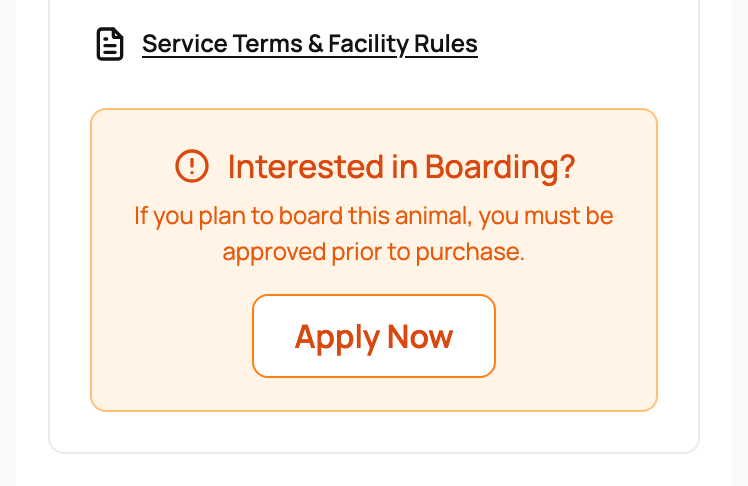
The panel then shows Application Pending, Boarding Approved or Application Declined. With optional boarding, Buy Now goes ahead without boarding until you are approved. When boarding is required, you can't buy the animal until the seller approves you.
Add boarding at checkout
- Select Buy Now.
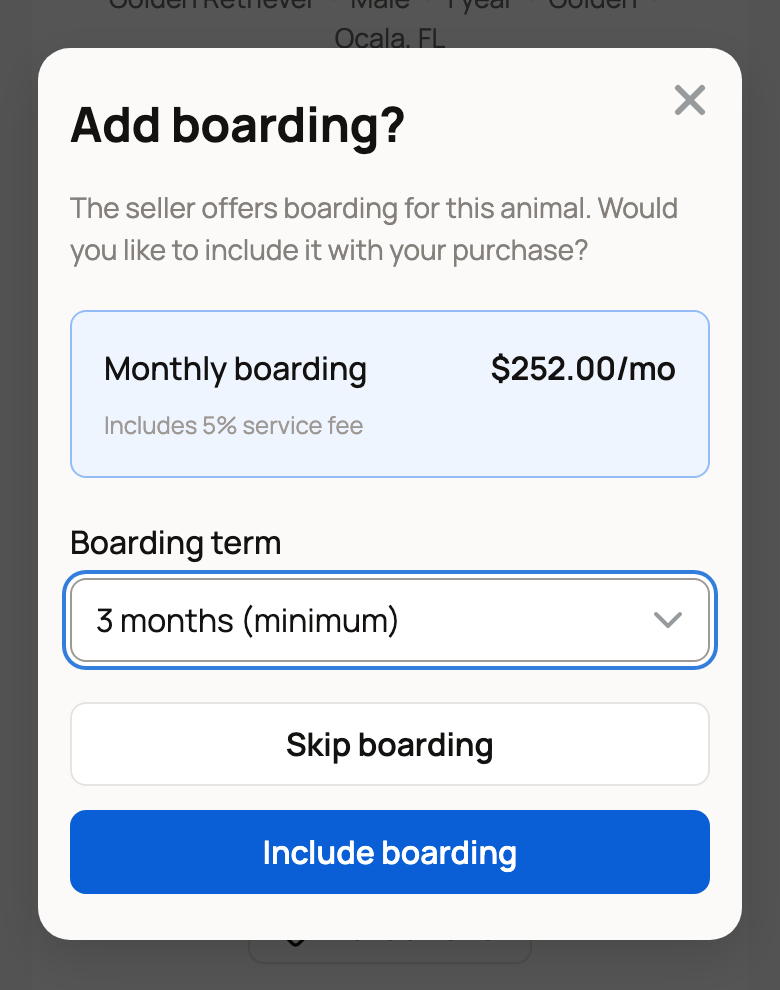
- Add boarding? shows the monthly price. Under Boarding term, choose how long. The first choice is the seller's minimum. If there is no minimum, you can also pick No minimum (cancel anytime).
- Select Include boarding. To buy without it, select Skip boarding.
When boarding is required, this step is skipped and boarding is added for you at the minimum term. There is no delivery step either, because the animal stays with the seller.
What you pay
The Checkout summary lists the one-time costs first: Animal price, Service fee and Subtotal. Under Monthly Recurring it shows Boarding and Boarding service fee, with a note that boarding is billed monthly and that Credit and Wallet balance can't pay it.
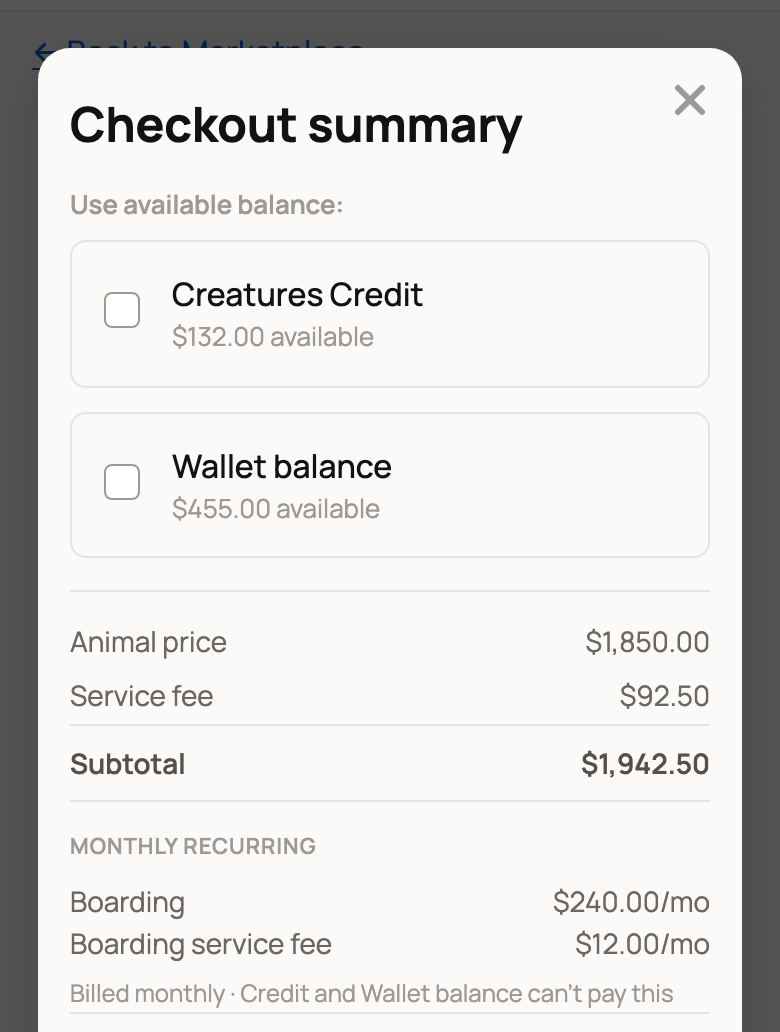
- Creatures Credit and Wallet balance can pay the one-time part only.
- Promo codes can't be used on a purchase with boarding.
- Total includes your first month of boarding, unless the seller includes free months.
- Free months are not billed. The summary says how many are included, and Total leaves boarding out because monthly billing starts after they end.
Select Continue to Checkout to pay on the secure payment page.
How the seller is paid
On most purchases, Creatures holds your payment until you confirm pickup or delivery. Boarding works differently. The seller is paid for the animal as soon as checkout completes, because the animal stays in their care.
Boarding is billed and managed on its own, under its own terms. So read the boarding terms and ask the seller your questions before you pay. If something goes wrong, contact support right away.
After you buy
The animal is yours, and the seller now cares for it as your boarding provider. The listing's panel changes to Boarding Included. To follow the stay, change it or end it later, see Boarding your animals with a provider.
Related information
- Boarding your animals with a provider
- Buying at a fixed price
- How buying works: payments, held funds, and protection
- Paying with Wallet, Credit, and ACH
Updated on: 29/10/2026
Thank you!