
Managing your boarding business
Use the Boarding area of your dashboard to control which services can accept new customers, review applications, and see the animals currently in your care.
Manage service availability
Open Dashboard > Services > Boarding > My Services.
- Publish makes a draft available to customers once verification is complete.
- Disable stops new applications and subscriptions and removes the service from search. Its status becomes Paused, and its public link stops loading for customers until you select Enable. Existing subscriptions continue.
- Enable makes a disabled service available again.
Use Edit to change the price, accepted species, rules, photos, or screening choices. If capacity is full, select Disable. Hide from boarding directories only changes where the service is listed; it does not stop new business or make the service private.
Review applications
Select Pending applications in My Services to see the animals and answers attached to each request.
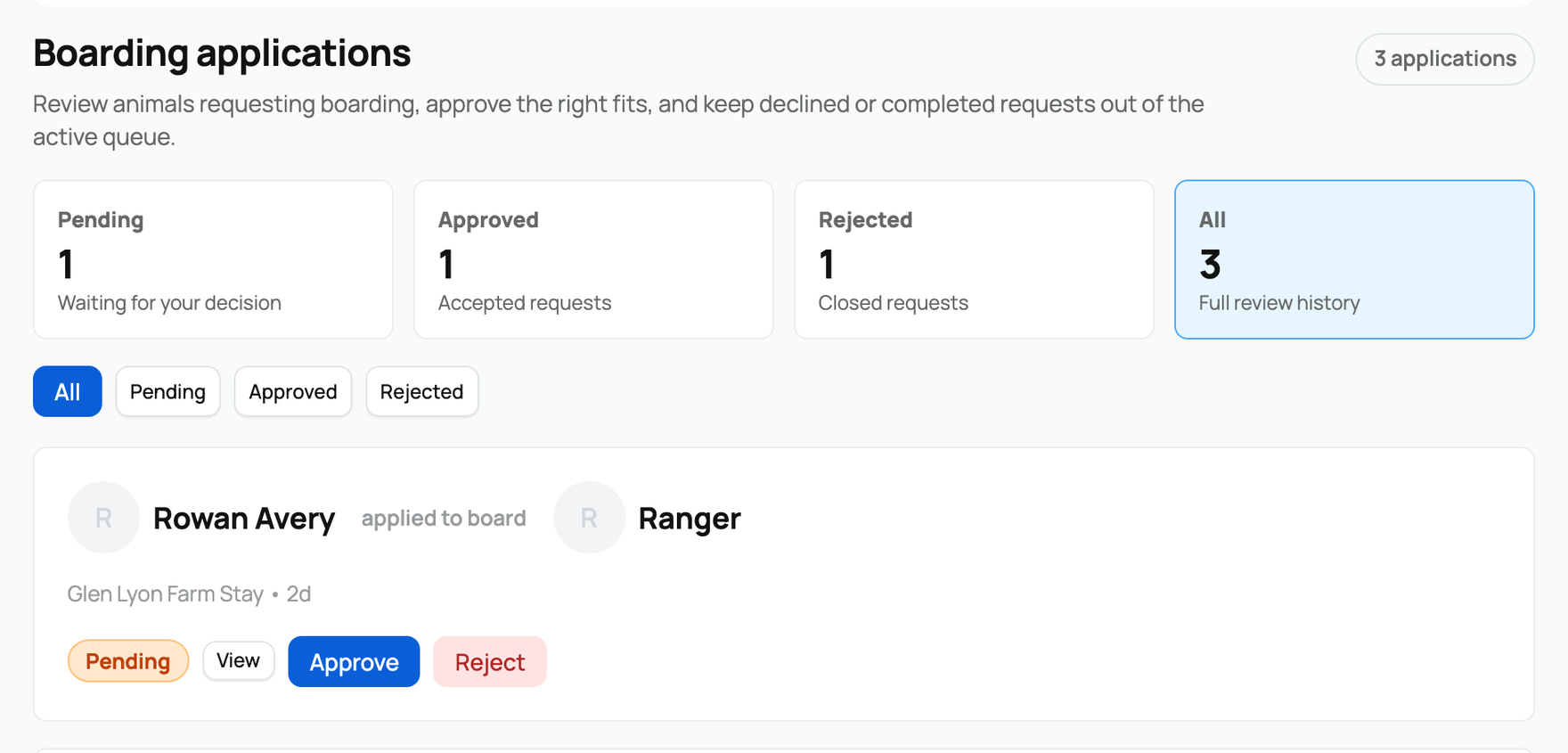
- Pending needs your decision. Open View when you need the full answers before acting.
- Approve gives that applicant permission to start a subscription for the approved animals. It does not reserve space, charge a card, or begin billing by itself.
- Reject closes the request and prevents that application from being used to subscribe.
Use the status filters to separate current decisions from accepted and closed history. After opening View, select Export CSV to download that service's application answers.
Track active customers
Open Customers for active boarding relationships.
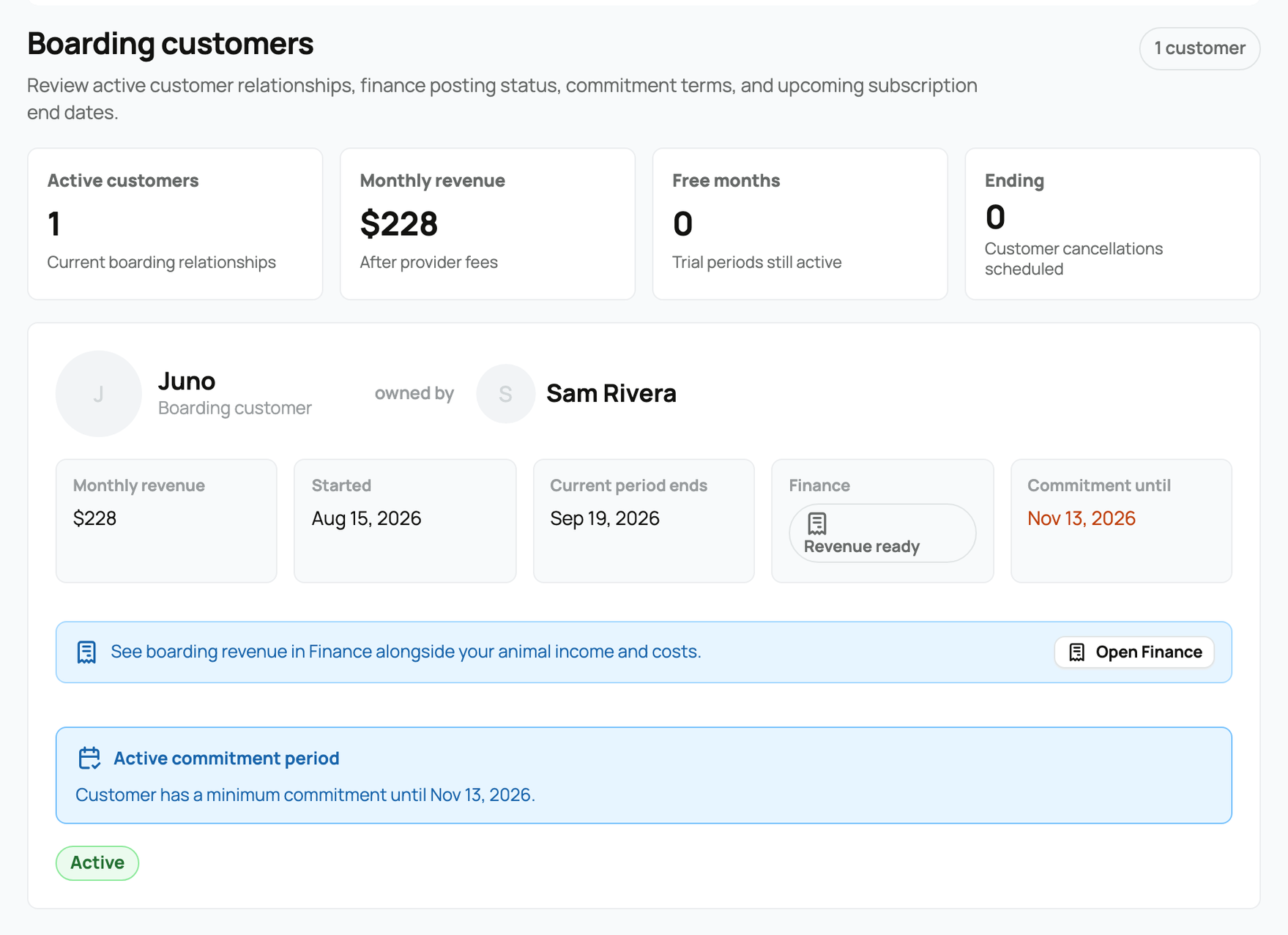
The summary shows active customers, monthly provider revenue, free-month periods, and subscriptions scheduled to end. Each customer card identifies the animals and owner, the current billing-period end, any commitment date, and the related Finance status. Boarding income appears in your Creatures Wallet and can connect to your Finance records; see Your Creatures Wallet.
Pausing a service does not pause or cancel its current subscriptions. The provider dashboard also does not currently include a cancel or refund action. Customers manage eligible cancellations from My Boarded Animals. If a payment needs correction or refund review, contact Creatures support instead of treating a service status change as a payment change.
For the customer's booking and cancellation flow, see Boarding your animals with a provider.
Related information
Updated on: 02/09/2026
Thank you!