
Offering boarding with an animal you sell
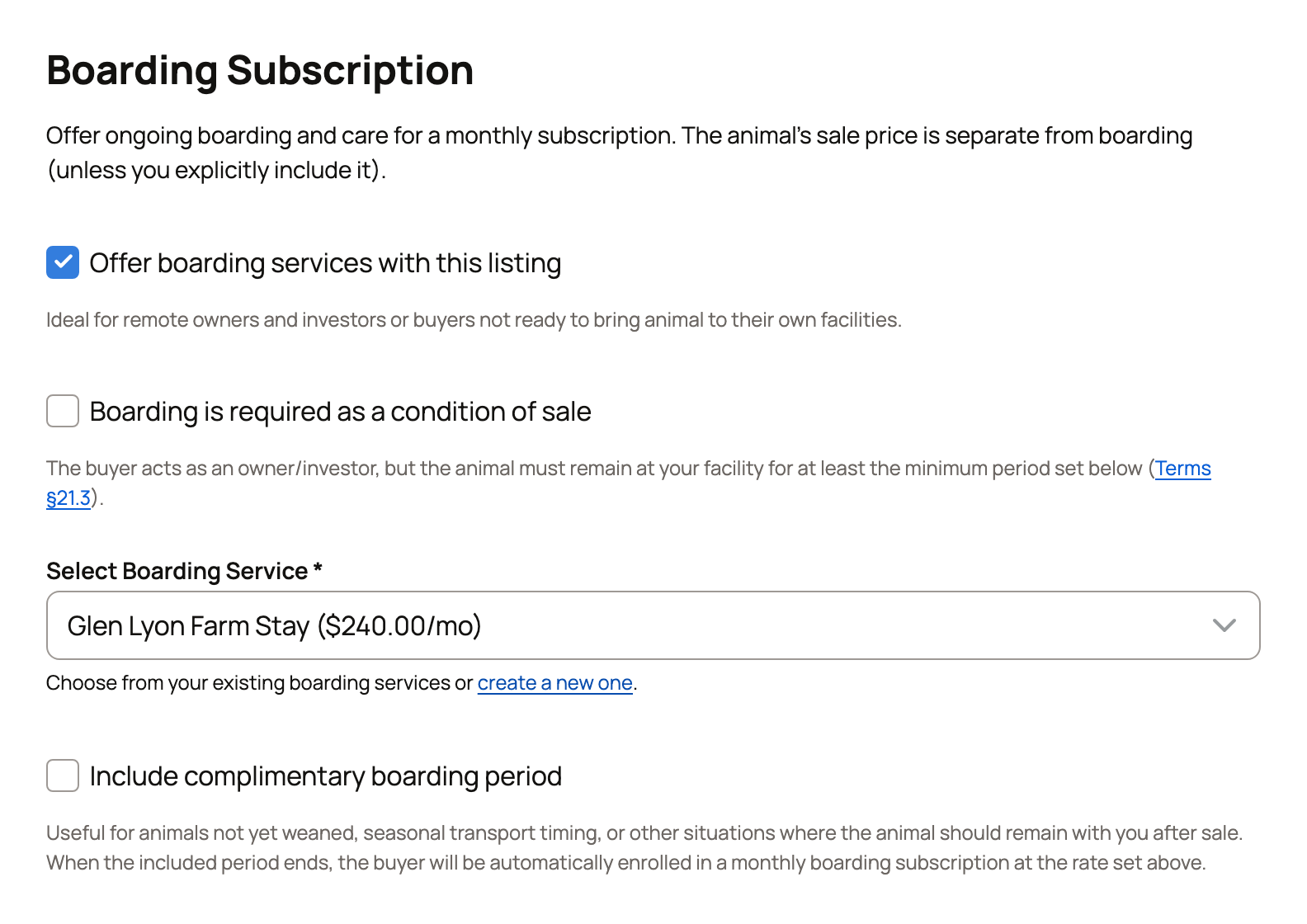
To let a buyer leave the animal at your place after the sale, offer boarding on the listing. Turn on Offer boarding services with this listing, pick one of your boarding services, and buyers can add your monthly boarding when they buy.
Before you start
You need a published boarding service that accepts the animal's species. It can be yours or belong to a farm or organization you own or co-own. You can also create one from the listing. Publishing a service needs a verified phone number and a verified identity.
Turn on boarding
- Start a new listing (see Listing an animal at a fixed price), or open your listing and select Edit.
- Scroll to Boarding Subscription and turn on Offer boarding services with this listing.
- Under Select Boarding Service, pick the service.
- Finish and save the listing as usual.
A matching draft shows under the list. To use it, publish it first: select Finish setup on it under Dashboard > Services > Boarding, then Publish.
Make boarding required or optional
Leave Boarding is required as a condition of sale off, and boarding is optional. Buyers choose whether to add it, and your service's usual minimum applies.
Turn it on, and every buyer must subscribe to your boarding. Then pick a Minimum commitment for this listing from 1 to 12 months. The animal stays with you at least that long, whatever the service's usual minimum is.
Include free months
After you pick a service, you can turn on Include complimentary boarding period. Enter the Number of Included Months, from 1 to 12. Boarding is free during those months, and they count toward any minimum commitment. After that, the buyer is billed each month at your service's rate plus the 5% service fee.
Create a service from the listing
No service yet? Choose + Create new boarding service in the list, or select create a new one below it. The Create Boarding Service panel opens and says the service will be published and offered with your listing.
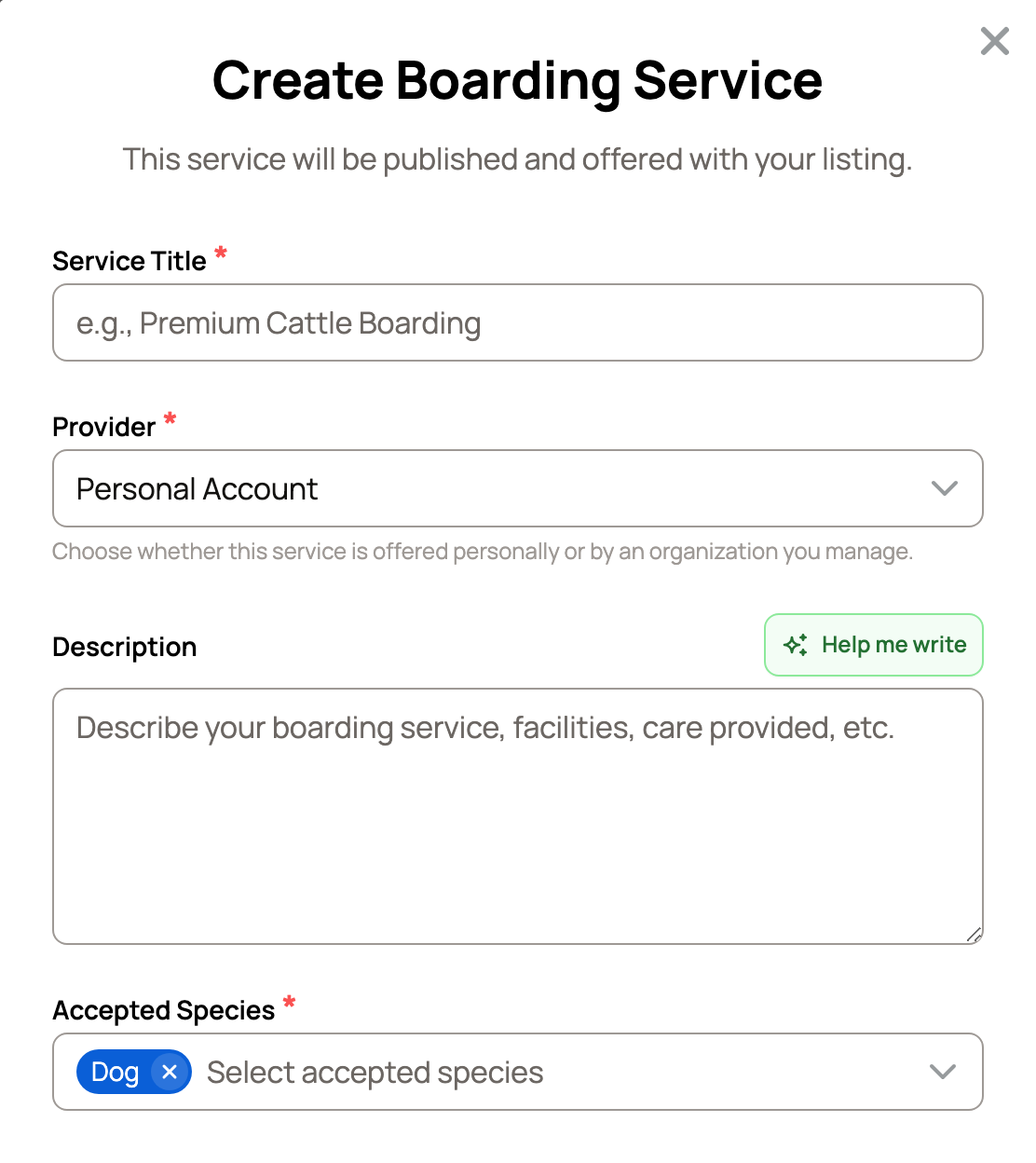
- Keep the species that's already selected. Keep Provider set to the seller on your listing.
- Fill in the rest as in Listing a boarding service.
- Confirm that your facility meets local rules, then select Create and publish.
If your phone and identity are verified, the service goes live and is picked for your listing. If not, the listing shows the reason with a Complete verification link, and the service waits as a draft.
What buyers see
Your listing shows a box titled Optional Boarding Available or Boarding Required. It lists the Monthly Rate with the 5% service fee included, the Minimum Term and the Housing. Free months show as Included Period. After the sale, the box reads Boarding Included.
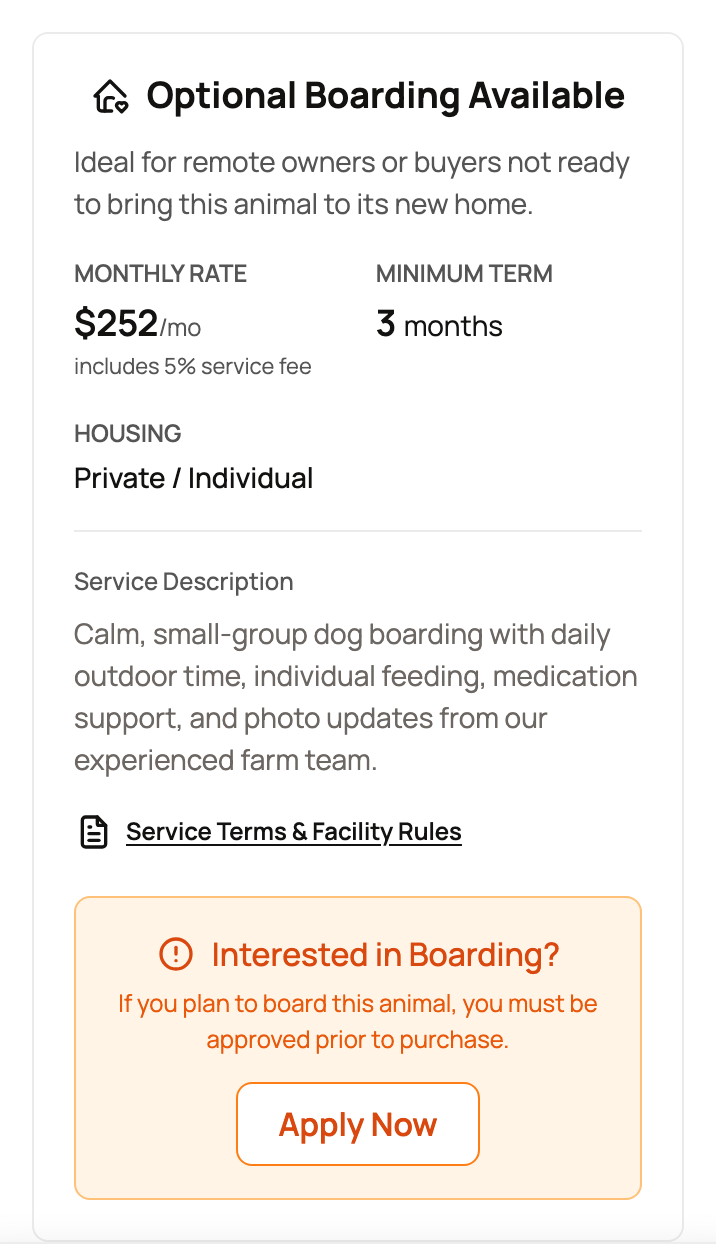
If your service requires approval, buyers who want boarding apply first with Apply Now. They must be signed in to buy with boarding. You review them under Applications, as described in Managing your boarding business. The buyer's side is in Buying an animal with boarding included.
When you get paid
When a buyer adds boarding, your proceeds from the sale go to your Creatures Wallet as soon as they check out. You don't wait for a pickup or handoff. Monthly boarding payments are separate: your rate minus the provider fee, starting after any free months. See How seller payout works.
If something looks wrong
- The service isn't in the list: check that it's published and accepts the animal's species.
- The listing won't save: a draft or paused service can't be saved with the listing. Publish it, enable it under Dashboard > Services > Boarding, or turn boarding off.
- You paused the service later: the listing stops offering boarding, and a listing that requires boarding can't be bought until you enable the service again.
Related information
- Listing a boarding service
- Managing your boarding business
- Buying an animal with boarding included
- How seller payout works
Updated on: 29/10/2026
Thank you!