
Requesting transport for an animal
Use Marketplace > Transport to compare approved transporters, then select Request a quote on the profile that fits your animal and trip. The transporter sends the actual price for you to accept before any payment is collected.
Choose a transporter
Filter by the species you need moved, then open a profile to review its service area, vehicle type, capacity, rates, completed jobs, and reviews.
Every listed transporter has an approved profile. Check the Identity verified label and document badges for more information:
- Licensed means Creatures reviewed the license currently on the profile.
- Insured through [date] means Creatures reviewed the current insurance certificate and the coverage date has not passed.
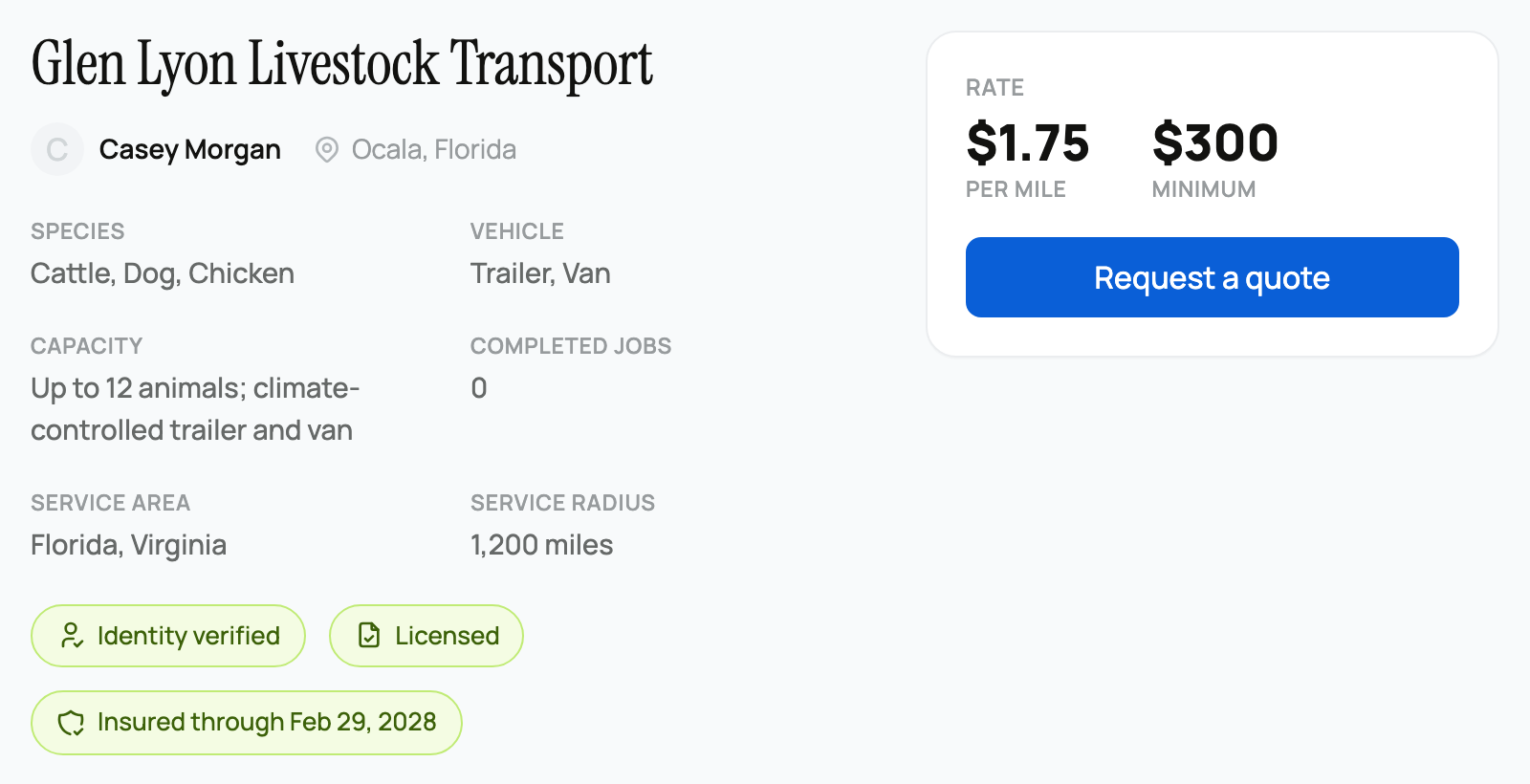
Licensing and insurance documents are optional at application, so do not assume a provider holds them when those badges are absent. After sending a request, use Message Provider on its page to ask about coverage, permits, equipment, or animal-handling experience before you pay.
Request the quote
- Select Request a quote on the transporter's profile.
- Choose a Species that the transporter offers and check the Number of Animals, which starts at 1.
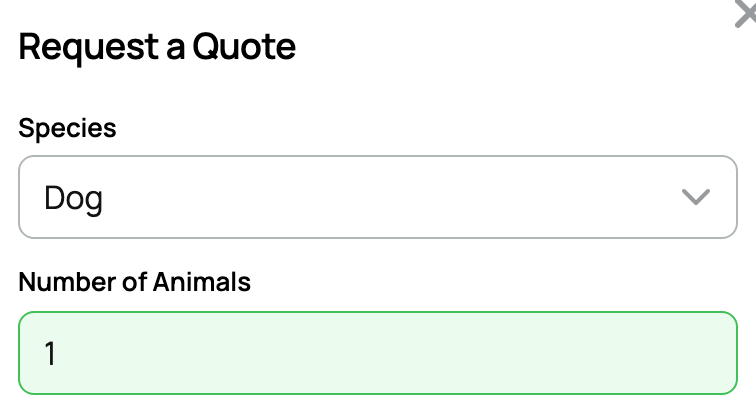
- Add the pickup location under Origin and the delivery location under Destination.
- Add timing, loading access, handling needs, or equipment details under Comments.
- Select Request Quote.
The request starts as Requested on its page and Awaiting Quote in your dashboard's Requests list. It notifies the transporter. You cannot request your own transport service.
The separate transport quote calculator only gives an estimate for Dedicated Haul and Shared Load service in the continental United States. It does not contact a transporter or create a request. Use the button on a transporter profile when you are ready for an actual quote.
Review the price and pay
When the transporter responds, the request becomes Quoted. Review the price, notes, animal count, and pickup and delivery details before selecting Accept & Pay.
Creatures adds a 5% buyer service fee to the quoted transport price. A promo code reduces the transport line, not the buyer fee. You can apply available Creatures Credit or Wallet funds toward the checkout total before paying the remainder.
After payment, the job is Assigned and the money is held until delivery is confirmed. If the price or plan does not work, select Decline before paying and request another transporter.
After you pay for this direct request, its page has no cancel control. If plans change, message the transporter and contact Creatures support.
Follow the trip and confirm delivery
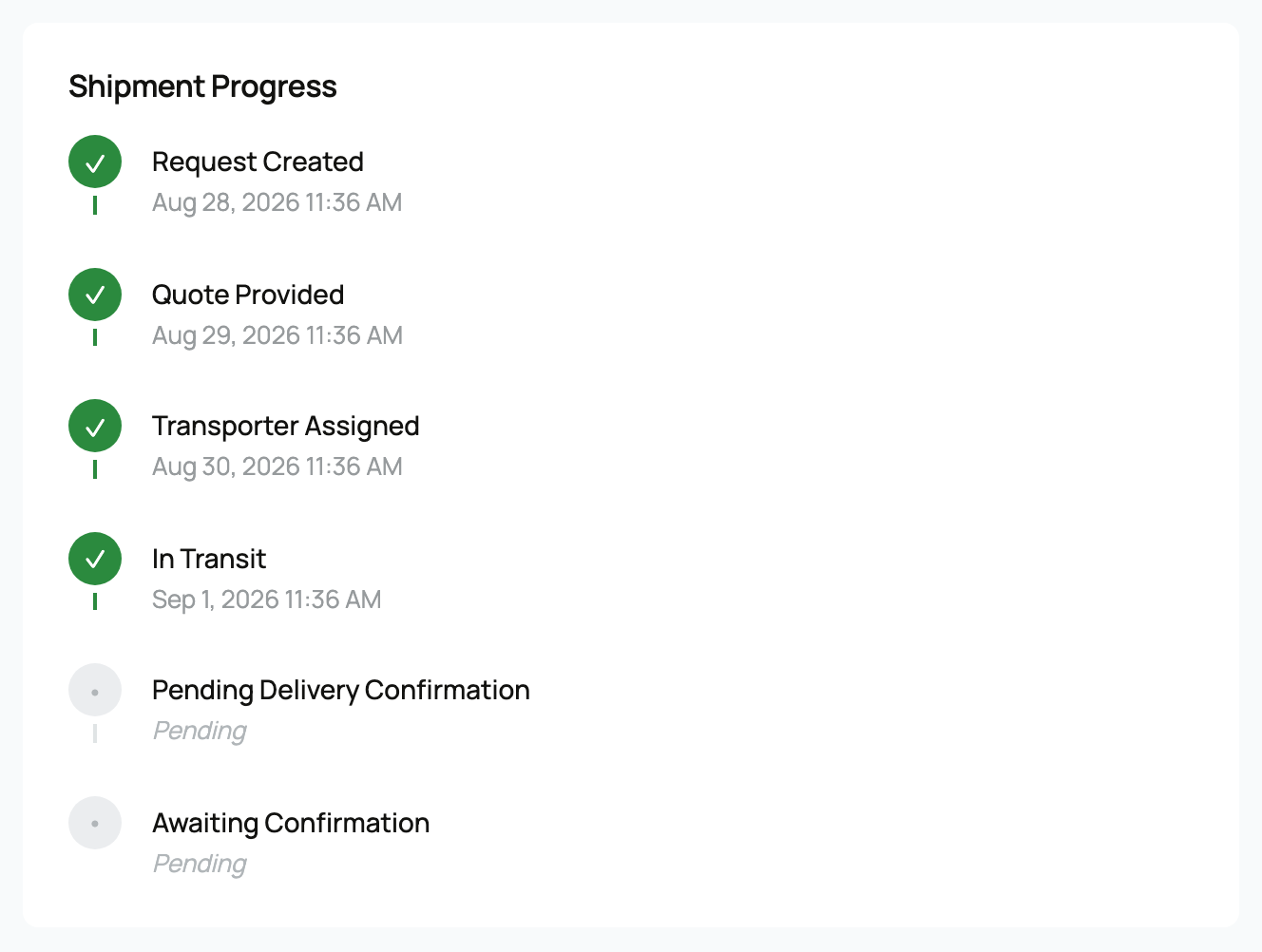
The request shows each step:
- Assigned after the quote is accepted and paid.
- In Transit after pickup.
- Delivered when the transporter records drop-off.
- Completed after you confirm the animal arrived.
Once the animal is with you and delivery is complete, use Update Status and select Completed to confirm. Your confirmation releases the transporter's payout.
Use Track shipment to open the shareable progress page. It can be viewed without signing in, so you can send it to someone helping at pickup or delivery.
After completion, see Leaving a review to share your experience. If transport is part of an animal purchase, see Getting paid when transport is involved for the connected sale and payout steps.
Related information
Updated on: 02/09/2026
Thank you!