
Getting paid when transport is involved
When Creatures Transport moves an animal you sold, your money is released when the buyer confirms the delivery. The transporter marking the animal delivered isn't enough on its own, and you can't confirm for the buyer.
Follow the trip
On your Sales page, the sale shows Delivery arranged. To see the trip itself, open the sold listing and select Track delivery. The trip page shows the pickup and delivery towns, the animal, the transporter and the status.
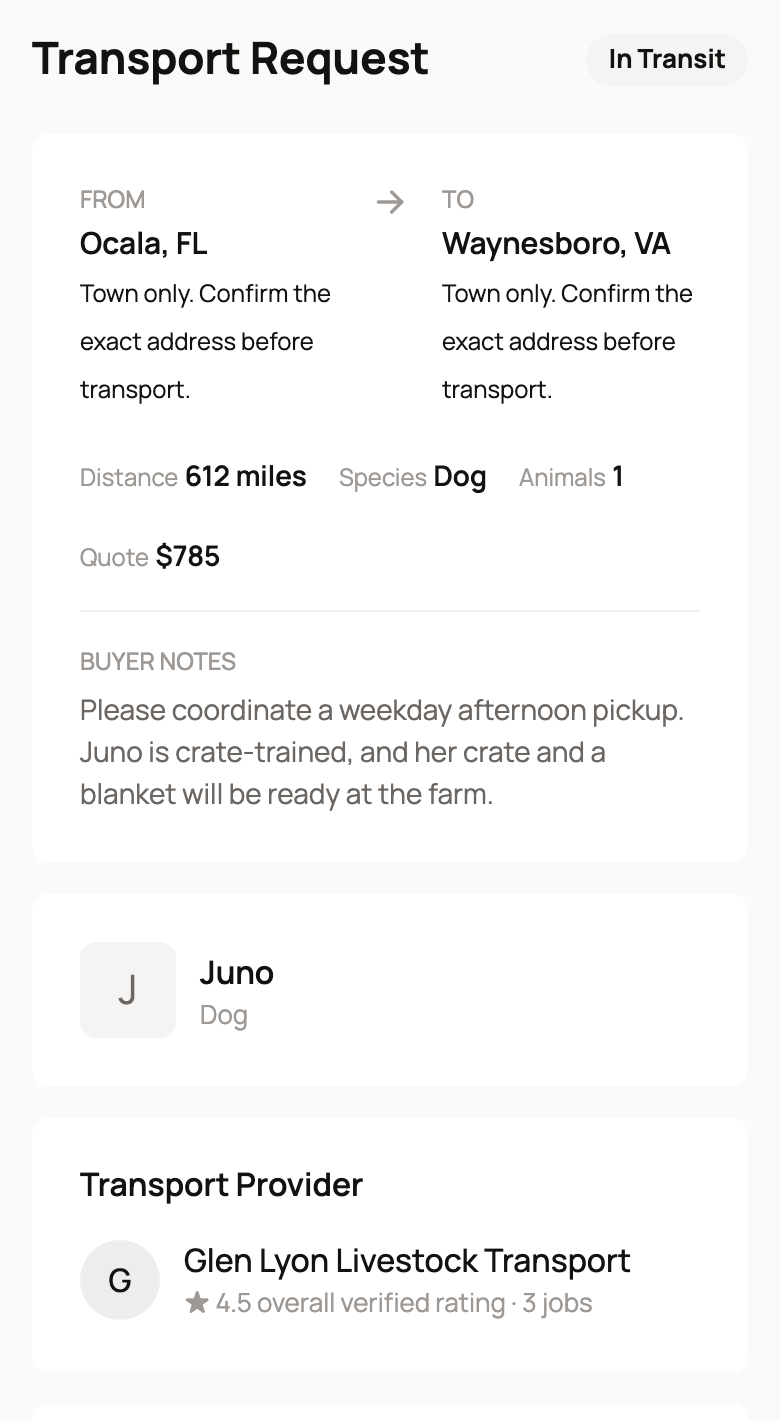
A trip moves through these steps:
- Awaiting Bids: Creatures is finding a transporter.
- Transporter Assigned: a transporter has the job.
- In Transit: the transporter picked the animal up and selected Mark picked up.
- Delivered: the transporter reached the buyer and selected Mark delivered.
- Completed: the buyer confirmed the delivery.
How the buyer confirms
When the trip says Delivered, the buyer is asked Did (animal's name) arrive? They check the animal, then select Confirm delivery, or Report an issue if something is wrong.
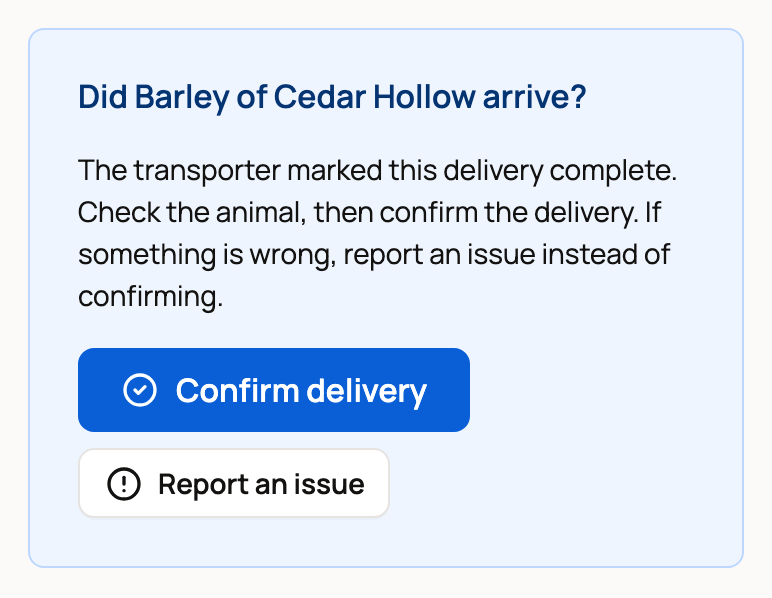
Confirming releases the held payment to you and to the transporter. If the buyer reports an issue, your money waits until support sorts it out.
If a trip has said Delivered for a while, message the buyer and ask them to check the animal and confirm. Never ask a buyer to confirm before the animal arrives.
The transport charge isn't your income
The buyer pays for the trip at checkout. That charge pays the transport, so it is taken out of the sale total before your money reaches your Wallet. The seller service fee and anything you chose to fund still apply. See How seller payout works.
If you deliver, or the buyer picks up
- You deliver it. When the buyer chose seller delivery, your sold listing shows Manage Delivery. Open it, select Mark picked up when you leave, and Mark delivered when you arrive. The buyer then confirms. The delivery fee you charged stays with you.
- The buyer picks up. Use the Handoff panel on the sold listing, with the buyer's pickup code. See How seller payout works.
If a Creatures trip is cancelled
Sometimes a trip is cancelled and the buyer collects the animal another way. Once the animal is in their care, the buyer selects Confirm I picked up the animal on the listing. That releases your money.
Until then, your listing says "Waiting for the buyer to confirm pickup." Select Remind buyer to nudge them. You can send one reminder a day.
If the buyer never confirms, the sale releases on its own 14 days after the trip was cancelled, as long as there is no open problem or refund. Contact support early if something is wrong. Don't wait for that date.
Related information
- How seller payout works
- Requesting transport for an animal
- Receiving your animal and confirming delivery
Updated on: 29/10/2026
Thank you!