
What sale events are
A sale event is one sale, hosted by a farm, club, or business, that brings many listings together under the same dates and rules. Think of an online consignment sale or production sale. It is not a judged show.
Two formats
Every event is one of two types:
- Auction (Bidding): every listing in it is an auction, and bidding opens and closes on the event's dates.
- Fixed Price: every listing has a set price, and buyers can buy while the event is open.
An event can accept Live animals, Genetic materials (semen, embryos, hatching eggs, and other genetics), or both. The host can also limit it to some species or breeds, like goats only.
Who does what
- The organizer is the organization hosting the event. An owner or co-owner of that organization, with a verified ID, creates the event and sets its dates, fees, and rules. Organizers find their events under Dashboard > Events > Sale events.
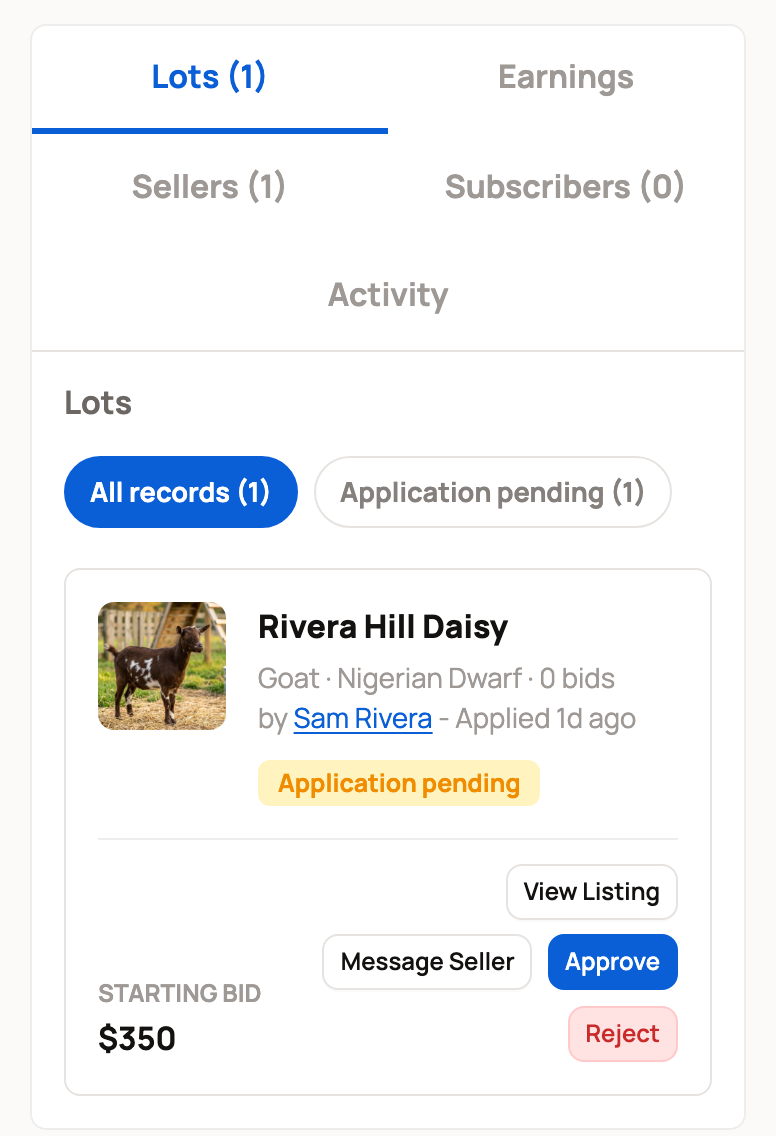
- Sellers apply their own listings to the event. Once a listing is in the event, it's called a lot.
- The organizer approves or rejects each application on the event's Lots tab.
A draft event is visible only to the host organization's owners and co-owners. When they publish it, buyers can see it and sellers can start applying.
Every lot uses the event's start and end times. If the organizer charges a fee, it comes out of the seller's proceeds and goes to the organizer.
What buyers see
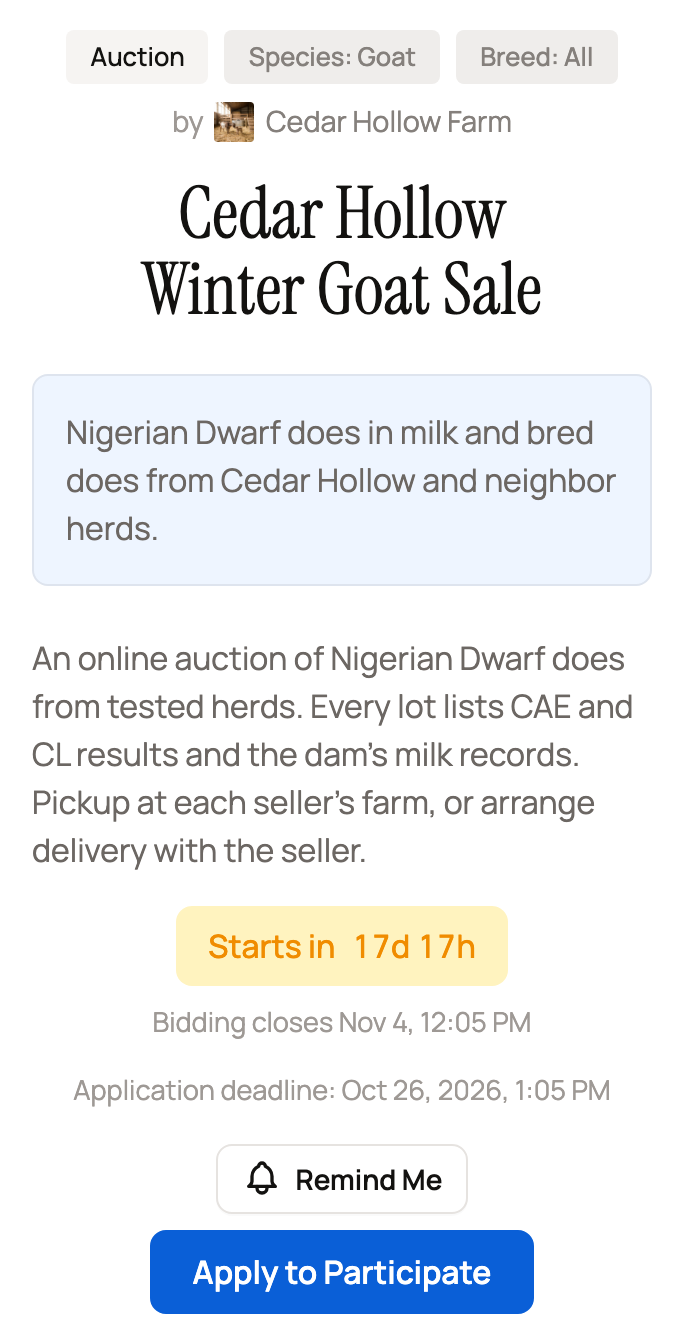
Buyers find events on the Events tab of the Marketplace. Each event page shows the format, the species and breeds it takes, the host, the dates, and any application deadline. Before the sale starts, select Remind Me to get a notice when it opens.
Inside the event, All shows every lot and Saved shows the lots you saved. If you sell in the event, a Selling view shows your own lots. In an auction event, a bid in the last 3 minutes moves the close to 3 minutes away for every lot.
Saving a lot doesn't hold it or place a bid. Come back while the event is open to bid or buy. See Shopping a sale event as a buyer.
Before you join or create one
Check these first:
- Who hosts the event and what it accepts.
- The application deadline, and when the sale starts and ends.
- The organizer's fee, which comes out of each sale.
- Whether sellers must cover the buyer's 5% fee. With Mandatory Coverage, buyers see "No Buyer Fees" and every seller pays that fee.
- Whether reserve prices are allowed. A reserve is the lowest price a seller will take.
- The rules for comments, live bid activity, and bidder names. The event's rules replace each seller's own listing settings.
- Who handles pickup, delivery, or transport for each lot.
Sellers: see Applying your listing to an event. Organizers: see Creating a sale event.
Related information
- Creating a sale event
- Applying your listing to an event
- Shopping a sale event as a buyer
- Listing an animal for auction
Updated on: 29/10/2026
Thank you!