
Reviewing and approving buyer applications
Review buyer applications in Dashboard > Applications. Approval lets the buyer purchase or bid on your approval-required listings; it does not reserve an animal or collect payment.
- Select Purchases, then Needs action.
- Find the buyer and animal, then select Review application.
- Read the answers before approving or rejecting the buyer.
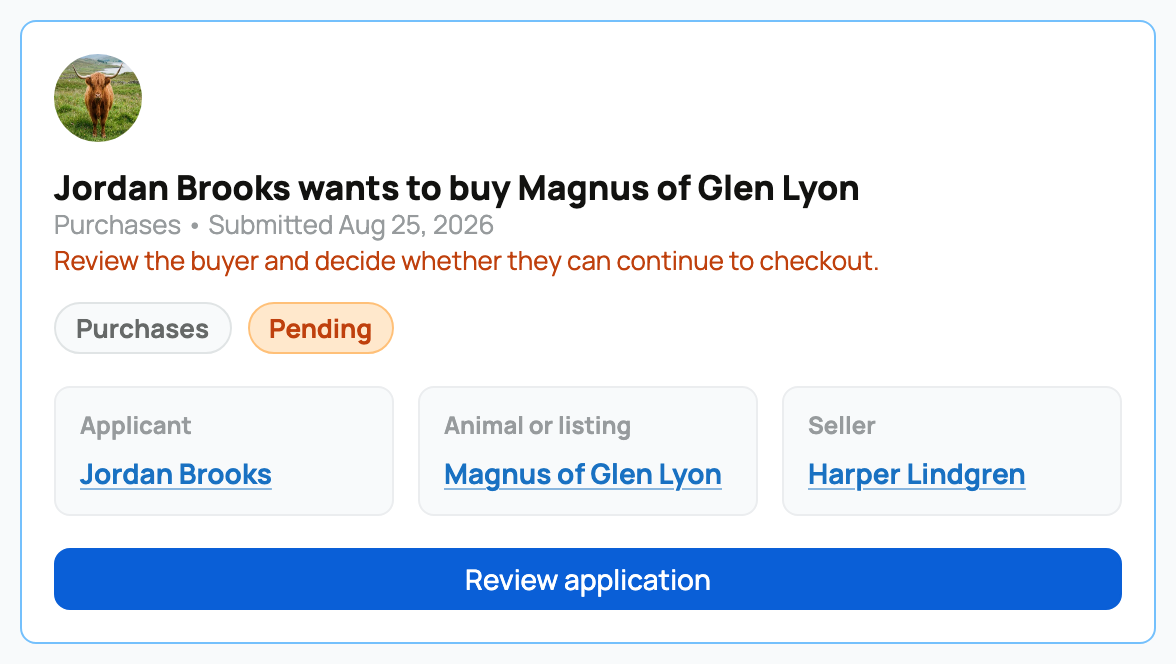
Review the complete request
Read the buyer's answers, profile, intended use, care plan, location, and timing. Message them when a material answer needs clarification. Keep the decision tied to fit and the animal rather than assumptions about the person.
The inbox also contains boarding, group, program, and event applications. Use the type tabs and the subject label on each card so you do not apply the wrong workflow.
Approve or reject
- Approve notifies the buyer and unlocks the eligible Buy or Bid action.
- Reject closes this application and notifies the buyer. Message them separately when context would help.
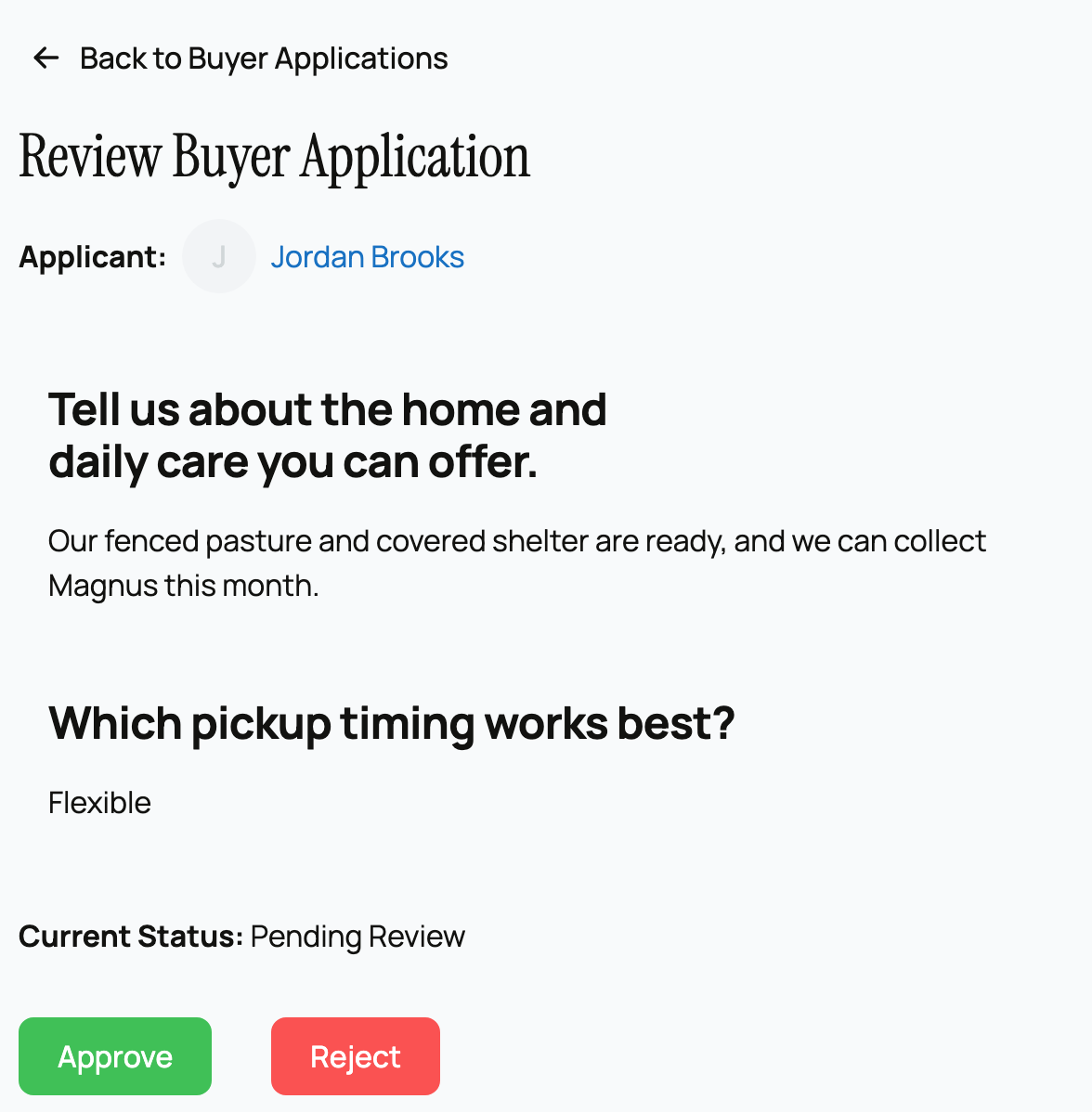
Approval is seller-wide, not a reservation for this animal. Rejecting an application also removes that buyer's current approval for the same seller. A personal seller and an organization are separate, so check the seller before changing a decision.
After approval, watch the listing, offer, or checkout state carefully rather than assuming the buyer completed the purchase.
If you need more information
Message the buyer before deciding when one answer is unclear or the plan appears to have changed. Do not approve merely to hold their place: approval opens the next purchase action but does not reserve the animal. If the application is for the wrong animal or seller, explain that clearly and direct the buyer to the correct listing.
If the review page says the listing is no longer active, its decision buttons are unavailable. Return to the listing or message the buyer rather than promising that approval will restore a sale that has already ended.
Related information
- Requiring buyer applications and building a form
- Reviewing offers on your listing
- Offering a count group to buyers
Updated on: 03/09/2026
Thank you!