
Reviewing offers on your listing
An offer is a buyer's price below your asking price. Accepting it lets that buyer check out at that price through Creatures, but it doesn't mean they have paid. Auctions use bids instead of offers.
Find a new offer
When a buyer sends an offer, you get a notice. Open it, or go to Dashboard > Selling > Sales. Sales opens on Offers whenever an offer is waiting for you.
Each offer card shows the animal, your asking price, the offer, the buyer's name and any message they wrote.
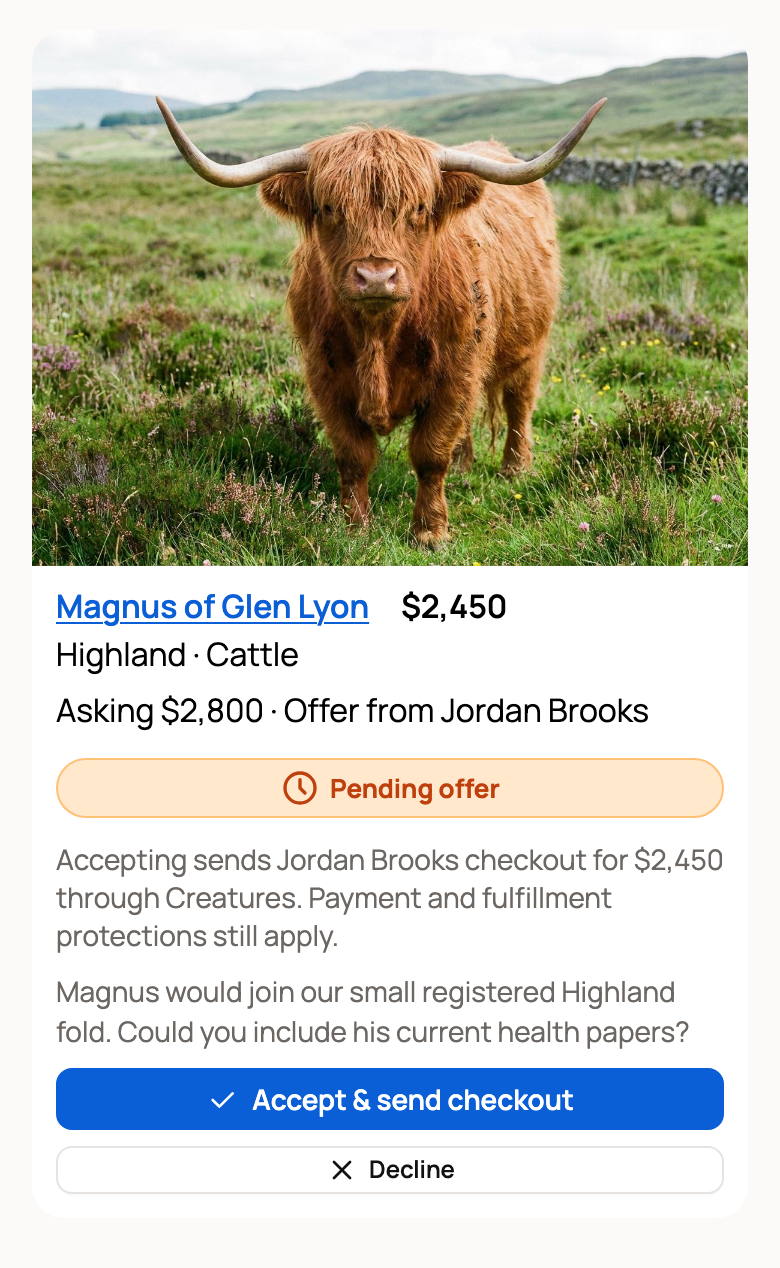
Accept or decline
- Accept & send checkout lets the buyer pay the offer price. If you signed in from a link in an email or text, Creatures may ask for a code first to confirm it's you. See Why Creatures asks for a code before showing your money.
- Decline asks you to confirm. Select Decline offer to close it, or Keep offer to go back. The buyer is told, and they can still send a new offer or buy at your asking price.
There is no counter-offer button. If the price is close, decline and message the buyer with a price that works. They can send a new offer while the listing is active.
You can accept one offer at a time on a listing. Accepting one closes the other pending offers, and those buyers are told.
After you accept
The buyer has 3 days to check out at the accepted price. The card moves to Accepted offers and shows the exact date and time they have until. Until then, the listing is held for that buyer: no one else can buy it or make an offer.
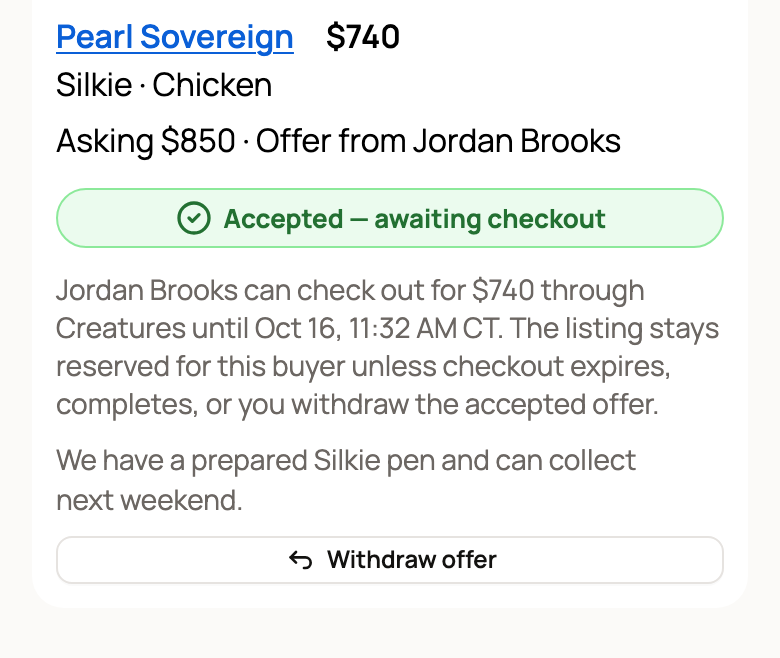
What happens next depends on the buyer:
- The buyer pays. The offer becomes a sale in Sales, and you hand over the animal like any other sale. See What happens after I sell an animal?.
- Time runs out. The offer expires and drops off your list. Anyone can buy at your asking price again, and the buyer is told they can send a new offer.
- Your plans change. Select Withdraw offer, then confirm. The buyer can no longer check out at that price, and the listing is open to everyone again.
Good to know
- Every active fixed-price listing takes offers. There is no setting to turn offers off or set a lowest offer.
- An offer must be below your asking price.
- If your listing requires buyer approval, only buyers you approved for that listing can make an offer.
- If you cancel the listing, its open offers close and those buyers are told.
- For an organization's listing, its owners and co-owners can answer offers.
Related information
Updated on: 29/10/2026
Thank you!