
Offer a litter or group to buyers
A litter or other count group can have its own public page where buyers see the animals and apply. On the group's Settings tab, turn on Visible to the public, choose Photos, updates and applications, pick a Public step such as Applications open, and select Save changes.
Before you start
- You need a count group with a species and a count. See Track animals without individual profiles. A group of individual animal profiles can't have a public page.
- The page uses the right word for your species, such as "kid crop" for goats.
- A page for a horse pregnancy shares photos and updates only.
Publish the page
- Open the group. On the Overview tab, select Set up public profile in the Offer to buyers card, or find Public profile on the Settings tab.
- Turn on Visible to the public.
- Under How should visitors use this page?, choose Photos, updates and applications. Pick Photos and updates only to share news without taking applications. You must choose before your first save.
- Pick a Public step (see below).
- Select Save changes. The button reads Saved once everything is saved.
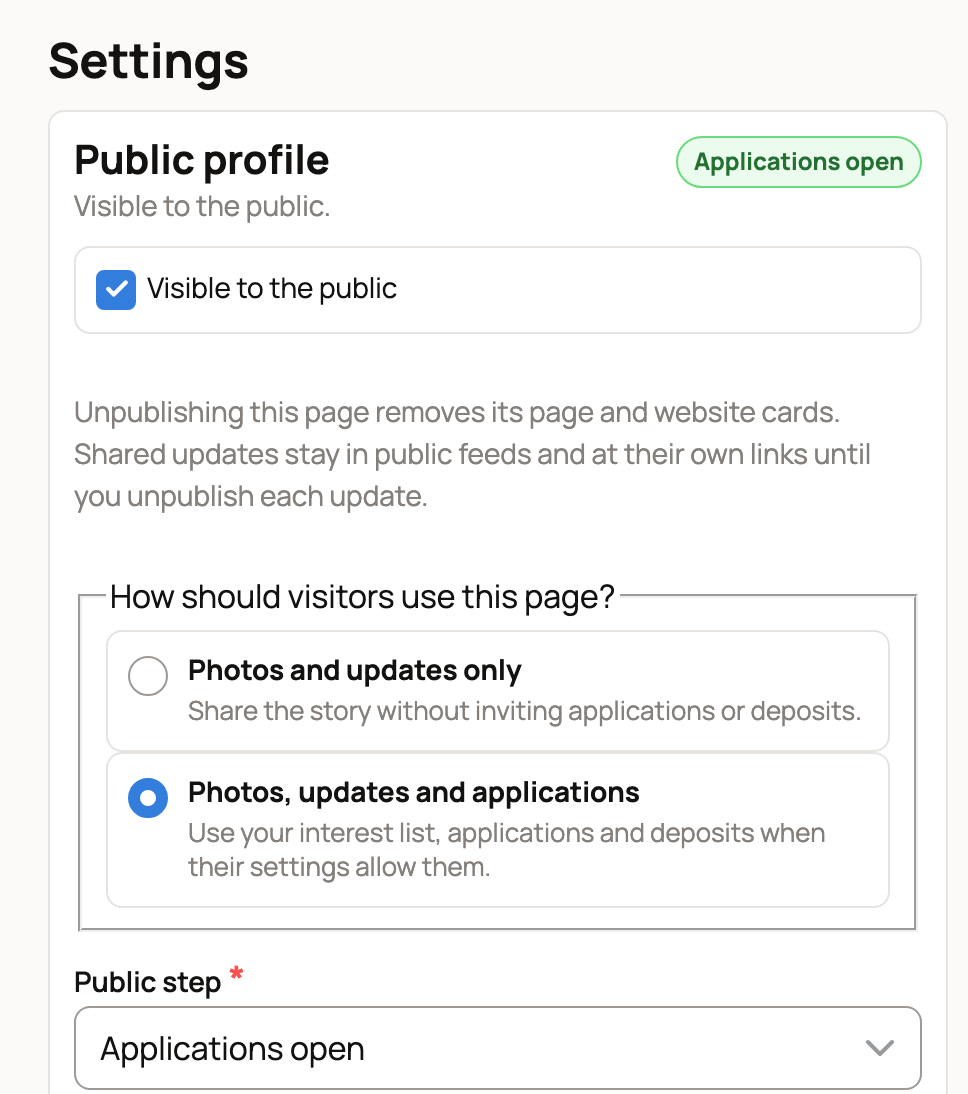
The top of the group then shows Visible to the public and a Preview button, and an Applications tab appears.
Check the list under the settings
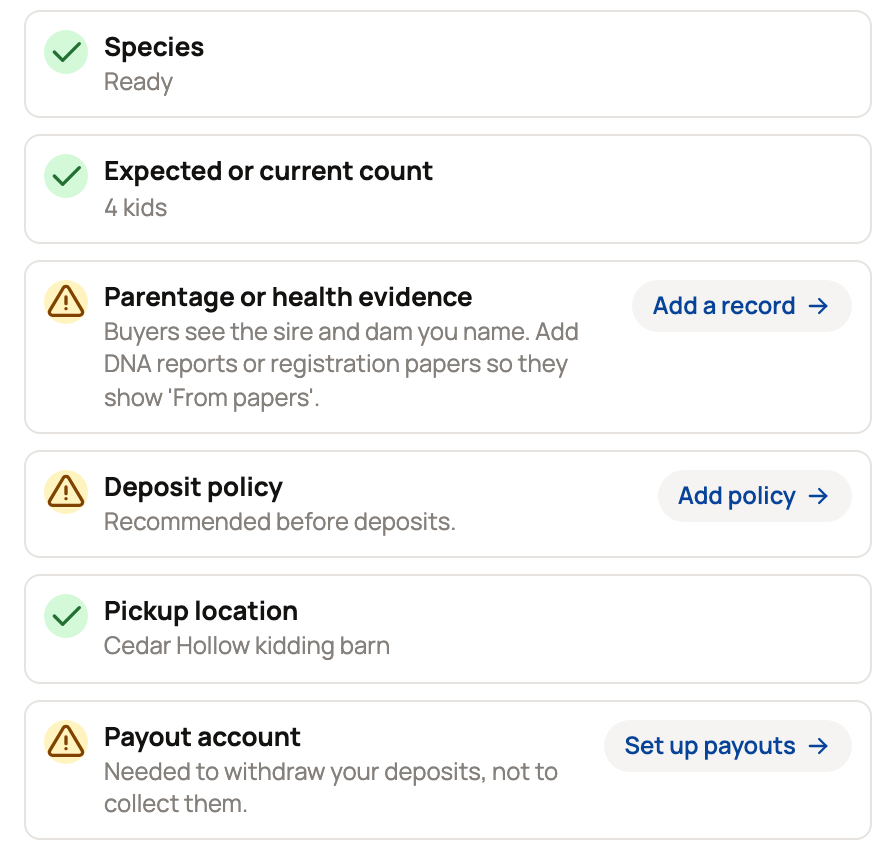
A checklist under the settings shows what's ready. These rows must all have a check before buyers can see the page: Count group, Group active, Buyer-safe species, Breeder profile, Public title, Species and Expected or current count. If one isn't ready, the page stays hidden and the row tells you what to fix. A group counted by tank or pond also shows Tank counts confirmed, and stays hidden while any of its counts is an estimate or needs a recount. Once every count is confirmed, it can take applications and reservations like any count group.
The other rows help buyers trust you, but they don't block the page:
- Parentage or health evidence: name the parents, and add DNA reports or registration papers.
- Deposit policy: your refund terms, set before any deposit.
- Pickup location: comes from the group's Location note. Select Edit to add one.
- Payout account: needed only to withdraw money, not to collect it. See Connecting your payout account.
Choose the public step
The step tells buyers where the litter stands, and it sets the button they see:
- Planned or Expected: Join interest list
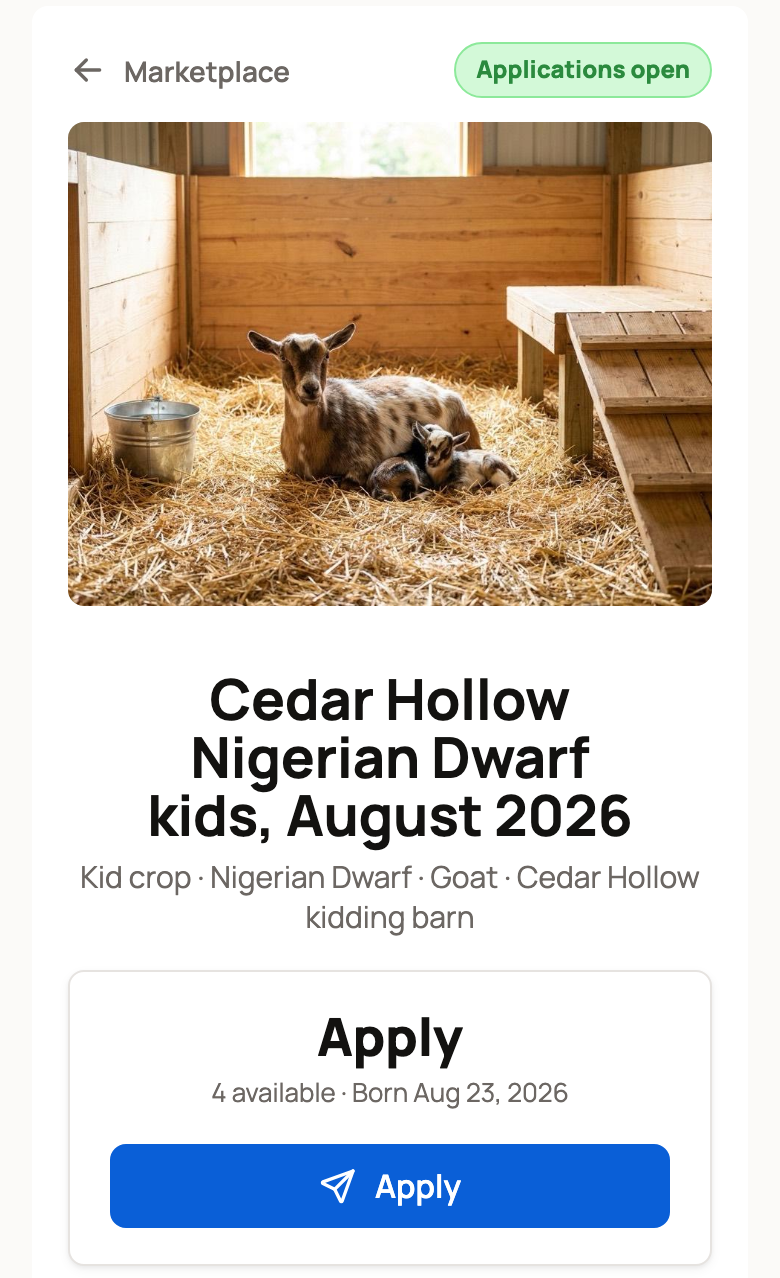
- Born or Applications open: Apply
- Waitlist full: Join waitlist
- Reservations open: Reserve your spot
- Matching, Placed or Closed: new applications stop, and visitors see Message breeder
Egg-laying species show Hatched instead of Born. On a group that isn't a litter, such as a lot or cohort, Born reads Available now, and the checklist says Seller profile instead of Breeder profile. Reservations open is the step for deposits, so read Taking deposits on babies from a litter before you choose it.
Optional extras
- Application fee: a screening fee you can charge. It is separate from any deposit and isn't credited toward the sale. You can accept an application only after its fee is paid.
- Application form: select Edit to choose the questions buyers answer. See Requiring buyer applications and building a form.
- Add photos, at the top of the group, posts photos and news to the page. See Share offspring updates on a public page.
What buyers see
The page shows your photos, how many are available, the timing and the button for your step. Buyers who aren't signed in can apply as a guest and confirm their email, or sign in.
The application asks about their home and care and the match they want. Under Reservation interest, they choose Interest (free, no deposit), Priority (a place in line for matching) or Specific match (a particular animal). Priority and Specific match need a deposit later if you accept them.
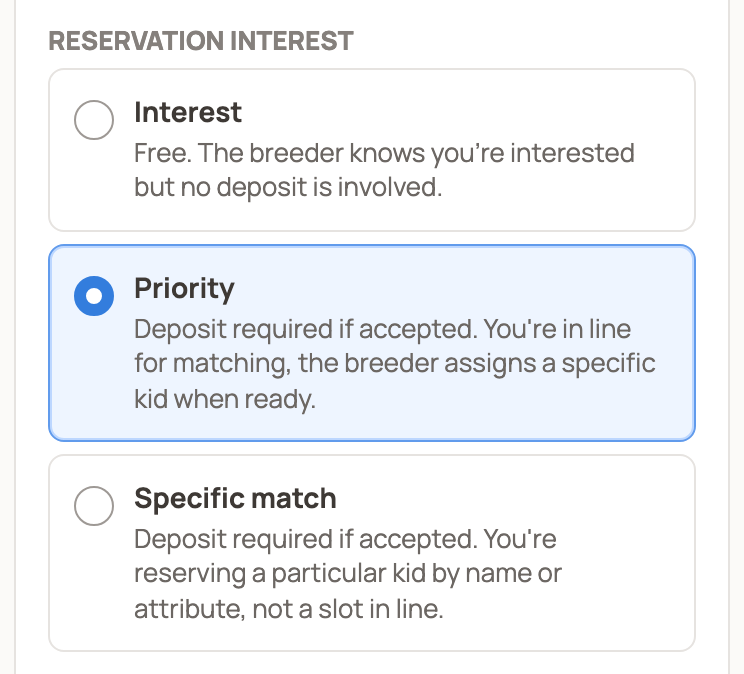
Sending or accepting an application doesn't take any money. To decide on applications, see Review applications and the waitlist for a litter.
Stop showing the page
Turn off Visible to the public and select Save changes. The page and its website cards come down. Updates you already shared stay public until you unpublish each one.
Related information
- Review applications and the waitlist for a litter
- Taking deposits on babies from a litter
- Reserving from a breeder: applications and deposits
Updated on: 02/11/2026
Thank you!