
Health and medical records
Use a health record for a vaccination, treatment, examination, surgery, or test result. Open the animal's Records tab, choose Add Record, and select the type that matches what happened.
Choose the right form
- Vaccination: enter Vaccine Name and Date Administered.
- Medication: enter the medicine or treatment, when it was administered, and any relevant dosage details.
- Examination: record an exam and its findings.
- Surgery: record a procedure and recovery notes.
- Test Result: choose Test Category and, when offered, Test Subtype. Enter Date of Report and the result.
Use Files to attach the report, instructions, or other supporting document. For grooming, hoof care, or measurements, see Care, growth, and identity records.
Add a follow-up reminder
Vaccination, medication, examination, and surgery forms offer Follow-up Date. Entering it creates a linked reminder for the animal when you save the record.
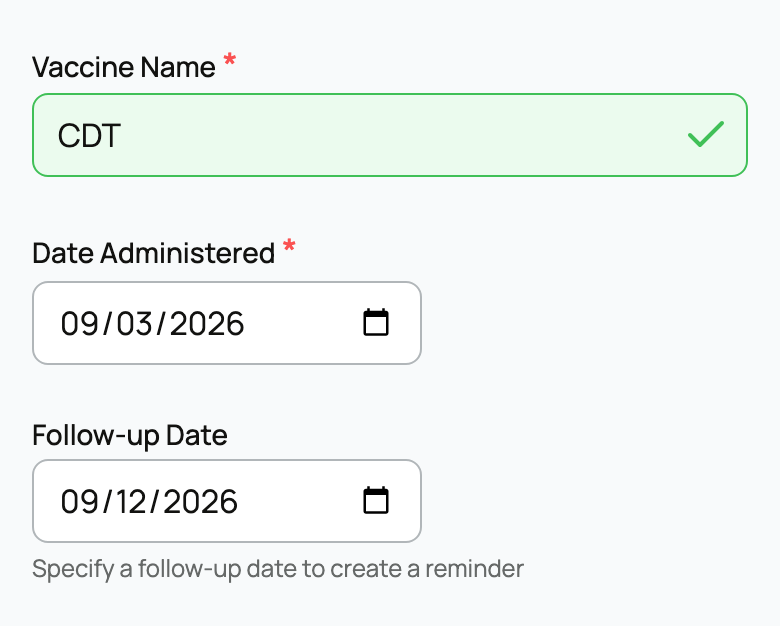
Use the date from your care instructions for a booster, recheck, or follow-up visit. See Reminders and upcoming care for finding and handling the reminder later.
Record withdrawal details
When withdrawal information applies to a medication, choose Expand extra fields and complete Withdrawal Period (days) and Withdrawal Applies To. Creatures calculates the withdrawal-until date from Date Administered plus the number of days you enter. Withdrawal Time above it is a free-text note and does not calculate the date.
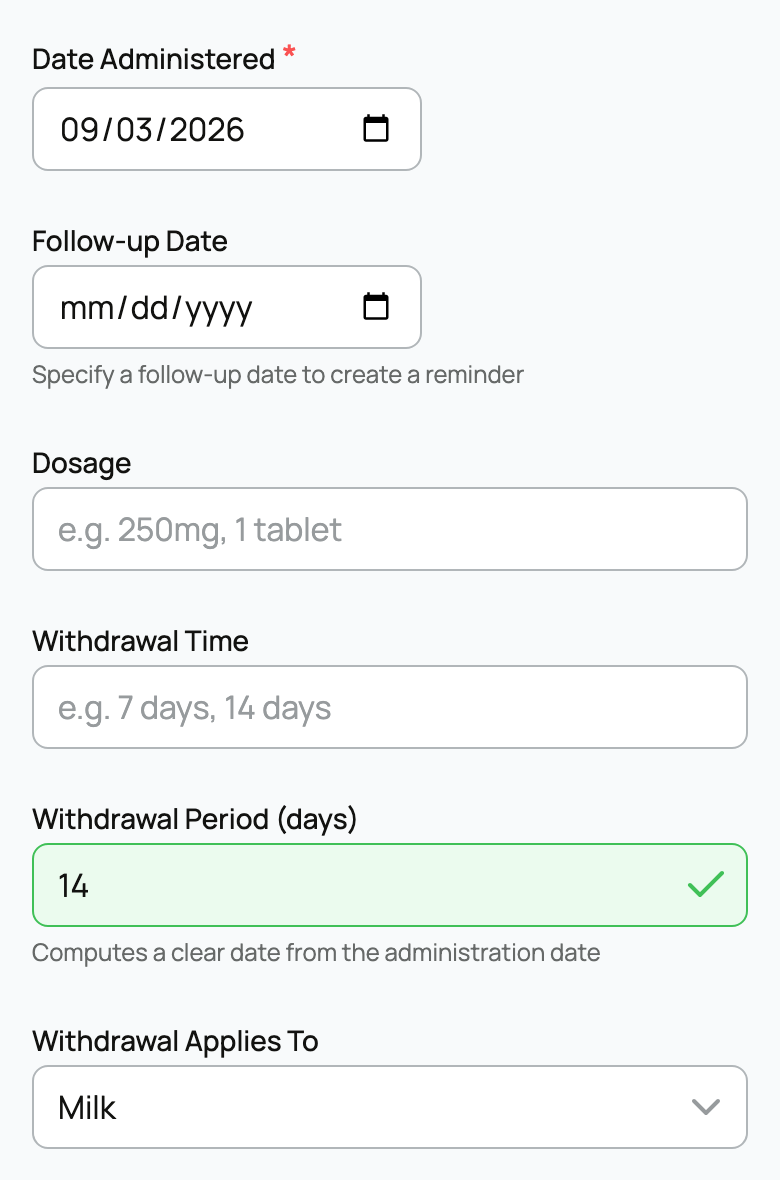
Copy these details from the product label or your veterinarian's instructions. The form records the information you supply; it does not choose a suitable treatment or withdrawal period for you.
Check privacy and save
Review Make public before choosing Save Record. Public records can appear on the animal's profile; private records require additional access. Your privacy settings can affect the starting choice, and a private animal's records cannot be made public.
Include only details and attachments you intend to share. See Adding a record for the complete save process.
Related information
Updated on: 03/09/2026
Thank you!