
Your animal's profile page: the tabs and what each one does
An animal's profile keeps its story and working information together. The tabs you see depend on the animal, your access, and whether that part of the profile has anything to show.
At the top of the profile
The top area shows the main photo, name, species and breed details, and current owner. From here, a visitor can follow a public animal or share the profile; when it is offered, Contact owner sits in the Team panel.
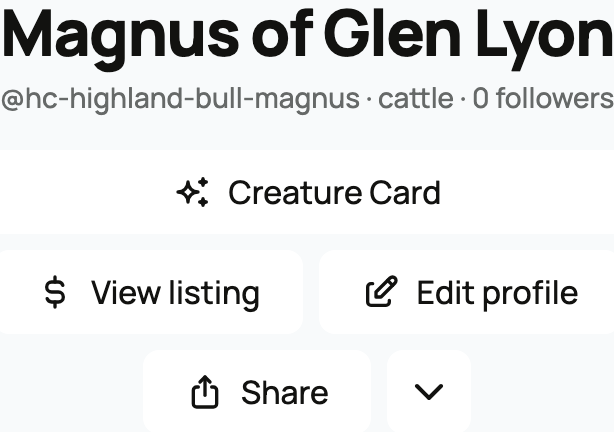
Owners and co-owners can use Edit profile for the main details. More animal actions, the arrow beside the buttons, contains options such as privacy, duplicate reporting, and ownership changes when your access permits them.
A public owned animal also has Creature Card for its shareable digital card. This shortcut does not appear on private, draft, or reference profiles.
What each tab is for

- Posts is the animal's update feed. Owners and team members can post; other viewers see updates they are allowed to see.
- Gallery holds the animal's photos beyond its main profile photo.
- Pedigree shows parents, offspring, and earlier generations. Use it to build or review the family tree.
- Reviews collects reviews connected to the animal.
- Records holds care, health, registration, measurement, identity, and other records. Public viewers see only records marked public. Owners and permitted helpers can also download a record packet.
- Breeding is the private breeding workspace. It appears to people who can manage the animal's records when the animal is female or already has breeding activity.
- History shows the animal's ownership history, with private details limited by your access.
- Groups shows groups that include this animal, subject to each group's visibility and your access.
- Finance is the private view of cost basis, value, and animal-level finances. It does not appear on a lineage-only reference animal.
- Memorial appears when a deceased animal has a memorial you can view.
Registration and identification
The side of the profile can show two important identity panels:
- Official Registration lists registry entries, registered names, numbers, and available certificate actions.
- Identification lists records such as a microchip, electronic ID (EID), tattoo, ear tag, brand, or DNA profile. Each identifier can be public or private.
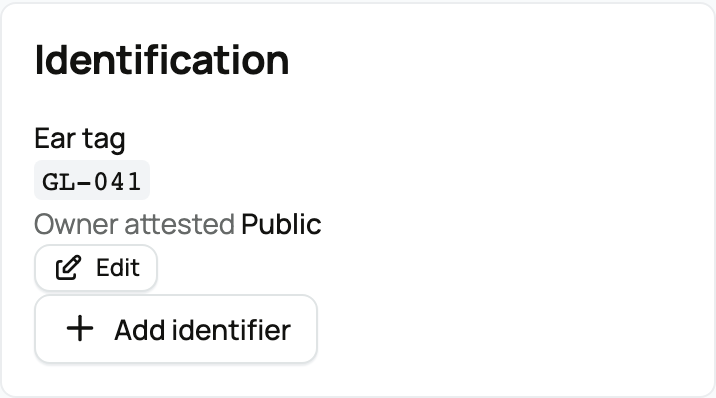
Add or edit these through Records, not by typing them into the animal's name.
If a tab is missing
First check that you are signed in with the right account. Breeding and Finance are not public tools, and private records need the appropriate access.
Some tabs depend on the animal's details or activity. Pedigree follows the profile's visibility and can be opened even before parents are recorded. Team access allows photos and records, but not every owner action.
For more help, see Adding an animal to Creatures, Pedigree, family, and lineage, or Co-owners and team members: sharing access to an animal.
Related information
- Adding an animal to Creatures
- Pedigree, family, and lineage
- Co-owners and team members: sharing access to an animal
Updated on: 03/09/2026
Thank you!