
Co-owners and team members: sharing access to an animal
Add a co-owner when someone should share ownership decisions, or a team member when they only need to help with photos and records. These permissions apply to this animal; they do not make someone a member of your organization.
Choose a role
- An Owner can edit the profile, manage records, transfer ownership, and manage the member list.
- Co Owner can edit the profile, add photos and records, and start an ownership transfer, but cannot manage the member list.
- Team can add photos and records. It does not allow editing the main profile details, changing ownership, or managing members.
Choose the least access the person needs. Giving a helper Co Owner also gives them ownership-transfer powers, not just editing access.
Add or invite someone
The pencil appears when your personal account is listed as the animal's owner. If an organization owns the animal and the pencil is missing, use Contact us.
- Open the animal's profile and select the pencil beside Team.
- Select Add member.
- Under Role, choose Co Owner or Team.
- Search by name, select the member, and choose Add. Their access is added immediately.
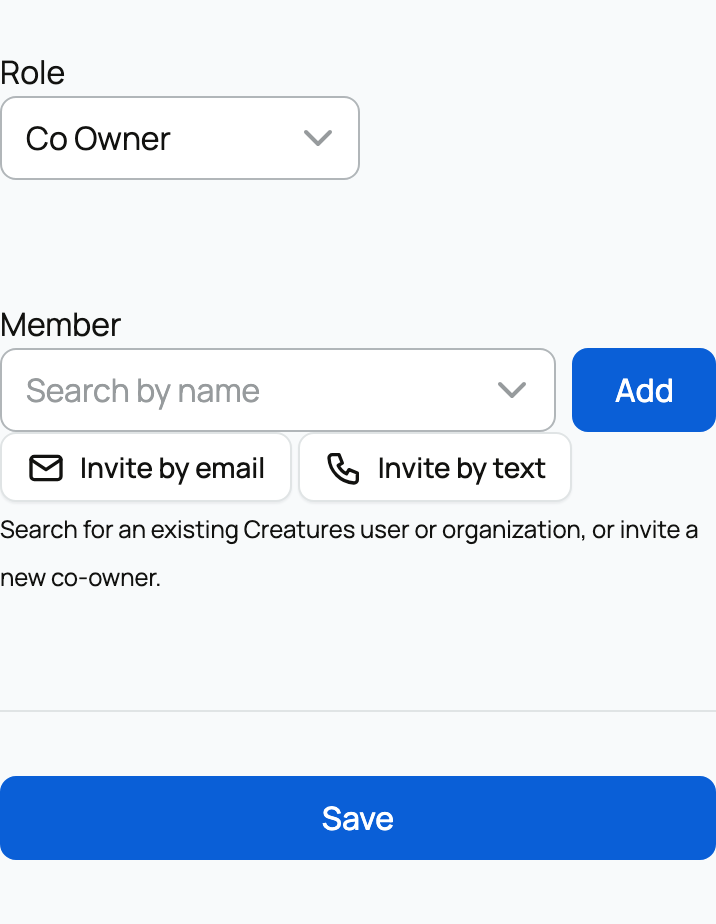
For someone new, choose Invite by email or, when available, Invite by text, enter their details, and select Send invite. Only send a text with their consent. They follow the invitation to join and receive access.
Return here to change a role or select Remove, then Save. Invitations still waiting for acceptance appear under Pending invitations, where you can select Cancel.
Access Creatures manages for you
Some people may appear without being added manually:
- A Previous owner may keep posting photos and records until delivery is confirmed.
- Boarding Providers receive access through an active boarding subscription.
These are connected to the sale or boarding arrangement, not ordinary team invitations.
Animal access does not change whether the profile is public. See Public, private, and reference animals for visibility, or Your animal's profile page for the tools each role may see.
Related information
- Public, private, and reference animals
- Adding an animal to Creatures
- Your animal's profile page: the tabs and what each one does
Updated on: 03/09/2026
Thank you!