Articles on: Your Animals & Records

Adding an animal to Creatures

Adding an animal to Creatures


An animal profile is that animal's home on Creatures. It holds the photos, the records, the pedigree, and (for animals you own) the finances and anything you sell. It is also what powers the public herdbook, your Creatures website, and the Crestimate value estimate. Adding an animal is the first thing you do, and everything else builds on it.


The Add an animal form


Where the form lives


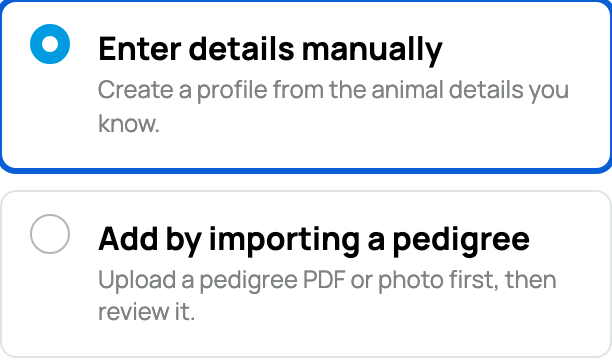
The Add-an-animal form opens as a sliding sheet from your home feed (its address is /?open=add_animal). If you go straight to the create page, Creatures sends you to that sheet. You can start a profile, set it aside, and the sheet keeps your place.


The first fork: do you own this animal?


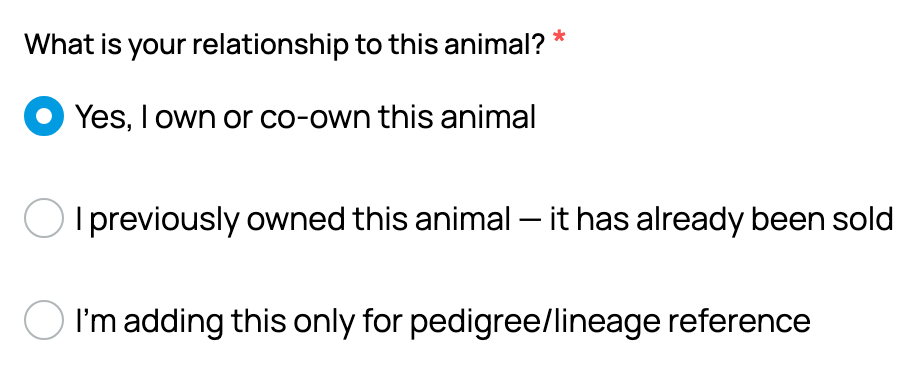
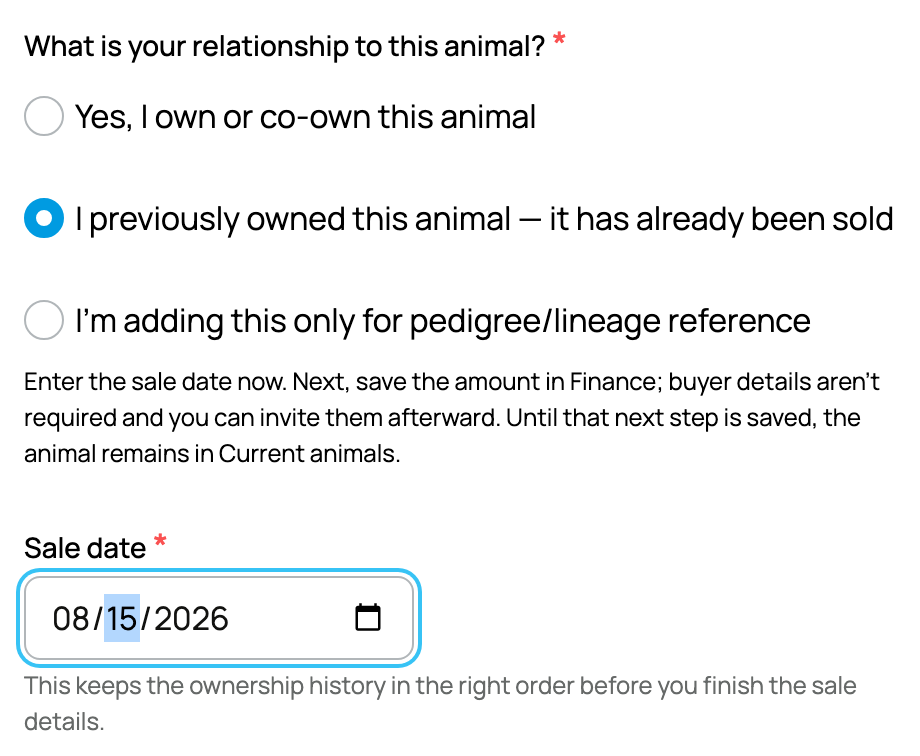
Near the top, "Do you own this animal?" is a required choice, and it changes the rest of the form:


  • What it is: a radio with two answers, "Yes, I own or co-own this animal" and "No, I am adding this for pedigree or lineage reference".
  • The allowed values and what each means: choosing Yes builds an owned profile with everything below (photo required, privacy, finance, species and breed, and your website fields). Choosing No builds a reference animal, a stand-in for an animal you do not own (an ancestor, another breeder's animal) so you can record lineage. The reference branch hides the ownership, privacy, photo-required, finance, and website fields and instead shows an "Invite the owner" block.
  • The implication: a reference animal has no owner until someone claims it, so pick Yes only for animals that are actually yours. The full reference flow is covered in Reference animals: documenting lineage and inviting the owner, and the three profile kinds in Public, private, and reference animals.


The fields, one by one


  • Main photo: the animal's primary image, shown everywhere the animal appears. It is required for an owned animal (you cannot create one without it); a reference animal falls back to a species placeholder if you add none. More photos go in the Gallery later. The implication: have one good photo ready before you start an owned profile.
  • Animal name (nickname): the everyday display name, 2 to 64 characters, required. This is the casual name you call the animal, distinct from any registered name. The implication: it is what people see first, so make it the name you actually use.
  • Custom URL handle (optional): letters, numbers, and hyphens, 3 to 32 characters, unique and not a reserved word. It sets the animal's address to creatures.com/animal/<handle>, and Creatures checks availability as you type. The implication: leave it blank and the animal gets a numeric address you can humanize later, so this is never a now-or-never decision.
  • Where to add this animal: when you belong to an organization, you choose between your personal profile and a specific organization. Filing it under an org means the animal rides with that org's records and shows on the org's profile; your own membership is added as owner if you are an org owner or co-owner, otherwise as team. The implication: pick the org when the animal belongs to the business rather than to you personally.
  • Make this animal private (owned only): a checkbox that hides the animal from everyone but you and your team. It is covered in full in Public, private, and reference animals. The implication: private keeps an animal off search and the herdbook while you still build out its profile.
  • Species, Breed, and Color: required for an owned animal, and they cascade. Species is the kind of animal; Breed is filtered to that species; Color is filtered to that breed. The implication: species feels locked-in because breed and color depend on it, so set species first and the rest narrows to valid choices.
  • Sex: required, one of Male, Female, or Unknown. "Unknown" is for an unsexed young animal, and you can set it later. The implication: only a male can be recorded as a sire and only a female as a dam, so an Unknown animal cannot be listed as a parent until you set its sex.
  • Sterilized: an optional checkbox marking the animal as castrated, neutered, or spayed. It is informational. The implication: it is a record of the animal's status, nothing more.
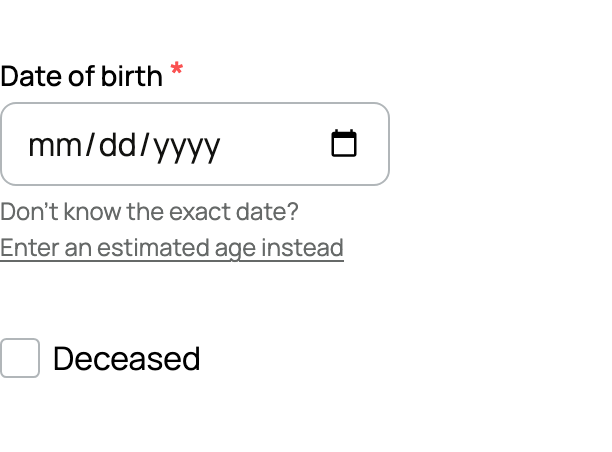
  • Date of birth, estimated age, or unknown: for an owned animal you give one of three: an exact date of birth, an estimated age in years (0 to 200), or "I do not know this animal's age". A date of birth cannot be in the future, and entering one auto-derives the age. The implication: a known date of birth unlocks the most accurate Crestimate and the best age and gestation math.
  • Deceased and date of death (optional): marks the animal as deceased and records when. A deceased animal can later receive a memorial. The implication: this is also the path to creating a memorial for an animal when you are ready.
  • About (optional): a free description of the animal, with an AI assist available to help you draft it. The implication: a fuller "About" gives buyers and followers more to go on.
  • Your Creatures Site fields (Site status, Variety, Grade): shown only if the selected owner runs a published Creatures website. Site status (Available, Reserved, Sold, Retained, At stud, or no public status) shows as a badge on your website; Variety and Grade (up to 80 characters each) show on the website's animal card. The implication: if you do not run a Creatures site these fields are hidden and ignored, so there is nothing to fill in.
  • Location (optional): where the animal is. Only the city and state are ever shown publicly; a signed-in user can save the location to reuse it on the next animal. The implication: you can record a precise location for yourself without exposing more than the city and state to the public.
  • Pedigree (Sire, Dam, Offspring) (optional): you can set the parents and offspring now or anytime later. A sire must be male, a dam female, and an animal cannot be its own offspring, so no circular family trees are possible. The implication: you are never forced to know the lineage at creation; build it from either end. This is covered in full in Pedigree, family, and lineage.
  • Acquisition details (optional, owned only): an optional "track this animal in my finance book" choice that records a starting cost basis for your books. The implication: it is there if you keep finances on Creatures and ignorable if you do not.


A note on registrations: there is no registration field on this form today, so you do not record a breed-registry number here. You add a Registration record afterward on the Records tab. See Pedigree, family, and lineage for where registrations live, and Care, growth, and identity records for the steps.


The pedigree block on the Add an animal form


If you are not signed in (the guest path)


You do not have to be signed in to start a profile. A logged-out visitor fills in the animal's details, then enters a name and email at the end and gets a magic link by email to verify the account and claim the profile they just started. Creatures also runs a quiet duplicate check as you go, and warns you if a very similar animal already exists, so two profiles for the same animal are less likely.


After you create it


Once the profile exists, it opens to its own page with a row of tabs. To learn what each tab does and who can see it, see Your animal's profile page: the tabs and what each one does. To share access with a partner or a helper, see Co-owners and team members: sharing access to an animal. If you plan to sell the animal later, it helps to have verified your identity first.


Updated on: 23/06/2026

Was this article helpful?

Share your feedback

Cancel

Thank you!