Articles on: Your Website & Community

Creating a memorial for an animal

Creating a memorial for an animal


A memorial is a remembrance page for an animal that has passed: a place for its story, a few favorite photos, and messages from people who knew it. This guide explains what a memorial is, how you create one, and walks every field in the editor with what each choice means.


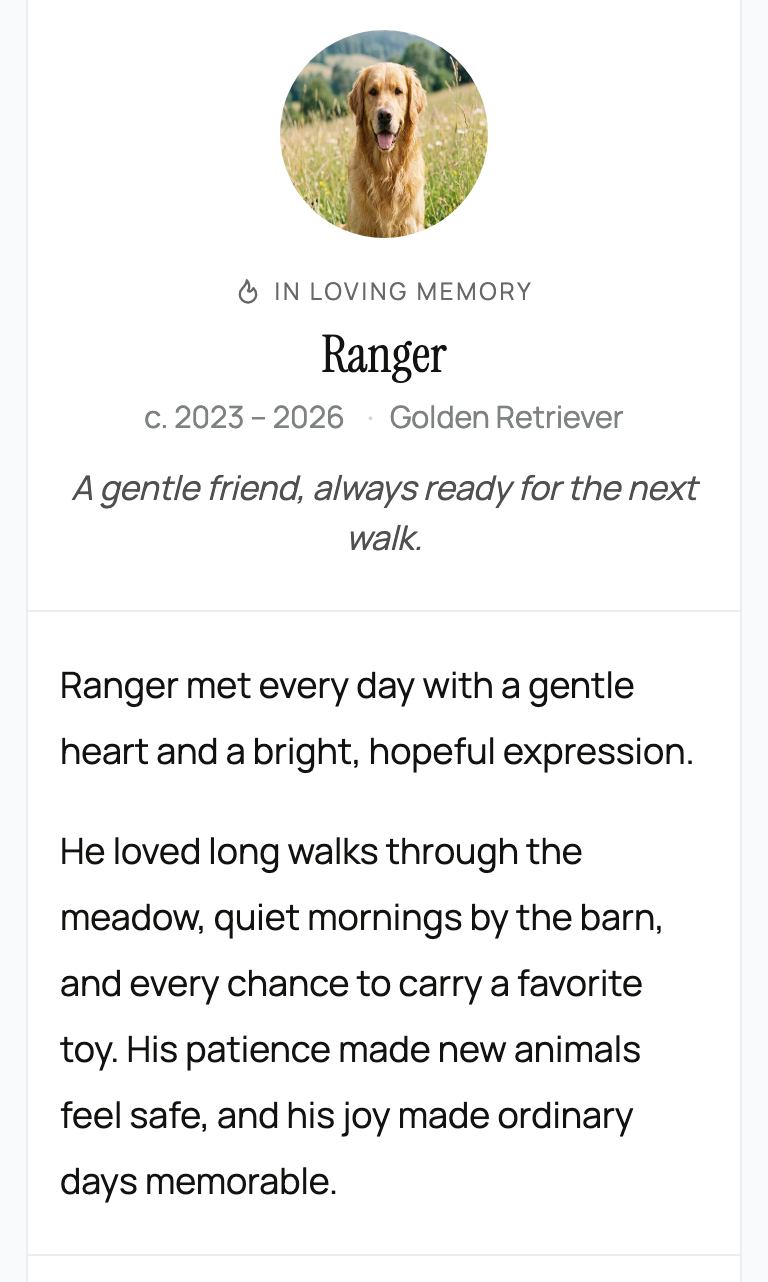
A published memorial page


What a memorial is


  • What it is: a remembrance page that lives as a tab on the animal's own profile (at /animal/{handle}/memorial), with a hero image, life dates, a written remembrance, featured photos, and tributes from the community. It is the same animal, the same profile, not a separate page type.
  • One per animal: there is exactly one memorial per animal.
  • What it means for you: a memorial is a natural extension of the profile you already keep for the animal, not a new thing to build from scratch elsewhere. The same family and lineage you recorded on the animal carry through here, so the memorial sits within its full story; see Pedigree, family, and lineage.


How a memorial is created (manually, by a manager)


A memorial does not appear automatically when you mark an animal deceased. You create it deliberately:


  • The animal must be marked deceased first. The memorial editor only exists once the animal is marked deceased. Marking the animal deceased is what unlocks it.
  • It is created on first open, as a private draft. The first time a manager opens the editor, the memorial is created on demand and starts as a private, unpublished draft, visible to managers only until you publish it.
  • Who can create or edit it: anyone who can edit the animal's profile, that is the owner, a co-owner, or an organization team member with profile rights.
  • What it means for you: marking the animal deceased opens the door; you then write and publish the memorial on your own time, and nothing is public until you choose to publish.


The editor, field by field


The memorial editor: remembrance, featured photos, visibility, and tributes


The editor opens as a right-side sheet. Here is every field, with its allowed values and what choosing it means.


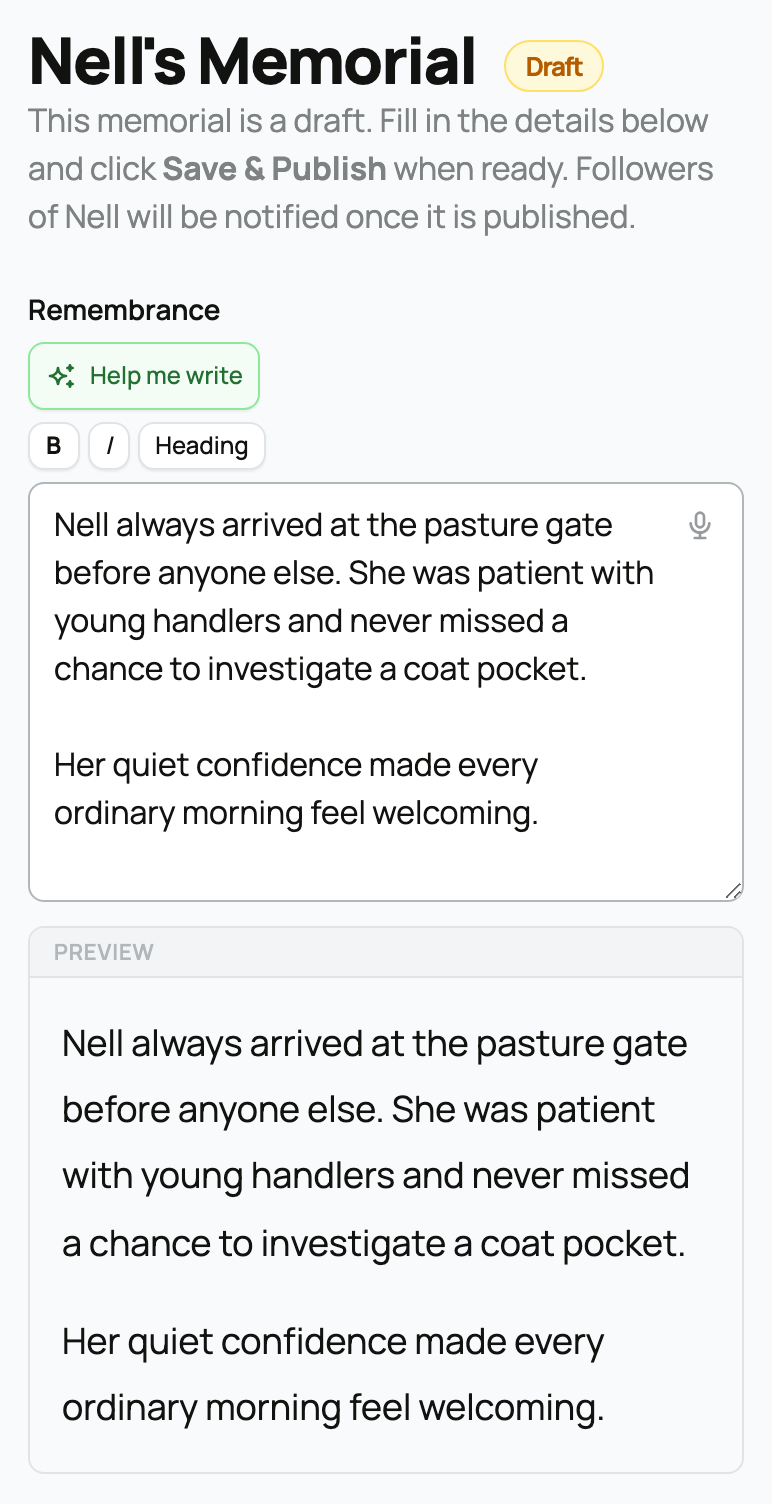
Remembrance (the main text)


  • What it is: a rich-text field with markdown, you can use **bold**, *italic*, and ## headings, plus a small toolbar.
  • A live preview: the editor shows a live preview that matches the published page exactly, so what you see is what visitors will see.
  • A writing helper: there is an AI-assist helper that can draft a remembrance from a short prompt, which you then edit.
  • What it means for you: write as much or as little as you like; the preview is the source of truth for how it will read.


  • What it is: a multi-select picker that pulls from this animal's own gallery (the same media picker you use elsewhere, scoped to the animal so you can only pick its photos).
  • How they render: the photos you pick become a montage ("A life in photos") with a lightbox, and they persist across edits.
  • What it means for you: you are curating from photos already on the animal, not re-uploading. Choose the ones that best tell its story.


Visibility


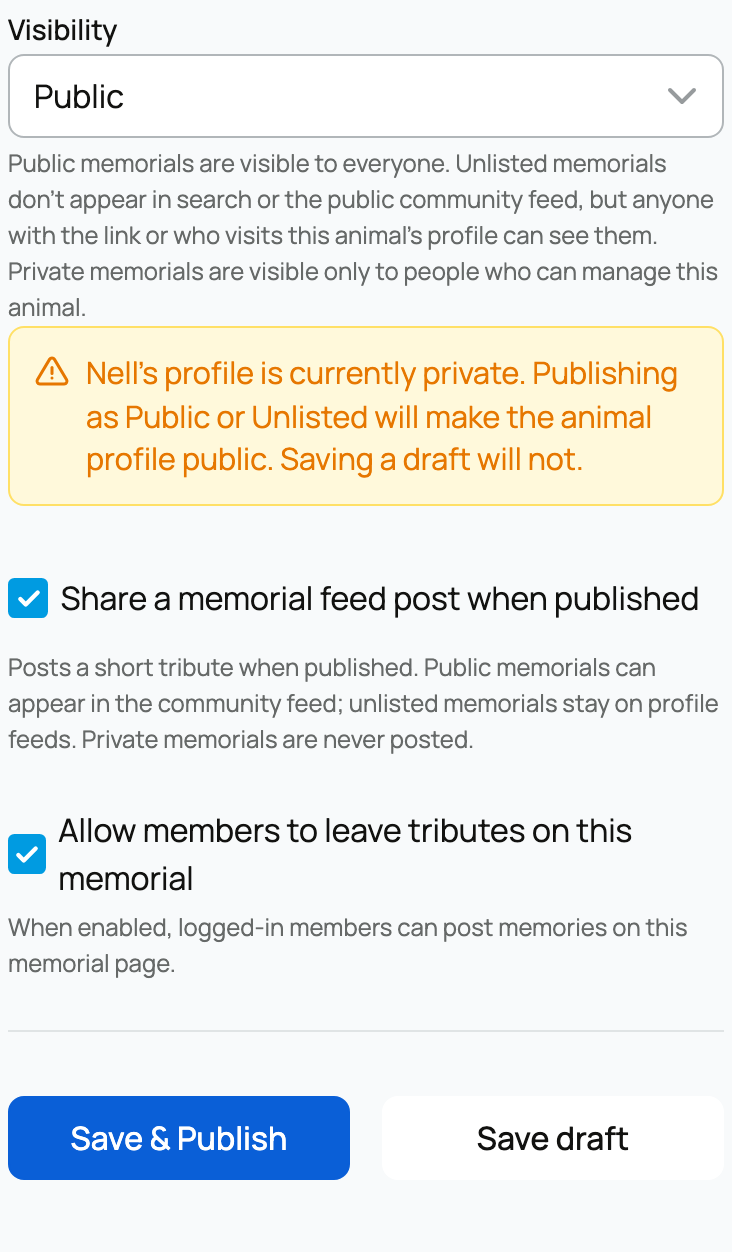
A three-way choice that is your reach dial. The allowed values are public, unlisted, and private:


  • Public: anyone who can see the animal can see the memorial, and it can appear in feeds and search (as long as the animal is not private).
  • Unlisted: reachable by direct link or from the animal's profile, but kept out of search and the community feed. Use this to share by link only.
  • Private: only managers can see it, even after you publish.
  • What it means for you: public to share widely, unlisted to share quietly by link, private to keep it to yourself.


The make-public confirmation


  • What it is: if the animal itself is currently private and you choose public or unlisted visibility, the editor asks you to confirm, because publishing the memorial will also make the animal public.
  • What it means for you: going public is a deliberate, confirmed step. It cannot happen by accident, and the confirmation is telling you about a real side effect: the animal's own privacy changes, not just the memorial's.


Allow member tributes


  • What it is: a toggle, on by default. When on, signed-in members who can view the memorial may leave a tribute. When off, the tribute composer is hidden and no one but you can add one.
  • What it means for you: leave it on to collect remembrances from the community, or turn it off if you would rather not. Tributes are covered fully in Tributes, visibility, and sharing a memorial.


Share a memorial post to the feed


  • What it is: a checkbox shown while the memorial is still a draft, on by default. It controls whether publishing the memorial also creates a post in the community feed.
  • What it means for you: keep it on to announce the memorial in the feed when you publish, or uncheck it to publish quietly. The mechanics of that feed post are covered in Tributes, visibility, and sharing a memorial.


Publishing


A memorial has two states:


  • Unpublished (draft): visible to managers only, no matter what the visibility setting says. A draft is genuinely private.
  • Published: live, then gated by the visibility choice above (public, unlisted, or private).
  • On first publish: Creatures notifies the right audience, the animal's followers and people whose stewardship of the animal has ended.
  • What it means for you: nothing is visible to anyone else until you publish. Take your time in draft; the moment you publish is the moment it goes live to whoever the visibility allows.


Life dates and the "c." format


The hero shows the animal's life span, and the exact format tells the reader something:


  • Exact years render as a span between the birth and death years (the page itself uses an en dash between them, for example 2018 – 2026). This is the one place the product renders an en dash, so it is shown here as the product writes it.
  • An approximate or derived birth year shows a leading **c.** (circa), for example c. 2018 – 2026. "c." means the birth year is an estimate, the exact date of birth was not known, or it was inferred from the animal's age at passing.
  • Exact dates also append the age, for example 2018 – 2026 · 8 years.
  • What it means for you: if you do not know the exact birth date, set the date precision to approximate (or record an age). The memorial will then honestly show c. rather than a false-precise year.


For tributes, the visibility recap, and the opt-in feed post, see Tributes, visibility, and sharing a memorial.


Updated on: 23/06/2026

Was this article helpful?

Share your feedback

Cancel

Thank you!