Messaging other members
A direct message is a private one-to-one conversation between you and one other actor on Creatures, whether that is a person or an organization. It is the same private channel you reach from a "Message" button on a profile, a listing, or an animal. Your inbox lives at /chats, and this guide explains exactly how messaging works, field by field.

Who you can message
- What it is: any signed-in member can start a conversation with any other user or organization. There is no prerequisite. You do not need a prior sale, an inquiry, a listing, or a follow to message someone.
- The two limits: you cannot message a platform-banned account (it returns Not Found, the same as if it did not exist), and you cannot message yourself.
- What it means for you: if you can see a member's profile, you can reach them. Messaging is open across Creatures, not gated behind a transaction.
You can message as yourself or as an organization
Every message is sent from an actor, and you choose which actor you are speaking as:
- As yourself (your user): the normal case. The conversation is between your personal profile and the other actor.
- As an organization you belong to: if you are a member of an organization, the conversation is owned by the org actor, not your personal one.
- What it means for you: when a buyer messages your kennel, they reach "the kennel," and any member of that organization can see and reply in the same thread. Picking the org voice is how a team shares one inbox instead of routing everything through one person.
Conversations are one-to-one only
- What it is: there are no group chats on Creatures. A conversation always has exactly two actors.
- One thread per pair: a conversation is keyed by the unordered pair of the two participants, so you and another actor always land in the same single thread no matter who opened it.
- What it means for you: you cannot start a second, parallel conversation with the same person. Open a chat with them again and you are right back in your existing thread, with all its history.
The new-conversation rate limit
To keep the platform free of spam, there is a cap on how many new conversations you can start in a rolling 24-hour window. It never limits replies inside conversations you already have.
- What it is: a per-day ceiling on starting brand-new threads, measured from your first new chat in the window.
- The numbers: 10 new conversations per day if your identity is verified, or 1 per day if it is not.
- What it means for you: an unverified account can open only one new conversation a day. This is a real reason to verify: verifying your identity raises the cap to ten. See Verifying your identity. Replying to anyone who has already messaged you is always unlimited.
What a message can contain

- Text. Type as much as you want. There is no fixed character limit on a message, and line breaks are kept, so a longer note reads the way you wrote it.
- Mentions. Type @ and pick a person, organization, or animal to drop in a linkable reference. This is the same platform-wide mention system used in posts and comments, not a chat-only feature, so a mention renders as the same actor chip you see everywhere else.
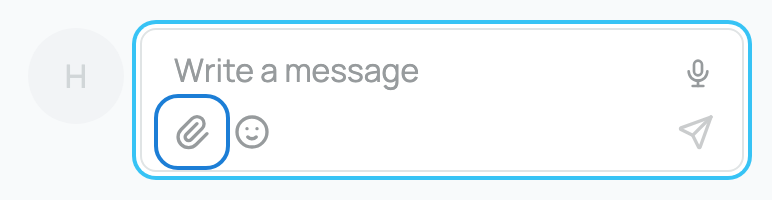
- Photos and files. Attach images and files straight to a message. Inline images render right in the bubble and open in a full-screen viewer when tapped (a single image at a readable size, multiple images tiled). The implication: you can send a photo of an animal or a document inside the chat and the other person views it in place, without leaving the conversation.
- A conversation context. When you open a chat from a specific place, the message can be stamped with what it is about, so both of you see the subject of the conversation. The allowed context kinds are exactly listing, animal, transport, application, and sale, and a context only attaches when both of you are genuinely parties to it. The implication: a "Message seller" started from a listing carries a chip naming that listing, so neither side loses track of which animal you are discussing.
Reactions on a message

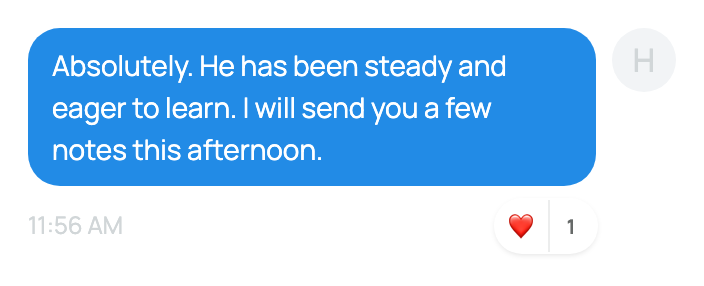
- What it is: you can react to any message with an emoji from the picker. It is not a fixed set of six; any single emoji is accepted.
- The limit: you can add up to 4 different emoji per message as yourself. A fifth distinct emoji is rejected.
- Who reacted: tap a reaction's count to see the list of who reacted.
- What it means for you: a quick acknowledgement ("got it," "love this") without typing a reply.
Reporting a problem (there is no in-chat block)
Be clear-eyed about what messaging does and does not offer today. There is no block, mute, or report button inside a conversation. The protections that do exist are that platform-banned accounts are invisible and cannot message you, and the new-conversation rate limit throttles strangers (especially unverified ones, who get one new chat a day).
- What to do if a member is bothering you: contact Creatures support so the team can act on the account. Phrase it to yourself as "contact support," not "block them," because the in-chat block does not exist yet.
- What it means for you: the rate limit is your first line of defense against unsolicited messages from new accounts; support is the path for anything an existing thread throws at you.
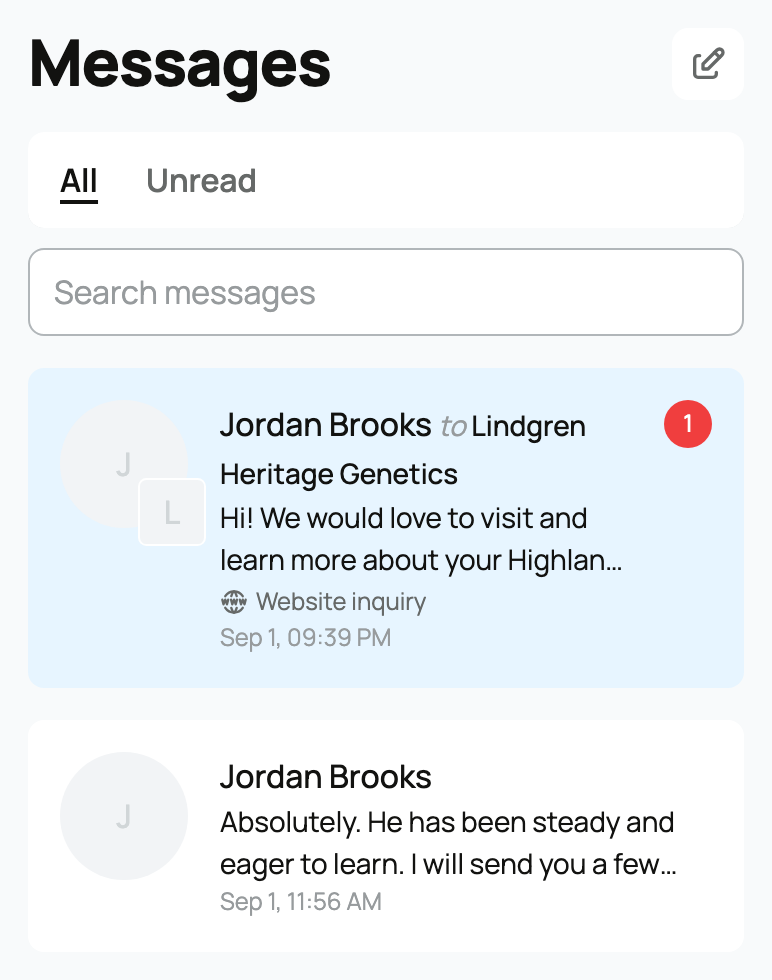
For the inbox tools (searching, the unread badge, and reaching a conversation from anywhere), see Message reactions, search, and what's in your inbox. Your profile is the identity every message carries, so it is worth getting right: see Setting up your profile.
Related information
- Message reactions, search, and what's in your inbox
- The community feed: posting, reactions, and reposts
Updated on: 23/06/2026
Thank you!