The community feed: posting, reactions, and reposts
The community feed is the social heart of Creatures: a public stream of updates from breeders, owners, organizations, and animals across the platform. This guide explains where the feed lives, the single most important thing to know about it (every regular post is public), and exactly how to post, react, and repost.

Where the feed lives and who sees it
- It is your home page. The community feed is your signed-in home page. There is no separate "feed" surface to navigate to; opening Creatures while signed in lands you on it.
- What it shows: public posts from across Creatures, newest first. Posts by or about a private animal are kept out of it.
- The new-posts indicator: the feed shows a count of fresh public posts from you and the people you follow, so you know when there is something new to scroll.
- What it means for you: the feed is a public commons. Anything you post to it is visible platform-wide, not just to your followers. Treat a feed post as a public statement.
Every regular post is public: there is no audience picker
This is worth stating plainly, because it shapes how you should use the feed.
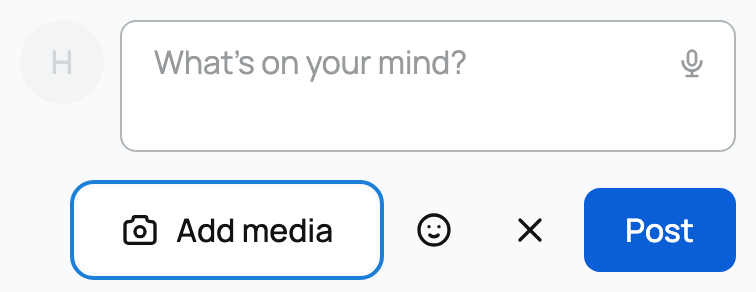
- What it is: when you write a normal post, the composer carries only who you are posting as, nothing else. There is no audience or visibility field on a regular post, and Creatures treats it as public by default.
- The exceptions, so you know the boundary: non-public audiences (for example a litter or group update restricted to reservation holders, or a team-only update) come from a different surface, group and litter updates, not the regular feed composer. The only other post whose audience is set is the opt-in memorial post, whose audience tracks the memorial's own visibility (covered in Tributes, visibility, and sharing a memorial).
- What it means for you: if you want to say something privately, a regular feed post is the wrong tool. Use a direct message for one person, or a group or litter update for a defined group. Do not expect a regular post to reach only some people; it reaches everyone.
Who you post as

A post is attributed to an actor, and you choose which one before you write:
- You (your user): your personal voice.
- An organization you are a member of: the kennel's or farm's voice, posted on the organization's profile.
- An animal you own: posted "as" the animal, so the update lands on that animal's own profile.
- What it means for you: the composer appears on a profile's Posts tab (your own, an organization's, or an animal's), and the voice of the post is simply the profile you are composing from. Every author is a linkable actor with the same actor card you see everywhere else, so readers can hover any author to see who or what posted.
What a post can contain
- Text. Write as much as you want; there is no hard length limit, and light formatting is rendered.
- Mentions. Tag any user, organization, or animal with an @mention; it renders as a linkable chip. This is the same mention system as direct messages and comments.
- Photos. Attach one or more images. The card shows a few with a "+N more" overlay when there are many, and each photo in a multi-image post can hold its own conversation (see Comments, reposts, reporting, and what shows in your feed).
- A memorial card. A post can embed a memorial card that links to an animal's memorial page. This is how the opt-in memorial post appears in the feed; it renders only for people allowed to view that memorial.
Reactions
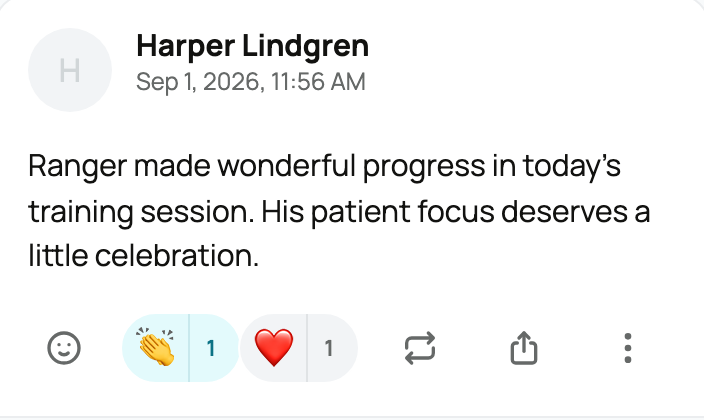
- What it is: react to a post with an emoji from the picker (any single emoji, not a fixed set). You can react with more than one different emoji.
- Who reacted: a reactions row shows the tallies, and tapping it shows who reacted.
- What it means for you: lightweight appreciation, the same gesture as a message reaction.
Reposts

- What it is: reposting shares another post to your own feed, and a repost must carry your own commentary. It renders as your new post with the original quoted and nested inside it.
- If the original is gone: a repost of a deleted post shows "the quoted post has been deleted" in place of the quote, so the context is clear.
- What it means for you: reposting is a quote-share, not a silent reshare. You always say why you are passing something along, which keeps the feed conversational rather than an echo.
For comments, the photo viewer, reporting, and what does (and does not) appear in your feed, see Comments, reposts, reporting, and what shows in your feed. Your profile is the identity your posts carry: see Setting up your profile.
Related information
- Comments, reposts, reporting, and what shows in your feed
- Tributes, visibility, and sharing a memorial
Updated on: 23/06/2026
Thank you!