
Managing tributes and sharing a memorial
A published memorial can collect written tributes under Memories when Allow members to leave tributes on this memorial is enabled. Tributes appear immediately, and the memorial manager can moderate them afterward.
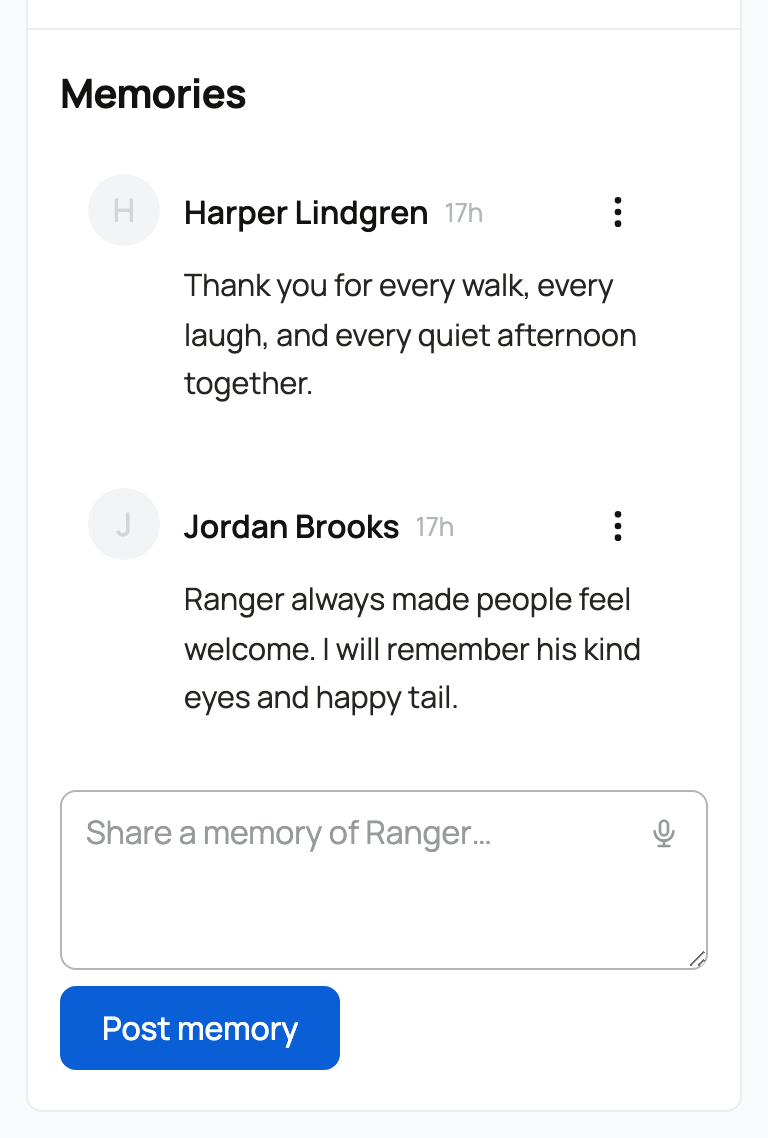
Leave a tribute
- Sign in and open the published memorial.
- Find the Share a memory of [name]… box under Memories.
- Write your tribute.
- Select Post memory.
Tributes are text only. They appear as soon as they are posted; there is no approval queue before other visitors can see them.
Moderate tributes on a memorial you manage
- Open the tribute's actions menu.
- Choose Pin to keep a meaningful tribute first, Hide to remove it from public view, or Remove to delete it from the memorial.
- Return to the same menu to unpin or show a hidden tribute later.
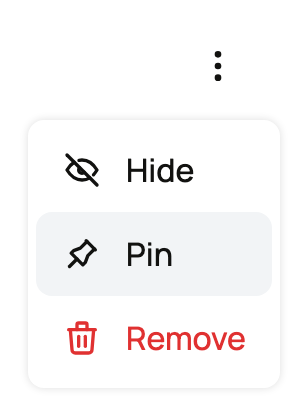
Another member can report a tribute from its actions menu. The report goes to Creatures moderators; it is separate from the memorial manager's own controls.
Turn tributes on or off
Open Memorial, select Edit memorial, and change Allow members to leave tributes on this memorial. Select Save changes to update a published memorial. Turning tributes off prevents new ones but does not hide tributes already posted. Existing visible tributes remain visible to visitors. Use Hide or Remove on an individual tribute when you no longer want it displayed; managers can still see hidden tributes.
Share the memorial to the feed
While the memorial is still a draft, Share a memorial feed post when published is selected by default.
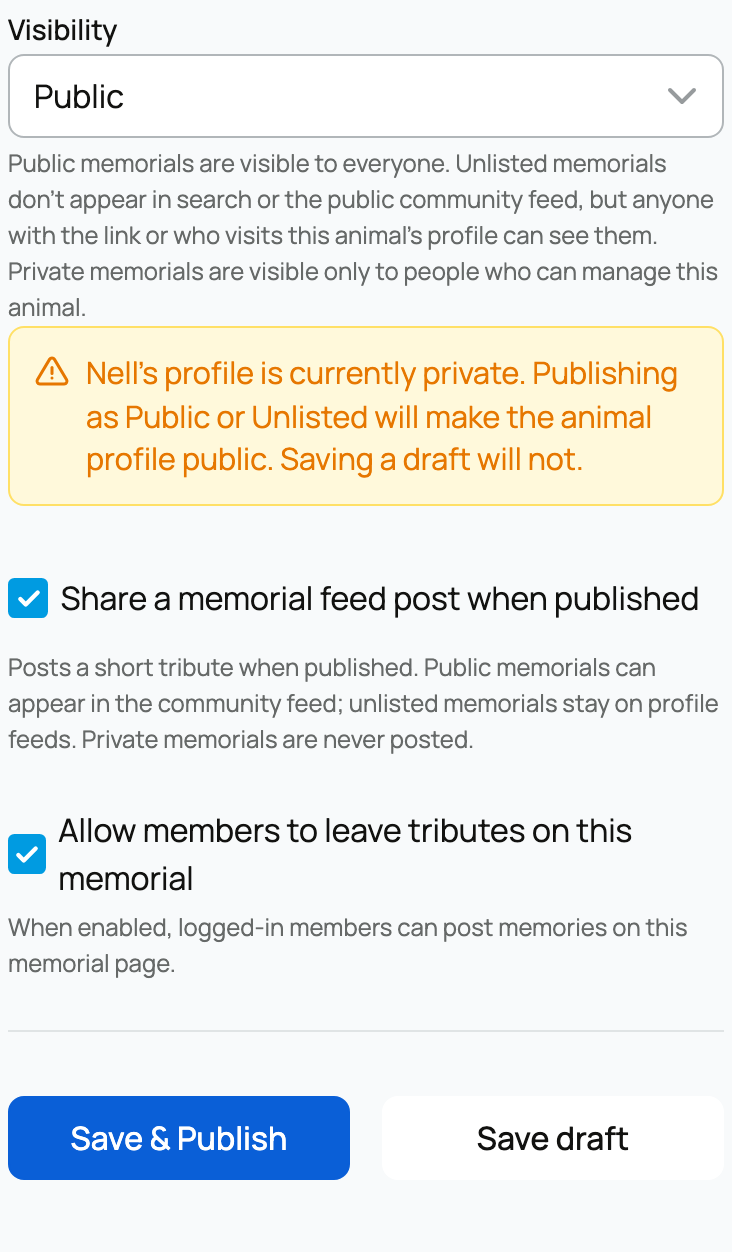
Draft settings are shown above; a published memorial uses Save changes.
On first publish:
- a public memorial can create one public feed announcement;
- an unlisted memorial stays out of the public community feed;
- a private memorial creates no feed post.
Later visibility changes keep an existing memorial post aligned with the memorial. The editor shows whether the memorial was shared when first published.
Sharing a memorial is optional. Turn off that option before the first publish when you want the memorial available from the animal's profile without announcing it.
For the complete editor and visibility choices, see Creating and publishing an animal memorial. For ordinary community posts, see Posting, reacting, and reposting in the community feed.
Related information
Updated on: 02/09/2026
Thank you!