
Removing an animal from your account
Removing an animal from your account does not delete its profile from Creatures. Choose the path that matches what happened so its records and family connections are preserved correctly.
Open More animal actions on the profile and choose Sold, rehomed, or deceased. When sale and transfer options are unavailable, this entry reads Remove from my animals.
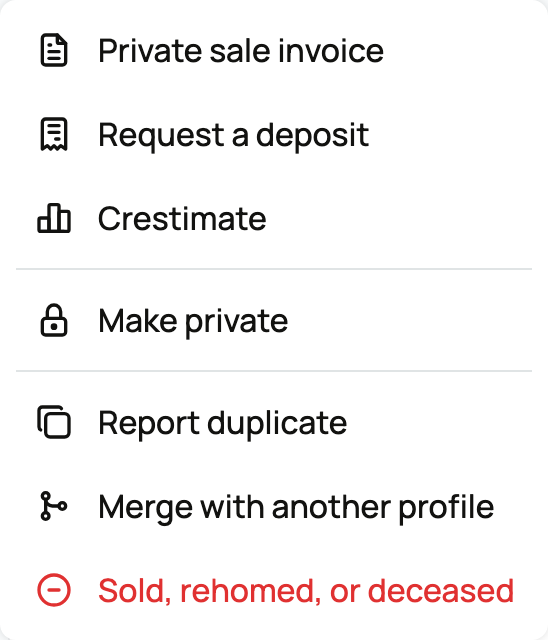
Sold or rehomed
If Sold opens Record the sale in Finance, continue to save seller income and mark the animal sold. Buyer details are not required.
For a known new owner, select Transfer ownership instead when offered. If the option reads Sold or rehomed, it continues to the ownership transfer. A transfer waits for the recipient to accept the profile.
See Transferring an animal to its new owner for the complete handoff.
The animal has passed away
Choose the option saying the animal has passed away and optionally enter Date of passing. You stay connected to the profile. Active listings are ended and affected paid stewardship is closed; Creatures can then help you create a memorial.
See Creating a memorial for an animal and Tributes, visibility, and sharing a memorial.
Remove the profile from your account
If the profile is private, use Contact us before removing it so the team can review the right next step.
For a public animal, choose I just want this profile off my account when neither the sale nor deceased path fits. Read the warning before selecting Remove me from this profile. This releases the profile from ownership and leaves it as a public reference.
Removal is not a way to hide an animal. Use profile privacy if you want to keep owning and managing it privately.
If you need the profile fully deleted
Removing the animal does not erase the profile. Use Contact us at the bottom of the sheet if there is a specific reason the profile itself must be deleted. The Creatures team reviews these requests because deletion can break pedigree links used by other members.
Removing a reference you added
If you added an animal only as a pedigree reference and need your connection removed, open Remove yourself from this profile and use Contact us at the bottom rather than Remove me from this profile. Ask the Creatures team to review the reference and your connection to it.
Related information
- Transferring an animal to its new owner
- Public, private, and reference animals
- Reference animals: documenting lineage and inviting the owner
Updated on: 03/09/2026
Thank you!